


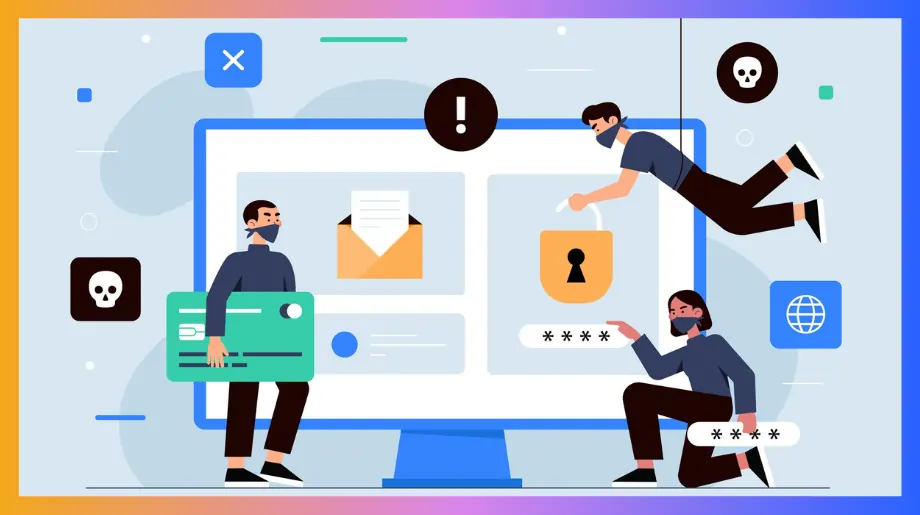

Identity based attacks raise a question that should make every leader pause. What if the real weakness in modern security is not the system but the identity behind it. These threats slip through the cracks of trust and automation moving where passwords policies and perimeter tools cannot see.
They target the very fabric of digital life from human behaviour to machine credentials to silent background workflows. As cloud ecosystems expand and identities multiply the attack surface becomes limitless.
This article uncovers why identity has become the new battlefield and why securing it is now the key to protecting everything else.
What Are Identity-Based Attacks?
Identity based attacks target the digital identity of a person or a tool. These threats trick users into giving access or let attackers enter by copying trusted accounts. The goal is to reach private info without raising alerts. These attacks grow fast as more work moves online and teams struggle to detect identity-based attacks before damage spreads.
- Credential Theft. Attackers try to collect login keys through fake pages or trick messages. Once they gain the details they move like real users inside systems. This attack works because many people repeat passwords.
- Account Takeover. In this attack the intruder steps into a real account and behaves like the true owner. They read files, send messages and explore tools without raising alarms. This gives them a path to deeper areas.
- Privilege Abuse. This threat begins when the attacker reaches an account with strong rights. They open secret data change settings and hide their moves. A small start can end in major control.
- Impersonation Scams. The attacker pretends to be a known team member. They send simple requests that seem normal and safe. Victims act quick because the message feels familiar.
Common & Emerging Types of Identity-Based Attacks You Must Know
Identity threats keep growing as more work moves into cloud tools and shared spaces. Attackers study how people behave online and then slip into systems by copying trusted users which makes identity based attacks even harder to spot. Teams also struggle with identity management threats and vulnerabilities that make small gaps turn into bigger risks across apps.
- Phishing Tricks. Attackers send messages that look real and ask for quick action. Victims click links and share login keys without thinking. The attacker then walks into accounts with ease.
- Session Hijack. Here the attacker steals a user session token and enters tools without any login. They move around like a true user and avoid alerts. This attack grows in cloud apps where tokens stay active.
- API Abuse. Attackers target app links that talk to each other. They use weak keys to slip into data that should stay private. This threat rises as teams depend on many cloud tools.
- Shadow Identities. These are hidden or forgotten accounts that still hold access. Attackers find them and use them as quiet entry points. Old test accounts and stale admin accounts create risk.
- Non Human Identities Misuse. Bots scripts and service accounts often hold strong access. Attackers target them because they rarely get checked. Once captured the attacker can reach many systems.
1. Credential-Based Attacks
These attacks target the sign in keys that protect accounts across cloud tools. Attackers study user behavior then slip in by copying trusted actions that appear normal. Many teams still struggle with incident response for identity attacks in saas which lets small breaches spread deeper before anyone reacts.
Phishing
Phishing convinces people to share their login details through fake messages and pages that feel real. Attackers rely on urgency, pressure and trust to guide victims into quick action. This attack spreads fast because users face endless messages every day.
- Fake Login Pages. Attackers design pages that look exactly like real sign in screens so busy users enter credentials quickly and hand over access without noticing anything unusual.
- Scare Messages. They send alerts that create fear such as warnings about locked accounts which push victims into acting fast and giving away sensitive information before thinking clearly.
- Trusted Look. Messages copy familiar styles and names which builds comfort and lowers doubt so victims respond instinctively and provide attackers with clean silent entry into accounts.
Credential Stuffing
Credential stuffing uses huge lists of stolen passwords from past breaches. Attackers rely on the fact that many people reuse their passwords across apps. They test thousands of pairs until one works and then slip into accounts quietly.
- Large Password Lists. Attackers feed massive stolen password sets into automated tools which test countless combinations until one grants account access without raising immediate alarms.
- Weak Reuse Habit. Many users reuse simple passwords across personal and work apps which lets attackers jump from one breached site to another with minimal effort or suspicion.
- Silent Entry. Once a correct pair works, attackers move inside systems like real users and avoid detection because nothing appears unusual during early stages of their access.
Password Spraying
Password spraying tries one common password on many accounts instead of many passwords on one account. This keeps alerts low and helps attackers avoid lockouts. It works well in cloud environments where users often pick easy or predictable passwords.
- Low Alert Moves. Attackers use slow attempts with simple passwords across many accounts which helps them stay below detection systems and maintain steady quiet progress toward deeper access.
- Predictable Choices. Many people create passwords that attackers can guess easily so even one lucky match becomes a strong foothold that opens paths to sensitive areas.
- Wide Reach. A single compromised account gives attackers room to explore connected apps and move laterally without triggering security alerts because their behavior appears normal.
2. Network & Session Manipulation
These attacks target the paths and sessions that connect users to cloud tools. Attackers watch or alter data as it travels between devices and apps. They wait for moments when users feel safe and move quietly through trusted sessions. Most teams still do not have strong ways to stop identity based attacks in SaaS apps and this creates open gaps that attackers walk through with no effort.
Man in the Middle (MITM)
MITM attacks place the attacker between a user and a cloud app. They watch traffic copy sessions and even change data without being noticed. Victims believe they are connected to the real service but every step passes through the attacker.
- Hidden Interception. Attackers slip between users and cloud tools by creating fake access points that catch traffic then forward it so nothing looks suspicious during normal use.
- Session Capture. They collect tokens and login details by reading unprotected traffic which lets them enter accounts later without repeating the original attack.
- Data Tampering. Attackers change or swap data during travel which misleads victims and creates new openings for deeper access across linked apps.
Brute Force Attacks
Brute force attacks try endless login combinations until one works. Attackers use automated tools that guess passwords at high speed which gives identity based attacks a wider opening to break in. This threat grows when users choose weak passwords or when rate limits are too low.
- High Volume Attempts. Attackers run powerful tools that test countless password combinations which overwhelm weak defenses and often lead to a successful login.
- Weak Protection. Poor rate limits or missing login caps let attackers guess longer without detection which increases the chance of breaking into accounts.
- Direct Account Access. Once a password works attackers enter immediately and mimic normal behavior to avoid alerts while they gather sensitive information.
Account Takeover (ATO)
Account Takeover (ATO) happens when attackers gain control of a real user account then act as the original owner. They blend into daily activity and move across connected apps. This threat grows fast in cloud tools because accounts link to many internal functions.
- Stolen Credentials. Attackers use captured or leaked passwords to walk into accounts smoothly which gives them trusted access from the very first moment.
- Behavior Imitation. They copy normal user habits which keeps alerts low and helps them explore deeper systems without attracting security attention.
- Lateral Movement. Once inside they move across apps linked to the account which expands their reach and makes the breach harder to detect or contain.
3. Human & Insider-Driven Attacks
These attacks begin with people rather than tools. Attackers study habits, emotions and daily routines then use them to slip past safeguards. Cloud spaces make this risk bigger because one person often connects many apps. Human actions can create silent openings that allow identity threats to spread deeper across an organization.
Social Engineering
Social engineering convinces people to give access or reveal sensitive info through trust pressure or clever tricks. Attackers rely on emotion and speed instead of technical force. Victims feel safe because the request sounds normal.
- Emotional Pressure. Attackers push fear, urgency or trust which makes victims act quickly and skip careful checks that would normally stop the trick.
- Fake Authority. They pretend to be senior staff partners or vendors which builds confidence and encourages people to share sensitive details with ease.
- Routine Disguise. Requests feel like regular work tasks which help attackers get access without triggering doubt or raising security alarms.
Insider Threats (privileged misuse credential sharing shadow IT)
Insider threats come from people who already have real access. They might misuse rights, share credentials without care or create hidden tools outside security oversight which makes identity based attacks easier to launch. These actions open doors attackers can use without needing to break in.
- Privileged Misuse. Insider accounts with high rights can view change or copy sensitive data which creates serious openings if the user acts carelessly or maliciously.
- Credential Sharing. People share passwords to save time which removes accountability and lets attackers slip in using trusted identities without detection.
- Shadow IT Growth. Hidden apps or tools appear without approval which bypasses security checks and creates unknown paths attackers can exploit without resistance.
4. Machine-to-Machine & Emerging Threats
These attacks focus on automated systems that talk to each other without human input. As organizations depend more on cloud links and service accounts the risk grows quickly. These paths rarely get checked so non-human identity threats rise sharply and give attackers clean routes into sensitive systems.
Attacks on Machine to Machine Communications
Machine to machine links use tokens service accounts and automated workflows. Attackers target these silent channels because they often hold strong rights. Once inside they can read data change steps or redirect traffic.
- Token Theft. Attackers capture long lasting tokens that let them enter systems freely and act without needing human approval or repeated sign ins.
- Weak Service Accounts. Many automated accounts keep broad rights which gives attackers deep control once they compromise even one poorly monitored identity.
- Unseen Traffic Paths. Hidden workflows move data without checks which helps attackers slip through unnoticed while expanding their reach into sensitive areas.
Synthetic Identity Fraud
Synthetic identity fraud builds new fake identities from real and fabricated data. Attackers use these identities to sign up for services, create accounts and access tools. Because the identity looks new and clean security systems struggle to flag it.
- Blended Details. Attackers mix real info with fake parts to build identities that pass simple verification steps and avoid suspicion during early checks.
- Fresh Account Entry. New identities start with a clean record which helps attackers move inside apps without alerts tied to past suspicious activity.
- Gradual Expansion. Attackers build trust over time which allows the synthetic identity to reach deeper tools and gather sensitive information quietly.
Lateral Movement & Privilege Escalation
After breaking in, attackers move sideways across systems searching for stronger rights. This threat grows fast because one weak access point can unlock many linked apps. Once attackers gain higher privileges they control bigger parts of the environment.
- Sideways Exploration. Attackers move through connected systems using small openings and look for paths that lead to stronger accounts and sensitive data.
- Privilege Climb. They gather rights step by step which grants deeper control and lets them change settings or hide their activity more effectively.
- Hidden Growth. Movement blends with normal traffic which delays detection and gives attackers time to prepare broader attacks across cloud environments.
Impact of Identity-Based Attacks on Business
When identity based attacks hit a business the damage spreads far beyond a single account. Attackers slip into systems through trusted identities and move quietly which makes the impact deeper and harder to control. As identity attacks grow across cloud tools companies face rising costs, reputational harm and long recovery cycles that challenge even strong security teams.
- Operational Slowdowns. Attackers disrupt workflows by blocking access, changing settings or forcing system shutdowns which delays projects and hurts team productivity for days or even weeks.
- Financial Loss. Companies spend money on recovery legal needs and new controls while also losing revenue from downtime and shaken customer trust during the aftermath.
- Reputation Damage. Customers, partners and staff lose confidence when sensitive data leaks which weakens long term relationships and makes future deals harder to secure.
- Data Exposure. Attackers reach personal or business data through trusted accounts which increases legal risk and creates long term problems even after systems recover.
- Compliance Pressure. Breaches trigger audits and penalties which increase costs and force teams to rebuild processes while trying to keep the business running smoothly.
How to Prevent Identity Threats & Secure Digital Identities
Protecting digital identities starts with building layers of defense around users devices and cloud tools. A complete strategy blends people training device security and smart automation so identity threats never get room to grow. Here’s a clear breakdown built on current best practices and real world security trends.
- Strong Authentication Everywhere. Use multi factor sign in for every user and every cloud app. This stops attackers who rely on stolen passwords or replayed sessions. Physical keys or app based tokens make unauthorized access almost impossible even when credentials leak.
- Least Privilege Access. Give each user only the exact level of access required for their work. Small rights reduce the blast area if an account gets breached. Review access regularly to remove outdated rights before attackers find and exploit them.
- Continuous Identity Monitoring. Watch for unusual sign ins , device changes or odd movement across apps. Real time alerts catch silent entry attempts. Continuous monitoring also helps track long sessions that attackers might hijack without warning.
- Smart Password Hygiene. Use long unique and auto generated passwords stored in a secure manager. Enforce strong rotation rules only when needed. This step eliminates easy guessing and blocks attackers who rely on leaked credential sets.
- Secure Machine Identities. Protect tokens service accounts and automated workflows which often hold high power. Rotate keys restrict access hours and review unused identities. Many breaches grow because non-human accounts stay unchecked for months.
- Encrypted Network Connections. Ensure all cloud traffic uses encrypted sessions to prevent interception. Enforce strict SSL checks and block access when certificates fail. This shuts down man in the middle attacks that target busy teams.
- Behavior Based Detection. Use tools that recognize behavior changes like logins from new regions or sudden permission jumps. These patterns reveal identity misuse early and prevent attackers from moving deeper across linked tools.
- Strong Device Security. Secure every device tied to work with patching endpoint protection and mobile controls. Attackers often enter through outdated systems and then ride trusted device sessions into cloud apps.
- Automated Incident Response. Set automated rules that lock accounts isolate devices or cut sessions the moment suspicious activity appears. Fast containment reduces damage and stops attackers before they spread across the environment.
- Zero Trust Framework. Never trust by default and always verify identity device health and session context. This mindset closes the gaps attackers love and ensures every access request gets checked before approval.
Stop Every Identity Attack with a Unified Defense Layer
Infisign gives you one powerful layer that protects every identity across your business and sharply cuts down the attack paths that most identity threats depend on. Its two engines work together. UniFed manages customer identities with smooth control and the IAM Suite secures workforce identities and non-human identities.
With these two parts Infisign blocks silent moves, credential misuse session hijacks and advanced identity threats across cloud tools. It keeps every identity under one roof so attackers lose every path they normally use.
Why Infisign Delivers a Superior Identity Security Platform
Complete Identity Coverage
Infisign protects employees, customers, partners and machine identities in one place. UniFed manages all customer identities , while the IAM Suite handles every internal and automated identity across the business. This removes the need for separate tools and closes gaps attackers target.
Passwordless Authentication and Adaptive MFA
Instead of relying on passwords that people reuse, forget, or expose through phishing, Infisign delivers passwordless authentication through biometrics, FIDO2 passkeys and WebAuthn flows, creating a login system that is designed to be highly resistant to phishing, credential theft, and replay attacks.
When a user authenticates, the private key stays inside the secure element of the device, while the public key sits with the service. The private key never leaves the device, and only non-sensitive public data is stored or transmitted, so there is nothing useful for attackers to steal or replay in the way traditional passwords can be.
This design effectively neutralizes whole categories of identity attacks such as credential stuffing, password brute force, password replay, and most common phishing techniques.
Smart Multi Factor Authentication
Infisign Smart MFA strengthens identity security without slowing daily work. It adjusts authentication in real time based on location, device trust, user role, behavior, and risk signals. This adaptive layer works across cloud, on-premise, and hybrid systems to block phishing attempts and unauthorized access with minimal friction.
Why Infisign Adaptive MFA Works
- Uses live signals like location, device posture, privilege level, and risk score to adjust verification strength.
- Integrates smoothly with existing authenticator apps and identity tools.
- Extends SSO and MFA protection to legacy and on-premise apps that lack modern authentication.
- Supports biometric authentication and device-bound passkeys that resist phishing and cannot be copied.
- Enables passwordless access through biometrics, passkeys, push prompts, one-time codes, or QR-based sign-in.
- Infisign supports biometrics, FIDO2/WebAuthn keys, authenticator app codes, push approvals, and email or SMS fallbacks, with NAG and MPWA enabling secure login for legacy and on-prem apps.
Unified SSO for Every App
Infisign’s Universal Single Sign On creates a seamless access experience for every user and goes live in 4 hours, making it one of the fastest enterprise grade setups available. Users can authenticate instantly through Google and Facebook without ever creating new passwords, removing friction and closing major attack vectors.
Even legacy apps that do not support modern SSO become fully accessible through Infisign’s MPWA, which brings secure passwordless login to old on-premise and traditional systems. Infisign also includes a Password Vault that stores all credentials in a protected space and keeps them hidden from users.
Together, MPWA and the Password Vault let legacy applications run safely inside a modern identity framework without replacing existing systems or changing core operations.
AI Powered Access Intelligence
Infisign’s AI Access management delivers instant, policy aware access decisions by letting users request access with a simple message. The AI analyzes the request, checks rules, and approves in seconds. It works directly inside Slack and Teams, keeping the process quick and natural. For sensitive permissions, it routes requests to the right manager for fast, secure approval.
Zero Trust and Decentralized Identity Architecture
Infisign’s Zero Trust and decentralized identity architecture verifies every access request and never assumes trust, even inside the network. By removing shared secrets and using device bound cryptographic keys, it eliminates the single points of failure found in traditional identity systems.
Every login is validated through real time signals like device health, behaviour, location, and user role, stopping attackers from moving laterally or exploiting compromised accounts. Because identity control is distributed instead of centralized, it greatly reduces the chance that a single breach can cascade across systems.
This approach strengthens security across cloud, on premise, and hybrid environments while keeping access fast, consistent, and low friction for every user.
Non Human Identity
Non-human identities are also real entry points, so Infisign protects them with the same strength it gives to human users. Bots, scripts, and API accounts do not rely on passwords because Infisign removes them completely.
Clear rules decide how these accounts connect and what they are allowed to reach. You stay in full control of every machine identity. You can monitor service accounts, tokens, and certificates the same way you track user logins.
Human or non-human, every identity gets the same strong security layer, and attackers lose one more path they usually depend on.
Infisign's Privileged Access Management
Infisign handles privileged access in a way that keeps attackers out and keeps you in control. Admin rights appear only when a user truly needs them and they disappear the moment the work is finished.
You get the exact access you need for the task and nothing stays open after that. Every privileged step is recorded in real time so you always know who acted and when they acted. Least privilege is built in from the start which removes long standing access that attackers normally use.
Even third-party experts get short lived just in time access instead of full permanent rights. This cuts risk and gives you clear audit trails for every sensitive action.
Identity Governance and Administration
Infisign brings clean and simple control to identity governance. Every user gets only the access their role actually requires and extra permissions are removed before they turn into risk. You can see and manage all access from one place which keeps everything easy to track. Automated reviews check permissions on their own and keep compliance strong without constant manual effort.
Fast Deployment and Strong Scalability
UniFed can go live in hours. The IAM Suite handles thousands of applications and heavy login loads. This makes Infisign ready for growing teams without slowing operations or adding complexity.
Book a demo now and experience how one unified identity layer blocks attacks, improves access and strengthens your full security posture in less than a day.
FAQs
What are identity threats?
Identity threats are attacks that target user or machine identities to steal access to data or control systems. Attackers misuse credentials sessions or trust paths to move quietly inside cloud environments.
How to Prevent Identity-Based Attacks?
Use strong authentication, least privilege monitoring and secure machine identities. Train users watch behaviour, enforce Zero Trust and block suspicious sessions early to stop attackers before they spread across systems.


