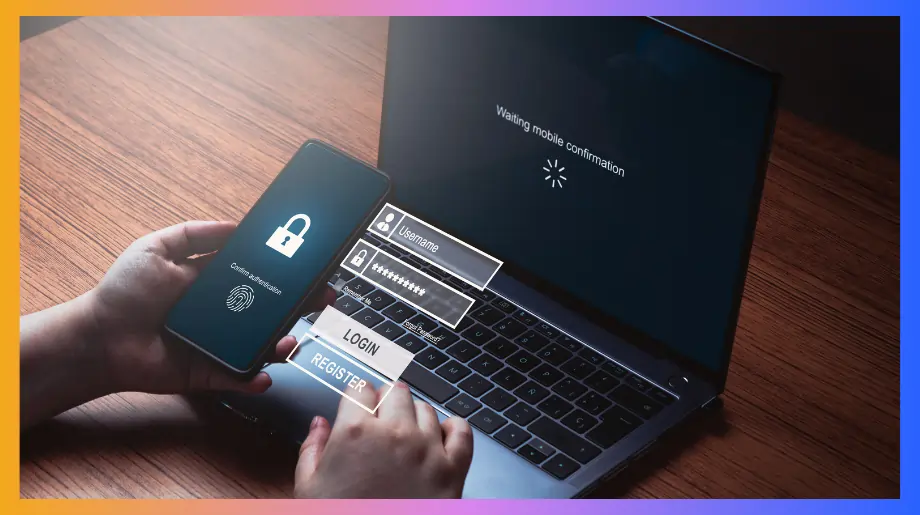

Legacy and on prem apps keep businesses running but securing them with modern SSO and MFA often feels impossible. These systems were never built for today’s identity standards yet they still hold critical data. Teams deal with too many passwords, weak access controls and rising security risks every single day.
This guide explains how organizations can bring strong authentication to legacy environments without rewriting code breaking workflows or replacing trusted applications using practical methods that work in real life.
What Are the Challenges in Enabling SSO for Legacy & On-Prem Applications?
Most organizations still depend on applications that were created long before modern identity systems existed. These tools were never designed to work with cloud platforms or zero trust models.
When teams try to enable on premise sso they realize very quickly that it is not a simple switch. Instead of improving access the process often exposes deep technical and operational gaps.
- Protocol Limitations. Many older apps still use basic login methods and do not understand newer standards like SAML or OIDC. That makes it hard to hook them into single sign on. Teams end up building little workarounds which later turn into long term maintenance pain.
- Infrastructure Barriers. On prem environments are tightly controlled and protected by old network rules. Any change in access flow requires firewall updates and server reconfiguration. This slows down projects even when using advanced access management tools.
- User Experience Gaps. Some applications support modern authentication while others do not. Users jump between different login screens during the workday. This confusion creates more helpdesk tickets and reduces trust in access systems.
- Security Exposure. When legacy authentication does not have MFA, centralized control and continuous monitoring it slowly becomes the weakest part of the system. People keep using the same simple passwords. Attackers get in without being noticed. That is when compliance starts to fail and business data comes under real risk.
- Operational Dependency. Very few engineers today fully understand how these older systems were designed. Tasks related to account changes then become manual and slow. Over time this creates a dangerous reliance on limited internal knowledge.
Common Ways to Enable SSO/MFA for Legacy & On-Prem Apps
Many teams believe enabling sso legacy applications is not possible because the systems are too old. In reality you can secure them without changing the code or disrupting daily work. The idea is to improve access from the outside instead of touching the application itself. This approach also fixes weak mfa for legacy apps that put business data at risk.
- Access Gateway. You place a secure gateway in front of the application, it checks the user first and only then allows access. This lets legacy apps work inside a zero trust access model without changing or rewriting the original application code.
- Credential Automation. Users log in once and the system completes the rest of the process in the background. This removes the need to remember multiple passwords. It also lowers the chances of credentials being reused or shared.
- Risk Based Controls. Login rules change depending on where the request comes from and how risky it looks. If something feels wrong access can be blocked immediately. This keeps attackers out without bothering regular users.
- Central Access Panel. All permissions are managed from a single dashboard. Teams no longer have to update access separately in every system. This saves time and reduces mistakes.
- Gradual Rollout. Teams can secure one application at a time instead of doing everything together. This keeps business operations smooth while access security steadily improves.
How Infisign Helps You Enable SSO & MFA for Legacy & On-Prem Apps
Infisign brings modern SSO and MFA to legacy and on-prem systems that still rely on basic usernames and passwords. It adds a secure identity layer in front of these apps so users sign in once and complete strong MFA before getting access without changing the original software.
Teams can enforce conditional access based on user behavior device and location while automated lifecycle management ensures access is granted or removed instantly. Centralized auditing and reporting give security teams clear visibility across all legacy and on-prem tools.
MPWA (Managed Password Web Authentication)
Managed Password Web Authentication or MPWA is a practical way Infisign brings secure login to older and web-based applications that do not natively support modern login standards. Instead of forcing users to remember multiple passwords, machine systems handle credentials securely and smoothly.
MPWA encrypts and stores passwords in a central vault and then manages access with strong checks before letting users in. This means legacy tools start behaving closer to modern systems with better controls and less risk.
- Automated Credential Handling. MPWA stores encrypted credentials in the password vault and fills them automatically during login. Users no longer type the same password again and again and IT gets better oversight with fewer reset requests.
- Secure Vaulting. Passwords live in one safe place and only come out after proper checks. This cuts down exposure and fits well with a passwordless approach so security feels stronger across all apps.
- Policy-Driven Access. Every login is evaluated based on rules before access is granted. You can enforce adaptive checks without touching the legacy system itself and combine this with adaptive MFA for even stronger protection.
- Risk Shielding. With policy based controls and secure credential workflows users only get access when they are verified. This helps reduce threats from credential theft and phishing in environments that never had modern protections.
- Audit and Control. Every credential request and password action is logged and monitored. This gives security teams full visibility across legacy and new systems and helps with compliance reporting and risk analysis.
NAG (Network Access Gateway)
Many organizations still rely on applications running inside private networks that were built years ago. These tools keep the business moving but were never designed with modern security in mind.
Infisign Network Access Gateway checks every user before they reach any internal system. This is how companies begin real access modernization without changing legacy software.
- Unified Access. Everyone signs in through the same gateway instead of different login points. This makes it much easier to manage who can open which application.
- Legacy Compatibility. NAG works with the systems that already exist in the environment. Applications continue to run as usual but access becomes far more secure.
- Automatic Updates. When someone joins or leaves the organization their access changes everywhere right away with user provisioning and deprovisioning happening naturally in the background.
- Audit Visibility. Every login is recorded in one place so security reviews and compliance checks become simple and stress free.
Advanced Features for Today’s Modern Enterprise
Most companies are not running on just one type of system anymore. You have cloud apps. You have old tools that still matter. You have systems sitting deep inside your network. Infisign helps bring all of this together so access stays simple for people and secure for the business.
Infisign Conditional Access
Infisign’s conditional access adjusts security checks based on real-time context so systems are protected without slowing people down. It evaluates login conditions like device health, location and user risk before letting anyone in. This ensures only verified users access sensitive environments.
- Checks login context such as location before allowing access
- Applies adaptive decisions based on risk signals
- Protects legacy and modern apps with the same policy logic
Infisign Automated Provisioning & Deprovisioning
Infisign automates how users get accounts and lose access when they leave so manual work goes away. Whether someone joins the team, changes roles or departs the organization, their access updates right away. This keeps access clean and secure everywhere.
- Grants access based on roles/departments automatically
- Removes permissions instantly when a user no longer needs access
- Works across internal tools, external apps and SaaS platforms
Infisign Risk-Based Policies
Infisign evaluates how risky a login looks and adjusts access rules accordingly instead of treating every request the same. When behavior looks usual access stays smooth and when it looks odd extra confirmation is required. This approach blocks threats without hurting productivity.
- Changes access checks when activity looks unusual
- Requires stronger proof for high-risk logins
- Keeps both legacy and new apps protected
Infisign Adaptive Multi Factor Authentication
Infisign Adaptive MFA adds a smart verification layer to every login, first evaluating risk signals such as the user’s device, location, and session behavior, allowing seamless access when everything looks normal, but enforcing strong authentication, such as OTP or app approval, whenever suspicious activity is detected.
- It analyzes real time risk factors before allowing access
- It enforces step up authentication for suspicious sign ins
- It integrates with cloud apps on prem systems and legacy tools
- It reduces account takeover and phishing based attacks
- It supports biometric and passkey authentication through Infisign biometrics
Infisign Passwordless Authentication
Infisign passwordless option removes dependency on static passwords by using cryptographic credentials stored on trusted devices. Users authenticate using biometrics, passkeys or secure approval flows instead of typing passwords.
- It supports FIDO based device passkeys and biometric sign in
- It replaces reusable passwords with secure key based authentication
- It lowers password reset tickets and credential reuse risk
- It protects against phishing and credential replay attacks across all systems
Infisign Central Auditing & Reporting
Infisign records every access event in one place so you always know who did what and when. These logs help with compliance and security reviews because everything is documented and searchable. No more guessing who accessed older systems.
- Shows login history and changes clearly
- Helps prepare for compliance audits fast
- Tracks access across all systems from one dashboard
Infisign Support for Contractors & Partners
Infisign doesn’t just protect employees; it handles users outside your organization too. Contractors, partners and temporary workers can get controlled access for only what they need. This reduces the risk of giving someone too much access long term.
- Provides limited access for third-party users
- Sets time-bound permissions for external roles
- Ensures partner access doesn’t compromise your network
Simplify Legacy Access with Infisign
Infisign UniFed and its IAM suite bring together identity and access tools in one clean platform. This platform lets you enable on premise sso and strong authentication for old on-prem systems and new cloud apps without rewriting anything. Every login becomes easier to manage and every access point becomes more secure.
- UniFied Identity and SSO. Gives users one consistent sign in experience across cloud and on-prem apps. Teams stop dealing with scattered login systems and users stop juggling passwords.
- Adaptive & Contextual Security. Evaluates device trust location and behavior before granting access. Normal activity stays smooth while risky behavior triggers stronger checks.
- Passwordless & Biometric Authentication. Removes dependence on static passwords by using passkeys and biometrics. This blocks phishing and improves the daily login experience.
- Role & Attribute Based Access Control. Assigns access using business roles and policies. People only see what they need and nothing more.
- Central Auditing & Compliance. Records every access event in one place. Security teams can review activity and prepare audits without digging through old systems.
- Third Party & Partner Access. Provides limited time bound access for contractors and partners. External users get what they need without putting the network at risk.
Your legacy systems are not going anywhere but your security problems can. Book your live walkthrough and see how fast old systems can finally act modern.
FAQs
What risks exist if organizations continue running legacy apps without SSO/MFA?
Without SSO and MFA, legacy apps rely on weak passwords, making them easy targets for phishing and credential theft, increasing breach risk, audit failures, compliance penalties, and costly business disruptions.
How long does it typically take to implement SSO for a legacy on-prem application?
With an identity gateway and password based integration, most legacy on-prem apps can be onboarded for SSO within days or weeks, depending on infrastructure complexity and access requirements.