


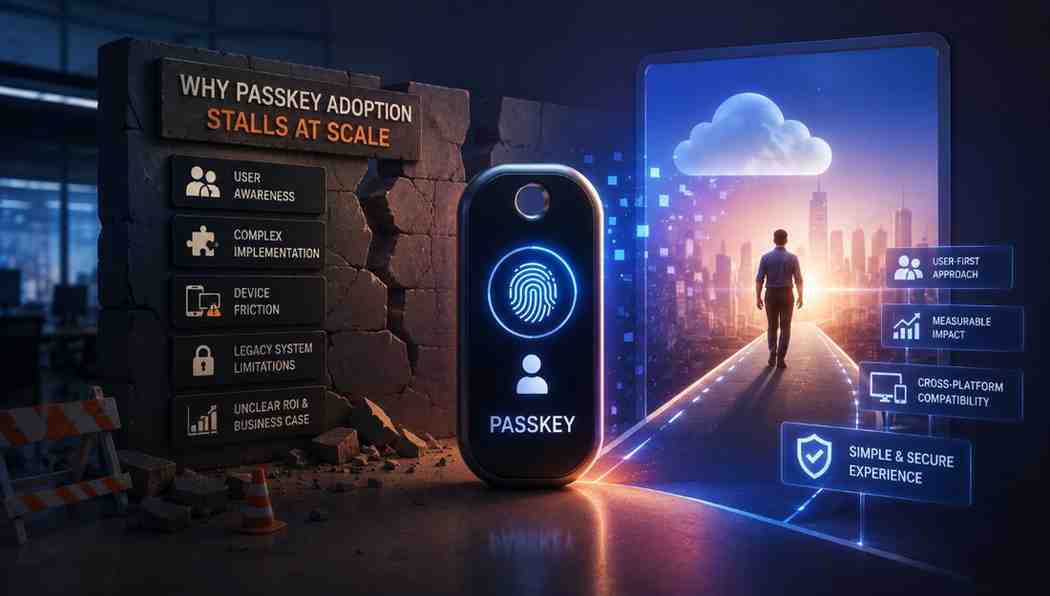

Many leaders treat login security as a necessary burden rather than a growth lever. They settle for aging systems that leak revenue and drain technical resources every single day. True security requires moving beyond these outdated habits to adopt an architecture that protects your data while keeping your team moving fast.
The shift toward passkey adoption is not a minor update for your IT department. It is a strategic move to build a stable and reliable foundation for your company's future.
The Gap Between Passkey Interest and Passkey Adoption
Most companies know that passwords are outdated. And they are looking for better ways to protect their data. Most companies know passwords are bad news yet they struggle to actually finish the switch for every user. Most teams get stuck when moving from the plan to the real rollout. They focus too much on the hard parts of the change rather than how much smoother work becomes later.
- Handling User Habits. Everyone is used to typing passwords or using managers to sign in daily. If you change this workflow without making it dead simple it just feels like a chore for everyone. Providing synced passkeys helps users sign in quickly across devices within the same passkey ecosystem. For devices outside that ecosystem users can typically authenticate using Cross-Device Authentication.
- Solving Technical Complexity. Many companies worry that new login methods will break their old software. They fear that changing how authentication works will just create more busy work for the IT team.
- Focusing on True Security. Some businesses still rely on basic login methods because they think these are easier to manage than modern options. Using device-bound passkeys keeps the private key on a specific device and this significantly reduces the risk of credential theft and phishing.
Passkeys vs Passwords: The Real Cost of Standing Still
Many companies stick to old ways thinking they are safer. They miss that keeping these systems is a huge risk that wastes both time and money every single day. Understanding the true passkeys vs passwords trade-off reveals that the cost of inaction is far higher than the effort required to make the switch.
The Password Tax You Already Pay
Security teams spend countless hours helping people regain access to locked accounts. These repeated resets consume expensive IT resources and slow down everyone in the office. You are losing money every single minute your staff spends stuck at the login screen instead of doing their actual jobs.
- Operational Burnout. IT teams spend their whole day dealing with password reset tickets. Automating this lets your people stop wasting time on manual fixes so they can focus on work that grows business.
- Lost Productivity. Every time a user forgets a password they stop working to reset it and wait for confirmation emails. This downtime adds up to hours of wasted potential across your entire organization every month.
Where Passwords Leak Revenue
Hackers target password databases since they are the easiest way to break into your network. A stolen password can allow attackers to gain unauthorized access when additional protections are not in place. This brings massive fines and ruins the trust you built over years.
- Financial Liability. Data breaches can result in legal costs and regulatory investigations. These incidents also lead to financial penalties and reputational damage. It is always cheaper to pay for better security now than to clean up after a disaster.
- Customer Churn. Users expect their data to be safe and they will take their business elsewhere if they lose faith in your security. Losing customers over a preventable login failure hits your revenue hard.
Why MFA Bolt Ons Don't Close the Gap
Adding extra layers like SMS codes on top of weak passwords creates a fake sense of security. SMS-based MFA improves security over passwords alone. It remains vulnerable to phishing and SIM-swapping along with certain telecommunications attacks. You are essentially just adding more friction to the login process without actually stopping determined hackers.
- False Security. Multi-factor tools that rely on mobile text messages or basic codes do not stop modern phishing attacks. SMS OTP and authenticator app codes improve security over passwords alone. They are not phishing-resistant like FIDO2 passkeys. Sophisticated attackers can bypass these extra steps easily. This leaves your sensitive information exposed.
- Increased Frustration. Adding more steps to a broken login process just makes your users annoyed. You end up with a high friction experience that still does not stop modern attacks.
Where Passkey Adoption Actually Breaks
Many teams struggle with passkeys because they view them as a simple software update instead of a change in how people work. Organizations often face adoption challenges due to user education and recovery planning. Legacy compatibility and deployment complexity also contribute to project failure. Success means making it feel natural instead of just another chore.
- Fragmented Deployment Logic. Rolling out security in pieces creates confusion because users never know which login method to pick. You need one consistent policy that applies to everyone across the company to keep things simple.
- Poor Recovery Paths. Employees get locked out if their device is lost. Without centralized recovery, security fragments when users switch hardware. Implementation experience shows that inadequate recovery planning can slow or complicate passkey deployments.
- Lack of Adoption Data. Many companies launch a tool and then fail to track who is actually using it. You need clear visibility into usage patterns to spot where people are getting stuck so you can fix those issues fast.
What a Passkey Rollout Needs to Reach Scale
Moving to passkeys is a complete shift in how your team handles identity. You need to ditch old habits to build a setup that works for everyone without the friction. True success happens when you make the new way easier than the old one.
Passkeys as the Default Path
You must make the new login method the main way people get into their accounts. If you keep the old system active side by side most people will just stick to what they already know. Making it the default removes the choice that leads to confusion and slow adoption.
- Remove Old Options. Hide or disable password fields for users once they have set up their passkey to prevent them from reverting to bad habits.
- Guide the First Setup. Use a simple prompt during the first login that walks the user through the process in under thirty seconds.
Risk Based Authenticator Policy
Not every login needs the same level of checking. You should set up a system that looks at the login context to decide how much verification is needed. This keeps your security high while keeping daily work moving fast.
- Check the Context. Look at factors like device location or login time to decide if a higher level of verification is necessary.
- Adjust Security Levels. Automatically allow quick access for trusted devices while asking for more proof only when the risk looks higher than normal.
Recovery That Doesn't Reopen Phishing
Recovery is the biggest weak point because it often allows people to bypass security entirely. You need a way for users to get back in that does not involve sending temporary codes that hackers can easily steal. True safety means the recovery process is just as hard for an intruder as the initial login.
- Recovery That Doesn't Reopen Phishing. Industry reports including the Verizon Data Breach Investigations Report consistently identify phishing and credential theft as top attack vectors. Research and implementation guidance emphasize that secure account recovery is a critical component of successful passkey deployments. Enterprise success depends on fixing recovery paths instead of just logins.
- Use Biometric Backups. Allow users to register a second device as a backup so they can recover their access without talking to a human.
- Verify Identity Offline. Organizations may consider manager approval or identity verification workflows for high-risk account recovery scenarios. This ensures that a human or an automated internal check approves any request that involves resetting a user account.
One Identity Layer Across Your Stack
If your login system is scattered across different apps it will always be a mess. You need to connect everything to one central identity hub so you can manage security from a single dashboard. This gives you total control without forcing your users to learn five different login methods.
- Centralize Access. Centralize identity management where appropriate. You can also federate multiple identity providers to provide a consistent authentication experience. This allows you to update security settings in one place.
- Unified Experience. Keep the login screen looking and feeling the same whether a user is opening email or a complex internal project tool.
Provisioning That Keeps Up
Adding new employees should be instant and should not require any manual setup from your IT team. You need a system that automatically gives new hires the right access from the moment they sign in for the first time. Fast onboarding helps your team stay productive instead of waiting on permission.
- Automate Account Creation. Connect your hiring system directly to your identity provider so the new account is ready the second you hit save.
- Instant Access Grants. Give new users the right roles based on their department without needing to manually assign them to each individual tool.
Visibility Into Real Adoption
You cannot fix what you do not see so you need to track exactly who is using the new system. A good dashboard will show you which teams are lagging behind so you can offer them help. Clear data allows you to prove the value of the switch to your leadership team.
- Monitor Success Rates. See real time numbers on how many people completed their setup versus how many are still stuck on old methods.
- Spot Technical Blocks. Identify which departments are struggling with specific hardware or software so you can provide the right support.
Passkey Adoption Is a Platform Decision, Not a Feature Toggle
Shifting to passkeys is not just about changing a setting in your software. It is a fundamental rethink of how your entire business handles identity and trust. When you treat authentication as a core part of your platform you stop chasing temporary fixes and start building a foundation that is secure by design.
You move away from the constant tax of password resets and the heavy risk of data leaks. This transition is about creating a standard that stays strong as your company grows. Choosing the right path ensures that security actually supports your team instead of acting as a barrier to their daily productivity.
Infisign UniFed brings this vision to life by treating identity as a single layer that sits across your entire tech stack. It removes the need to piece together different security tools by providing a cohesive environment. Authentication is streamlined through passkeys and adaptive authentication. This reduces user interaction during routine sign-ins.
- This architecture centralizes your security policies so you no longer deal with fragmented login workflows across various apps. It supports phishing-resistant authentication using FIDO2 or WebAuthn where configured and supported. This saves your IT team from the manual labor of constant updates.
- The system uses smart risk checks to balance high security with an easy user experience. It continuously evaluates authentication risk. It can also enforce additional security controls based on organizational policies. This keeps your data safe by blocking threats in real time so your team can work without being slowed down by complex logins.
Passwords are holding your business back and keeping your best people from doing their best work. Stop managing legacy risk and start building a foundation that scales with your growth. Book a time here to see how we replace these friction points with a single secure identity layer.
FAQ
Do passkeys replace MFA, or do we still need it?
Passkeys actually count as full multi-factor on their own. Because they require your physical device plus your fingerprint or face scan, you no longer need to use extra SMS codes.
What happens if a user loses the device that holds their passkey?
If a phone is lost, synced passkeys can be easily restored from a cloud backup like an Apple or Google account. You can also use a registered second backup device.
Why do passkey rollouts stall even when users say they want them?
Rollouts fail when companies keep passwords as an option. If people have a choice, they stick to old habits. Make passkeys the default and guide them through quick setup steps.
Can we roll passkeys out gradually instead of forcing everyone at once?
Yes, doing it team by team is a smart approach. Just ensure that once a group switches, you fully turn off passwords for them so they do not go back.


