


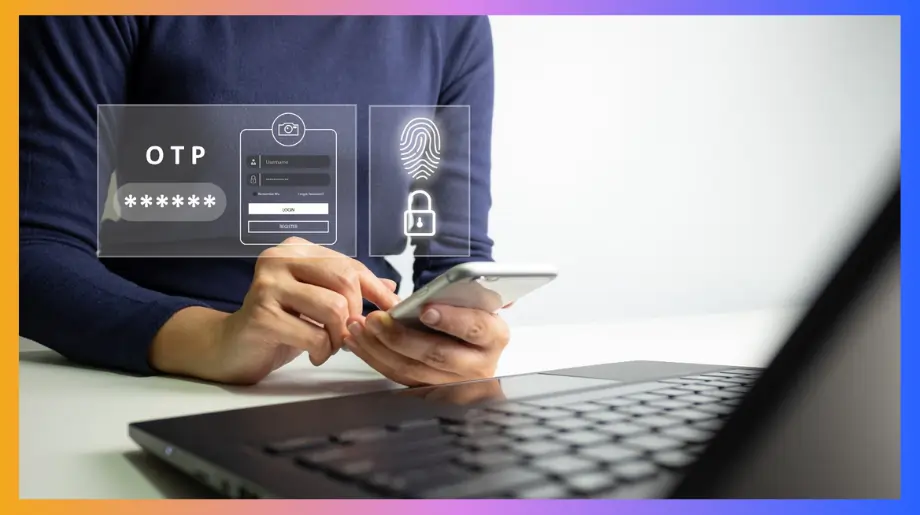

Phishing still works even after years of MFA and most people have no idea why. Hackers do not break systems anymore; they trick real users into opening the door for them. That is exactly where modern authentication changes the game.
This article explains how phishing really happens and how unphishable authentication and new login methods finally block it. Also, read to understand the risks hiding in your current setup and how to protect users without adding complexity.
Why Phishing Still Works Despite MFA Adoption
Many companies believe MFA stopped phishing but that is not true. Attackers no longer guess passwords; they trick real people. Fake pages and endless approval prompts push users to make mistakes. That is why many teams are now moving toward unphishable MFA to block phishing at the source.
- Fake Login Pages. Users are sent to pages that look exactly like real company portals. They enter their code thinking it is safe. The attacker immediately uses that code to sign in to the real service before it expires. The victim does not realize anything went wrong.
- Push Fatigue. Attackers trigger many login requests in a short time. The phone keeps buzzing again and again. People finally tap approve just to make the alerts stop and that single action gives the attacker full access.
- Session Hijacking. Some phishing tools forward the login details to the real system in real time. From the user side everything feels normal. Attackers steal authenticated session tokens which gives them access as if they were the real user.
What Is Unphishable Authentication?
This approach removes secrets that people can type or share. The system checks the device using cryptography instead of codes. There is nothing useful to steal from the user. This is known as unphishable authentication because it blocks scams at the source.
- No Shared Secrets. With unphishable authentication users never type passwords or codes. Their device proves who they are using cryptographic keys that never leave the device. Even if someone is tricked, nothing useful can be stolen.
- Real Site Only. The authentication only works on the correct website. If the page is fake or the domain is wrong the login simply fails. This stops phishing without needing the user to notice anything.
- Physical Presence. The user must interact with the real device such as touching a key or using biometrics. Attackers sitting somewhere else cannot complete the login even if they know the username.
How Unphishable Authentication Works at a Technical Level
The goal here is to explain what happens behind the scenes during a secure login. Each section below describes one technical layer that works together to form phishing proof authentication.
Cryptographic Key-Based Authentication
A private key is created inside the user device and never leaves it. The server only receives proof that the key exists rather than the key itself. No password or code travels over the internet. Even if traffic is captured, attackers gain nothing.
- Local Key Storage. The private key stays locked inside the device hardware and never moves anywhere else.
- Challenge Response Flow. The server sends a challenge and the device signs it to prove identity.
- No Reusable Secrets. Nothing can be copied and reused later.
Device-Bound Authentication
With unphishable authentication login is tied to a real physical device. Only that device can complete the sign in. Remote attackers without the hardware are blocked immediately.
- Hardware Trust. The device becomes part of the identity proof.
- User Presence. The person must interact with the device to continue.
- Remote Blocking. Attacks from unknown machines fail.
Origin Binding and Domain Validation
Authentication only works when the correct website is present. Fake portals never receive approval.
- Domain Matching. The system checks the website address before login.
- Automatic Failure. Wrong domains are rejected instantly.
- Invisible Protection. Users stay safe without doing anything special.
Unphishable Authentication vs Traditional MFA
Security teams often rely on password codes or push approvals to protect logins. Real attacks show that those methods fail when people are tricked. Fake pages steal codes and endless alerts push users to approve blindly.
Because of these problems many organizations are now focused on implementing unphishable authentication as a long term strategy.
Passwords and One-Time Passcodes
Passwords and One-Time Passcodes appear safe but real world attacks show a different story. People regularly enter both into phishing pages without realizing anything is wrong. Attackers capture the details and log in before the code expires. Victims continue working while attackers already control the account.
- User Confusion. Fake portals look exactly like company login pages. Most people cannot spot the difference.
- Rapid Reuse. Stolen codes remain valid long enough for attackers to complete full login flows.
- Behavior Exploits. Social engineering beats technical controls again and again.
Push-Based MFA and MFA Fatigue
Push approvals feel easy at first. But phones keep buzzing and people start approving without thinking. Unphishable authentication fixes this because there are no approval popups to trick users.
- Approval Conditioning. Repeated prompts train users to respond automatically.
- Noise Overload. Constant alerts remove any sense of urgency.
- Invisible Breaches. Accounts are taken over quietly while users believe everything is normal.
Unphishable Authentication
Modern cryptographic authentication removes secrets from the user entirely. No passwords or codes ever appear on the screen. The device and the real website complete the login together which blocks phishing at the source.
- Secret Elimination. Nothing can be typed, copied or forwarded.
- Hardware Dependence. Login only completes on the registered device.
- Built In Protection. Fake domains fail without user involvement.
Authentication Methods Considered Unphishable
Industry experts agree that a small set of technologies finally solve phishing instead of reacting to it. All of them rely on cryptography and device trust rather than shared secrets. Together these methods represent practical unphishable authentication in enterprise environments.
FIDO2 and WebAuthn Standards
FIDO2 and WebAuthn define how browsers talk to authenticators using public key cryptography. Major platforms already support these standards which makes large scale adoption realistic. Authentication only works on the correct domain which blocks phishing automatically.
- Global Support. Chrome, Edge, Safari, and Firefox all support WebAuthn.
- Domain Enforcement. Only the genuine website can complete authentication.
- Passwordless Flow. Login happens without any typed secrets.
Hardware Security Keys
Hardware Security keys connect through US, NFC or Bluetooth and require physical interaction. Attackers on remote systems cannot activate a key even with stolen usernames.
- Physical Ownership. Access requires the actual key in hand.
- Attack Resistance. Phishing pages cannot request valid responses from keys.
- Strong Assurance. Control always remains with the real user.
Platform and Device Authenticators
Phones, laptops, and tablets come with secure hardware for unphishable authentication. Instead of typing passwords, users just use biometrics and the proof stays safely inside the device.
- Integrated Security. No separate hardware needs to be carried.
- Smooth Experience. Face and fingerprint checks feel natural to users.
- Enterprise Compatibility. Depends on IAM integration and directory support across corporate systems.
Where Unphishable Authentication Delivers the Most Security Value
Unphishable authentication creates the biggest impact in environments where a single stolen login can lead to massive damage. It protects high risk systems without forcing users through confusing steps. Teams also gain confidence because protection works quietly in the background.
- Privileged Systems. Administrative consoles and cloud control panels become far harder to abuse.
- Remote Workforce. Employees can work from anywhere without exposing credentials to phishing.
- Third Party Access. Contractors and partners no longer rely on shared secrets.
- Cloud Applications. SaaS platforms gain strong login security without breaking workflows.
Challenges and Limitations of Unphishable Authentication
Although the security gains are huge, adoption is not always simple. Planning and change management are required to avoid user frustration. Legacy tools and older systems may also need upgrades.
- Legacy Compatibility. Older applications may not support modern authentication standards.
- User Readiness. People need time to adjust to new login habits.
- Device Dependency. Lost or damaged devices require recovery processes.
- Operational Planning. Rollouts must be coordinated across teams to avoid disruption.
How Security Teams Should Evaluate Unphishable Authentication Solutions
Choosing an authentication platform goes far beyond checking feature lists. Security teams need to understand how well a solution fits into real operations and how it will behave under pressure. The areas below describe the most important questions that should guide any serious evaluation.
Standards and Ecosystem Compatibility
A strong solution must support open standards that work across browsers, devices and operating systems. Closed or proprietary systems often create long term lock in and integration pain. Standards based platforms protect future investments and simplify large scale adoption.
- Open Protocol Support. FIDO2 and WebAuthn compatibility ensures wide device coverage.
- Cross Platform Reach. Windows, macOS, iOS, Android, and Linux support prevents fragmentation.
- Vendor Neutral Design. Avoiding proprietary silos keeps options open long term.
User Experience and Adoption Readiness
Security only works when people actually use it. Complicated enrollment or confusing login flows slow adoption and generate support tickets. A smooth experience reduces friction and builds trust across the organization.
- Simple Enrollment. Users should register devices in minutes not hours.
- Low Training Needs. Login flows must feel natural from the first day.
- Clear Recovery Paths. Lost devices should not lock users out permanently.
Integration with Existing Identity Infrastructure
Most companies already run complex identity systems. Any new authentication layer must fit into that ecosystem without breaking existing workflows or policies.
- Directory Compatibility. Support for enterprise directories avoids identity duplication.
- Application Coverage. SaaS and on premise apps must work under one policy model.
- API Flexibility. Integration with custom apps and workflows should be straightforward.
Operational Visibility and Policy Control
Security teams need insight into what is happening and control over how policies evolve. Without strong visibility even advanced authentication becomes blind protection.
- Detailed Logging. Every login attempt must be traceable.
- Policy Granularity. Teams need control over who can use which authentication methods.
- Real Time Monitoring. Suspicious behavior must surface immediately.
Can Unphishable Authentication Fully Replace Passwords?
Complete removal of passwords is a goal many security teams share. Reality shows that the path is gradual rather than immediate. Some systems move quickly while others take years to modernize. Over time unphishable authentication becomes the foundation instead of passwords.
- Modern Application Readiness. Cloud and SaaS platforms can drop passwords far more easily than legacy tools.
- Legacy System Barriers. Older software often has no support for modern authentication standards.
- Transition Period Needs. Hybrid environments require passwords and advanced authentication to coexist.
- Cultural Adjustment. Users must learn new login habits before passwords can disappear completely.
Getting Started with Unphishable Authentication
Begin your journey toward secure login with Infisign by combining Infisign’s UniFed and IAM suite for seamless identity and access management. UniFed provides secure user access with flexible authentication options while the IAM suite brings governance automation and lifecycle controls together.
Whether you are securing customers or employees, these tools create a strong foundation before adding unphishable methods. With the right setup you can protect critical systems without creating user frustration.
Native Support for Unphishable Authentication
Infisign supports unphishable authentication using modern cryptographic login methods that remove passwords and reduce phishing risk.
- Hardware Backed Login. Uses device keys and biometrics for strong identity proof.
- Passkey Support. Enables secure protocols for cryptographic authentication across apps.
- Passwordless Access. Removes shared secrets from the login process.
Flexible Authentication Options
Infisign unphishable MFA lets you choose the best ways to authenticate users based on your needs and risk profiles.
- Social logins boost adoption with trusted identity providers.
- Device passkeys and biometrics give strong security with user ease.
Seamless Integration With Enterprise Identity Stacks
Infisign works with your existing identity platform without forcing large changes or migrations.
- Connects with SSO and federation across 6000+ apps out of the box.
- Works smoothly with enterprise directories and on-prem systems too.
- SDKs and APIs help embed authentication in custom applications quickly.
Policy-Driven Authentication Controls
Security teams need control over who can authenticate and when. Infisign lets you define rules that adjust protections based on risk signals.
- Real time rules adapt requirements based on device risk and context.
- Conditional access enforces location and behavior checks before login.
- Role-based policies help decide who gets what level of access.
Comprehensive Monitoring and Audit Trails
Infisign logs and reports give security teams a clear picture of access patterns.
- Full history of authentication helps track suspicious activity quickly.
- Audit logs meet regulatory needs for visibility and accountability.
- Alerts highlight places where policies are challenged.
Identity Lifecycle Management
Users constantly change roles and responsibilities. Infisign automates updates to identities and access rights based on role changes so credentials never outlive their purpose.
- Automated onboarding ensures new users get correct access instantly.
- Role changes update credentials without manual tickets or delays.
- Offboarding revokes access immediately, reducing late vulnerabilities.
Discover how Infisign enables secure passwordless access across enterprise environments. Book your demo to understand how unphishable authentication reduces phishing risk while maintaining operational control and a consistent user experience.
FAQs
What are the risks of passwordless authentication?
Passwordless systems depend heavily on devices and recovery processes. Lost phones hardware failure or weak enrollment flows can lock users out or create security gaps if identity verification during recovery is poorly designed.
What makes an authentication method truly unphishable?
A method becomes unphishable when it uses cryptographic keys bound to the device and website. Nothing reusable is typed or shared so phishing pages gain nothing even when users are tricked.
How does FIDO2 prevent phishing attacks?
FIDO2 uses public key cryptography tied to the real domain and the user device. Authentication only works on the legitimate website so fake pages cannot collect anything useful from victims.


