


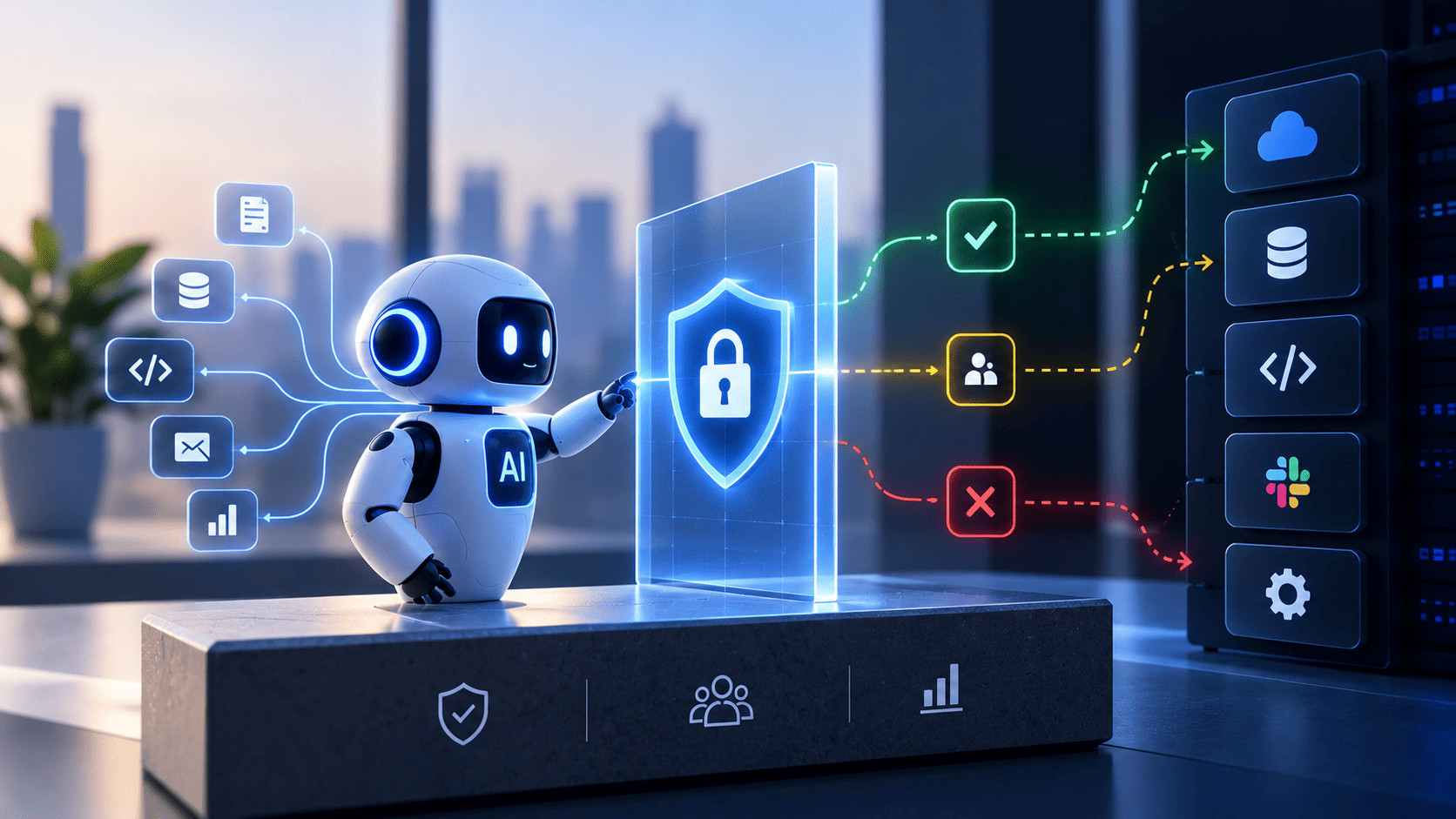

Setting up secure AI agent authorization is important as autonomous software workers use databases and business tools across company networks. Organizations should avoid giving agents broad access by default. Instead, teams should give each agent its own machine identity, use temporary access tokens, and limit permissions based on the agent’s specific role.
Regular monitoring and clear human ownership can help prevent security gaps while allowing automated workflows to run safely without slowing things down.
Nobody Knows What Your AI Agents Are Allowed to Do
Autonomous software workers do jobs across networks. They get records from databases. They change app states. They talk to external tools without waiting for human confirmation at every single step. When software developers set up these intelligent assistants they keep permission settings wide open to stop blocked tasks. This creates massive blind spots for agentic AI security teams.
The Hidden Risks of Unchecked Autonomous Permissions
AI agents can access databases and business tools and work with sensitive company data. If their permissions are not clear they can create serious security risks. An agent can also make decisions based on the information it receives. This may lead to actions that were never intended, which makes strong AI agent security essential for modern teams.
Key Risks
- Too Much Access: AI agents may get more permissions than they need. This can let them access customer data or change financial records. They may also run database queries or use internal APIs without proper approval.
- Security Threats: Harmful text or prompt injection can trick an AI agent into taking unsafe actions. Too much access can also lead to data theft or unwanted changes in important systems.
- Need for Clear Controls: Organizations should check every AI agent and define what data tools and systems it can access by implementing robust AI agent access control protocols, while also setting clear limits and requiring human approval for sensitive actions.
Establishing Strict Operational Controls and Architecture
AI agents can make work faster and easier. But they also need clear security rules. Companies should control what an agent can do before it changes data or uses any system tool through proper agentic AI identity management protocols. This helps protect important information and keeps systems safe.
- Set clear rules for every action: Before an agent changes data or makes a system call the action should be checked. Developers should map the tools and database queries that an agent may use during normal work. Giving broad access just to make development faster can create security problems later.
- Keep permissions limited: Agents should only get the access they really need. If an agent is tricked by a harmful instruction it could download customer data or change system settings. Security reviews should happen before software goes live so agents stay within safe limits.
- Keep monitoring the system: Security teams should use automated tools to find new tool connections or changes in permissions. They should also track what agents can do and keep proper audit records. This helps stop unauthorized actions and protects company systems while allowing teams to work quickly by utilizing identity security for AI agents.
What Happens When an AI Agent Uses a Human Access Model
AI agents should not use the same identity as human employees. Human accounts are made for people who work for a limited time. AI agents can work continuously and perform many tasks very quickly.
Using human accounts for these systems can lead to serious security and tracking issues. To reduce these risks, it is important to use dedicated workload identities, limited credential access, and short-lived access tokens instead.
- Human accounts do not fit AI agents: A human user may log in and perform a few tasks before logging out. An AI agent can run many tasks in the background and make thousands of actions. If both use the same identity then security teams may not know which actions were done by a person and which were done by an agent.
- Give agents their own limited access: Human accounts often have access to many company resources. An AI agent does not need all of that access. For example an agent that checks system logs does not need access to payroll data or human communication tools. Dedicated machine identities and short lived tokens can limit what each agent can do.
- Track every action clearly: Systems should record which user or process started each action. This makes it easier to find the cause of errors and investigate security problems. Keeping human identities separate from machine identities helps reduce the risk of leaked credentials. It also makes it harder for attackers to misuse AI agents as confused deputies by using runtime policy enforcement, limited delegation tokens, and detailed API access controls.
The Access Problems Teams Hit After Agents Go Live
AI agents can create new access problems after they are added to production systems. Their permissions can grow quickly as teams add new tools and workflows. Without regular checks this can make systems harder to manage and protect.
How Agent Permissions Can Get Out of Control
- Permission creep: An agent may slowly gain more access as new tools and updates are added. Over time it can end up with access to systems that it does not really need.
- Recursive delegation: An agent may create smaller tasks and pass its access to other bots. If the full permission is passed down then even a simple task can have too much power.
Why Monitoring and Token Control Matter
- Forgotten tokens cause issues: Old testing workflows may leave tokens behind even after the project is removed. These forgotten processes can create unknown API calls and make security problems harder to investigate. Fast agent activity can also put extra pressure on older identity systems.
- Automated checks keep systems safe: Security tools should continuously scan for unknown agents and unused tokens. New access should be checked before it is approved. Monitoring tools can also alert teams when an agent tries to access restricted systems. This helps keep production systems safe, secure, and stable as the use of agents increases. This can be done by combining secure communication methods, such as mTLS, with centralized API gateways that enforce policies in real time.
Which AI Agent Authorization Model Fits Which Agent
AI agents do not all work in the same way. Some agents only handle simple support tasks while others can access code or manage cloud systems. Because of this each agent needs the right level of authorization. A single security policy cannot protect every type of AI agent in the same way. Organizations should match access controls with the risk and responsibilities of each agent.
Authorization Models for Different AI Agents
Each AI agent needs access based on what it is designed to do. Support agents need limited access while development and financial agents may need stronger controls.
- Customer support agents: Customer support agents: These agents should use delegated user authorization, such as OAuth 2.0, along with limited token permissions. This ensures that the agent cannot access or perform actions beyond what the user is allowed to do.
- Cloud and coding agents: Cloud operations bots should use temporary identities with time based access. Coding agents should only access approved files and repositories. They should not be able to view production secrets or unrelated company code.
- Financial and data agents: These agents can create higher risks because they may handle money or sensitive data. They should use approval steps and strict spending or data export limits. Important actions should require human review before they are completed.
Risk-Based Authorization and Continuous Security
Authorization should change as an AI agent becomes more capable. Security teams should review what each agent can access and what actions it can perform. This helps reduce the damage if an agent is misused or compromised.
- Use temporary access: Ephemeral tokens can give agents access only when they need it. This reduces the risk linked to permanent credentials.
- Set clear permission limits: Attribute based rules can control which files systems and data an agent can access. This keeps agents focused on approved tasks.
- Keep human oversight: High risk actions should include approval gates. Regular risk reviews can also help organizations update permissions as agents gain new capabilities.
The AI Agent Checklist for Your Identity Platform
AI agents are becoming part of everyday business work. They can handle tasks that once needed people to manage them. This also means they need safe and controlled access to company systems. A strong identity platform helps keep these agents within clear limits. It also helps security teams know what each agent can do and when it should be stopped.
Core Identity and Access Controls
AI agents should not use shared accounts or human login details. Each agent should have its own identity and only get the access it needs for a specific task.
- Give Every Agent Its Own Identity: Each AI agent should have a unique identity that the system can verify. This makes it easier to track what the agent does.
- Use Temporary Access: Agents should get short lived access tokens instead of permanent access. The token should expire when the task is done.
- Limit What Agents Can Do: Access should depend on the task the agent is working on. An agent should not get extra access just because another agent gave it a task.
Monitoring and Platform Readiness
Good access control also needs strong monitoring. Teams should be able to see what agents are doing and stop them when something looks wrong. They should also make sure their current identity tools are ready for AI workloads.
- Keep Activity Logs: The system should record important agent actions and tool calls. This helps teams review activity and find problems.
- Stop Access Quickly: Security teams should be able to end an agent's active sessions when unusual activity is found. This can help limit damage.
- Check Your Identity Platform: Test if your current system can handle AI agents and frequent access requests. Older systems may need an upgrade before they can support these workloads safely.
Who Owns Agent Authorization Inside Your Organization
AI agents can now handle important tasks inside a business. This creates a simple but important question: who is responsible when an agent makes a mistake?
Clear ownership helps teams respond faster when an agent accesses the wrong data or causes a system problem. Every AI agent should have a clear owner and a team that is responsible for its actions.
Set Clear Ownership for Every Agent
Every AI agent should be linked to a real person and an engineering team. This makes it clear who should manage the agent and respond when something goes wrong.
- Assign a Human Owner: Every agent should have a named person who is responsible for it. This person should understand what the agent does and what access it needs.
- Review Permissions: The owning team should check the agent's permissions on a regular basis. They should update its access when the business needs change.
- Respond to Problems: The owner and their team should act quickly when monitoring tools detect unusual activity. Clear ownership can help reduce delays during security incidents.
Give Each Team a Clear Role
Agent security works best when security and engineering teams share responsibility. Each team should know what it needs to manage so that important tasks do not fall between the cracks.
- Platform Team: The platform team should manage identity systems and make sure token and access services work properly.
- Security Team: The security team should set basic security rules and watch for unusual activity or policy violations.
- Shared Responsibility: Product and engineering teams should manage their agents while working closely with security. Regular permission checks and good communication can help teams keep AI systems safe without slowing down development.
Set Your AI Agent Authorization Rules Before Someone Else Does
You should not wait for a security breach to think about AI agent security. As more AI agents enter your systems they can access more data and perform more tasks. Without clear rules this can create serious risks for your business. Setting basic access rules now can help you use AI with more confidence.
Know Which AI Agents Are Running
The first step is to understand what AI agents are already active in your business. You cannot protect systems if you do not know which agents have access to them.
- Find Every Agent: Make a list of AI agents that are running across your cloud systems and software projects.
- Assign Clear Owners: Give every agent a human owner who can manage its access and respond when something goes wrong.
- Block Unsafe Actions: Use automated rules to stop agents from accessing data or systems they are not allowed to use.
Use Simple Rules to Keep Agents Safe
Once you know which agents are active you can put clear limits around what they can do. These limits should protect important systems without making normal work harder.
- Give Only Needed Access: Let each agent access only the systems and data it needs for its job. Remove access when it is no longer needed.
- Use Temporary Tokens: Give agents short lived access instead of permanent credentials. This lowers the risk if an agent is misused.
- Check Activity Often: Review agent activity and permissions on a regular basis. Quick checks can help you find problems before they become serious.
Make Security Part of AI Growth
Good AI security should not slow down your teams. Clear rules can actually make work easier because developers spend less time dealing with access problems and unexpected security issues.
- Set Team Standards: Make secure token use and identity checks part of your normal development process.
- Automate Compliance: Use automated checks to make sure agents follow your security rules every day.
- Plan for Growth: Build your security system so it can support more AI agents as your business grows. Strong controls today can help you scale AI safely tomorrow.
Securing autonomous production workflows needs modern identity systems like Infisign UniFed to keep machine workers safe without slowing down work.
- Unified Federation Layer: Aggregates and continuously correlates security signals across complex environments to govern non-human actors.
- Risk-Based Access Enforcement: Applies dynamic policies and just-in-time tokens based on runtime context and specific agent duties.
- Automated Audit Logging: Maintains strict, compliance-ready records of every tool call and API connection to eliminate production blind spots.
Secure your AI agents with Infisign UniFed. Get stronger identity controls, risk-based access, and clear audit trails. Book a demo today and see how Infisign can help.
FAQ
1. What is AI agent authorization?
AI agent authorization is the security process that defines what databases, files, and tools an autonomous software worker is allowed to access after its identity is successfully confirmed.
2. What is the difference between AI agent authentication and authorization?
Authentication proves who or what the AI agent is, while authorization decides whether that verified agent has the specific permission to perform a requested action.
3. Should AI agents have their own identity or use a service account?
AI agents should have unique standalone identities rather than shared service accounts to ensure precise activity tracking, granular permission scoping, and effective security audits.
4. How do you revoke an AI agent access immediately?
You can instantly cut off an AI agent by invalidating its active short-lived access tokens, revoking its machine identity credentials, or blocking it via central policy gateways.
5. Can AI agents use OAuth for authorization?
Yes, AI agents frequently use OAuth-based delegated authorization to securely access protected tools and third-party APIs using scoped, time-bound tokens without requiring human credentials.


