



Most companies use many apps together now. One employee may open Slack, Jira, Google Workspace, and cloud dashboards on the same day. After some time, managing separate logins for everything starts becoming messy for both employees and IT teams.
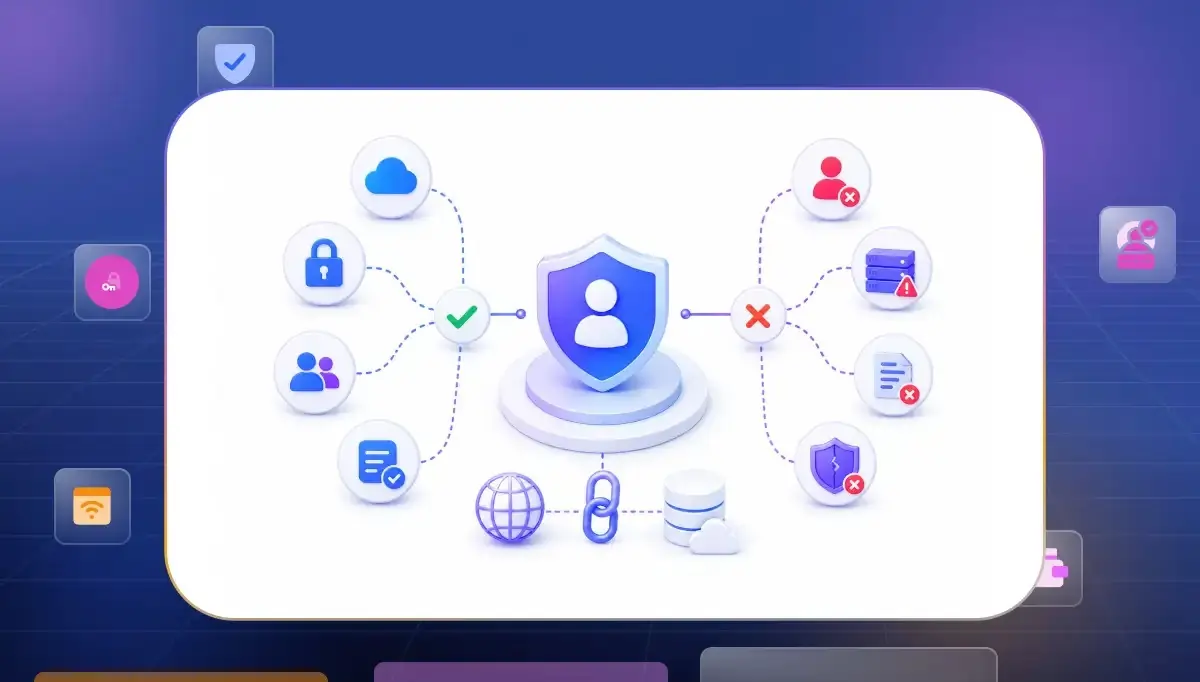
That is where federated identity management helps. Federation creates a trust relationship between systems so applications can accept identity assertions from a trusted identity provider across different domains.
What is Federated Identity Management (FIM)?
Federated identity management (FIM), sometimes called federated SSO, helps different organizations and platforms trust the same user identity across multiple systems.
Instead of managing separate identities across every system federation allows connected applications to trust authentication handled by a centralized identity provider.
It makes access feel simpler for users while helping companies manage authentication more securely across different environments.
- Unified Access. People do not like remembering passwords for every single app. Federation makes login feel easier because one identity works across multiple systems. Users spend less time signing in and more time actually working. This is one of the biggest reasons companies move toward federated identity access management models today.
- Centralized Control. Managing access becomes difficult when identities are spread across many tools. Federation gives IT teams one place to manage authentication and user access. That makes onboarding, offboarding and permission updates much easier.
- Better Credential Management. Federation can reduce password sprawl because users rely on fewer credentials across connected systems. Security still depends heavily on strong MFA, secure token handling, monitoring, and centralized access governance.
Why Organizations Move to Federated Identity
Most companies move to federation after things start feeling messy. More apps usually mean more login problems, more password resets and more confusion around access.
Strong federation depends more on coordination than complexity. As Venkata K, Senior Cybersecurity Engineer explains, centralized identity management improves security, reduces operational complexity, and creates more consistent access across modern digital environments.
Federation helps organizations create trusted identity relationships across platforms so authentication and identity verification can work securely between different systems and domains.
- Faster Onboarding. New employees often need access to many systems on day one. Federated identity management speeds onboarding by connecting authentication and permissions through one centralized identity system instead of manual setup across multiple platforms.
- Cleaner Access Management. Companies need clear visibility into who still has access and which systems they can enter. Federation centralizes authentication through trusted identity providers. At the same time organizations must manage larger trust boundaries carefully because federation increases dependency on identity provider security and token protection.
- Remote Work Support. Employees now work across homes, airports, coworking spaces, and client locations. Older identity systems were designed around office networks where everything stayed inside one environment. Identity federation helps organizations provide secure access across distributed systems and cloud platforms.
- Lower Support Load. Password reset requests consume a surprising amount of IT time inside large organizations. Federation reduces password management challenges because users rely on fewer credentials across connected systems.
SSO vs. FIM: What is the Difference?
People often mix up SSO and federation because both make login easier. From the user side they can even feel the same. The real difference is how trust works behind the scenes.
Strong federation systems depend on coordination across multiple environments instead of isolated operations.
The easiest way to understand sso vs federated identity is to look at where identity is being shared.
Internal Access vs Shared Trust
SSO focuses on simplifying the login experience for users, while federation creates trusted identity relationships between different systems, organizations, and domains.
- SSO Access. A user signs in once and moves between internal company apps without logging in again. Usually the same organization controls both the login system and the applications. This keeps internal access simple and smooth.
- Federated Trust. Companies now depend heavily on external SaaS platforms and partner systems. Federated identity management allows trusted identity assertions across connected systems through a shared identity provider. Strong monitoring and access governance still matter because trust extends across multiple environments.
Identity at Scale
Federation solves a much larger problem than simple login convenience.
- SSO Alone. Smaller companies sometimes only need easier internal login management. In those cases, SSO may be enough because most systems stay inside one environment.
- Federation at Scale. Large companies usually combine SSO and federation together. Employees log in once while identity trust works across both internal and external systems. This keeps access simple without losing security control.
The Protocols That Make Federation Work
Different apps cannot trust each other automatically. They need a secure way to share identity information across systems. That is why companies use identity federation protocols in federated identity management. These protocols help connected systems verify identity securely without repeated logins.
- SAML. SAML is still heavily used in enterprise environments especially for browser-based logins. Many SaaS platforms trust SAML assertions to verify users after authentication. Large organizations still depend on it because many older business applications were built around SAML workflows.
- OAuth. OAuth is mostly used for secure authorization between applications. Instead of sharing passwords directly systems exchange access tokens safely. Most modern APIs, mobile apps and cloud integrations rely on OAuth in some form today.
- OIDC. OpenID Connect adds identity verification on top of OAuth. It feels lighter and simpler for modern web and mobile applications which is why many cloud-first identity platforms now prefer it. Many modern web and mobile authentication systems use OIDC, while enterprises still rely heavily on SAML for legacy applications and SaaS integrations.
- JWT Tokens. JWTs are commonly used in OAuth 2.0 and OIDC environments to carry identity and authorization claims between connected applications and services.
- They help applications exchange identity and authorization information across trusted systems without repeated authentication prompts. Weak token handling however can expand the attack surface and create serious security risks very quickly.
Key Components of a Federated Identity Architecture
Federated identity management may look simple from the outside but many systems work together behind the scenes. If one part fails users can face login issues, access problems or broken sessions.
- Identity Provider. The identity provider handles authentication and becomes the main source of trust. Applications rely on it to verify users securely before granting access. Platforms like Okta, Microsoft Entra ID, and Ping Identity commonly play this role.
- Service Provider. The service provider is the application the user wants to access. Instead of checking passwords directly it trusts the response coming from the identity provider. This keeps authentication centralized and easier to manage.
- Authentication Tokens. Tokens help systems remember that a user already signed in successfully. They carry identity and session information between platforms. Good token management is extremely important because expired or poorly configured tokens create security risks fast.
- Directory Services. Most companies store user identities, roles and groups inside centralized directories. Federation systems pull information from those directories to decide who should get access and what permissions they should receive.
Where Federation Implementations Actually Break (And How I've Fixed Each One)
Most problems in federated identity management do not start during login. They usually appear later when session permissions and trust relationships stop syncing properly across systems. Federation may look clean on paper but real production environments are often far more complex.
Many federation failures happen because organizations assume trust automatically stays consistent across systems. Research from Cornell University explains that identity federation becomes difficult when authentication, authorization and user attributes move across different security domains without strong coordination and visibility.
- Session Drift. A user logs out from one application but another connected platform still keeps the session alive. This usually happens when logout handling is not configured properly between systems. Small session problems like this slowly turn into security risks.
- Role Mapping. Different systems sometimes read user roles differently which creates permission problems. A user may suddenly lose access or accidentally receive more access than intended. Most of these issues come from inconsistent attribute mapping between platforms.
- Token Expiry. Some companies allow tokens to stay active for too long because they want smoother user sessions. The problem is old tokens continue carrying trust even after permissions change. Good security depends on balancing convenience and control properly.
- Legacy Apps. Older enterprise applications usually struggle with modern federation flows. Some only support older SAML implementations while newer systems expect OAuth or OIDC. Hybrid environments often become difficult because old and new technologies behave very differently.
Enterprise Use Cases for Federated Identity Management
Growing companies use many apps and systems together every day. After some time handling logins manually becomes difficult and confusing. That is why companies now keep checking users regularly instead of trusting one login forever. Identity has also become one of the biggest security concerns in distributed environments.
Palo Alto Networks’ Unit 42 Global Incident Response Report 2026 found that identity weaknesses played a role in nearly 90% of investigated cyber incidents.
- Remote Access. Employees now work from homes, airports, coworking spaces, and client locations every day. Federation allows companies to verify users safely without depending on one office network. Federation enables centralized authentication policies while extending trusted access across distributed systems.
- Cloud Platforms. Most businesses now use many cloud applications together. Federation allows users to move across those systems without creating separate accounts everywhere. Security teams still manage authentication from one trusted identity layer.
- Partner Access. Large companies regularly work with contractors, vendors and external partners. Federation allows outside users to access approved systems securely without creating unmanaged accounts manually for every platform.
- Conditional Access. Modern identity systems can check MFA status, device health, location, and login behavior before allowing access. Many organizations combine federation with Zero Trust principles such as continuous authentication, conditional access, device posture checks, and risk-based access policies.
How to Choose the Right Federated Identity Platform
Choosing a federation platform is not only about features. The real question is whether the platform fits your existing systems, users, and long-term infrastructure plans.
A platform that looks powerful in demos may become difficult to manage later if integration support is weak.
- Protocol Support. Some environments still depend heavily on SAML while others need OAuth and OIDC support for modern applications. Good platforms handle both older enterprise systems and newer cloud environments properly.
- Integration Quality. Identity platforms should connect smoothly with HR systems, SaaS apps, cloud providers and internal tools. Weak integrations usually create manual work later which defeats the purpose of federation.
- Scalability. Identity systems should handle company growth without becoming harder to manage. A setup that works for 100 employees may struggle badly at 10,000 users if architecture planning is weak.
- Visibility. Security teams need clear logs, session tracking and access visibility across the environment. Strong reporting helps teams detect risky behavior much faster.
How to Implement Federated Identity Management
Federation projects usually fail when companies move too fast without planning identity flows carefully. Good implementation starts with understanding users' systems and trust relationships first.
The goal is not only smoother login. The goal is controlled, trusted access across the environment.
- Start Small. Most companies begin with a few important applications before expanding federation across the environment. Smaller rollouts help teams find session mapping and integration problems early.
- Clean Identity Data. Federation depends heavily on accurate user information. Duplicate accounts, inconsistent roles and outdated permissions create problems very quickly once systems start sharing trust.
- Test Sessions Carefully. Authentication may work perfectly while session handling breaks underneath. Companies should test logout behavior, token expiry, and permission updates properly before full deployment.
- Train Teams. Employees and administrators both need to understand how the new login system works. Most support issues during rollout happen because users expect federation to behave exactly like older login systems.
Get Federation Right From Day One
Federation becomes much easier when identity architecture is planned carefully from the beginning. Most long-term problems start because companies treat federation like a simple login upgrade instead of a trust system.
Good identity design saves enormous operational pain later.
- Keep Trust Centralized. Authentication and identity assurance should be consistently governed through trusted identity services and policy controls instead of spreading across disconnected systems. This makes access easier to control and monitor over time.
- Avoid Overcomplication. Some companies create extremely complex federation rules too early. Simpler identity flows are usually easier to secure, maintain and troubleshoot later.
- Review Access Regularly. Identity systems change constantly as employees, vendors and applications change. Regular access reviews help companies remove outdated trust before it becomes a security problem.
- Think Long-Term. Federation decisions usually stay inside environments for years. Choosing scalable protocols, strong integrations and flexible identity architecture early prevents expensive migrations later.
Modern identity systems become easier to scale when federation starts with the right architecture. Book your demo with Infisign to simplify authentication, centralize access management and secure identity workflows across cloud legacy and hybrid environments.
FAQs
When does federated identity management become necessary for an enterprise?
Federation becomes necessary when companies start using many cloud apps, partner platforms and remote systems together. Managing separate identities manually becomes difficult, expensive and risky after a certain growth stage.
What are the biggest risks in a federated identity implementation?
The biggest risks usually come from weak token handling, broken session management, incorrect role mapping and poor access visibility. Small trust configuration mistakes can quietly create large security gaps over time.
How long does a federation implementation realistically take?
Small federation projects may take a few weeks while enterprise-wide implementations often take several months. The timeline mostly depends on legacy systems integrations identity cleanup and testing complexity.


