


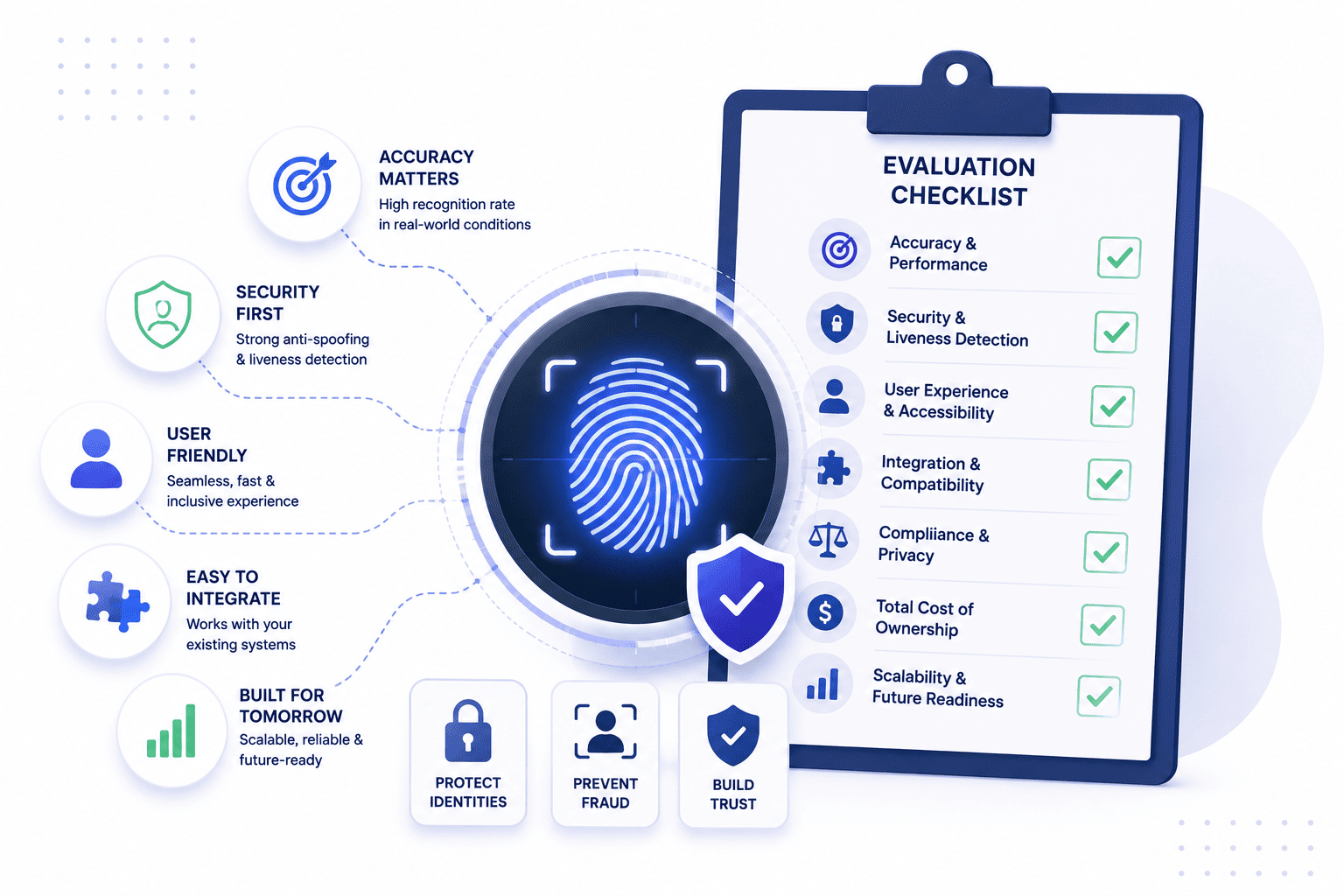

Finding the right biometric authentication software for your team takes careful thought and patience. Many buyers simply line up standard vendor feature lists and pick whatever option has the longest specifications.
That lazy method leaves critical gaps open because biological files require careful daily handling. This complete guide helps you look past marketing promises and focus heavily on real world system strength.
What Biometric Authentication Software Actually Needs to Do
Good biometric authentication platform options paired with adaptive MFA must complete four core steps without breaking down under pressure. The software has to ingest data cleanly and turn it into secure math safely. Strong pipelines ensure that initial readings stay secure before matching begins.
- Signal Capture. Sensors take in specific biometric signals while the system applies proper checks and preprocessing to filter out background interference and other capture problems. Proper capture settings prevent later recognition errors.
- Feature Extraction. The system creates a modality specific representation for matching where the retained information depends entirely on the biometric technology and implementation approach. This process leaves behind a clean profile ready for secure matching while keeping system speed high.
- Template Generation. Biometric systems build templates for comparison while protection techniques reduce compromise risks. Raw sample retention and security depend on architecture, yet no method makes data impossible to recover.
- Score Matching. The biometric comparison produces a match decision based on a configured threshold after which the authentication system applies additional factors and access policies before granting final access.
Where Most Vendor Comparisons Get It Wrong
Sellers usually show lab numbers that rarely match everyday office life and messy environments. Buyers often fall for perfect numbers that fail under real pressure. Real world conditions quickly expose the flaws hiding inside simple paper statistics when using biometric identity verification software.
- Lab Benchmarks. Controlled testing rooms give great results that fail when real lighting and tired users show up. Relying on paper stats leads to big surprises later during active deployment. Actual office conditions create variables that lab tests never anticipate.
- Modality Traps. Presentation attack detection remains a vital part of security, but overall protection also depends on sensor integrity, template protection, communications, access controls, and the broader authentication architecture rather than raw login option counts.
- Environmental Drift. Physical conditions affect performance depending on the modality and sensor used. Examples include dirty or wet fingers and changing lighting conditions that cause unexpected spikes in rejection rates after months of heavy daily usage.
- User Cooperation Assumptions. Lab settings assume users always position themselves perfectly in front of the lens. Production environments feature rushed employees who trigger frequent matching errors due to awkward angles.
The Questions That Actually Separate Vendors
Vendors love to talk about features but true differentiation lies in how enterprise biometric software handles edge cases and system pressure. These specific architectural choices determine whether a deployment succeeds or fails in production. Asking deep structural questions prevents costly deployment mistakes later.
What Happens When Authentication Fails
Every system makes mistakes when users change or hardware acts up. Knowing how software handles rejection keeps workers happy. Smart fallback rules stop staff from getting locked out.
- Handling Rejections. Systems sometimes block real users due to minor changes or bad camera angles. Dealing with these errors smoothly keeps daily operations moving forward. Proper sensitivity tuning minimizes annoying blocks for legitimate team members.
- Graceful Fallbacks. Good software offers a clean alternative login without letting unauthorized visitors slip through the door. Offering a backup magic link stops people from getting stuck outside their accounts during a system glitch.
- User Patience. Avoiding endless lockouts stops staff from finding risky shortcuts around company rules. Keeping things smooth protects the overall security posture of the business. Frustrated workers create major vulnerabilities when forced to bypass broken tools.
- Audit Logging. Failed attempts must trigger quiet background alerts to spot potential brute force patterns. Security teams need deep visibility into why rejections happen across different office terminals.
Where Biometric Templates Are Actually Stored
Template location decides your risk level if a breach ever hits your network. Protecting math files is just as important as gathering them. Secure storage layouts protect your entire organization from catastrophic data leaks.
- Template Placement. Local verification architectures reduce the need to send information to a central server, but buyers must verify actual vendor data flows. Where math vectors live dictates exposure risk, making proper security essential to prevent large scale data leaks and keep sensitive traits protected.
- Central Honey Pots. Storing everything on one big cloud server makes life easy for attackers if defenses drop. Centralized setups demand absolute fortress level protection and heavy encryption layers. A single security lapse exposes every enrolled user simultaneously.
- Local Security. Hardware protected environments secure local processing and keys. While local handling supports data minimization by reducing central storage, buyers must verify exact data flows because it does not guarantee automatic regulatory compliance.
- Encryption Standards. Proper encryption makes stolen templates much harder to use without the associated keys, but it does not eliminate the broader security and privacy risks of a biometric data compromise, even though scrambled math remains protected.
Whether It Plugs Into Your Identity Stack or Sits Beside It
New tools must fit right into your current login setup without creating extra work. Isolated systems create massive administrative headaches for tech teams. Standard protocols keep maintenance loops short and simple.
- System Integration. Implementing AI access management ensures new software fits into current login tools without creating extra work. Seamless connections prevent endless maintenance loops. Enterprise deployments require verifying directory synchronization and automated provisioning through SCIM or documented APIs to keep user directories accurate.
- Standard Protocols. FIDO2 including WebAuthn and CTAP provides standardized phishing resistant authentication using cryptographic credentials. Compatible devices use biometrics locally to unlock or authorize those credentials while open frameworks prevent custom coding and ensure long term hardware compatibility.
- Admin Overhead. Avoiding weird proprietary agents keeps deployment smooth for your tech team. Clean integration saves hundreds of hours during initial company wide rollout. Simple management panels reduce the need for specialized security engineers.
- Directory Syncing. User provisioning must update automatically when employees join or leave the company. Automated removal prevents old profiles from lingering inside active biometric verification databases.
How It Scales Across Modalities as Requirements Change
Your security needs will grow over time so the setup must stay flexible. Software locked into one trick will eventually fail your business. Adapting smoothly protects your initial budget investment.
- Future Proofing. Your security needs will grow over time so the setup must stay flexible. Adapting to new compliance requirements protects your long term financial investment. Scalable platforms handle growing user counts without slowing down search speeds.
- Modality Swapping. Moving between face scans and other checks should happen without rewriting your apps. Flexibility protects your initial budget investment from early obsolescence. Multi modal capacity accommodates diverse workforce physical accessibility needs.
- Policy Shifts. Compliance rules change fast so your software needs room to adapt without total replacement. Staying ahead of regulations keeps your daily operations legal and safe. Modular codebases let teams toggle security levels based on specific department risks.
- Bandwidth Management. Large scale modal updates require optimized data channels to prevent network congestion. Efficient software minimizes payload sizes during remote verification requests.
What a Complete Answer Looks Like
An enterprise grade setup provides clear reporting and fair treatment across all user types. It balances strict security rules with smooth everyday operations. Transparent logs allow teams to spot trouble before it spreads.
- Demographic Equity. Buyers must evaluate biometric performance across relevant demographic groups with evidence of acceptable error rates. Testing helps identify disparities and reduces the risk of disproportionate authentication failures for your workforce.
- Real Time Audits. Granular logs track system speed and failure rates so teams can spot trouble early. Clear visibility lets security pros stop unauthorized intrusion attempts before they spread. Continuous monitoring protects the network perimeter around the clock.
- Regulatory Alignment. Privacy controls help meet data protection requirements, but software is not automatically GDPR compliant simply by including features. Buyers must verify actual alignment while automated reporting reduces audit burdens and protects reputation.
- Vendor Support. Regular security updates help address known vulnerabilities, but organizations must also evaluate vendor vulnerability management, disclosure, patching, and incident response processes. Responsive partnerships and dedicated technical assistance ensure high system uptime and rapid fixes.
Build Your Shortlist Around These Questions, Not a Feature List
Smart buyers ask deep architectural questions instead of trusting a basic checkbox list. Digging past the surface guarantees you buy a tool that actually works. Objective proof beats simple marketing talk every single time.
- Independent Testing. Buyers should prioritize independent testing and standardized evaluation results alongside vendor provided benchmarks. Objective proof from third party labs beats internal claims and marketing talk when verifying error rates under real pressure.
- Spoof Defenses. Presentation attack detection evaluates whether a presentation is consistent with an authentic capture rather than a known type of spoof. Buyers should assess these requirements based on the threat model, especially for remote or unattended authentication.
- Hardware Freedom. Platform software should work across standard cameras and sensors without forcing proprietary equipment. Open hardware choices save organizations from expensive vendor lock in traps. Flexible integration lowers total hardware capital expenditure.
- Resilience Testing. Systems must maintain stable performance during network outages or traffic surges. When offline operation is required, buyers should verify how the system handles cached credentials or authorization data, revocations, expiration, replay protection, and policy synchronization. Robust failover designs prevent total office gridlock.
FAQ
1. What should I look for in biometric authentication software?
You should look for strong tools that stop fake login attempts using photos. The system must also connect smoothly with your current login tools so user data stays safe.
2. Is biometric authentication software secure?
Biometric authentication provides strong security when implemented with an appropriate architecture, presentation attack defenses, protected biometric data, secure devices and communications, access controls, and suitable fallback methods. Keeping files off vulnerable central servers also prevents massive data leaks.
3. How much does biometric authentication software cost?
Prices change based on how many people use the system and what hardware you need to buy. You also need to plan for setup time and ongoing tech support costs.
4. Can biometric authentication software integrate with our existing IAM or SSO?
Many enterprise authentication products support standards such as WebAuthn and FIDO2 or integrate with IAM and SSO platforms through documented APIs and federation protocols. Compatibility should always be verified for the specific product and environment, which stops your tech team from writing custom code from scratch.
5. What's the difference between biometric authentication and biometric identity verification?
Biometric authentication verifies a claimant during an authentication event. Biometric identity verification is typically used to establish or confirm that a person matches a claimed identity or identity evidence, and either process can involve one to one or one to many matching.


