


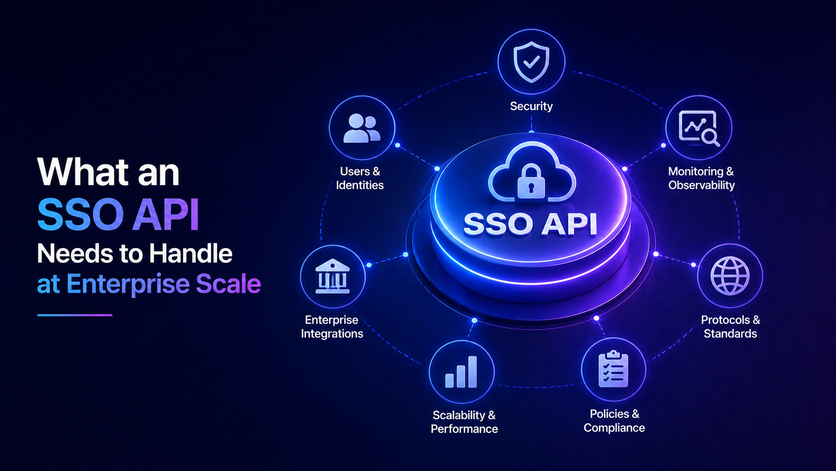

Selling software to big companies means handling corporate logins without letting them drain your team's energy.
A basic login button works for a start, but dealing with dozens of clients requires a solid SSO API to manage security keys, user roles, and data matching automatically. Building this architecture early protects your product and stops emergency coding fixes.
Think of it like laying down strong foundations so a structure stands firm through every storm, letting your developers focus on building features that truly matter.
If you ever wonder why engineering teams get stuck fighting invisible fires instead of creating real value, reading through this guide completely changes how you view early technical choices.
An SSO API Is Not the Same Thing as SSO Support
When selling software to big companies, someone always asks if your app supports single sign on. Lots of developers think checking that box just means adding a quick login button for one provider. But real corporate needs go way deeper than a simple connection. Treating sign on as a tiny feature instead of a proper enterprise SSO system causes huge scaling headaches as your customer base grows.
Why Basic Buttons Fail at Scale
A simple single sign-on setup can work for a few customers, but handling many enterprise tenants brings extra hurdles like setting up different identity providers, tenant policies, user provisioning, key management, and ongoing account operations.
- Custom Setups. Big enterprise deals mean dealing with dozens of different login systems and unique rules for every buyer. Trying to handle all these differences by hand drives your developers crazy during initial SSO implementation.
- Central Control. Major clients often expect their IT team to handle logins and access through their corporate identity provider, even though the application might still keep a local user record tied to that federated identity.
- Key Updates. Your system has to handle security key updates without breaking user access across the platform. Lacking automation here forces your team to scramble every time a client refreshes their settings.
Building a True Enterprise API Layer
Handling enterprise customers means checking federation responses from outside identity providers and linking that identity info to your app user records. Without a proper API layer to handle these changes every new client turns into a messy custom coding job.
Your app needs to keep user logins completely separate from your main database so company admins keep full control while supporting multi tenant SSO securely.
- Standard Protocols. Supporting standards like SAML and OpenID Connect gives your app the flexibility to work with different enterprise identity systems and integration needs.
- Matching. Your app must match outside user info to internal profiles without causing database conflicts. Smooth matching keeps user roles correct across every single session.
- Main Product Focus. Good API separation stops your engineering group from getting stuck in login code instead of building product features. Keeping login logic isolated lets your team focus on building things that drive business growth.
Keeping Your Engineering Team Focused
Treating corporate login work as a simple button wastes valuable hours on repetitive script fixes. Separating login code lets your team focus on building real product features that make money when using a reliable SSO integration approach. When big buyers check your tech stack they want to see a mature system that handles tricky login needs effortlessly.
- Stopping Bottlenecks. Clear API boundaries stop new client onboarding from turning into emergency coding tasks. Your team can welcome new buyers smoothly without dropping other important projects.
- Reliable Growth. Good architecture absorbs custom client connections smoothly as your user base expands. Strong system design ensures new accounts never break your existing workflows.
- Team Productivity. Developers spend time improving the main product instead of fixing broken login scripts. Keeping teams happy and focused leads to faster product releases and better software.
Your First Enterprise SSO Connection Was a Feature. Your Fortieth Is a Full Time Job
Getting that first company login working feels awesome. As you add more enterprise connections, managing unique setup details, discovery metadata, signing keys, claims, and validation rules can get pretty messy and hard to track.
Why Managing Forty Connections Breaks Your Team
Handling dozens of different login providers means dealing with messy data files and weird naming rules when relying on a modern SSO SDK. Every client has their own setup so your code ends up full of fragile checks.
- Messy Data Fields. Different companies name their user info in strange ways. Your code gets buried in special rules just to read an email address.
- Constant Key Rotations. Signing keys can change or get replaced, so your setup needs to handle key discovery, caching, rollover, and validation smoothly to keep logins working without disruption.
- Support Queue Floods. Missing automatic updates means your team spends hours answering frantic emails from locked out users. Every single key change becomes a total emergency.
Moving Past Custom Integration Chaos
Fixing this mess means building a central translation layer that handles all those outside variations. Your API should clean every incoming pass into one standard format so your main code stays neat.
- Clean Data Conversion. Your API turns messy corporate data into a format your app easily understands. You never have to guess what a client is sending over.
- Hiding Partner Quirks. Centralizing external rules keeps weird partner demands away from your product logic. Small updates from clients will never break your platform again.
- Easy Client Onboarding. Scaling up to dozens of big buyers becomes smooth instead of a painful coding task. Adding your fortieth client feels just as easy as adding your first.
Protecting Your Engineering Velocity
When your tech team stops acting like a help desk, real product progress starts happening again. Your developers get back to building cool features while your clients enjoy a super smooth login experience.
- Real Product Progress. Developers stop fighting random login bugs and return to building things that matter. Your team output goes right back up.
- Smooth Client Experience. Enterprise users get a fast and reliable sign in flow every time they visit. They never run into annoying locks or strange errors.
- Happy Developers. Clearing out boring support work keeps your tech crew motivated. Everyone stays excited about growing the actual product.
Where SSO Breaks When You Manage It by Hand
Handling logins manually is honestly a ticking time bomb for your app. One day a client updates their security key and suddenly their whole team gets locked out. Having a solid backend that understands what is SSO integration and catches these random errors saves your support team from constant headaches.
Hidden Lockouts and Clock Delays
Doing login checks by hand invites weird bugs that take forever to track down. Clock drift can cause token validation to fail, so systems should keep accurate time and allow for a small clock buffer to prevent login errors. Trying to parse raw files yourself just asks for messy typos and security risks.
- Sudden Lockouts. Clients change their security settings without warning and your app drops their users out of nowhere. This sudden block creates instant panic for your clients and floods your inbox with angry support emails.
- Time Mismatches. Small gaps in server clocks make the system reject totally valid login passes. Users keep clicking sign in while your app keeps throwing random access errors.
- Parsing Flaws. Reading raw data manually leaves dangerous gaps that invite bad traffic. A single missed formatting check can break your entire authentication wall.
Weak Keys and Broken Redirects
Weak security checks can leave an app open to fake or replayed login responses, especially if signatures, issuers, audiences, expiration times, redirect URIs, or other protocol rules are not checked properly. Handling web redirects and data matching by hand is super risky. When something goes wrong the login crashes and throws confusing error messages nobody can read.
- Weak Security. Missing strict checks on security keys lets attackers forge fake login answers. Your app might trust a bad pass without realizing it is a security threat.
- Redirect Failures. Messing up web data bindings causes the whole sign in flow to crash instantly. Users get stuck staring at a blank screen instead of reaching their dashboard.
- Confusing Errors. Broken code throws strange error codes that leave regular users completely stuck. Nobody on the client side knows how to fix the issue on their own.
Shielding Your App From Hidden Traps
Using a proper backend system handles signature checks and timing rules safely right out of the box. Letting mature tools do the heavy lifting keeps your app safe from invisible dangers. Your developers finally get a break from firefighting and can focus on real product work.
- Builtin Safety. Good auth libraries cut down development time by handling token parsing and validation out of the box, but apps still need to configure and enforce the exact rules required by the protocol.
- Clear Error Logs. Proper tracking shows your support crew what broke so they can fix it in minutes. Quick fixes mean your clients stay happy and trust your platform completely.
- Stress Free Scaling. Solid architecture stops hidden pitfalls from ruining your day as you grow. Your team can onboard new companies smoothly without fearing unexpected login crashes.
What Multi Tenant SSO Demands That Single Tenant SSO Never Did
Running software for lots of different companies at the same time makes logins super complicated. When everyone belongs to one place things stay simple. But with multiple clients your app has to figure out who belongs where right away. Having a solid routing setup keeps everyone in their own space without any messy data leaks.
Smart Routing and Tenant Discovery
Figuring out which company a user belongs to before they log in is honestly pretty tricky. If someone types their work email on your screen your app needs to spot their domain instantly. Sending them to the wrong place can mix up data and cause a total disaster.
- Email Domain Lookups. Your app needs a dependable way to figure out which organization and identity provider should handle a user's login, using email domain matching, specific URLs, invites, or other tenant lookup methods.
- Preventing Mixed Up Data. Routing traffic carefully stops users from accidentally seeing information belonging to another company. Keeping accounts separated builds trust with your big enterprise clients.
- Smooth Client Flow. A smart routing setup makes the whole login process feel natural and fast for workers. Nobody wants to waste time figuring out where their company workspace is hiding.
Strict Token Isolation Rules
Multi tenant setups demand extreme care to make sure users never cross company boundaries. When a worker logs in through their corporate provider that session pass must stay tied to their specific organization. If your API fails to check those rules a security gap can open right up.
- Organization Claims. Your app needs to set up a trusted tenant context for every logged-in session and make sure that context is enforced whenever someone tries to access resources belonging to that specific tenant.
- Boundaries on Every Request. Your app needs to check those tenant rules on every single click or page load. Skipping checks even once can let unauthorized users peek where they should not.
- Impenetrable Security Walls. Setting up rigid backend checks keeps company data totally private and safe from outside peeking. Your engineering team rests easy knowing corporate walls are rock solid.
The SSO Login Flow Your Buyer Security Team Will Test
When a corporate security team checks out your software they run tough tests on your login flow before signing any deals. They try different entry points and check if your app validates digital signatures correctly on every response. If your login setup fails any of these security checks procurement stops right away and your deal stalls for months.
Testing Entry Points and Signatures
Security evaluators test both login entry points to see how your app behaves under pressure. They check if your system enforces strict audience rules and verifies digital signatures without fail. Missing these core checks makes your platform look amateurish to enterprise buyers.
- Dual Login Testing. Evaluators check how your app handles both service provider and identity provider entry points. Passing this test proves your system handles different login paths smoothly.
- Signature Verification. Security teams inspect every response to make sure your app validates digital signatures properly. Strong verification stops attackers from sneaking fake tokens into your system.
- Preventing Deal Stalls. Passing these initial security checks keeps your sales pipeline moving fast without any painful delays. Enterprise buyers love seeing a login flow that handles tough tests effortlessly.
Handling Expirations and Logouts
Evaluators also test how your app manages token expiration, revocation, and idle timeouts. Short-lived access tokens limit how long a stolen token can be used, but stopping access right away might need token revocation, session ending, introspection, or other controls depending on your architecture. Single logout is another major test where signing out of a corporate portal must close sessions everywhere.
- Short Token Lifetimes. Security teams demand short lived access tokens paired with secure refresh steps. This setup cuts off access immediately when an employee leaves the company.
- Global Sign Out. If you need centralized logout, your setup needs proper single logout or session revocation mechanisms to handle how downstream app sessions get shut down. Getting this right satisfies strict enterprise compliance rules.
- Revocation Checks. Your system needs to handle idle timeouts and token revocation smoothly in the background. Reliable session control gives corporate buyers total peace of mind.
Designing for Enterprise Compliance
Meeting security and compliance rules means your system setup and daily controls have to match the exact standards and policies your company follows. Trying to patch security holes at the last minute usually leads to stressful code rewrites. Building a solid foundation early protects your product and keeps enterprise buyers happy.
- Builtin Compliance. Designing your auth layer for security early saves your team from frantic last minute fixes. Your architecture stays ready for strict enterprise audits at any time.
- Threat Mitigation. Proper threat protection shields your app from malicious actors trying to bypass login walls. Strong backend controls keep corporate data safe and secure.
- Smooth Procurement. A solid, well-checked login flow helps satisfy a big part of enterprise security reviews, even though every company has its own procurement rules. Your engineering team avoids endless security questionnaires and stays focused on product growth.
What to Require From an SSO API Before You Sign Anything
Building a custom login system from scratch takes months of coding and opens up serious security gaps. Lots of growing tech companies choose to buy a ready made login tool instead of writing custom code. Picking the right partner early saves your team hundreds of hours of maintenance and helps your sales crew close big business deals way faster.
Checking Core Standards and Automation
Your identity provider needs to support the protocols, security rules, provisioning standards, and compliance needs that matter for your customers and use cases. If you need automated onboarding and offboarding, check if your provider supports proper identity lifecycle features like SCIM provisioning and deprovisioning.
- Handling All Protocols. Your provider must support both older setups and modern token systems smoothly. Having every option ready means you never have to turn down a client over tech mismatches.
- Automatic User Setup. Systems should let corporate IT departments add or remove worker accounts automatically through standard tools. This automation keeps user lists in sync without bugging your support team.
- Strong Reliability. Check their uptime records, security rules, and developer guides before making any commitments. A dependable partner keeps your platform running smoothly around the clock.
Easy Setup and Clear Activity Logs
A good login service should slide into your existing app setup without forcing a massive code rewrite. They need to offer clean alerts and detailed activity logs that security teams can export easily. Getting this right makes passing strict corporate security reviews a total breeze.
- Smooth App Connection. The service must connect to your current login model without breaking your main product code. Clean setup saves your developers weeks of painful code rewrites.
- Detailed Activity Reports. Your app needs to export clean activity logs showing every login try and security event. Detailed activity logs help with enterprise security reviews, but you need to check what specific events, retention rules, and evidence each customer actually asks for.
- Hidden Safety Work. The right vendor handles all security checks and key updates behind the scenes. Your app just gets clean verified user details without any extra fuss.
Keeping Your Product Plan on Track
Checking these things before signing any vendor contract keeps your product plan focused on growth. Letting outside tools handle login maintenance stops your developers from getting bogged down in endless security fixes. Strong choices protect your money pipeline and set your platform up for big business scaling.
- Focus on Main Products. Your developers stay free to build core product features instead of fixing login scripts. Keeping your team focused drives faster product updates and better software quality.
- Clear Pricing. Look for simple pricing models that grow naturally alongside your customer base. Fair costs prevent nasty money surprises as your business expands.
- Buyer Trust. Choosing a proven login partner gives your sales team instant trust during security audits. Big buyers love seeing a strong backend backing your software platform.
Build the SSO API Layer Before Your Next Enterprise Deal Needs It
Waiting until a major corporate client demands a login setup causes huge engineering scrambles and missed sales goals. Setting up your auth framework early transforms compliance from a stressful roadblock into a reliable growth engine.
Proactive planning keeps revenue safe, passes security audits effortlessly, and stops developer burnout. Your team avoids emergency bug fixes and stays completely focused on long term product growth while keeping the tech stack robust against market competitors.
To handle these enterprise demands without building everything from scratch, platforms often integrate robust identity layers like Infisign UniFed.
- Infisign offers many pre-built integrations and supports various identity protocols, which can save time on custom setup depending on what your environment needs.
- Keep employee access updated automatically when staff members join or leave through built in user provisioning and role controls.
- Infisign offers tools for security and logs that help with enterprise security rules, but getting fully audit ready still depends on how your app is set up and your company's overall security practices.
Protect your revenue pipeline and accelerate enterprise sales cycles. Visit the Infisign demo page today to evaluate our architecture and streamline your buyer onboarding.
FAQ
Why is a basic login button not enough for enterprise clients?
Enterprise buyers usually prefer centralized login through their corporate identity provider, while apps that still use local passwords need extra controls and user management processes.
How does an auth API protect engineering productivity?
Centralizing your identity setup cuts down on duplicate login code and ongoing maintenance, so your engineering team can spend less time fixing authentication integrations and more time building core features.
What causes unexpected user lockouts in manual setups?
Out of sync clocks and poorly managed key updates will break logins if your app fails to handle timestamps and key changes the right way.
Why do multi tenant platforms need strict token isolation?
Without clear organization claims and tenant checks on every request, apps risk crossing company boundaries and leaking sensitive data between different corporate clients.
How does early auth planning accelerate the sales cycle?
Setting up a mature identity and security framework early on helps close gaps during security reviews, even though every customer still runs their own compliance and procurement checks.


