


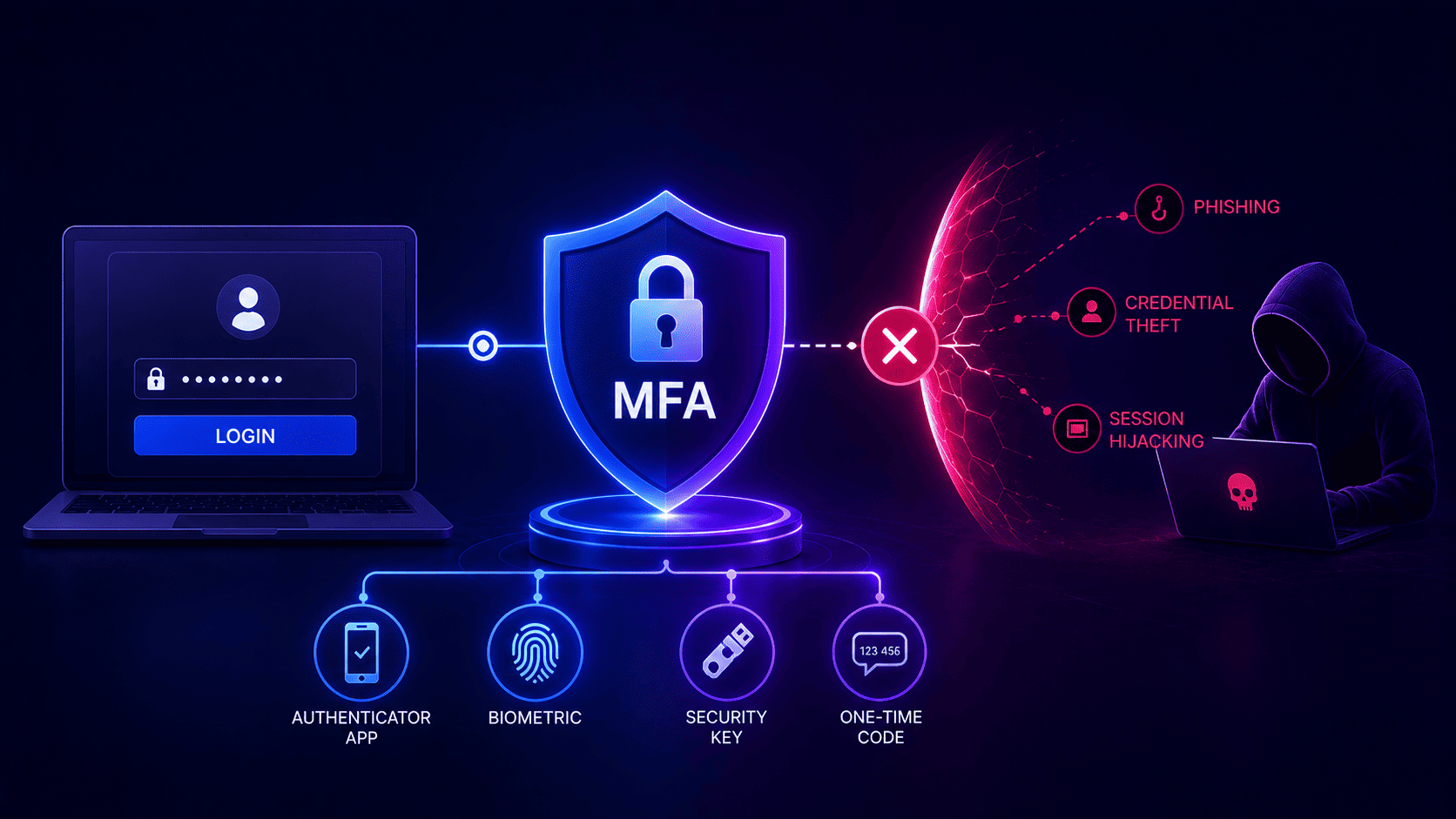

Basic login checks fail today because hackers use smart tricks like fake websites and stolen session tokens. Simple text codes no longer protect your accounts from clever hackers.
A proper multi-factor authentication deployment relies on two or more authentication factors or an approved authenticator whereas phishing-resistant cryptographic authentication is preferred for higher-risk environments.
Companies must secure every door including old legacy apps and remote worker connections. Following strict compliance rules keeps your business safe from massive financial losses and heavy data breaches.
Doing a slow rollout prevents workplace chaos while fixing every open weak spot before malicious attackers can find them.
Why Some Compromised Accounts Already Had MFA Turned On
Many teams think their data is totally safe the second they turn on basic login checks without implementing MFA correctly. Real world data shows a shocking truth. Data from Proofpoint shows 59 percent of accounts targeted in 2025 takeovers had MFA active, making it clear that MFA fails to stop every single account takeover. Old school security tricks no longer work because hackers now use clever tech to steal active sessions instead of guessing passwords.
Phishing Kits And Push Fatigue.
Smart crooks use fake login pages that copy real company websites live. They are able to grab passwords and one-time codes along with taking authenticated session cookies in certain attacks, letting bad actors reuse an existing session without doing the initial authentication step again. Other times they spam your phone with non stop alert popups late at night until you accidentally tap approve just to make the noise stop unless companies properly implement MFA.
- Fake Proxy Pages. Hackers set up mirror sites that grab your login details and security codes in real time. They steal your active browser cookie so the system thinks they are you unless you choose the easiest way to implement MFA.
- Alert Spamming. Crooks flood your phone with login prompts during crazy hours until you tap yes out of pure annoyance just to get some peace.
Malware And Modern Hardware Keys.
Hidden virus software on work laptops steals saved passwords and active session tokens in bulk and hands them to criminals. Stopping these advanced tricks means moving away from easy text codes and using physical hardware security keys that hackers cannot copy or trick.
- Hidden Stealer Malware. Nasty background viruses grab your saved browser info and active session tokens silently. Hackers use these stolen tokens to walk right past your login checks without needing your code.
- Hardware Security Keys. Correctly configured hardware security keys offer strong defense against phishing and credential theft yet they fail to remove other account takeover and session security risks. They use cryptographic authentication bound to the legitimate website which makes phishing based credential theft far harder even though extra controls are still needed to protect active sessions.
What Counts as MFA and What the Minimum Actually Is
Real login security means proving who you are using at least two totally different types of proof. NIST outlines three authentication factor categories consisting of something you know along with something you have and something you are.
To count as true protection a system must mix two different groups together. Using a password and then answering a secret question fails because both are just things you know.
Hitting the absolute baseline for a modern workspace means pairing a strong password with a separate hardware token or phone app that makes changing codes.
- The Three Security Groups. True defense requires mixing different categories like knowing a secret or holding a physical device or using a biometric scan. Using two passwords or asking a pet name question does not count since both rely on knowledge.
- Why Email Codes Fall Short. Email-based verification provides another authentication step in certain implementations although it is not considered phishing-resistant and must not be treated as an equivalent to FIDO or WebAuthn. If a hacker gets into your email account they easily grab the code and walk right past your second barrier.
- The Baseline Standard. Today's workplaces need to implement multi-factor authentication aligned with their risk and assurance demands while phishing-resistant authentication like FIDO and WebAuthn is recommended for higher-risk access. Anything less leaves your doors wide open for automated password stuffing attacks.
- The Gold Standard Hardware Keys. Powerful phishing-resistant authentication can leverage cryptographic protocols including FIDO2 and WebAuthn using hardware security keys or supported platform authenticators and passkeys. These hardware tokens bind directly to the exact website address so no fake phishing page can ever trick them or steal your session.
What PCI DSS, Cyber Insurers, and Federal Guidance Now Require
Security standards and regulations across numerous sectors have steadily strengthened authentication rules in response to changing account compromise and phishing threats. Credit card safety groups now demand strict double checks for any path leading to money data and organizations constantly look at how many factors are minimally required to implement MFA.
Insurance companies inspect your tech setup closely after a breach and will refuse to pay out millions if your tools are old. Government agencies also expect strong modern defenses so companies must upgrade fast to avoid heavy fines and legal trouble.
Payment Card And Insurance Rules.
PCI DSS version 4 point x mandates multi-factor authentication for designated access to the cardholder data environment covering relevant administrative and remote access based on the access path and system scope. Insurance providers look at your security setup regarding how to implement MFA before giving out coverage. If you still rely on weak text codes they will deny your claim after a hack and leave you to pay huge losses from your own pocket.
- Card Safety Mandates. Payment safety rules require double checks for every admin login and outside network entry. Companies can no longer use simple passwords for sensitive financial zones.
- Insurance Claim Denials. Underwriters check your security controls before renewing policies. Using weak text message codes gives them a reason to reject payouts when a data breach happens.
Federal Guidance And Cryptographic Standards.
Government security agencies push hard to get rid of easily hacked login methods across all major industries. Organizations bound by mandates for phishing-resistant authentication can employ technologies like FIDO2 and WebAuthn covering supported hardware security keys along with platform authenticators and passkeys. Meeting these tough standards keeps your organization safe from heavy fines and legal ruin.
- Federal Security Roadmaps. Federal security guidance more frequently targets strong and phishing-resistant authentication for higher-risk systems though precise authentication requirements depend on the applicable standard assurance level and environment. Some high-security environments more and more require or prefer phishing-resistant authentication whereas whether other multi-factor methods are acceptable relies on the relevant regulation standard and assurance level.
- Avoiding Financial Ruin. Meeting these updated rules keeps your company safe from heavy regulatory fines and legal lawsuits. Upgrading your defense setup protects your brand and financial health.
The Six Places MFA Implementations Leave Gaps and How to Close Each One
Businesses often lock down their main web page while leaving sneaky backdoor spots wide open for hackers because proper multi factor authentication is missing. Security teams have to track down and fix six major weak spots across their tech setup.
- Legacy Applications. Older apps often cannot handle modern login checks and skip them completely. Putting a secure proxy gate in front of these old systems forces every visit to go through your main security check first.
- Service Accounts. Automated helper scripts usually rely on plain passwords that never change. Service accounts should rely on appropriately protected machine credentials or workload identities applying least privilege alongside controlled credential issuance rotation or revocation and monitoring rather than unmanaged long-lived passwords.
- Remote Desktops. Letting outside workers sign into remote screens using just a simple password invites automated hacking bots. Forcing strong verification on every remote connection locks down your outer network wall.
- Vendor Portals. Outside vendors often get away with looser security rules than regular staff. Making sure every outside partner follows the exact same strict login rules stops hackers from using them as an easy shortcut.
- Emergency Access. Emergency backup admin accounts can cause huge trouble if nobody watches them. Emergency access accounts should be heavily restricted and secured with strong credentials monitored and alerted on restricted to specific emergency scenarios and subjected to a documented review after use.
- Device Enrollment. Registering new work phones and laptops can sometimes let fake hardware slip right in. Checking device health before handing out login access closes this final open door.
What Your MFA Rollout Will Cost in User Friction
Adding extra login steps for phishing resistant tools always causes some friction for everyday users. People get annoyed by extra clicks or locked accounts during busy morning hours. When things get too frustrating employees try to find shortcuts or complain loudly to bosses. Tracking how many help desk tickets pop up during the first month helps measure this cost.
- Smart Access Rules. Adaptive policies can employ device, network, user, and other risk signals to adapt authentication requirements, while trusted network location by itself should not take the place of strong authentication.
- Productivity And Focus. Constant login popups waste valuable minutes and break user concentration. Overwhelmed help desks cause internal anger and slow down the whole business.
- Adaptive Security Logic. Smart systems check things like device health and location before deciding whether to interrupt workers. Low risk logins pass smoothly while risky attempts face tough security tests.
- Clear Communication. Teaching staff why security matters helps them understand the big picture. When people know the reasons behind the rules they cooperate willingly instead of feeling policed.
How to Sequence an MFA Implementation Across the Organization
Turning on new security rules all at once causes total chaos and messes up daily work. A smart rollout goes step by step starting with the most dangerous spots first to keep MFA friction low. Moving slowly and in order helps the whole company stay safe without stopping normal work.
Admins And Remote Workers
Begin by locking down admin accounts and special management tools because hackers always go after those first to take full control. Next up protect remote workers and outside contractors who log in from outside the office and face a much higher risk of scams.
- Privileged Access Control. Privileged accounts should rely on strong, ideally phishing-resistant authentication, using hardware-backed authenticators when the threat model or assurance needs to call for them.
- Remote Access Defense. Forcing strong verification on all remote logins stops outside threats before they break into the main network.
Departments And Pilot Testing
Move on to regular office staff across normal teams once you sort out any early tech hiccups. Always test the new setup with a tiny test group before making the rules live for everyone to keep things smooth.
- General Staff Rollout. Bringing in standard workers in slow waves keeps the help desk from drowning in reset calls.
- Pilot Testing Phases. Trying out each step with a small crew helps catch hidden software bugs before the policy hits the whole company.
What to Require From Any Platform Before You Commit
Picking the right tech partner makes or breaks your whole safety program. Before signing any contract check if the platform supports advanced crypto security keys and fits your existing software without needing custom code.
Look for real-time activity reports and smart risk tools while avoiding vendors that rely primarily on SMS-based authentication rather than supporting stronger phishing-resistant authentication options.
Taking time to evaluate platforms thoroughly before spending capital ensures long term success and protects company assets.
- Open Standards And Integration. The login system must use open web standards to connect smoothly with every cloud app and internal tool without locking you into a single vendor.
- Observability And Detailed Logs. Security teams need clear visibility into every single login event to stream data logs and trigger instant alerts when weird activity happens.
- Reliability And Uptime. Sign-in services function as vital infrastructure so vendors need to prove proper availability, redundancy, failover, disaster recovery, and business continuity capabilities matching company needs.
- Sandbox Testing And Proof. Trying out the platform in a safe test zone proves whether vendor promises match real life use and catches hidden flaws early.
Close the Gaps Before an Auditor or an Attacker Finds Them
Fixing your safety walls before a hacker or auditor spots a weak spot saves your business from huge trouble. Check every login door and background helper right now to make sure nothing is left open. Upgrading your tools today keeps intruders away and turns your security setup into a real strength.
- Regular Audits. Organizations should periodically review accounts, authentication methods, privileges, and multi-factor exceptions according to their risk profile and applicable security or regulatory requirements.
- Smart Log Checks. Checking past login records helps teams spot weird location jumps and strange token habits before small warnings turn into big data breaches.
- Clear Executive Talks. Explaining tech risks in simple business terms helps secure the budget needed for advanced tools and keeps leadership fully on board.
- Strong Safety Culture. Building a strong security habit across the whole company stops you from being an easy target and helps your business fight off modern digital threats.
Protecting modern companies from expensive data breaches and denied insurance payouts usually takes a huge amount of engineering time and money. Upgrading user security with smart tools reduces administrative overhead and stops costly cyber attacks before they drain company funds.
Infisign UniFed helps organizations solve this exact problem by automating user access controls and blocking advanced session theft without needing endless manual IT support.
- Properly implemented passkeys use cryptographic authentication bound to the legitimate website and can provide phishing-resistant authentication while device biometrics may be used locally to unlock the credential but do not by themselves provide phishing resistance.
- Pre-built integrations connect legacy software and cloud tools under one policy so old apps gain modern protection without rewriting source code.
- Contextual access controls check device health and user locations live during every sign in an attempt to block suspicious traffic instantly.
- Automated user lifecycle management syncs employee directories instantly to cut down expensive manual administrative work from day one to offboarding.
- Built-in audit reporting generates compliance logs for security standards automatically so businesses avoid regulatory fines and failed insurance claims.
Grab a quick thirty minute chat with an expert to see how everything fits your current setup. Pick a slot that works best for your calendar right on the demo page.
FAQ
Why do traditional login checks fail against modern hackers?
Attackers bypass standard passwords by stealing active browser tokens and using fake proxy web pages instead of guessing codes, making basic security checks completely ineffective for business protection.
What makes hardware security keys better than text message codes?
Hardware security keys bind directly to exact website addresses using advanced math, which completely stops phishing tricks and prevents thieves from stealing verification numbers sent over text.
How does Infisign UniFed protect legacy software without rewriting code?
The platform places secure proxy gates in front of older applications, forcing every single login attempt through modern protection layers without requiring IT teams to touch old software code.
Why do cyber insurance providers deny claims after a data breach?
Insurers check your security controls after an incident and will reject payouts if companies rely on weak verification methods like basic text messages instead of modern hardware tokens.
How does continuous contextual access control prevent account takeovers?
Systems evaluate device health and user locations live during every single sign in attempt, blocking suspicious traffic instantly before any malicious actor can slip past the front door.


