


How do you choose the right SSO provider when your business needs secure access, seamless authentication, and protection against growing identity threats?
With countless options available, finding the right fit can be challenging.
In this guide, we compare the top 10 SSO providers of 2026, their key features, pricing, strengths, and limitations to help you choose the right solution for your business.
SSO Solutions: Comparison
What is Single Sign-On (SSO)?
Single Sign-On (SSO) is a way to verify users for instant access. This allows someone to log into many different apps using just one set of login details. These details might be a simple username and password, a social media login, or even a password-free method.
SSO providers create relief for users tired of entering usernames and passwords for every app, each time they log in.
We based our list of the top SSO solutions on reviews on Gartner, G2, Reddit as well reliability after deployment. For AI ecosystems we also looked at tools that allow teams the capability to handle non-human identities and provisioning.
Aside from this, for our list we prioritized features that avoid the chance of data breaches and compliance issues with good user experience. This is primarily through features like adaptive MFA and unified access control.
10 Best SSO Solutions for Enterprises and Platforms
1. Okta
Okta is one of the well-known identity and access management solutions. With its most recent release 2026 Q1, Okta allows you to register, define ownership and even audit agent access over time for complete NHI management.
Depending on the complexity of the IT environment, the deployment timeline for Okta can range from a few weeks to several months.
This is the best single-sign on software for large, vendor-agnostic enterprises seeking a reliable SSO platform with thousands of pre-built app integrations.
Okta’s single sign-on lets users sign into many different systems (like Gmail, Workday, Salesforce) with one authentication step. Okta is one of the more reliable SSO solutions that support SAML, OAuth 2.0, OpenID Connect, and WS-Federation.
Key Features of Okta
- It uses a flexible, risk-aware method for MFA. This single sign-on provider looks at factors such as user actions, device status, and location.
- It has a large collection with thousands (one source notes over 6,500) of ready-made connections for many different applications.
- It offers a central storage repository for user identities. This connects with Active Directory and LDAP. It acts as the main reference point for identity information.
Pros
- Makes user access and user experience easier with its capable SSO.
- The management console is easy to use after you get to know it.
- Customer support is usually helpful.
Cons
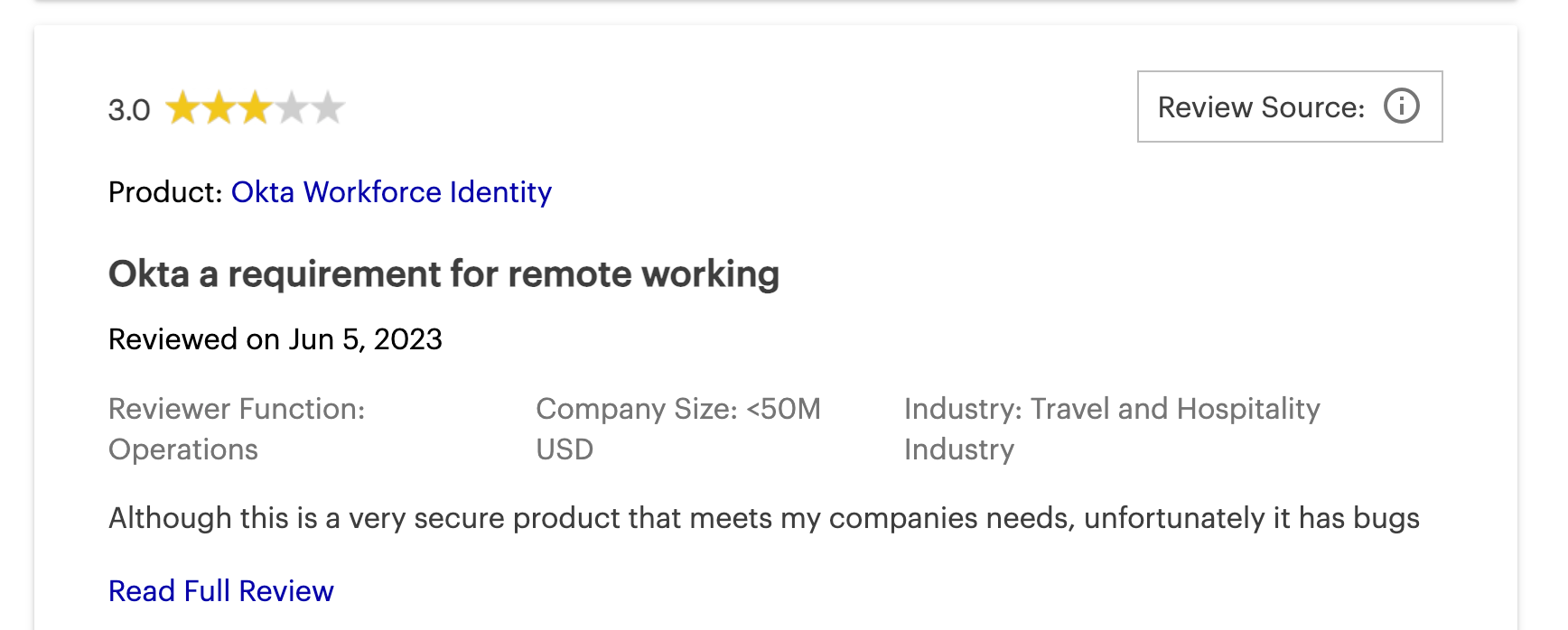
- The cost structure can be complicated, unclear, and high.
- It may not work well with some older applications.
- Some users have reported occasional technical problems or slow performance.
Pricing:
$1500 minimum, basic features inflated.

2. Microsoft Azure AD (Now Entra ID)
For businesses that use a lot of Microsoft technology, Entra ID is frequently a straightforward and budget-friendly SSO software because it is often packaged with other services.
It gives SSO access to thousands of Software-as-a-Service (SaaS) applications, on-location apps (through Application Proxy), and specially built apps. It works with SAML 2.0, OpenID Connect, and OAuth 2.0.
Set-up timelines for Azure AD typically span from a few days to a few weeks for organizations already utilizing Microsoft environments.
This is the best SSO solution for businesses heavily invested in Microsoft 365, Azure, and Dynamics that want built-in identity governance.
Microsoft Entra ID (once called Azure AD) is known for its close connection with Microsoft's group. Moreover, with its most recent rollout of Microsoft Entra Agent Platform (April 2026) this SSO tool is moving more NHI governance that supports AI identities using OAuth 2.0, MCP, and A2A.
Key Features of Microsoft Azure AD (Now Entra ID)
- This SSO providers has various MFA methods, including the Microsoft Authenticator app, SMS/voice calls, FIDO2 security keys, and Windows Hello.
- Utilizes risk-based policies and machine learning to detect and remediate identity-related risks.
- Has solutions for managing SSO access for external users like partners and customers.
- Has tools for managing user accounts and groups, which underpin SSO access assignments
Pros
- Extensive identity governance capabilities (PIM, Access Reviews).
- Scalable and reliable for businesses of all sizes.
Cons
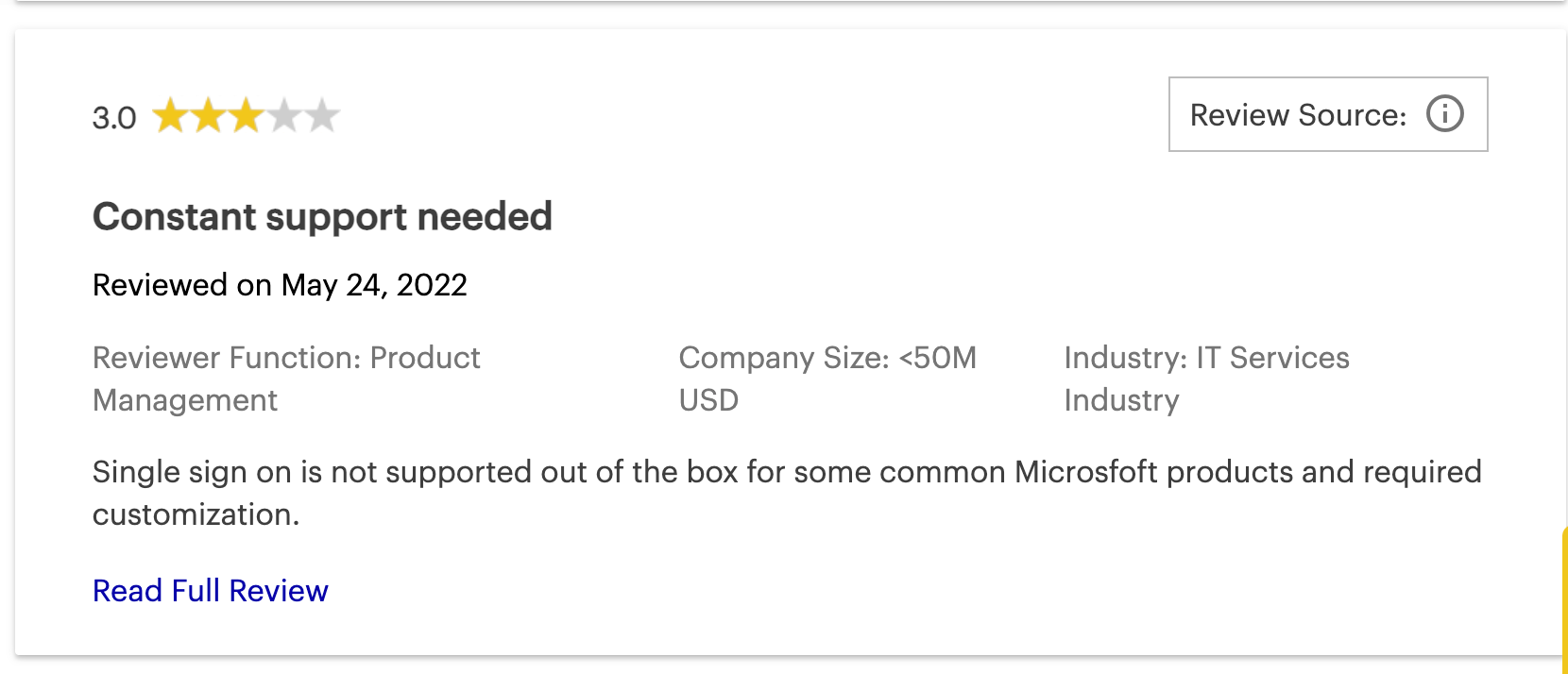
- Customization and integration with non-Microsoft applications can be limited
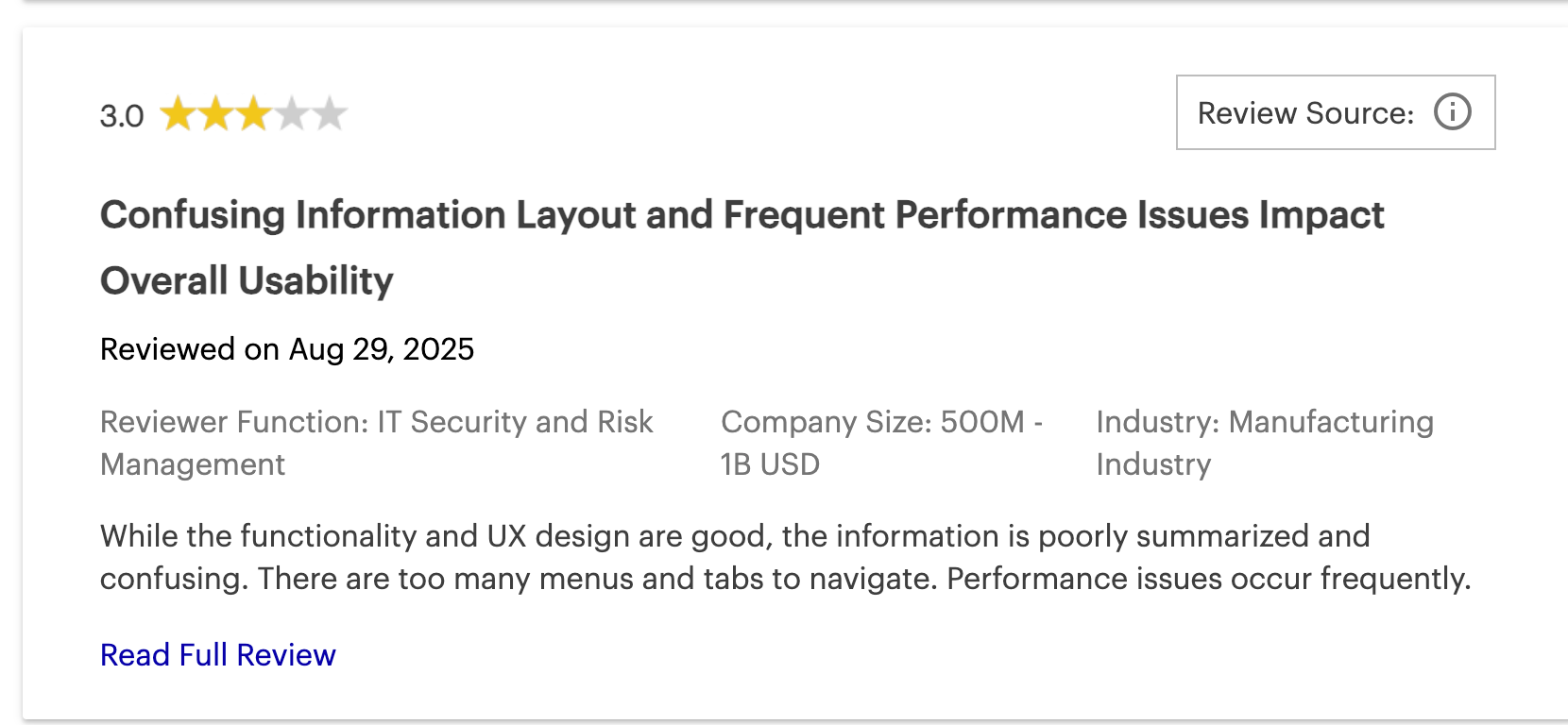
- The admin UI for some advanced features can be unintuitive.
- Pricing for advanced features (P2, Governance) or standalone use can be intricate and potentially expensive.
Pricing
Bundled into M365 enterprise licenses (Typically $6/user for M365 Basic plans and $22.00/user/month for enterprise plans)

3. Ping Identity
Ping Identity is recognized for delivering IAM solutions. One of the top SSO providers, Ping Identity, caters to large enterprises with complex, hybrid IT environments.
Due to its advanced enterprise-grade customization, the deployment timeline for Ping Identity often takes several months to complete.
This is the ideal SSO solution for massive companies managing millions of identities, demanding strict regulatory compliance, and requiring deep legacy integrations.
Ping Identity for AI now also has better downstream authentication for users by allowing teams to have downscoped tokens for AI - meaning much better governance for AI tools.
Main products are PingFederate for SSO based on standards and identity linking, and PingID for wide-ranging MFA.
Key Features of Ping Identity
- It has a central SSO, MFA, and an adaptable directory for employees. This includes an application launch area.
- It features cloud-based MFA. This includes mobile push alerts, OTPs, biometrics (FIDO2), security keys, and MFA that works offline.
- Ping Identity has adaptable authentication, automatic user account setup, user self-help options, and social media login.
Pros
- Positive end-user experience for SSO and MFA
- Highly scalable for large enterprises with millions of identities.
Cons
- Some users report issues with notification delivery and data synchronization.
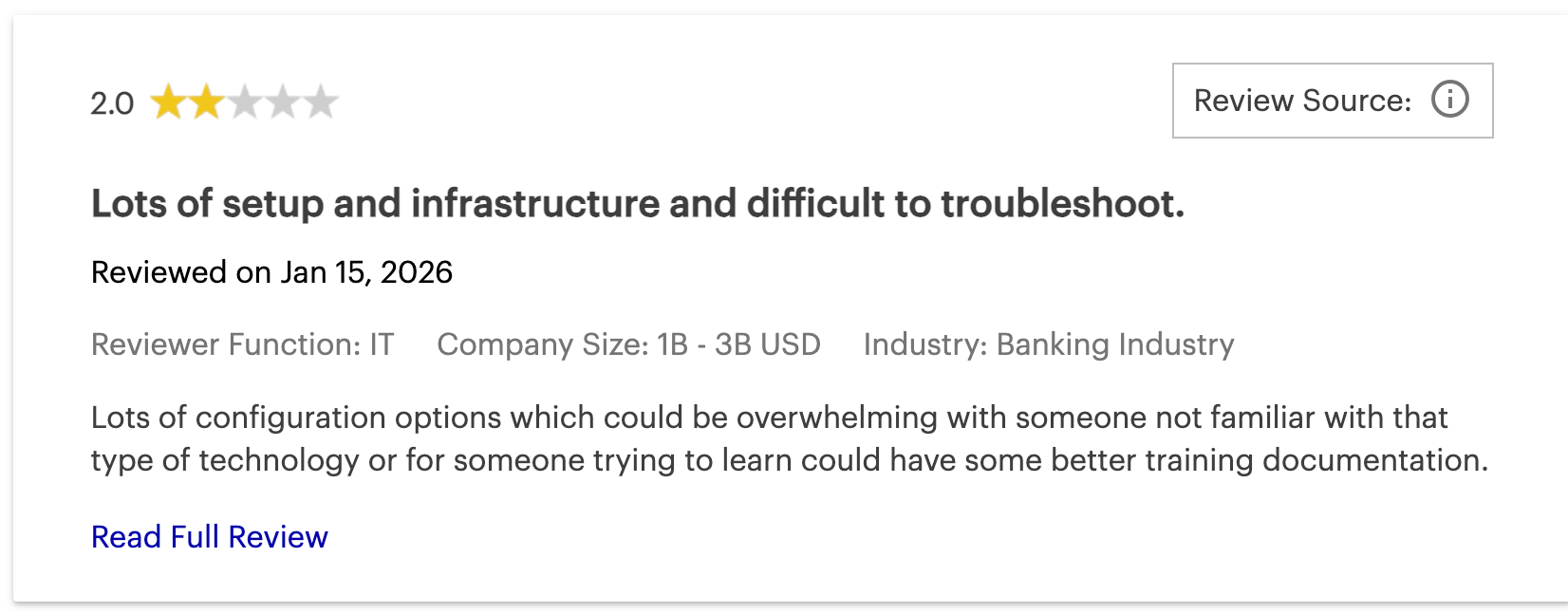
- Configuration and management can be complex with a steep learning curve.
- Can be significantly expensive and overly complex for smaller or medium-sized organizations
Pricing
$35,000 annual starting for CIAM and $180k minimum for workforce enterprise.
4. Infisign
In terms of SSO software, Infisign is a top single sign-on solution. It works well for employees (using IAM Suite) and for platforms that customers use (using its CIAM UniFed).
Infisign’s SSO is built on a zero-trust model. This is the best SSO software for companies needing a unified, zero-trust SSO framework across both legacy and modern ecosystems.
This software also includes unlimited directory synchronization without extra charges.
The deployment timeline for Infisign is incredibly rapid, typically taking less than 4 hours to fully set up and provision for modern environments.
What makes Infisign a leading one of the top SSO providers on this list? Simply put, it includes an AI access assistant.
This feature automates requests for access based on job functions and rules that you establish. Infisign also comes with NHI management that helps reduce the odds of token based breaches for teams using AI agents and workflows.
Key Features of Infisign
- 6000+ API + SDK Integrations make Infisign a flexible software to work with your full tech stack.
- Built on a Zero Trust Framework (ZTF), Infisign lets you confirm user identities without using or sharing passwords. This makes it very difficult for hackers to compromise or break into accounts.
- Infisign’s SSO allows you access to on-prem applications via cloud using Network Access Gateway (these are typically siloed without security).
- Using MPWA (Managed Password Authentication), Infisign allows users access to legacy applications and web-based applications that typically do not support SSO protocols like SAML, OAuth, and OIDC.
- Besides SSO, Infisign permits using adaptable multi-factor authentication (MFA) at the same time. This means you can include methods like biometrics, one-time passcodes (OTPs), device passkeys, push alerts, or email magic links.
- It includes attribute-based access control (ABAC). This lets you automate access based on job functions or specific details you choose, such as email addresses, dates of joining, or departments. Think of it as role-based access control (RBAC) but with more detail.
- It helps achieve quick audit readiness and data compliance. User activities, changes, and privileged access management (PAM) are automatically recorded. So, you are always prepared for audits and meet data compliance rules.
- You can add or remove users from many tools with only a few clicks.
- The AI Access Assist automates access approvals. It also lets you quickly approve or deny requests using Slack and MS Teams
Pros
- Allows SSO-like functionality on legacy and on-premises apps.
- No hidden costs on advanced security features.
- Has over 6000+ API integrations, making it a versatile SSO software to work with
- AI-powered features enhance efficiency and security around access.
- Pioneers passwordless SSO using Zero Knowledge Proofs.
Cons
- Passwordless authentication requires the use of its encrypted password vault feature.
Pricing:
Custom flat-rate for scalable enterprises that starts at $2/user.

5. Auth0
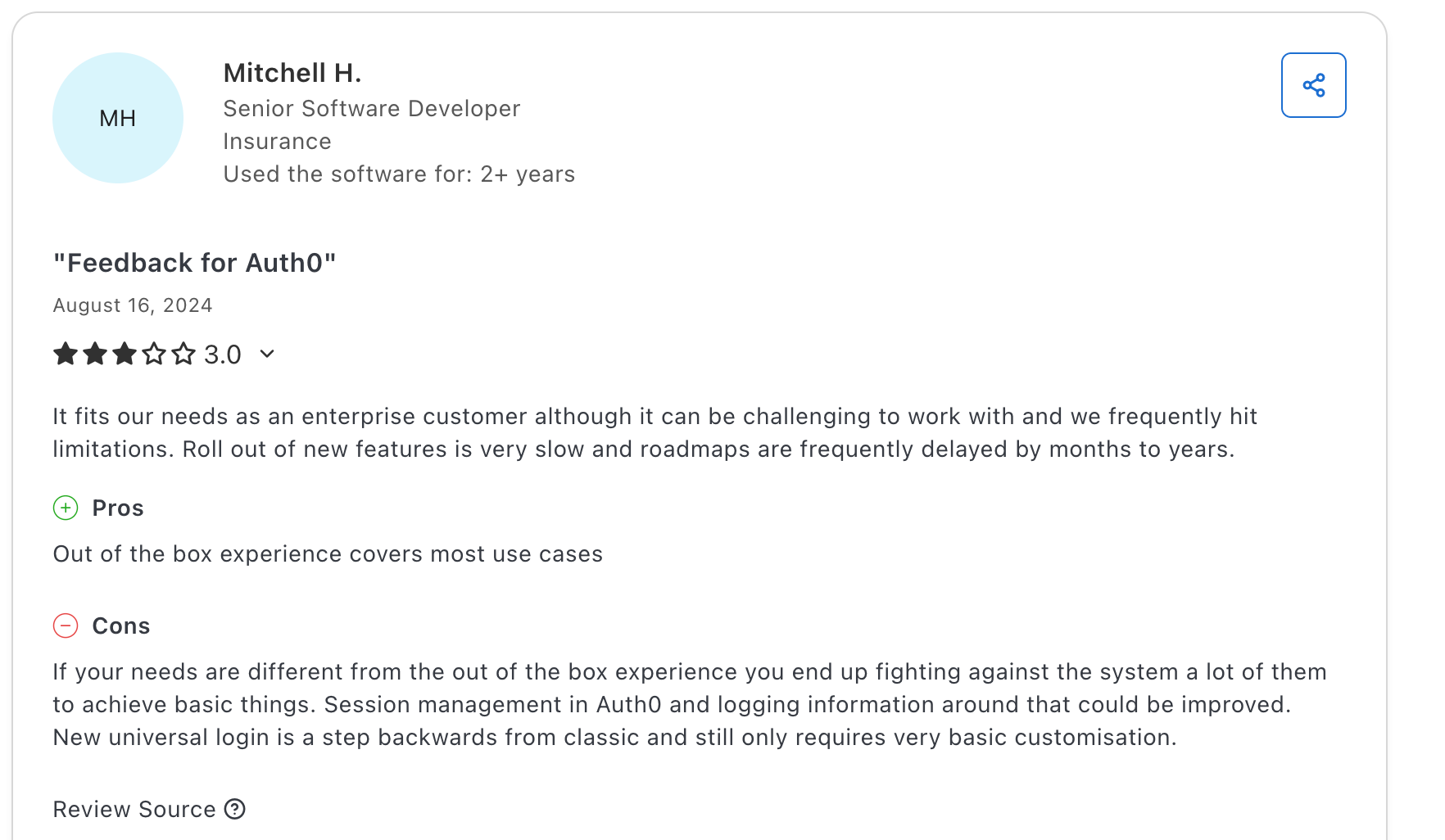
Auth0 is a very flexible CIAM platform made with developers in mind. It is known for being easy to connect and being one of the top SSO providers for customer-facing platforms.
The deployment timeline for Auth0 can be exceptionally fast, sometimes taking just days depending on the development team's sprint velocity.
Also Auth0 recently rolled out Forms, a feature that lets developers and marketers with a no-code visual editor to orchestrate, customize, and secure signup and login flows to meet their unique needs.
Overall, this is one of the most suitable SSO solutions for customer-facing applications requiring highly customizable, seamless login experiences built directly into the codebase.
This is particularly true for Customer IAM (CIAM) situations. It gives developers good tools, software development kits (SDKs), and application programming interfaces (APIs). These help them add authentication and authorization features quickly.
Key Features of Auth0
- Multiple passwordless methods like email magic links, SMS one-time codes, and biometrics.
- Works with many social identity suppliers (like Google and Facebook) and business identity suppliers (like SAML, OAuth 2.0. and ADFS).
- It has over 30 SDKs for different programming languages and frameworks. These support a thorough SSO connection.
Pros
- Excellent and customizable Universal Login experience.
- Easy to implement for common authentication use cases by developers.
Cons
- The admin dashboard can feel overwhelming for new users.
- Pricing can be complex and expensive.
- Potential for vendor lock-in due to proprietary customization features.
Pricing
$30k minimum for B2C enterprises.

6. AWS IAM
AWS IAM is recognized for its close, built-in connection with the AWS set of services. This top SSO software gives detailed permission management in its single sign-on.
Because it is built directly into the AWS console, the deployment timeline is virtually immediate, though configuring granular JSON policies can take days.
This is the best SSO solution for cloud-native development teams fully operating, managing, and scaling within AWS architectures.
The IAM features for handling users, groups, roles, and rules within AWS are usually free. Customers pay for the AWS services they use, not for IAM directly.
But, this SSO Provider's main attention is on the AWS setup. Handling identities for resources outside of AWS requires you using other services (such as AWS IAM Identity Center).
Key Features of AWS IAM
- It makes SSO access to many AWS accounts and business applications easier for users whose identities are linked from different sources.
- It permits making and handling IAM users and groups. It also allows IAM roles that can be used for temporary login details.
- It works with MFA for the main AWS user and IAM users. This includes virtual MFA, FIDO keys, and hardware TOTP devices.
- It uses JSON-based documents. These documents set out detailed permissions for AWS resources.
Pros
- Extremely granular control over access to all AWS services.
- It has strong security functions. These include dependable MFA and temporary login details through roles.
- Highly scalable for complex AWS deployments
Cons
- Mistakes in setup can happen easily because of the detailed nature of provisioning.
- It can be quite complicated to learn and use well. This is especially true for JSON policies and access between accounts.
- Its main focus is on AWS applications and resources.
Pricing
Free for native AWS users.

7. OneLogin
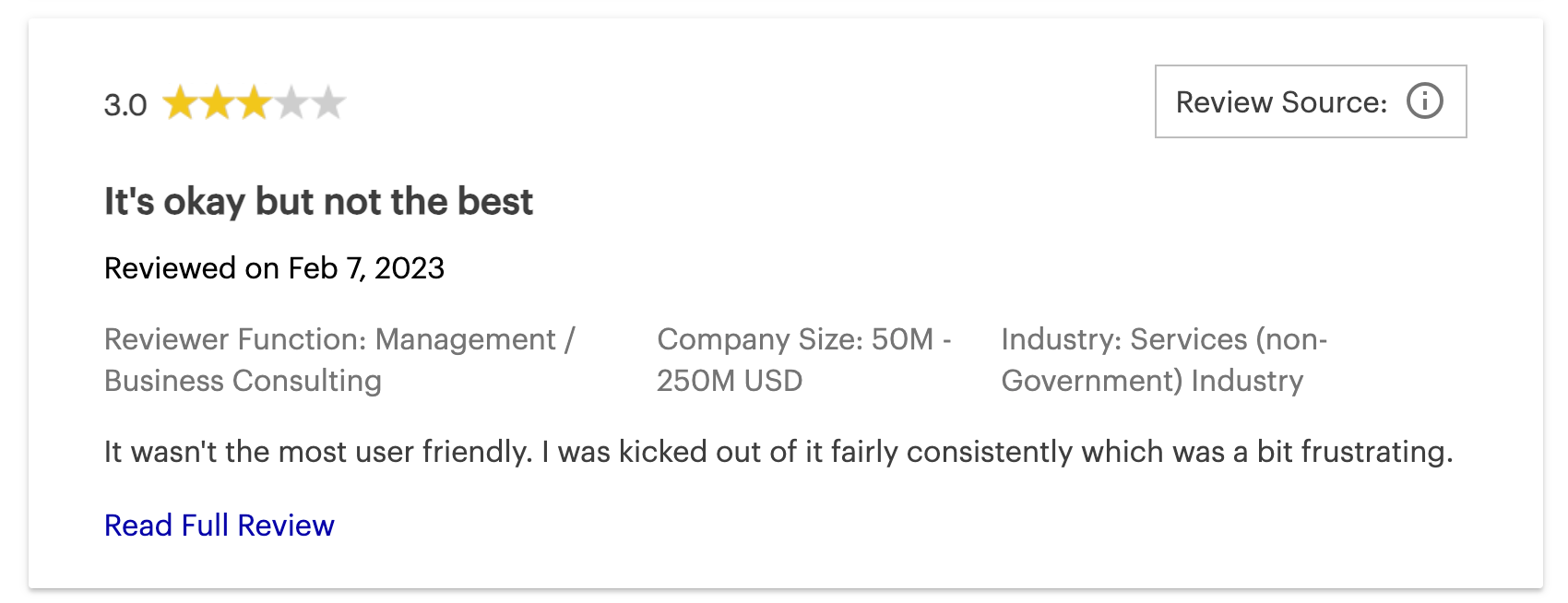
OneLogin is a market-leading IAM solution and top SSO solution for companies, recognized for securing workforce, customer, and partner data.
OneLogin is a cloud-first SSO deployment that bridges the gap to on-premises directories like Active Directory or LDAP.
The deployment timeline is generally moderate, taking a few weeks to properly map roles and configure smart authentication policies.
This is the best SSO software for mid-market to enterprise companies looking for strong Role-Based Access Control (RBAC) and an intuitive interface.
OneLogin provides SSO for a wide range of cloud and enterprise applications, supporting SAML and OIDC.
Key Features of OneLogin
- Has various MFA methods, including AI-powered SmartFactor Authentication (adaptive, risk-based).
- Automates user onboarding/offboarding and access changes, supporting HR-Driven Identity.
- Extends the platform to on-premises and public/private cloud applications for unified access management.
Pros
- Easy-to-use SSO and generally intuitive UI.
- Strong integration with existing directories (AD, LDAP).
- Well-regarded for role mapping and RBAC.
Cons
- Some users report limited API capabilities
- Concerns about reliability, including extended downtimes.
- Pricing can be a concern for smaller businesses
Pricing
An average of $30K/year across deals ($3–$10/user/month)

8. Keycloak
Keycloak supports SSO, user federation, strong authentication, user management, and fine-grained authorization.
The deployment timeline for Keycloak varies significantly from weeks to months based entirely on the required custom integrations and available in-house expertise.
As of its version 26.6.0 rollout in April 2026, Administrators can define realm tasks such as user and client lifecycle management in YAML files and have them executed automatically based on events, conditions, or schedules - adding IGA to the realm of this open-source IAM and SSO.
That said, this is one of the top SSO solutions for engineering teams needing a free, highly customizable, and completely open-source identity framework.
Keycloak is a widely recognized open-source IAM solution designed for modern applications and services, simplifying security for developers by providing robust authentication and authorization.
Key Features of KeyCloak
- Users log in once to access multiple applications and can log out from all simultaneously using SSO.
- Natively supports OpenID Connect (OIDC), OAuth 2.0, and SAML 2.0.
- Allows login via external OIDC/SAML IdPs, including social networks (Google, Facebook, GitHub).
- Supports TOTP/HOTP (Google Authenticator, FreeOTP) and FIDO2/WebAuthn for strong/passwordless options.
Pros
- Completely open-source and free to use (no licensing fees)
- Highly customizable and extensible via SPI framework
Cons
- Admin Console UI can be complex for some.
- Can be resource-intensive (memory, CPU).
- Needs significant in-house resources for ongoing management.
Pricing
Zero direct licensing fees required.

9. JumpCloud
JumpCloud offers a unified platform for identity, access, and device management, often seen as a cloud-first directory and modern Active Directory alternative.
The platform's deployment timeline is relatively fast, usually taking just days to weeks to consolidate SSO and mobile device management.
This is one of the top SSO solutions for companies seeking unified cross-platform device management seamlessly tied to access controls.
JumpCloud as of April 2026 announced its plan to launch additional data centres in India to better support data residency that meets local laws in India and APAC in general.
It's known for cross-platform device management (Windows, macOS, Linux) and consolidating IT functions like SSO, MDM, LDAP-as-a-Service, and RADIUS-as-a-Service.
Key Features of JumpCloud
- Provides SSO to web apps via SAML 2.0, offering pre-built connectors and custom SAML configurations.
- Improves identity management from onboarding to offboarding, with manual, bulk import, and HRIS integrations
- Secure cloud LDAP for authenticating users/devices to legacy apps/servers relying on LDAP.
- Passwordless authentication option using device-bound keys for phishing-resistant MFA.
Pros
- Complete cross-platform support (Windows, macOS, Linux) from a single console
- Wide feature set including SSO, MFA, cloud LDAP/RADIUS, and MDM/UEM.
Cons
- Per-user pricing, especially with add-ons, can become expensive for larger companies.
- Some advanced configurations might have a learning curve.
- Occasional platform downtime, bugs, or agent stability issues reported by a few users.
Pricing
$9.00 per user/month billed annually.


10. IBM Security Verify
IBM Security Verify is an IAM set of tools and a top SSO provider for enterprises. This tool helps manage and protect customer (CIAM) and employee identities. It also guards against identity dangers and controls access in various setups
Because of its deep integration with mainframe architectures and enterprise environments, the deployment timeline for IBM Security Verify generally spans several months.
This is the perfect SSO software for highly regulated industries and legacy enterprises requiring banking-grade security and advanced fraud defense.
Additionally, in December 2025, IBM announced its OEM agreement with Delinea privileged identity and access management capabilities for better access control for both human and machine identities.
IBM Security Verify is recognized for its strong security. This is one of the SSO solutions that can grow to meet the needs of large businesses. It also connects with complicated business systems, including older legacy systems like mainframes.
Key Features of IBM Security Verify
- IBM security verify has central access control and SSO for cloud and on-location applications from one platform. It works with ready-made connectors and custom SAML/OIDC application forms.
- It allows passwordless authentication using QR codes and FIDO2-compatible devices (hardware keys). This can be for single or multi-step authentication.
- It uses risk-based checking to automatically change access controls and authentication. This is based on the situation (like user actions, device, or location).
- It works with different identity sources. This includes social login (Google, Apple, LinkedIn) for easy consumer SSO.
Pros
- Highly scalable and reliable, suited for large enterprises
- Good integration within the IBM ecosystem and support for SAML/OIDC.
Cons
- Admin UI is sometimes described as outdated or less intuitive.
- Documentation can be unclear for specific issues.
- Customer support responsiveness can vary.
Pricing
$35,760 annually for 1,000 users.
IBM security verify Gartner reviews

Why Do We Need SSO Solutions?
End-User
Single sign-on (SSO) software makes access a lot easier for users. often juggling 20+ unique logins across various SaaS tools. SSO allows easier, one-click access whether they are in the office or working remotely. Aside from this, SSO solutions also improve security because there are fewer passwords to manage.
IT Department
SSO software eliminates the Help Desk nightmare of endless password reset tickets, SSO centralizes identity lifecycle management. For companies scaling rapidly or managing fragmented hybrid tech stacks IT workflows can be made a lot more simple. SSO allows them to instantly add or completely remove access to hundreds of apps via automated SCIM workflows.
Security Team
Single-sign on providers help strengthen the overall security for the company. This lowers the risk of data leaks. It also helps the company follow industry rules and compliance standards like SOC 2, HIPAA, ISO 27001, and GDPR.
Management
Employees can get more work done. SSO solutions also lower the Total Cost of Ownership (TCO) associated with IT overhead and significantly lowers the financial and reputational threat of a data breach. Customers are also happier.
How to Choose the Right SSO Tool for Your Business?
Choosing the right SSO solution is a major decision. It affects your business's security, how well it runs, and user happiness. Think about these points:
1. Know Your Company's Needs and Size:
Look closely at your particular needs. How many people (like employees, customers, or partners) will need to use it? How complicated is your current IT setup (cloud, on-location, or mixed)?
Clearly identify your business's particular needs. Think about points such as:
- Data Safety Level: Do you work with very private data?
- Business Size: How many users and applications do you need to support?
- IT Setup: What systems and applications do you use now?
- Budget: Figure out how much money you can spend on an SSO system.
2. Use With Existing Techstack
The SSO tool needs to connect smoothly with the applications you already use. This includes directories (like Active Directory, LDAP, or cloud directories) and HR systems.
Search for single sign-on providers with good support for standards such as SAML, OIDC, and SCIM for setting up user accounts.
3. Advanced Security Features
Different MFA choices (like adaptable, password-free, biometrics, hardware tokens) are important. Access rules based on conditions are essential for a Zero Trust security model. These rules should look at user location, device status, and current danger levels.
Make certain the SSO system assists in meeting legal compliance requirements (for example, GDPR, HIPAA). It can do this with features like thorough activity records.
4. Scalability and Vendor Support
Select a system that can manage more users and more application connections as you grow.
Look into the SSO vendor’s standing in the market. Check how quickly their customer support responds. Also, check the usefulness of their help guides and learning materials.
With this, check for any unstated charges, times the service is not working, and what current customers say about being tied to the supplier.
5. Pricing Model and Total Cost
Understand the way costs are set up completely. This could be charges per user, charges per application, different levels based on features, or models based on use.
Include possible expenses for setup, training, and regular upkeep when you figure out the total cost of ownership (TCO). Some SSO providers have free levels or trial periods. These can be helpful for a first look.
Using Infisign: An SSO Provider for All Ecosystems
SSO simplifies access for your company. It also helps make data leaks much less common. Actually, Zero Knowledge Proof (ZKP) and passwordless authentication greatly lessen the chance of someone getting in without permission. This applies to your team (Workforce IAM) and to customers using your platform (CIAM).
Infisign has IAM Suite (Workforce IAM) and UniFed (Customer IAM), making it a versatile SSO solution to work with. This goes especially since Infisign includes over 6000 API and SDK integrations.
This makes it simple to use with the existing tech stack you already have.
We also assist our users in setting it up in less than 4 hours.
Aside from this, Insfisign comes with various capabilities as an SSO software:
- AI Access Assist: Approve and remove users on the go on Slack, Teams, or AI interfaces.
- Instant Tenant Provisioning: Quickly add and remove new users and departments. This helps get products to market faster.
- MPWA: This lets users get into older applications and web-based tools using SSO. This works even if those tools don't use SAML, OAuth, or OIDC rules.
- Network Access Gateway: Permit IAM and general SSO even for on-prem applications. This is done through encrypted network access gateways.
- Role-Based Access Control (RBAC): Set up detailed permissions according to user job functions for better security.
- Attribute-Based Access Control (ABAC): Put in place very specific access control. This is based on user details and what the resources are like. Add and remove many users with just a few clicks.
- Automated Audit Trails: With this feature, you don't need to be concerned about compliance. Infisign keeps a clear record of who used which software, when they used it, and any changes made to access.
- Flexible Pricing Plans: Select the plan that best fits your business's needs and what you can spend.
Want to know how Infisign’s universal SSO works? Book a free trial!
FAQs on Single Sign-on Providers
What is an SSO provider?
Single Sign-On is a convenient way to access multiple applications and websites with just one set of login credentials. Instead of remembering a unique username and password for each service, you log in once to a central system. Single sign-on providers then automatically sign you into all your connected accounts, saving you time and reducing the risk of password fatigue.
How to choose an SSO provider?
An SSO provider is a company or service that makes Single Sign-On possible. They act as the central, trusted party that manages your single login. When you want to access an application, the application checks with the SSO provider to confirm your identity. The provider then tells the application that you are who you say you are, granting you access without needing to enter a separate password.
What are the common SSO solutions?
Some of the common SSO options include Okta, Infisign, Microsoft Entra ID (formerly Azure AD), and Ping Identity. OneLogin and JumpCloud are also widely used, particularly for small-to-mid-sized businesses.
Which SSO software is reliable for M2M authentication?
Infisign and Auth0 (by Okta) are both highly regarded for Machine-to-Machine (M2M) authentication because they support the OAuth 2.0 Client Credentials flow. Other developer-focused platforms like Descope and Logto also provide strong, specialized M2M capabilities.
What's the difference between SSO solutions and SAML?
SSO (Single Sign-On) is the broad concept or method that allows a user to log in once to access multiple applications. SAML (Security Assertion Markup Language) is a specific technical protocol or language used to transmit that login data between systems.
Can SSO solutions work without SAML?
Yes, SSO solutions can function perfectly without SAML by using modern protocols like OIDC (OpenID Connect) or OAuth 2.0. Many consumer-facing applications and mobile apps prefer OIDC over SAML because it is more lightweight and JSON-based. However, SAML remains the dominant standard.
Is Google SSO SAML or OAuth?
Google's SSO implementation supports both SAML 2.0 and OIDC (OpenID Connect), depending on the configuration. When acting as an Identity Provider (IdP) for enterprise apps, it typically uses SAML, but it uses OIDC/OAuth for consumer "Sign in with Google" buttons.


