


Ever wondered why managing user access gets harder as a company grows?
The best IAM vendors do more than secure logins.
They automate access, simplify onboarding and offboarding, connect with your existing apps, and give teams better control over permissions.
This guide compares leading IAM solutions based on security, automation, integrations, usability, and scalability to help you choose the right fit.
Best Cloud Based IAM Solutions: Comparison
How We Evaluated These IAM Vendors
IAM tools usually look almost the same on vendor websites. The real difference appears when admins start using them every day. Some platforms reduce work and keep access clean.
Some tools slowly create confusion in permissions and workflows. The evaluation focused on what actually happens during daily identity operations.
- Login Control and Identity Protection. First we looked at how well the platform controls login. SSO, MFA, adaptive access were checked to see if authentication stays secure while still feeling simple for users.
- Access Automation and Lifecycle Flow. Identity systems should remove manual access work. Joiner mover leaver workflows were reviewed to see if onboarding role change and offboarding happen automatically.
- Integration and Environment Fit. IAM platforms must connect easily with SaaS apps directories and cloud services. Strong integration support shows how naturally a platform fits into real company environments.
- Governance Visibility and Long Term Stability. Access visibility was reviewed to see how clearly admins can track permissions and run reviews. Scalability was also checked because IAM systems must stay stable when users apps and policies grow.
10+ Top Identity and Access Management (IAM) Vendors and Solutions
1. Infisign
Infisign feels like a modern IAM platform made for teams that want strong security without making login annoying. The system tries to remove old password pain and replace it with smarter identity flow. You can see the focus is automation because companies do not want admins manually fixing access every day.
Key Features :
- Passwordless Authentication. You know how passwords always create trouble because people forget them or reuse weak ones. The goal here is to remove that dependency and allow login through passwordless methods like biometrics device based authentication or OTP verification.
- Single Sign On Across All Apps. Think about how tiring it feels when you open five tools and each asks for login again. SSO fixes that by letting users sign in once and then move across apps smoothly. Admins like this because access control stays in one place instead of being scattered.
- Compliance and Audit Support. Access systems often need to support audits and regulatory checks. Infisign provides audit logs, access tracking and automated reporting so security teams can review who accessed which systems and when.
- 6000+ App Integrations and Compatibility. The platform offers more than 6000 pre-built integrations with SaaS apps, enterprise platforms and legacy systems so companies can extend identity control across their entire tech stack without rebuilding infrastructure.
- Adaptive MFA and Conditional Access. Not every login needs the same level of security and this feature understands that idea. The system checks things like device or location and then decides how strict it should be.
- AI Access Assist. As companies grow, access decisions start coming from many places like HR systems and collaboration tools. Infisign AI Access Assist studies identity data and activity from tools like Slack and Microsoft Teams. Then the system helps admins review, approve and adjust permissions based on role changes and access patterns.
- Automated User Lifecycle. When someone joins or leaves a company access should change immediately but manual work often causes delays. This feature automates onboarding and offboarding so permissions stay correct.
Pros
- Users usually say integration feels smooth and setup does not become a long painful project. You can connect apps without heavy engineering effort. That helps teams move fast when they want modern identity security.
- Zero trust style access and lifecycle automation are appreciated because they reduce manual work. Admins do not need to constantly fix permissions.
- People like that it feels modern and easy to understand compared to older enterprise IAM tools. The interface and flow feel cleaner for smaller teams.
Cons
- Passwordless authentication requires the use of its encrypted password vault feature.
2. miniOrange IAM
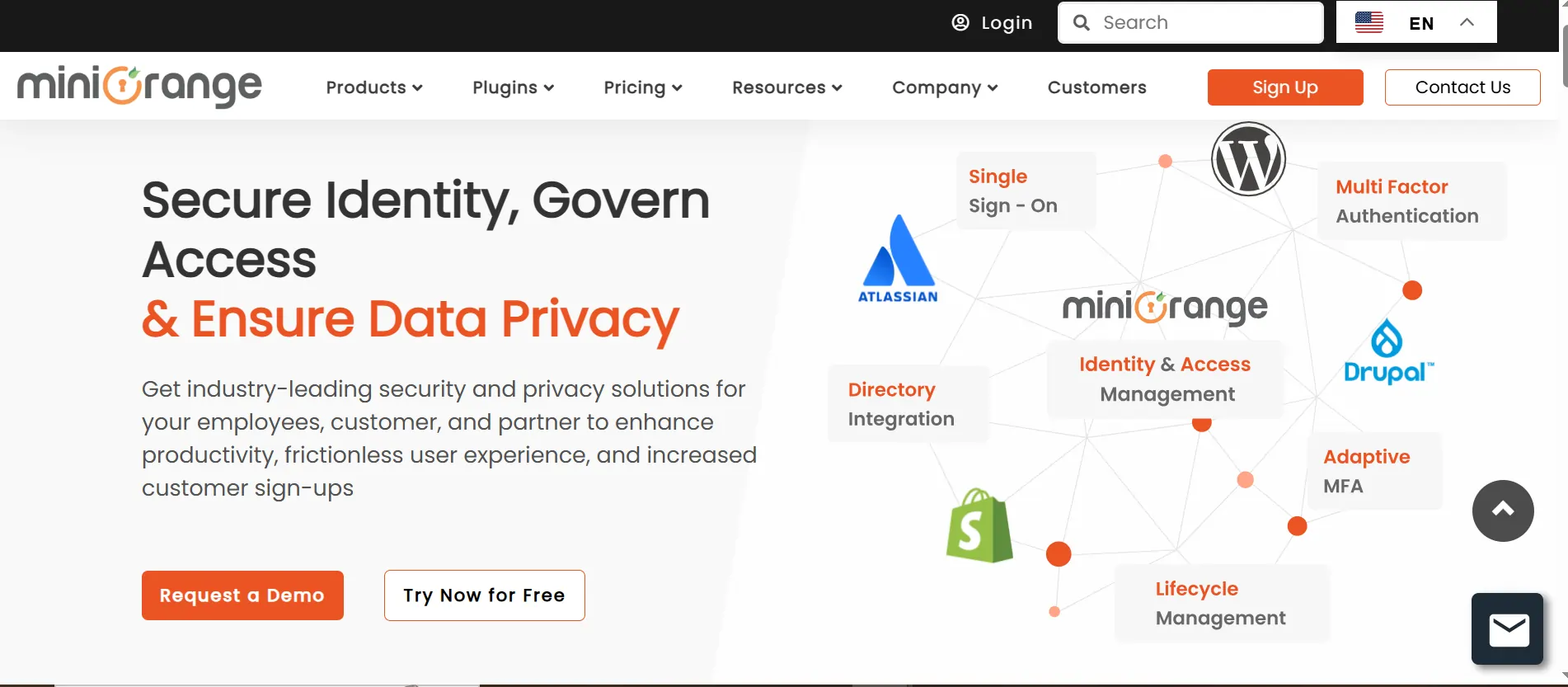
miniOrange IAM feels like a flexible IAM platform for teams that want strong control without heavy enterprise complexity. It works nicely when companies have both cloud and on premises systems running together.
Key Featurs
- Unified Single Sign On. Imagine opening your daily apps and not needing to log in again and again. That is what unified SSO does for users and it saves a lot of small daily frustration.
- Multi Factor Authentication Security. Passwords alone are not enough anymore and this feature adds another safety layer. Users might confirm login through OTP or push notification which makes attacks harder.
- Directory Integration. Companies already have identity directories and nobody wants to rebuild everything from zero. This feature connects with systems like Active Directory or LDAP so identity data stays synchronized.
- Adaptive Access Policies. Sometimes a login is normal and sometimes it looks suspicious and this feature reacts to that difference. Access rules change based on context like device or location.
- Identity Lifecycle Management. People change roles or leave companies all the time and access should follow those changes automatically. This feature handles onboarding and offboarding without manual tracking.
Pros
- Users like the flexibility in authentication methods because it works well with many environments. You can choose different MFA options based on needs.
- Many reviews mention it works well with legacy systems which is important for companies not fully cloud native. Integration support is generally strong.
- SSO and MFA reliability are appreciated because once configured it runs smoothly. Users feel login becomes easier while security improves.
Cons
- Some users report integration sometimes needs support help which can slow deployment. Not everything feels plug and play.
- Support response quality feels mixed depending on use case. Some reviews praise it while others mention delays.
- Interface and experience can feel less polished compared to bigger enterprise competitors. Functionality exists but UX may feel slightly dated.
3. AWS IAM
AWS IAM is mainly for teams managing cloud infrastructure inside AWS. The system is built around policies which means permissions can be very precise making it a strong choice among identity and access management providers focused on cloud security.
Key features
- Fine Grained Permission Policies. This is where AWS IAM really shines because you can define exactly what someone can do. You decide which action is allowed on which resource and nothing extra.
- Role Based Access Management. Instead of sharing permanent credentials users or services assume roles when needed. This feels cleaner because access is temporary and controlled.
- Temporary Security Credentials. Long term credentials always create risk and this feature solves that by expiring access automatically. Even if something leaks it cannot be used forever.
- Integration With AWS Services. IAM connects deeply with AWS tools like EC2, S3, and Lambda so permissions stay consistent. You do not need separate access systems for each service. Everything flows through one identity layer.
- IAM Policy Simulator and Auditing. AWS provides an IAM Policy Simulator that lets teams test policies before they are applied. Admins can check if a user or role will be allowed or denied a specific action.
Pros
- Strong security control is the biggest advantage because permissions can be defined very precisely. Cloud teams love this level of detail.
- IAM roles and temporary credentials are highly praised because they reduce long term credential risk. Developers feel safer using short lived access.
- Since it integrates deeply with AWS services everything stays centralized. Teams managing cloud infrastructure get consistent access control.
Cons
- Many users say the learning curve is real, especially for beginners. Policies can feel confusing at first. Misconfiguration risk exists if teams are not experienced.
- Interface and policy structure sometimes feel complex. Small teams without cloud expertise may struggle initially.
- Troubleshooting permission issues can be frustrating because policies interact in complex ways. Debugging access problems sometimes takes longer than expected.
4. JumpCloud
JumpCloud feels like a mix of IAM cloud directory and device management all together. It is very useful for companies with remote teams using different operating systems. Instead of managing identity and devices separately you get one place to control both.

Key Features:
- Cloud Directory Services. Traditional directories often need local servers and maintenance which creates extra work. Here identity lives in the cloud so admins manage users from anywhere.
- Cross Platform Device Management. Managing Windows, Mac, and Linux together usually feels messy but this feature simplifies it.Policies apply across devices so security stays consistent.
- Single Sign On Integration. Users log in once and move across apps without repeated authentication which feels smoother during daily work. Admins gain centralized visibility into app access.
- Multi Factor Authentication. MFA adds another safety layer which becomes important when teams work remotely. Even if passwords get exposed attackers still face another barrier.
- Zero Trust Access Approach. Instead of trusting users automatically every login gets verified. The system checks identity context each time before allowing entry.
Pros
- Users really like the idea of identity plus device management in one platform. It reduces the number of tools IT teams manage.
- Cross platform support for Windows Mac and Linux gets a lot of praise. Companies with mixed environments find it very practical.
- Setup and usability are often described as straightforward. Smaller and mid sized teams appreciate that they can deploy without huge projects.
Cons
- Some users say advanced MDM or deep device management features are still limited. Large enterprises may expect more granular control.
- Reporting and advanced admin controls sometimes feel basic. Teams wanting very detailed analytics might find it lacking.
- Occasional platform stability or outage complaints appear in reviews. Even if not constant they affect trust for critical environments.
5. OneLogin
OneLogin focuses on making enterprise login simple while keeping security strong in the background. The platform tries to reduce manual access management through automation which is why it is often considered among practical IAM solutions for modern cloud environments.
Key Features:
- Smart Single Sign On. You sign in once and then access all connected apps without repeated login screens. This saves small bits of time throughout the day which adds up quickly.
- Adaptive Authentication. Not every login is equal and this feature understands that. The system checks risk signals and only asks for extra verification when needed.
- User Provisioning Automation. Creating and removing accounts manually always leads to mistakes and this feature automates the process. Access changes automatically when roles change.
- Directory Sync. Existing directories connect with OneLogin so identity data stays aligned. Admins do not need to manage users in multiple places.
- Security Monitoring. Login activity and access patterns are tracked so suspicious behavior can be noticed early. Security teams get better visibility without constant manual checking.
Pros
- Users appreciate how easy it is to consolidate multiple applications under one login. This reduces password fatigue a lot.
- Interface and setup are often described as user friendly compared to older enterprise tools. Admins can manage access without too much complexity.
- Automation for provisioning and SSO improves productivity because onboarding feels faster.
Cons
- Some users mention service interruptions or connectivity issues which can impact login reliability. Even small downtime feels serious in IAM.
- Bugs or inconsistent behavior are occasionally mentioned in reviews. This creates frustration when authentication is business critical.
- Certain advanced features feel limited compared to larger competitors. Enterprises with complex requirements may feel restricted.
6. Microsoft Entra ID (Azure AD)
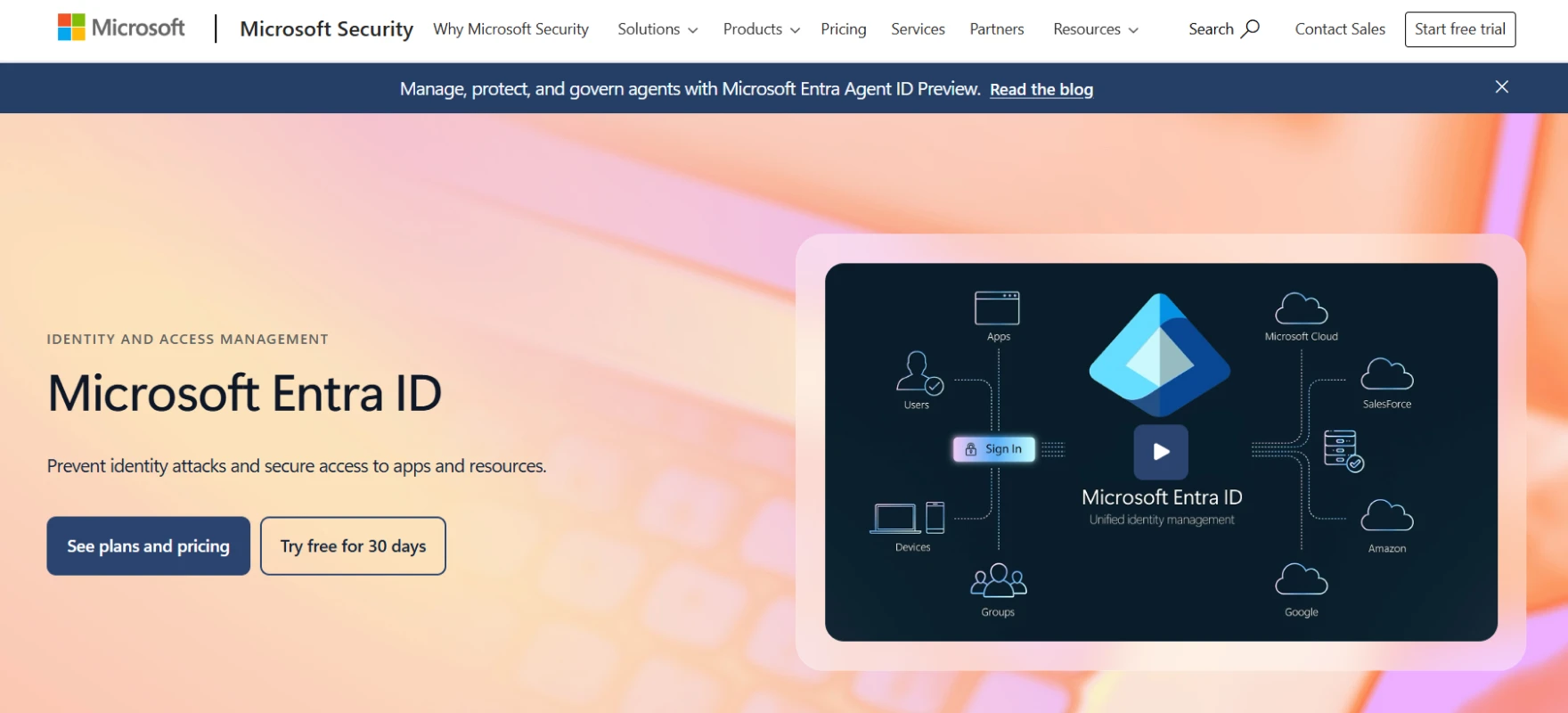
Microsoft Entra ID is one of the leading cloud based IAM solutions and works like the identity backbone for companies already using Microsoft services. If a team runs Microsoft 365 or Azure then this tool usually becomes the main access control layer.
Key Features
- Conditional Access Policies. This feature feels smart because it does not treat every login the same way. The system checks things like device health location or risk level before allowing access.
- Single Sign On Across Microsoft Ecosystem. Users log in once and then move across Microsoft apps and many third party apps without repeating authentication.
- Identity Protection. The system watches sign in behavior and tries to detect risky patterns automatically. If something unusual happens it can trigger alerts or security actions.
- Hybrid Identity Support. Many companies still have on premises directories and moving everything to the cloud takes time. This feature connects both worlds so identity stays unified during migration.
- Access Reviews and Governance. Over time people collect too many permissions and this feature helps clean that up. Admins review access regularly and remove what is not needed.
Pros
- Strong security features like conditional access and MFA are highly praised. Companies feel confident protecting identities with it.
- Centralized identity management works well especially for organizations already using the Microsoft ecosystem. Integration feels natural.
- Automation and governance features help reduce manual identity tasks. Onboarding and offboarding become cleaner.
Cons
- Licensing cost comes up frequently especially for advanced features like P1 and P2 tiers. Smaller companies sometimes feel pricing pressure.
- Setup complexity can feel high for teams without dedicated IT expertise. Configuration options are powerful but sometimes overwhelming.
- Integration or feature gaps occasionally appear depending on the environment. Some users feel certain workflows need extra configuration effort.
7. Okta Workforce Identity Cloud
Okta Workforce Identity Cloud is one of the well known IAM providers and feels like a platform built for large workforce environments where many apps and users exist together. Many organizations use it when they want zero trust style access without too much complexity.

Key Features:
- Universal Directory. This feature keeps all identities in one central place which helps reduce confusion across systems. Admins get a clear view of users roles and permissions.
- Single Sign On Experience. Users sign in once and then access all their apps without repeated login screens. This makes daily workflows feel smoother and less tiring.
- Adaptive Multi Factor Authentication. The system checks risk and adjusts authentication strength automatically. High risk actions trigger stronger checks while low risk activity stays easy.
- Lifecycle Management. Employee access changes automatically when roles change or people leave the company. This prevents inactive accounts from staying active too long.
- Extensive Integration Network. One of the biggest strengths is how many apps already connect with Okta. Teams do not waste time building custom integrations.
Pros
- Ease of use and smooth SSO experience are praised consistently. Users like how simple it feels once deployed.
- Security features like MFA are strong and trusted by enterprises. Organizations feel confident rolling out identity policies at scale.
- Huge integration ecosystem helps companies connect apps quickly. Deployment becomes faster because many integrations already exist.
Cons
- Some users mention frequent verification prompts which can feel annoying. Security is strong but sometimes interrupts workflow.
- Pricing can feel high depending on scale and features required. Smaller teams may compare cost with alternatives.
- Advanced configuration can still require planning and expertise. It is simple for basic use but deeper setups need careful design.
8. Ping Identity
Ping Identity is often listed among the best IAM tools and is usually seen in large enterprises where identity systems are complex and customization matters a lot. It focuses on federation and advanced authentication so organizations can connect different environments together.

Key Features:
- Federated Identity Management. This feature allows users to access systems across organizations without creating separate accounts everywhere. Trust relationships connect identity providers so login feels seamless.
- Advanced Authentication Options. Different situations need different authentication methods and Ping allows that flexibility. Teams can combine factors based on risk or business needs.
- API Security Support. Modern applications depend heavily on APIs and this feature protects them through identity based access control.
- Identity Orchestration. Companies often have multiple identity systems and orchestration helps connect them smoothly. Instead of rebuilding everything, workflows link systems together.
- Scalable Enterprise Deployment. Large organizations need identity systems that handle huge numbers of users. Ping is designed for that scale and keeps performance stable.
Pros
- Enterprise flexibility is a big strength because it supports standards and API based integration well. Large organizations like this control. Architecture feels powerful.
- Stability and performance are praised once properly configured. Enterprises trust it for large deployments. Reliability improves after setup.
- Strong federation and customization support helps complex environments connect identity systems together. It fits advanced enterprise needs.
Cons
- Setup and administration are often described as complex. Teams need skilled admins to manage it well. The learning curve can feel heavy.
- Interface and configuration options sometimes feel confusing. New admins may struggle initially.
- Some users mention authentication flow complexity or older adaptive features lagging behind competitors. This can require extra tuning.
9. IBM Security Verify
IBM Security Verify is one of the established IAM vendors built for enterprises that care deeply about governance compliance and strong access control. It combines authentication with identity governance so security teams get visibility and structure.

Key Features:
- AI Driven Access Decisions. Instead of relying only on static rules the system analyzes behavior and risk signals. This helps identify unusual access patterns early.
- Single Sign On and MFA. Users access multiple applications through one login while MFA adds extra protection. Daily workflows stay smooth but security remains strong.
- Identity Governance Tools. Access reviews and certification workflows help companies keep permissions under control. Managers can verify who should have access and remove what is unnecessary.
- Hybrid Environment Support. Many enterprises cannot move everything to the cloud immediately and this feature supports that reality. Cloud and on premises systems work together under one identity layer.
- Compliance Reporting. Audits often require detailed proof and this feature helps generate clear reports. Security teams collect evidence faster without manual tracking.
Pros
- Governance and compliance capabilities are appreciated because enterprises need structured access control. Audits become easier to handle.
- Automation of identity tasks helps reduce manual work. Access management feels more controlled and consistent.
- Hybrid environment support works well for companies balancing legacy systems and cloud. Migration becomes smoother.
Cons
- Complexity is often mentioned because enterprise level features create heavier setup. Smaller teams may find it overwhelming.
- Interfaces can feel less intuitive compared to newer IAM platforms. Training may be required for admins.
- Cost and enterprise focus sometimes make it less attractive for smaller organizations. It fits large environments better.
10. CyberArk Identity Security
CyberArk Identity Security is strongly focused on protecting privileged accounts while also handling workforce identity management. It is often used in environments where security risk is high and sensitive systems exist.
Key Features:
- Privileged Access Protection. Some accounts have very high power and this feature gives them extra control and monitoring. Credentials are protected carefully so misuse becomes harder.
- Passwordless Authentication. Users log in without traditional passwords which removes one of the biggest attack paths. Phishing risk drops because there are no passwords to steal.
- Adaptive MFA. Authentication changes based on risk signals instead of forcing the same process every time. High risk activity triggers stronger checks while normal access stays smooth.
- Session Monitoring. Privileged sessions can be recorded and reviewed so suspicious behavior is easier to detect. Security teams get clear visibility into what happened during sensitive access.
- Identity Lifecycle Automation. Access updates automatically when employee roles change or when someone leaves. This prevents old privileges from staying active quietly.
Pros
- Privileged access protection is highly valued because sensitive accounts get extra control. Security teams trust it for critical environments.
- Passwordless and strong authentication features improve security while reducing user friction. Login feels safer and faster.
- Session monitoring and visibility help compliance and investigation workflows. Security teams gain strong oversight.
Cons
- Implementation can feel heavy especially when integrating with existing systems. Planning effort is usually required.
- Interface and admin experience may feel complex for teams new to privileged access management. Learning takes time.
- Some organizations feel it is more security focused than user experience focused. End users may notice stricter controls.
11. SailPoint Identity Security Cloud
SailPoint Identity Security Cloud is an Identity Governance and Administration IGA solution that focuses on access governance and lifecycle automation. It is commonly used by large organizations that need deep visibility into permissions across many systems.
Key Features:
- Identity Governance and Administration. Access gets reviewed and certified regularly so unnecessary permissions are removed. Compliance becomes easier because visibility improves.
- AI Driven Access Insights. AI studies access patterns and highlights risky permissions so admins make smarter decisions. Governance becomes proactive instead of reactive.
- Automated Provisioning and Deprovisioning. User access updates automatically when job roles change which prevents old access from staying active. IT teams save time and security gaps shrink.
- Access Request Workflows. Users request access through structured approval flows so managers stay in control.
- Cloud Scale Integration. Many enterprise apps connect easily so identity governance expands across environments. Large organizations manage access at scale without losing control.
Pros
- SailPoint is very strong in identity governance and automation. Many users say it helps control access properly and reduces identity risk because provisioning and governance workflows are powerful.
- Flexibility is another big advantage because organizations can customize workflows and connect many systems together. Admins like that it can act as a central identity layer pulling data from HR systems directories and applications.
- Visibility and governance control are highly appreciated. The platform gives a clear view of identities and access which helps with audits and compliance.
Cons
- Complexity is the most common complaint. Many users say implementation takes time and requires experienced admins or partners. The setup is powerful but not simple which means the learning curve feels heavy.
- Cost is another pain point mentioned frequently in reviews. Licensing plus implementation effort can feel expensive especially when customization is needed. Some users feel time to value becomes long because of this.
- Maintenance and workflow tuning can feel heavy after deployment. Community discussions mention that while SailPoint is very powerful it can also be complicated to maintain and optimize.
How to Choose the Right IAM Vendor?
Identity systems work best when they stay Invisible in the background and keep access secure and predictable. A good IAM platform does not create extra noise for admins or users.
It creates structure so access moves smoothly as the business grows. The real goal is clarity control and long term stability instead of complexity.
- Business Fit. The first step is understanding what problem needs solving. Some organizations need basic access control while others need strong governance and compliance. A tool that is too heavy slows teams down and a tool that is too light creates risk later. Matching capability with real need keeps things balanced.
- Automation Level. Modern IAM should remove repetitive admin work. Onboarding role changes and offboarding should happen automatically without manual fixing. When automation runs well access stays accurate and teams move faster. Manual processes always become future bottlenecks.
- Integration Strength. Existing apps directories and cloud systems should connect naturally with the IAM platform. Strong integrations reduce friction and prevent costly redesign later. Systems that fit the ecosystem save time and effort long term.
- Access Logic. Clear rules like role based or attribute based access make identity management predictable. Good platforms keep complexity inside the system instead of inside the admin’s head. Simple logic creates stronger security and fewer mistakes.
- User Experience. Security should feel smooth for users. Login must stay fast while protection works silently in the background. When access feels easy, adoption improves and support tickets reduce.
- Governance Visibility. Clear visibility into who has access and why is essential. Good governance prevents access creep and supports compliance without extra chaos
- Operational Simplicity. Powerful platforms should still feel easy to run daily. Admin workflows should stay clean and understandable. Simplicity reduces fatigue and keeps operations stable.
- Future Scale. Identity needs grow quickly as organizations expand. The right IAM platform should handle more users, more apps and stronger policies without major redesign. Planning for scale early prevents migration pain later.
Finding the Right Identity and Access Management (IAM) Vendor
Identity and access management is not only about blocking threats. Real security appears when access stays controlled in a way that remains predictable as the organization grows. When identity decisions stay manual small mistakes slowly turn into bigger risks. Extra permissions stay active. Old accounts remain in systems. Visibility slowly becomes weaker.
A strong IAM platform helps convert access into a structured system. Automation governance and security begin to work together. Instead of scattered identity rules organizations get one consistent access layer that stays easier to manage.
Modern IAM platforms increasingly focus on building environments where identity lifecycle access decisions and governance operate together. The goal is not only automation. The goal is creating a stable identity flow where access naturally adjusts as the organization evolves.
Many modern identity platforms follow this direction by combining provisioning lifecycle management and policy enforcement inside one connected system. This structure helps organizations maintain long term stability while keeping identity operations manageable.
Below are some core areas that usually define a strong IAM platform in real enterprise environments.
- Automated Provisioning and Deprovisioning. Access should update automatically when employees join move roles or leave the company. This keeps permissions aligned with real responsibilities and reduces manual errors.
- Intelligent Access Decisions. Modern IAM systems increasingly use contextual signals to guide access approvals. Risk awareness and activity signals help admins review access requests faster without adding complexity.
- Role Based and Attribute Based Access Control. Clear access models help keep identity systems predictable. Roles and attributes reduce permission sprawl as teams and applications grow.
- Lifecycle Governance and Visibility. Admins should always understand who has access and why. Strong governance features support audits and make it easier to review permissions across systems.
- Integration and Directory Connectivity. IAM platforms must connect smoothly with cloud applications, enterprise directories and internal systems. Consistent identity data across systems helps prevent access gaps and security issues.
See how modern identity management should actually work. Book a demo to explore Infisign UniFed and IAM Suite and understand how simple automation can make access scalable and easy to manage.
FAQs
What is an IAM vendor?
An IAM vendor provides software that manages digital identities and controls access to systems and apps. It helps organizations secure logins, automate access changes and maintain visibility over who can access what.
What features should a modern IAM solution include?
A modern IAM solution should include SSO, MFA, lifecycle automation, role based access governance visibility and strong integrations. These features help secure access, reduce manual work and keep identity management simple and scalable.
What are the biggest challenges during IAM implementation?
Common IAM implementation challenges include complex integrations, unclear access roles migration from legacy systems user adoption and policy design. Success depends on planning automation carefully and aligning identity processes with business workflows.


