


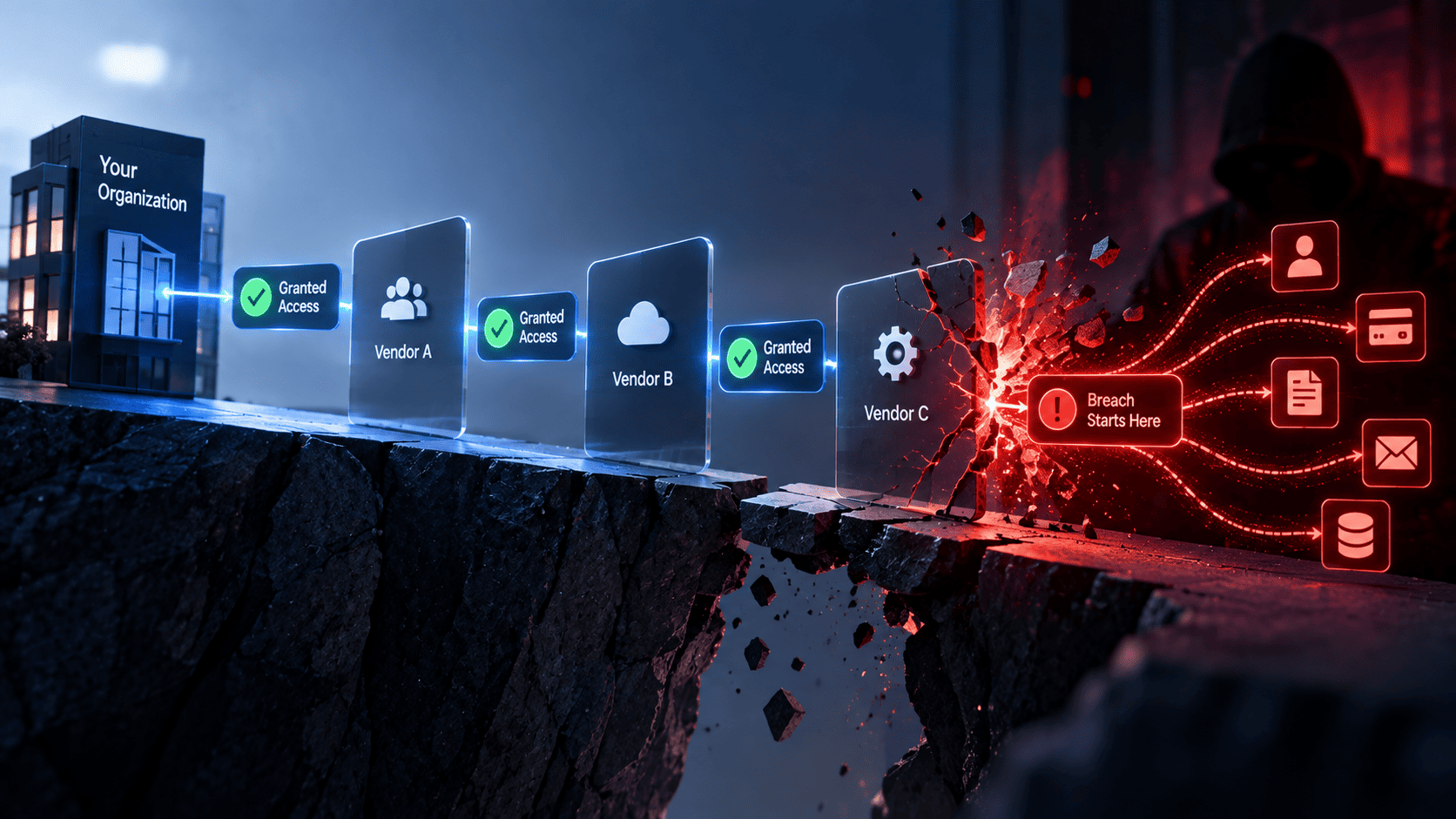

Third party data breaches happen when attackers get around direct network defenses by abusing trusted connections. They may exploit software partners or old login credentials. As the real world incidents show the main weakness is rarely a broken firewall or a brute force attack. Instead hackers often use valid access tokens.
They may also take advantage of broad OAuth permissions. Old single sign on portals and forgotten contractor accounts can also give them access. Since these sessions look like normal user activity, traditional security tools may not detect them right away.
By the time the attack is discovered a large amount of data may already be stolen. Preventing these attacks requires regular access reviews and strict least privilege rules. Companies should also automate token rotation and closely monitor all connected vendor environments.
1: What Counts as a Third Party Data Breach
A third party data breach happens when a company is affected by a security attack on one of its vendors or software partners. The company may not be hacked directly. Instead attackers use a trusted connection to reach its systems. This makes third party breaches harder to detect and prevent just like what happens in supply chain attacks 2026.
- Trusted Access: Attackers can target vendors that already have access to a company's systems. They may use this trusted access to enter the company's network. This means a security issue at one business can quickly affect another.
- Wider Impact: Modern businesses rely on many vendors and cloud services. They also use software tools and contractor accounts. If one supplier is compromised, attackers may use its access to reach several customer networks. One breach can then affect many companies often appearing in reports about recent data breaches 2026.
- Vendor Security: Traditional security tools focus on threats coming from outside the network. Third party attacks can bypass these defenses because the access comes through a trusted partner. Companies should review vendor access regularly. They should also monitor software connections and limit permissions to reduce security risks, ensuring they follow a reliable access certification guide for better oversight.
2: Tokens That Outlived the Trust
Digital tokens and session keys let different computer systems talk to each other without asking a user to log in repeatedly. When these tokens stay active long after their original job ends, they turn into permanent backdoors which often lead to major Saas breaches.
1. Salesloft Drift and 700 Salesforce Tenants
The 2022 GitHub and Heroku OAuth token theft showed how stolen keys from third-party integrations can let attackers access connected cloud systems without setting off traditional authentication alerts. Attackers stole active access tokens from the Drift environment and used them to access data from more than 700 Salesforce organizations. The tokens had broad permissions and stayed active for too long.
- Weak Token Controls: Drift used access tokens with broad permissions. Some tokens remained active for months without regular checks or re authentication. This gave attackers a long window to misuse stolen credentials, a pattern frequently observed in cloud data breaches.
- Trusted API Access: Attackers used the stolen tokens to send queries to connected Salesforce systems. The requests came through a trusted application connection. Security tools treated the traffic as normal because the tokens were valid.
- Long Term Risk: The incident showed why third party apps need strict access controls. Companies should limit token permissions and rotate tokens often while establishing robust third-party access management.
2. Vercel and the Allow All OAuth Grant
The 2023 CircleCI security incident showed how stolen employee session tokens and malware designed to steal credentials can expose cloud deployment keys from third-party services and customer secrets. Attackers first took control of an employee account through malware. They then used valid deployment tokens to access private code and sensitive configuration data across connected projects.
- Account Takeover: Infostealer malware can steal active browser sessions and developer tokens from an infected device. Attackers can use these credentials to access cloud deployment platforms without needing to break into the platform directly.
- Broad Permissions: Default OAuth settings may give deployment tools access to many repositories. Attackers can use this access to copy private code while ignoring vital OAuth 2.0 best practices.
- Least Privilege: Deployment tools should only access the repositories they need. Companies should also use hardware security keys for important code access. Limiting permissions can reduce the damage caused by a stolen token.
3. Anodot, Rockstar Games and Vimeo
Third-party data processors and analytics platforms can create serious security risks when they are given broad access to databases. The Customer.io credential breach is an example of how this access can expose connected user lists.
Attackers who compromise these platforms may steal database credentials and API keys. They can then use trusted connections to access internal data without setting off normal security alerts.
- Persistent Access: Analytics tools often need deep access to company databases. They may use database credentials or service accounts with high permissions. If these credentials are stolen attackers can access sensitive systems with little resistance.
- Trusted Connections: Attackers can use valid vendor connections to reach internal staging systems and customer data. The traffic may look normal because it uses approved authentication and encrypted channels. This can make traditional security tools less effective.
- Stronger Controls: Companies should treat third party analytics tools as high risk access points. Database activity should be logged and network access should be separated. Unused database connections should also be revoked as soon as a project ends.
3: One Vendor, Many Victims
Relying on a single shared software library or commercial provider creates a single point of failure that ripples across thousands of independent companies at the exact same time.
4. LiteLLM and 2500 Downstream Companies
Software supply chain compromises in developer dependencies, such as the 2021 Codecov bash uploader breach, allow attackers to harvest API keys and secrets directly from CI/CD execution environments. The software helps businesses connect with different AI models through one system. Attackers used the flaw to steal API keys from companies that used the package. These keys could then be used to access AI services and sensitive data.
- Software Flaw: LiteLLM had a security weakness that attackers could exploit. The flaw allowed them to reach sensitive data stored in the system. This included API keys used by business customers.
- Wider Exposure: Stolen API keys could give attackers access to paid AI services. They could also expose private prompts sent by company users. Since the software often ran inside private networks the attack could bypass normal network defenses.
- Dependency Security: This incident shows why companies need to check every software package they use. Security teams should scan dependencies for known flaws. AI gateway keys should also be kept separate from general application data to limit the impact of a breach.
5. Citizens Bank and Frost Bank
Financial institutions such as Citizens Bank and Frost Bank experienced data exposure after third-party service providers were affected by the MOVEit Transfer zero-day vulnerability (CVE-2023-34362).
Banks often use outside vendors to handle large amounts of customer documents. When that vendor's system was compromised attackers were able to access files without breaking into the banks' own networks.
- Vendor Weakness: The file transfer tool had security flaws that were not patched in time. Attackers used these flaws to enter the vendor's server and reach stored files.
- Shared Data: The vendor stored files for several financial institutions in the same system. Attackers were able to download files with sensitive customer information. They did not need direct access to the banks' core networks.
- Better Protection: Banks should check vendor security before sharing sensitive data. They should require strong encryption for stored files and fast security patches. Clear deadlines for fixing vendor security issues can also reduce risk.
6. Pokemon Center and CEVA Logistics
A security breach at CEVA Logistics exposed customer order and delivery data linked to several retail brands. The Pokemon Center online store was among the businesses affected. The incident showed how a problem at a logistics partner can expose customer data even when the retailer's own systems remain secure.
- Supply Chain Risk: Retailers often depend on logistics partners for storage and delivery. These companies handle customer names and addresses along with order details. A breach at the logistics provider can put this data at risk.
- Shared Systems: CEVA Logistics supported multiple retail brands through shared systems. Attackers accessed these systems and obtained customer order records and delivery information. The retailers did not need to be breached directly for their data to be exposed.
- Data Minimization: Fulfillment partners should only receive the data needed to complete an order. Old customer records should not remain in shared systems without a clear need. Limiting stored data can reduce the impact of a third party breach.
4: A Phone Call That Became a Valid Session
Social engineering works remarkably well because hackers do not need to crack heavy encryption when they can simply talk a help desk employee into handing over a fresh login session.
7. ADT and the Okta SSO Call
The 2023 MGM Resorts incident showed how attackers can use social engineering against IT help desks to trick support staff into resetting multi-factor authentication for legitimate employee accounts.
Attackers contacted the help desk and pretended to be employees. They convinced support staff to reset their multi factor authentication. This gave them access to internal systems through valid login sessions.
- Help Desk Attack: Attackers claimed they had lost their authentication devices. They convinced a support agent to reset the security settings. The attackers then added a device they controlled.
- Valid Access: After the reset attackers created valid single sign-on sessions. They used these sessions to reach internal customer and billing systems. The activity looked like normal employee logins.
- Stronger Verification: Help desks should follow strict identity checks before resetting credentials. Sensitive resets should require manager approval. Teams should also use a separate verification method instead of relying only on phone calls.
8. Adobe and the BPO Support Desk
The 2022 DoorDash incident showed how social engineering attacks against third-party BPO support agents can give attackers the administrative access they need to compromise internal tools. BPO teams often help with password resets and employee accounts. Attackers targeted these support workers and used their access to create new credentials and access tokens.
- Support Risk: BPO agents may have access to important account systems. They can reset passwords and create employee accounts. If attackers take control of these accounts they may gain powerful access.
- Fake Accounts: Attackers compromised support accounts and used normal admin tools to create new credentials. These accounts looked legitimate because they were created through approved processes. This made the activity harder to detect.
- Stronger Controls: Outsourced staff should follow the same security rules as internal employees. Admin actions should require strong authentication such as hardware security keys. Companies should also monitor help desk activity for unusual account changes.
9. Abbott and the Acquired SSO Estate
The Marriott Starwood breach illustrated how unintegrated legacy identity and reservation systems from acquired entities can remain undetected entry points for years. Mergers often leave older login systems and support channels active in the background. Attackers can target these forgotten systems to gain access to the larger company network.
- Legacy Systems: Acquired companies may still have old single sign on systems and identity servers. Some of these systems may not receive regular security checks. Attackers can use them as a hidden path into the main network.
- Weak Recovery: Attackers targeted old support channels and weak password recovery processes. They used these gaps to create valid login sessions. This allowed them to move from the old system into the main corporate environment.
- Post Merger Security: Companies should review every identity system after an acquisition. Old domains and login portals should be secured or removed when they are no longer needed. All remaining systems should follow the main company's security standards.
5: Permissions and Pipelines Nobody Reviewed
Complex cloud setups accumulate old guest accounts, forgotten permissions, and background automation tasks that run indefinitely without human oversight.
10. McGraw Hill and the Guest User Profile
The 2022 McGraw Hill data exposure showed how poorly configured cloud storage buckets that are publicly accessible can expose sensitive company files without requiring any login credentials. An external account kept high level access to cloud storage even after it was no longer needed. Attackers took control of the account and used it to access sensitive company data for months.
- Unused Access: Guest accounts are often created for contractors and outside partners. These accounts can stay active after a project ends. If access is not removed they can become an easy target for attackers.
- Cloud Exposure: The compromised account had read and write access to important cloud storage. Attackers used the valid account to access publishing files and customer data. The activity looked normal because the account already had permission.
- Access Control: Guest accounts should have automatic expiry dates. Companies should also review cloud permissions on a regular basis. Removing unused accounts and limiting access can reduce the risk of data exposure.
11. Checkmarx KICS and Bitwarden
The SolarWinds Orion compromise is a major example of how attackers can manipulate a software build pipeline. They inserted malicious code into trusted software updates before those updates were sent to customers. Exposed credentials gave attackers a way into trusted build systems. From there they could change software before it reached other users.
- Exposed Keys: Development tools often need API keys and other login details. If these details are left in code or config files attackers can find and use them. A single exposed key can give them access to important systems.
- Trusted Builds: Attackers used stolen credentials to make changes in software build systems. The affected pipelines then built and shared altered software. Since the changes came through trusted accounts they were harder to spot.
- Safer Pipelines: Teams should check code and config files for exposed keys. Sensitive credentials should be stored in secure systems and changed often. Strong hardware based login should protect code signing and software releases.
12. GitHub Megalodon and 5500 Repositories
The GitHub Megalodon campaign showed how exposed developer tokens can put large amounts of company data at risk. Attackers used automated tools to find access tokens that developers had left in code or settings. Some of these tokens gave wide access to private repositories.
- Exposed Tokens: Developers sometimes create access tokens with broad permissions and no expiry date. If a token is left in a code file or account setting attackers can find it and use it to enter private repositories.
- Large Scale Theft: Attackers used stolen tokens to access more than 5,500 private repositories. They looked for source code and other secrets such as database passwords and cloud access keys. This allowed them to collect valuable company data without breaking into the main systems.
- Token Protection: Access tokens should have short expiry times and limited permissions. Teams should also use secret scanning tools to find leaked keys quickly. Any exposed token should be revoked right away.
6: What All Twelve Have in Common
All twelve incidents had one thing in common. The attackers used access that looked real. Security tools saw normal logins and approved requests instead of clear signs of an attack. The problem was not always a broken firewall. It was the trust placed in valid accounts and tokens.
- Valid Access: Attackers used real accounts and valid access tokens. Their actions looked like normal work because they used approved apps and services. Firewalls and other network tools often had no reason to block the activity.
- Static Trust: Many security systems trust a login after it has been approved. They may not check if the same access still makes sense later. This gives attackers more time to use stolen credentials without raising an alarm.
- Continuous Checks: Companies need to check access on an ongoing basis. Security teams should look at user behavior and device health. They should also check location and access patterns to spot activity that does not match normal use.
7: The Access Review to Run This Week
Stopping these attacks starts with better control over accounts and access tokens. Security teams should review who has access to company systems and why. They should also remove old access that is no longer needed.
- Review App Access: Check all third party apps that have active OAuth or API access. Remove connections that have not been used in the last month. This helps cut off old access paths that attackers may use.
- Remove Old Accounts: Find and disable guest accounts and service accounts that no longer have a clear owner. Shorten session times for admin and contractor accounts. Regular sign-ins and device checks can help stop stolen sessions from being used for too long.
- Limit Token Access: Give developer tokens and pipeline keys only the access they need. Avoid broad permissions across many repositories. Run access reviews every week and use automated tools to find old accounts and unusual app connections.
8: What Would Have Stopped Most of This
Most of these attacks could have been stopped with stronger access checks. The key is to keep checking access instead of trusting a login forever. Even a valid password or token should not be enough when the activity looks unusual.
- Continuous Checks: Security systems should check users and devices during a session. They should look at behavior and location along with device health. If activity suddenly looks different the system can block access before more damage is done.
- Zero Trust: Zero trust security does not assume that a user or device is safe just because it logged in before. Every request needs to be checked based on identity and context. A valid token should not give unlimited access on its own.
- Fast Response: If a vendor account or service account starts pulling unusual amounts of data the session should be stopped quickly. The related tokens should also be revoked. Automated alerts can then help security teams respond before more data is stolen.
9: The Thirteenth Breach Is Already in Your Vendor List
The next third party breach may already be hiding in your systems. An old vendor connection may still have access. A former contractor may still have an active account. An unused API key may also be sitting in an old config file. These small gaps can give attackers a way into your environment.
- Find Old Access: Review vendor connections and remove tokens that are no longer needed. Check old contractor accounts and unused service accounts. Every active account should have a clear owner and a real business reason.
- Hunt for Weak Spots: Security teams should actively look for forgotten access instead of waiting for an alert. Review vendor API keys and old login systems. Check automated build and deployment tools for unused or risky permissions.
- Keep Trust Limited: Third party apps should only get the access they need. Permissions should be checked on a regular basis. Continuous security checks can help catch stolen credentials before they lead to a larger breach.
Third-party data breaches often happen when attackers find a way around normal security defenses. Instead of breaking through a company’s firewall or using brute force attacks they often take advantage of trusted connections and third-party software. They may also use old login details or accounts that are no longer being monitored.
Many attackers use valid access tokens or overly broad OAuth permissions to enter systems. Some also target old single sign-on portals or forgotten contractor accounts. These accounts can look like normal users inside the system. This makes it difficult for traditional security tools to detect the attack.
By the time the unusual activity is noticed the attackers may have already stolen a large amount of sensitive data. This shows why companies need stronger security across their entire network and all connected vendors.
Platforms like Infisign UniFed can help reduce these risks by continuously checking access and security signals. They can also follow strict least privilege rules and manage tokens automatically. This helps companies control access across their connected vendor ecosystem.
Passwordless SSO and FIDO2 Authentication
Passwordless SSO removes the need for weak and easily stolen passwords. FIDO2 adds stronger protection by using biometric checks and secure cryptographic verification. This makes it much harder for attackers to use stolen passwords or static session keys.
Unified Federation and Access Governance
UniFed brings cloud applications and legacy systems together under one security policy. It also helps manage third-party applications from a central place. Companies can control permissions based on current needs and quickly remove access that is no longer required.
Privileged Access Management and Just-In-Time Controls
PAM helps reduce the risk of giving users permanent high-level access. Just-In-Time controls provide access only when it is needed. This limits the chances of attackers moving from one system to another after gaining access.
Third-party access can become a serious security risk when left unchecked. See how Infisign helps secure identities and connected systems with smarter access controls. Talk to an Infisign expert to explore your security needs.
FAQ
1. What is a third-party data breach?
A third-party data breach happens when attackers gain access to a company through a trusted vendor. Software partner. Contractor. API connection. or another external service. Instead of attacking the company directly attackers misuse the access already given to a trusted third party.
2. How do attackers use valid access tokens in a third-party breach?
Attackers can steal valid access or refresh tokens and use them to access systems as if they were legitimate users or applications. If these tokens have broad permissions or remain active for too long they can give attackers access to sensitive systems and data.
3. Why is third-party OAuth access a security risk?
OAuth allows applications to access resources on behalf of users. The risk increases when applications receive more permissions than they actually need. If the application or its credentials are compromised attackers may use those permissions to reach sensitive data and connected systems.
4. How can companies reduce the risk of third-party access?
Companies should regularly review vendor accounts. OAuth permissions. API keys. service accounts and contractor access. Unused access should be removed quickly and active permissions should follow the principle of least privilege. Organizations should also monitor third-party connections for unusual activity.
5. How can Infisign help secure third-party access?
Infisign helps organizations manage identity and access across connected applications and environments. Its solutions support capabilities such as SSO. passwordless authentication. MFA. conditional access and access governance. This can help organizations improve visibility and control over who has access to critical systems.


