



What’s the better choice for your application: WorkOS or Clerk?
simplify authentication, but they take very different approaches to user management, enterprise access, pricing, and scalability.
In this guide, we compare WorkOS vs Clerk, their key features, limitations, pricing, and ideal use cases to help you choose the right CIAM solution for your growing business.
WorkOS vs Clerk Detailed comparison
Picking the right CIAM solutions determines how easily your application handles growth. This full feature checklist highlights exactly what is included and what remains missing between both options.
Which One Is Probably Right for You
Your choice between these tools depends entirely on who uses your software. Choosing the wrong user management for SaaS forces you to change your whole setup later. Real feedback from other teams shows exactly where each option works best.
When WorkOS Is the Right Call
If you sell your software to big companies that need tools like SAML SSO, SCIM syncing, and admin controls, WorkOS is usually the right path. It is designed to handle complex business requirements easily, making it a strong fit for enterprise-focused teams.
- Quick Business Links: Big clients can connect their employee lists to your app in a few minutes. This saves your team from setting up custom links for every new business client. It makes onboardings smooth and keeps your clients happy from day one.
- Clear Bills: Unlike models that charge for every user, WorkOS pricing is based heavily around enterprise connections and products rather than pure MAU billing. While the original description oversimplifies the actual pricing structure it remains a more predictable path than traditional per user models. Your costs depend on enabled products along with connections plus usage tiers and specific contract terms. This approach makes it much easier to plan your budget as you sign on new business clients.
- Easy Staff Controls: You can easily choose what different staff groups can see without building a tracking system yourself. It gives company managers full control over what their workers can access inside your tool. This keeps your application secure and fits big business rules perfectly.
When Clerk Is the Right Call
Clerk works perfectly if you are building an app for regular everyday users. Developers love how fast they can get started.
- Ready login boxes: You get clean login forms on day one so you do not waste time building them yourself. This allows you to launch your product to public users much quicker. You can focus your energy on creating the main features of your actual app.
- Useful extras: Safe tools like fake account blocking and multi-factor authentication come ready to use. These features keep your system clean from robot accounts and bad signups. They protect your database without requiring any extra setup from your side.
- Downtime risks: Like any cloud-based authentication platform Clerk may experience service disruptions. You should review their uptime history and incident response processes to understand how they handle outages. It is important to weigh how much downtime your business can tolerate and ensure you are comfortable with their reliability before you commit.
WorkOS Features Worth Evaluating Before You Commit
When teams look for a way to connect big business accounts, they usually check how much work a tool saves them. They look closely at how it handles complex company links and how the whole setup protects their user data.
Single Sign-On for Enterprise Accounts
The biggest thing teams look for is a quick way to let big clients use single sign on to log in. Setting up WorkOS allows organizations to connect applications to enterprise identity providers through SAML or OIDC-based single sign-on. This removes the need for manual passwordless management and provides a seamless login experience for your enterprise customers.
- Fast Setup: Building separate login links for every big company takes months of painful coding work. This tool makes your software instantly ready for large company buyers without those long delays. It handles the heavy lifting so your clients can log in safely.
- Self-Serve Links: Instead of your support staff manually adding users, corporate clients get a simple link where they can manage their own team setups. This cuts down your daily support tasks and lets your customers handle their own security preferences safely.
The True Cost of Growth
Teams often switch to this tool because standard login systems charge more every time a new employee joins an app. Moving your WorkOS authentication setup over means your system is built to scale without financial penalties.
- No Per-User Penalties: WorkOS pricing focuses on enterprise products and connections rather than monthly active users; you avoid the price spikes seen in other models. If a new client adds thousands of employees overnight your bill stays predictable.
- Predictable Expenses: You pay a flat rate based purely on the number of company clients you sign up. It makes calculating your business costs very simple and saves you from sudden budget surprises as your software scales up.
Complete Employee List Control
When you sell to massive organizations, their security teams demand total control over who can touch their data.
- Instant Access Syncing: When SCIM provisioning is configured user access can be automatically updated or revoked based on changes made in the customer identity provider. This ensures your system stays secure without any manual updates because the app instantly syncs with your client's employee directory.
- Organizations can use audit logging capabilities to review authentication and administrative events. Providing these clear logs helps your software pass strict security checks without any extra development effort or custom coding.
WorkOS Limitations You Will Hit
While flat rates and quick setup guides sound great, no tool is perfect. Real engineering teams have run into specific roadblocks after moving their systems over. You should weigh these real-world limits before making a final commitment.
No Built-In User Session Tracking
Teams evaluating WorkOS should carefully review its session management capabilities to ensure they align with application requirements. While the platform provides tools for authentication and revocation, it does not passively monitor user activity after they log in.
- Session Lifecycle: WorkOS does not track user session duration or activity status post-login. Teams are responsible for implementing session monitoring and idle timeout logic within their own application infrastructure.
- Safety Gaps: Because keeping users securely logged in is left entirely to you, a small mistake in your code could leave accounts vulnerable. You must spend extra time testing your setup to ensure user accounts close safely when they log out.
Rigid Screen Styling
If you care deeply about keeping a matching visual look across your entire website, you will hit roadblocks here.
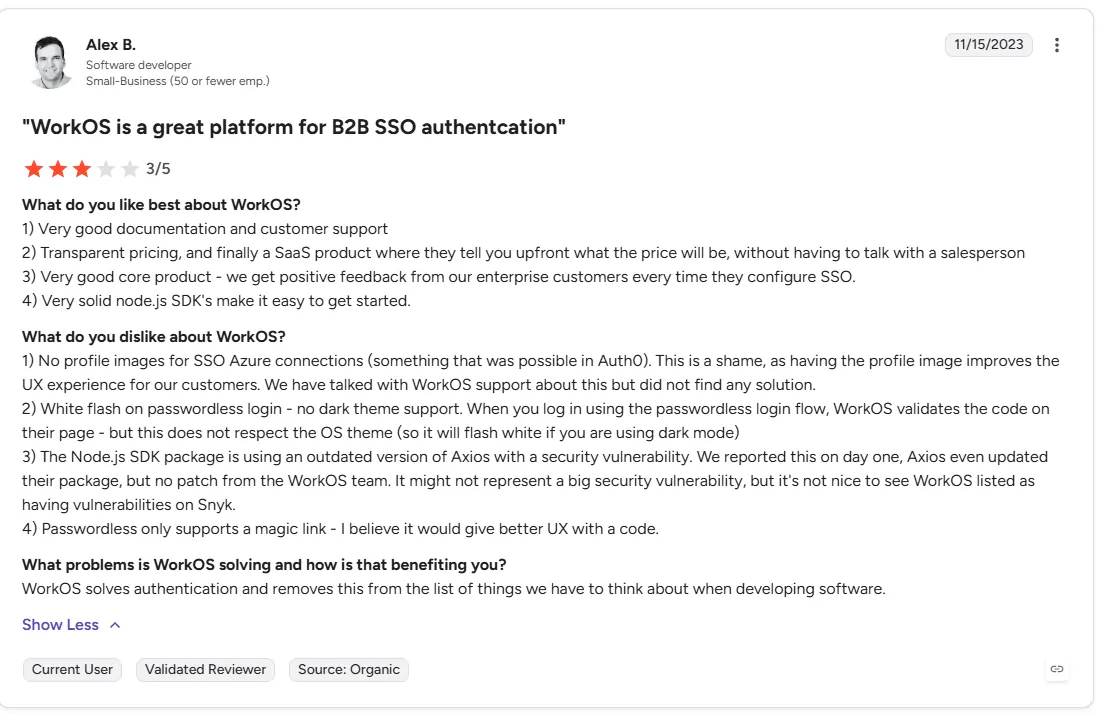
- Theme Configuration: While AuthKit supports both light and dark modes, these must be configured within the WorkOS dashboard or via custom CSS. The authentication pages do not automatically inherit system-level dark mode preferences unless specifically mapped to your application's appearance settings.
- User Attribute Synchronization: WorkOS normalizes standard user attributes (such as email, first name, and job title) across different identity providers. However, some non-standard or provider-specific fields, such as employee profile images, may not be automatically synced or available in the normalized user object.
Slow Updates for Code Files
Teams focused on security often find that the downloadable code building blocks provided by the platform lag behind on updates.
- Security Updates: WorkOS maintains its SDKs and dependencies via its official GitHub repositories. Developers are encouraged to track releases and security advisories directly through these channels to ensure their applications remain updated.
- Audit Flags: If your software undergoes strict external safety checks, these older files will trigger automated warning flags. Your team will have to spend extra time manually explaining these warnings to your business buyers to clear the audit.
Clerk Features Worth Evaluating Before You Commit
When you build an app for regular users, you want a quick setup that looks great immediately. Most teams look at how much time the ready-made screens save them. They also check how the bill changes as more people sign up.
Fast Public Launch Tools
The biggest plus is skipping the long work of building a login system yourself.
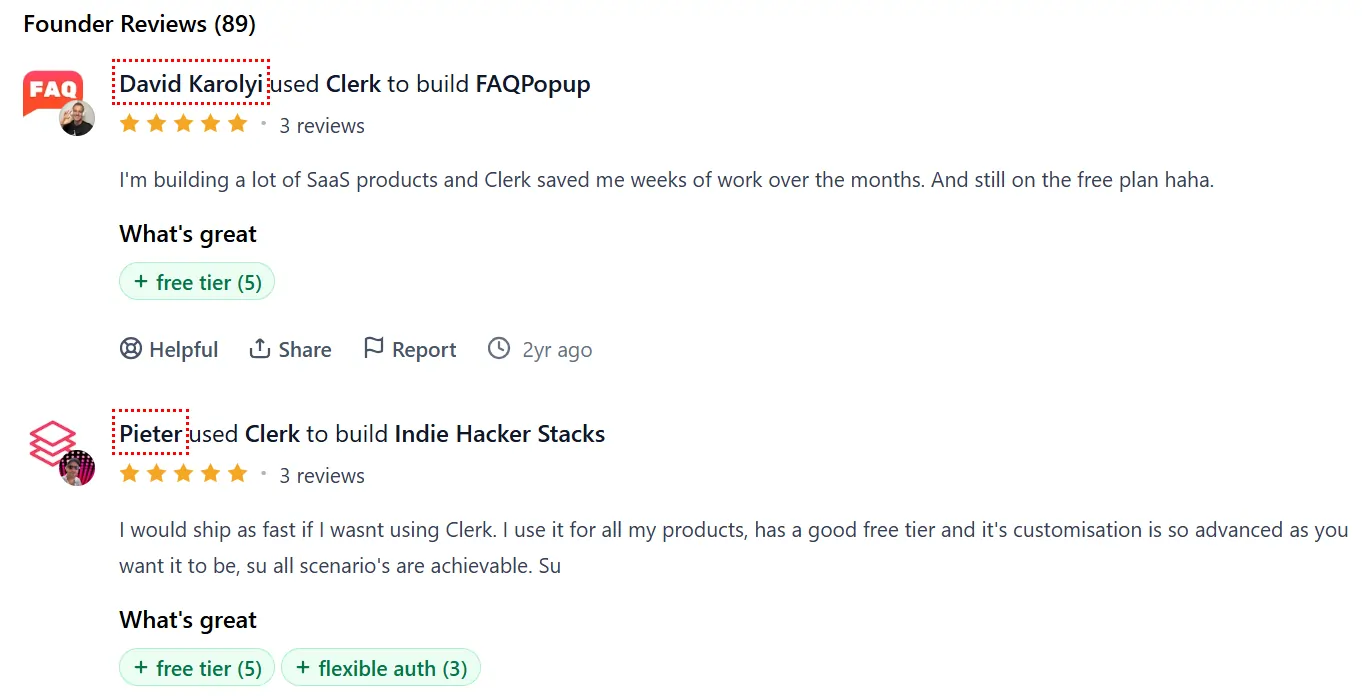
- Ready login boxes: You can drop clean login forms straight onto your website on day one. This saves your team from spending weeks writing code for password fields and email forms. It lets you focus your energy entirely on building your main product features.
- Simple account safety: Safe tools to block fake accounts and set up phone text logins come ready to use. You do not need to buy extra software to keep robot accounts away from your system. This keeps your database clean without any extra setup work from your side.
How the Bills Scale Up
You must look closely at Clerk pricing before you launch because the billing rules are quite unique.
- Free starting tier: The main free plan lets you have up to 50,000 monthly retained users every month without paying anything. This is amazing for new projects because you can test your ideas safely. You do not have to worry about early costs while you find your first customers.
- Charges per group: The platform charges extra flat fees for every business workspace or team group created inside your system. This is very different from tools that only charge for individual users. These extra fees can make your monthly bill jump up quickly if you run an app where users create lots of different team spaces.
Clerk Limitations You Will Hit
Polished forms and fast setups are great, but growing teams do face real roadblocks. You should check these limits before deciding if this tool fits your long-term plans.
Strict Limits on Big Business Tools
If you want to sell your software to large companies later, you will run into tough feature blocks.
- Gated list updates: The tool has great features to sync employee lists, but keeping Clerk SCIM enterprise plan only means you cannot use automated employee syncing on cheaper plans. If a business client wants their internal system to automatically add or remove workers from your app, you cannot offer it. You are forced to pay for the highest tier just to get this one feature.
- Forced contract upgrades: Hiding basic company syncing tools behind the most expensive plan forces small software teams into heavy price talks way too early. This makes it very hard to serve growing business clients smoothly on regular standard packages.
Design and Help Roadblocks
When your app grows bigger, changing the look and getting fast support can become hard.
- Rigid design limits: Changing basic colors on the ready-made login forms is very easy, but making deep visual design changes is difficult. If your app needs a highly specific layout, your team will spend hours fighting the default boxes. This can slow down your design plans and frustrate your team.
- Slow basic support: Support response times and channels depend on your plan level. Enterprise customers get priority help, while users on standard plans should check the support policy to see what kind of help they get.
- Support response times and channels depend on the selected subscription plan and specific service-level agreements. Enterprise-tier customers typically receive priority support, while users on standard plans should review the documented support SLAs to understand expected response times for technical issues.
WorkOS and Clerk Pricing Breakdown
Understanding how each tool charges your app is essential before making a long-term commitment. WorkOS and Clerk calculate your bills using completely different systems. WorkOS charges you based on the company connections you use, while Clerk bases its bills mostly on the number of users logging into your app.
Concise Pricing Comparison
Ready to Move Beyond WorkOS and Clerk?
Picking between a tool built only for big business logins and one made for fast public launches often feels like a compromise. Growing teams frequently find themselves stuck. They have to write extra code to track user sessions, or pay for expensive upgrades just to sync employee lists.
The trouble is that modern apps rarely fit into just one box. A regular app might start with a simple signup form but quickly need secure corporate logins for business partners. Running two separate systems for these users creates a messy setup, risks safety, and splits your focus.
A Unified Path Forward
Instead of switching tools as you grow, a simpler way is to bring all user types under one roof. Platforms like Infisign UniFed combine customer logins and large-scale corporate management into one cohesive system. This removes the need for separate setups, allowing your app to transition smoothly from individual users to massive business clients without a total rewrite.
When things get too complicated, the smartest move is always to simplify. Stop fighting split, messy setups and see how easily everything fits into a single place. See a live Infisign demo now.
FAQs
Does Clerk support SCIM provisioning?
Yes, Clerk supports SCIM 2.0 provisioning via its Directory Sync feature. It automatically creates or deletes users when synced with identity providers like Okta or Microsoft Entra ID.
Why is Clerk getting expensive as I scale?
Clerk scales cost unpredictably because it charges per Monthly Active User ($0.02/MAU) and per organization ($1/month). Additionally, adding essential enterprise features or multiple SAML connections incurs heavy add-on fees.
Is WorkOS better than Clerk for B2B SaaS?
Yes, WorkOS is built specifically for B2B infrastructure. It offers a free tier for up to 1 million Monthly Active Users (MAUs). For enterprise features like SSO and Directory Sync, it uses a connection-based pricing model. This means you pay a flat rate per enterprise customer ('connection') rather than per user, which makes costs predictable as you add more customers.


