


.webp)

Still relying on passwords and basic MFA to protect every login?
Choosing the right user authentication solution is no longer just about adding another security layer.
Businesses need authentication that can detect risk, support passwordless access, resist phishing, and keep the login experience simple.
This guide compares the 10+ best user authentication solutions to help you find the right balance between security, speed, and enterprise control.
Best User Authentication Solutions: Comparison
10+ Best User Authentication Solutions for Secure Digital Access
1. Okta
Okta is made for companies that want strong authentication without making login feel heavy. The platform watches risk signals and then decides how strict the login should be. This keeps normal users moving fast while suspicious activity gets extra checks.
Key Features
- Adaptive authentication. Okta checks device health, login location and behavior signals before allowing access. You do not face the same verification every time because risk decides the flow.
- Phishing resistant authentication. Okta supports secure methods like FastPass and FIDO2 that reduce dependence on passwords. Users verify identity through trusted devices instead of weak codes.
- Passwordless access support. Users can sign in without typing passwords again and again. This reduces reset requests and lowers credential theft risk.
- Single sign on integration. One login allows access across many business apps. Users do not keep switching credentials during the day.
- Centralized policy management. Admins can control authentication rules from one dashboard. Policies change based on role or risk level automatically.
Pros
- Okta keeps login smooth when risk is low and that helps users trust the system.
- Phishing resistant methods give real protection against modern attacks.
- The platform scales well for large organizations with many apps and users. Admins can manage policies from one place without constant manual updates.
Cons
- Setup can feel heavy when teams are small or new to identity platforms.
- Advanced policy tuning needs testing before it feels perfect. If rules are too strict users may see extra prompts.
- Pricing structure is often better suited for enterprise budgets.
2. Infisign
Infisign focuses on modern authentication where access decisions become intelligent instead of static. The platform combines adaptive MFA, passwordless login and automation to reduce friction. It feels built for teams that want advanced security but also want quick deployment. The experience tries to keep login simple while policies work quietly in the background.
Key Features
- Automated Provisioning and Deprovisioning. In user authentication solutions this feature keeps access updated automatically when users join, change roles or leave. Permissions are granted and removed without manual follow ups so mistakes stay low.
- Single Sign On SSO with Adaptive MFA. Infisign SSO allows users to sign in once and move across cloud and legacy applications without repeated logins. Adaptive MFA adjusts security checks based on risk signals like device trust, location or unusual behavior.
- Passwordless and Modern Access Experience. Infisign authentication solutions replace passwords with biometrics, passkeys, magic links and device based login methods. Users sign in faster and avoid password fatigue or reset issues.
- Integration and Deployment Flexibility. Infisign strong authentication supports 6000+ integrations through APIs and SDKs so you can connect existing tools without heavy rework. They work across cloud environments, legacy applications and hybrid setups with minimal disruption.
- AI Driven Access Management. AI helps users request access in a simple way through Slack and Teams while the system checks policies in real time. Normal requests are handled quickly and high risk access goes for proper approval.
- Compliance Logging and Visibility. Infisign authentication solutions provide clear logs for login access activity and policy changes so compliance becomes easier. You can review access history anytime without building reports from scratch. Continuous visibility helps you prepare audits and maintain governance.
- Conditional Access Policies. Infisign evaluates real time context like role, device trust and behavior before allowing access. If a user tries to reach sensitive tools without proper conditions the system can block or challenge the request.
Pros
- Adaptive security keeps users comfortable because authentication changes based on real risk. You do not feel extra friction during safe activity.
- Passwordless direction makes login feel modern and fast. Users avoid constant password problems and that reduces support tickets.
- Automation and AI assistance reduce manual identity work for admins. Access decisions happen faster and policies stay consistent.
Cons
- Legacy system migration may need structured onboarding and workflow adjustments. Also passwordless authentication works best when paired with Infisign’s managed encrypted password vault for legacy apps.
3. Microsoft Entra ID
Microsoft Entra ID is built for enterprise identity environments especially where Microsoft services are already in use. It focuses on conditional access and user authentication software capabilities with passwordless authentication and security decisions that adapt automatically based on risk and context.
Key Features
- Conditional access policies. Entra ID allows authentication rules based on risk user role and device condition. You do not apply the same security to everyone. High risk access receives stronger verification automatically.
- Passkey and passwordless support. Microsoft pushes users toward passkeys instead of traditional passwords. Login becomes faster and more secure at the same time.
- Integrated identity governance. Authentication connects with access control and compliance workflows. Admins manage identity decisions from one environment.
- Enterprise single sign on. Users sign in once and access multiple enterprise apps smoothly. This reduces login fatigue and improves productivity.
- Risk based authentication signals. Entra ID evaluates behavior and context before deciding verification strength. Safe activity stays simple while unusual activity triggers checks.
Pros
- Strong integration with enterprise ecosystems makes deployment easier for existing Microsoft users.
- Conditional access gives powerful control without forcing manual monitoring. Policies react automatically when risk changes.
- Passwordless direction prepares organizations for future authentication standards.
Cons
- Policy configuration can feel complex at first especially for new admins.
- Some passwordless flows are still evolving which can create confusion during migration.
- The best experience usually appears inside Microsoft ecosystems.
4. IBM Security Verify
IBM Security Verify focuses on adaptive access and risk aware authentication. The platform tries to reduce unnecessary challenges while still protecting sensitive systems. It fits organizations that want Zero Trust style security with strong policy control.
Key Features
- Adaptive risk based access. IBM Verify analyzes user behavior device and network context during login. Authentication changes depending on risk score. Safe users move faster while risky access gets stronger verification.
- Behavior driven authentication. The system watches patterns instead of only static rules. Unusual behavior triggers additional checks automatically.
- Passwordless authentication capability. Users can authenticate through stronger methods instead of passwords. This reduces credential exposure and improves login experience.
- Hybrid environment support. Cloud and traditional systems work under the same authentication framework. Organizations do not need to rebuild everything at once.
- Centralized policy control. Admins define authentication rules from a unified console. Policies apply across applications automatically.
Pros
- IBM Verify uses risk based authentication which means login strength changes based on behavior and context.
- Adaptive risk engine supports signals like location device state and behavior patterns.
- Hybrid environment support helps organizations combine cloud and traditional systems under one authentication model.
Cons
- Enterprise focused architecture can feel heavy for smaller teams.
- Advanced adaptive policies need tuning for best results.
- Interface and workflows are designed mainly for enterprise scale operations. Smaller organizations may not use all capabilities.
5. Duo Security
Duo Security is known for making multi factor authentication simple and easy to adopt. The platform focuses on push approvals and device trust so users do not struggle during login.
It is widely used because the experience feels straightforward while still offering strong protection.
Key Features
- Push based authentication. Users receive login approval requests on mobile devices. One tap confirms access which reduces typing effort.
- Device trust verification. Duo checks whether a device meets company security requirements. Unsafe devices can be blocked or limited automatically.
- Phishing resistant MFA methods. Duo supports strong authenticators that reduce fake approval attacks. Users rely less on weak OTP habits.
- Directory and identity integration. The platform connects with existing enterprise directories easily. Users change sync automatically with authentication policies.
- Flexible multi factor options. Organizations can choose different verification methods based on needs. Users get options that match their comfort level.
Pros
- Duo is known for simple push based authentication and that helps users adopt MFA quickly.
- Device trust and phishing resistant MFA add strong protection without making access complicated.
- Deployment is usually fast because Duo integrates with many existing systems.
Cons
- Even though usability is good some users still find MFA slightly annoying during frequent logins.
- Advanced enterprise customization may be lighter compared to full IAM suites.
- Strict security policies can create more prompts than users expect.
6. Onelogin Workforce Identity
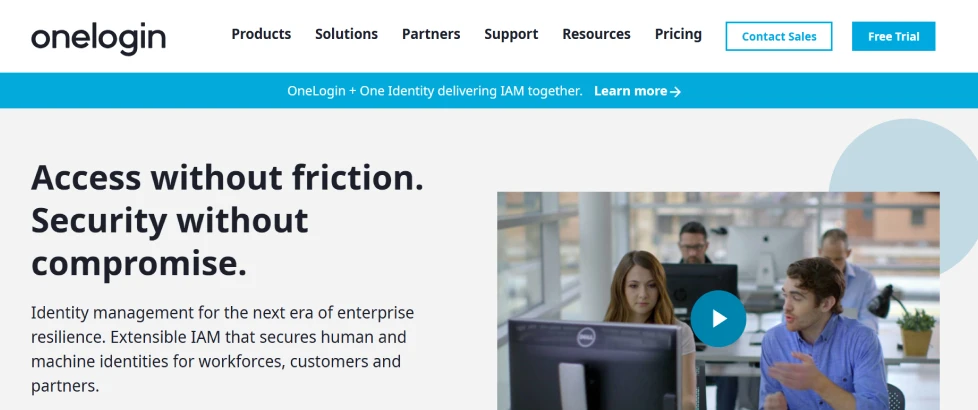
Onelogin Workforce Identity focuses on simplifying enterprise authentication with strong SSO and adaptive security. The platform tries to reduce password problems by centralizing access. Users get one identity flow across applications which makes digital access easier.
Key Features
- Single sign on experience. Users log in once and access multiple applications without repeating credentials. This reduces password fatigue during the workday.
- Adaptive authentication. Onelogin evaluates risk signals before asking for extra verification. Safe users continue smoothly while risky logins receive stronger checks.
- Directory synchronization. Identity data updates automatically when roles change. Access stays aligned with user responsibilities.
- Multi factor authentication options. The platform supports different verification methods for different teams. Users choose what feels easiest while staying secure.
- Centralized access management. Admins control authentication rules from one dashboard. Policies apply across connected apps automatically.
Pros
- OneLogin gives a strong single sign on experience and that reduces password fatigue for users.
- Adaptive authentication helps measure login risk instead of applying MFA everywhere.
- OneLogin Protect offers push based MFA which makes verification quick and simple.
Cons
- Adaptive authentication features require correct configuration to work well. If risk rules are not tuned users may see unnecessary prompts.
- Smaller organizations may not fully use all enterprise identity capabilities.
- Integration planning is still important in mixed environments.
7. SecureAuth
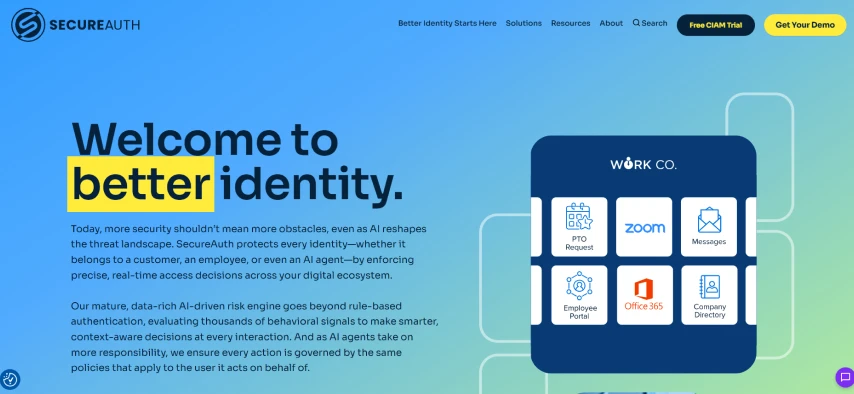
SecureAuth focuses on flexible authentication where risk signals guide login decisions. The platform is known for adaptive identity verification and strong policy control. It aims to reduce password reliance while still supporting enterprise security requirements.
Key Features
- Risk based authentication. SecureAuth evaluates login context before deciding verification strength. Safe activity stays simple while risky access gets stronger checks.
- Flexible authentication factors. The platform supports biometrics tokens, passwordless methods and more. Organizations choose what fits their environment.
- Policy driven access control. Admins define rules that automatically manage authentication decisions. Access changes based on risk and conditions.
- Identity orchestration support. SecureAuth connects multiple authentication methods into one flow. Users experience a smoother login journey.
- Passwordless authentication capability. Users can access systems without depending on passwords alone. This reduces phishing risk and credential fatigue.
Pros
- SecureAuth uses risk based access control which dynamically adjusts authentication based on real time signals.
- Risk analytics and adaptive risk scoring help calculate assurance levels for every transaction.
- The platform supports passwordless authentication and flexible access control.
Cons
- Initial policy setup can feel complex because risk signals and rules need planning.
- Enterprise level flexibility means smaller businesses might find it heavier than needed.
- Integration with legacy systems can require extra configuration.
8. Amazon Cognito
Amazon Cognito is mainly used when companies build apps and want a ready user authentication software system without building authentication from scratch. Developers connect it with web or mobile apps so users can sign in safely. It works well inside AWS environments and helps manage user identity at scale.
Key Features
- User pools for login management. User pools work like a built in user database where sign in and sign up happen. Users get secure tokens after login and apps trust those tokens instead of passwords.
- Identity pools for secure access. Identity pools allow users to get temporary AWS permissions after login. This means apps can access cloud services without exposing sensitive keys.
- Multi factor authentication support. Cognito allows extra verification like OTP or SMS when needed. You can force MFA for everyone or only when risk looks high.
- Social and enterprise login federation. Users can sign in using Google Apple or enterprise identity providers instead of creating new accounts.
- Device tracking and trusted devices. Cognito can remember known devices so users do not repeat verification every time.
Pros
- Amazon Cognito works very well for teams building web or mobile apps because authentication comes ready to use.
- Integration with AWS services is smooth and that makes permission control easier.
- Social login and federation help users sign in quickly with accounts they already trust.
Cons
- Cognito can feel technical for teams that are not developer focused.
- User interface customization is limited compared to dedicated identity platforms. Companies wanting highly branded login experiences may need extra work.
- Advanced identity workflows can become complex when apps grow larger.
9. PingOne
PingOne by Ping Identity is built for organizations that want strong yet flexible authentication. It focuses on passwordless login and modern MFA methods to replace traditional password heavy flows. This makes it a modern and efficient user authentication software choice for enterprise environments.
Key Features
- FIDO2 and passkey login. PingOne supports biometric and security key based login which removes the need for passwords. Users authenticate with device biometrics and that feels faster and safer.
- Flexible MFA options. Users can choose between push approval OTP biometrics or security keys. Different teams can use different methods depending on comfort level.
- Passwordless authentication policies. Admins can design login journeys where passwords are not needed at all. Authentication depends on trusted devices and strong factors.
- Risk based authentication. PingOne checks context like device and behavior before deciding how strict login should be. Safe activity stays simple while risky activity gets extra checks.
- Centralized identity control. Admins manage authentication rules from one dashboard. Policies apply across apps automatically.
Pros
- PingOne supports strong passwordless authentication and that makes login feel modern.
- Flexible MFA options help organizations support different user needs.
- Risk based authentication keeps unnecessary prompts low.
Cons
- Initial policy setup can feel detailed and sometimes heavy for smaller teams.
- The platform is often more enterprise focused which means smaller organizations may not use full capability.
- Integration with legacy systems can require extra testing and adjustment.
10. JumpCloud
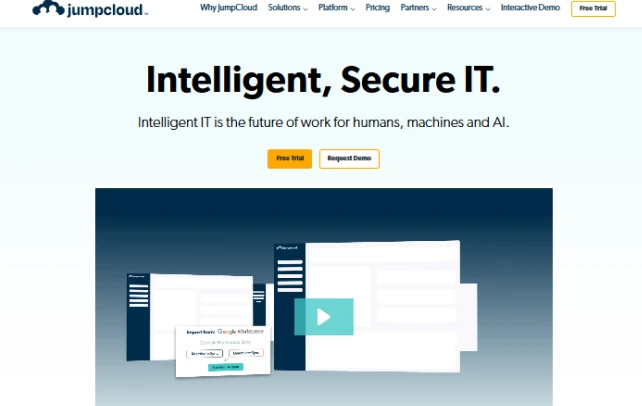
JumpCloud combines identity management and device management in one platform. It is popular with growing companies that want simple cloud based user authentication tools without heavy enterprise complexity. The platform connects users' devices and applications under one identity layer.
Key Features
- Cloud directory authentication. JumpCloud works like a central identity directory where users log in once and access resources. Admins manage identities from one place. This reduces scattered account management.
- Multi factor authentication support. The platform supports push notifications, TOTP and security keys. Users can choose methods that feel comfortable. MFA improves security without making login complicated.
- Device trust and management. JumpCloud checks device status before allowing access. Unsafe or unmanaged devices can be restricted automatically.
- Single sign on access. Users log in once and then access connected apps without repeated authentication. This reduces password fatigue during work.
- Cross platform support. JumpCloud works across Windows, Mac and Linux environments. Organizations with mixed devices can still maintain one authentication model.
Pros
- JumpCloud combines identity and device management and that makes administration simple.
- Cross platform support is a strong advantage because Windows Mac and Linux can all work together.
- Single sign on and MFA make login easier while still staying secure.
Cons
- Very large enterprises may want deeper customization compared to heavy IAM platforms.
- Cloud first design may not fit organizations that prefer strict on premise control.
- Advanced workflows sometimes need additional configuration beyond default settings.
11. RSA SecurID
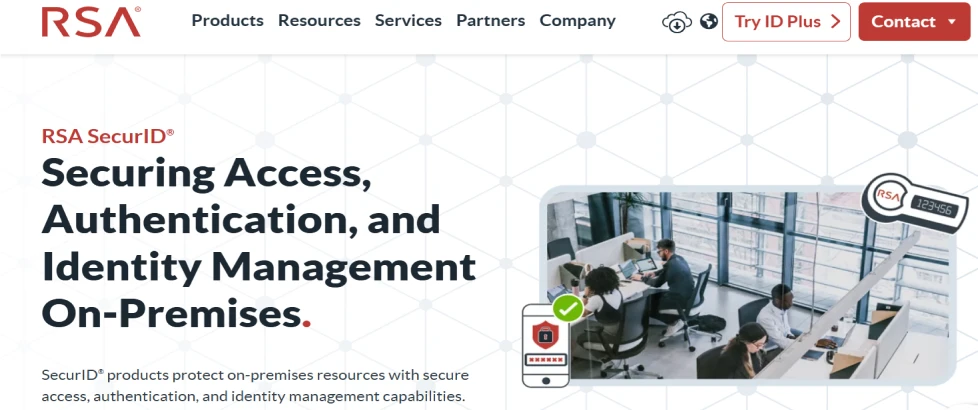
RSA SecurID is one of the older and well known names in authentication. It started with hardware tokens and later expanded into modern identity solutions. The focus is strong verification for enterprise and compliance heavy environments.
Key Features
- Token based authentication. RSA SecurID uses hardware or software tokens that generate secure codes. Users need the token during login which adds a strong second layer.
- Multi factor authentication options. The platform supports multiple verification methods including tokens, mobile apps and biometrics. Organizations can mix methods based on security needs.
- Risk based authentication. RSA checks context like behavior and device signals to adjust authentication strength. Safe activity stays smoother while suspicious activity gets stronger checks.
- Enterprise policy governance. Admins can define strict authentication rules for compliance and auditing. Policies apply consistently across systems.
- Hybrid deployment support. RSA works across cloud and on premise environments. Organizations can modernize gradually without replacing everything at once. Authentication remains consistent during transition.
Pros
- RSA SecurID is trusted for strong enterprise authentication and has a long history in security.
- Multi factor authentication options give flexibility between hardware tokens, software tokens and mobile methods.
- Enterprise governance and compliance support are strong.
Cons
- Traditional token based authentication can feel old compared to modern passwordless platforms.
- Deployment and management can require planning especially in large environments.
- Smaller teams may find the platform more complex than needed.
How to Choose the Right User Authentication Solution
Choosing a user authentication solution is not about picking the most famous tool. Real success comes when security feels strong but users still move fast without frustration. Many companies focus only on login security and forget daily experience. The right solution quietly protects access while work continues normally. You should look at a few clear things before deciding because these points decide long term success.
- Adaptive security approach. A strong solution should understand risk instead of challenging every login the same way. When users work from trusted devices access should stay smooth.
- Passwordless authentication support. Modern authentication is moving away from passwords because passwords create both risk and frustration. A good platform should allow secure login without depending only on credentials.
- Phishing resistant protection. Basic OTP is not enough anymore because attackers now target approval flows. The right solution should support stronger verification methods that cannot be easily copied or replayed.
- Unified access across apps and systems. Users today move between cloud apps, internal tools and different environments. Authentication should feel connected instead of forcing repeated sign in steps.
- Smart automation with simple management. Admins should not spend hours manually approving access or fixing policy issues. A strong authentication solution uses intelligent signals and automation to make decisions faster.
Finding the Right User Authentication Solution
The real value appears when organizations grow and access points become harder to manage. A strong solution should protect users without slowing daily work and it should reduce admin effort instead of adding complexity.
As authentication evolves many teams move toward platforms that combine identity management, access control and adaptive security in one connected approach. This reduces friction because users get a consistent login experience while policies stay centralized and easier to manage.
Key capabilities to look for include automated access lifecycle management, single sign on with adaptive MFA, passwordless authentication, flexible integrations, risk aware access decisions, clear compliance visibility and conditional access policies.
When these elements work together security stays strong while access feels natural and scalable.
See how modern identity security should operate at scale. Book the demo to explore adaptive access, intelligent governance and seamless authentication designed for leaders who want security without operational friction.
FAQs
What are the most secure authentication methods available today?
The most secure methods include passwordless authentication passkeys hardware security keys adaptive multi factor authentication and phishing resistant verification. These reduce credential theft and provide stronger protection against modern identity based attacks.
Why are user authentication solutions important for businesses?
User authentication solutions protect business data by verifying identity before access is granted. They reduce unauthorized entry, lower breach risk, improve user trust and help organizations manage access securely across apps, devices and teams.
How do user authentication solutions help meet compliance requirements?
Authentication solutions support compliance by enforcing access controls, tracking login activity, maintaining audit logs and applying policy based verification. This helps organizations prove accountability, strengthen governance and meet security standards required by regulations.


