


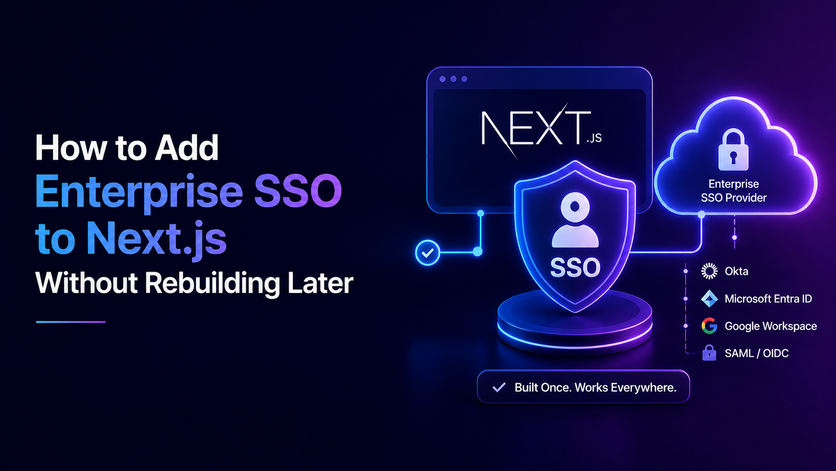

Adding next js sso to your web application requires careful planning to avoid building a system that breaks under enterprise demands. While basic login buttons and passwords take minutes to set up, landing large corporate clients brings complex security requirements like SAML assertions, OIDC token validation, and multi-tenant isolation.
Handling these protocols manually or hiding authentication inside client-side components opens your app up to severe vulnerabilities, random session dropouts, and endless maintenance loops. Real enterprise security belongs on the server, where session tokens stay protected behind secure cookies and strict authorization checks.
Waiting for a major sales deal to force your hand leads to stressful coding scrambles. Shifting authentication away from your core product and utilizing a centralized identity and federation layer keeps your codebase clean, passes tough security audits effortlessly, and lets your engineering team focus entirely on driving product growth.
Why Enterprise SSO in Next.js Turns Into a Bigger Project Than Anyone Planned
Building a modern app with Next.js is super fast and adding basic passwords or social logins takes just minutes. But when a big company demands a single sign on before closing a deal your project plan blows up instantly.
Enterprise SSO adds extra login and federation steps to a standard Next.js app, including redirects, tokens or assertions, and managing user sessions.
Why Enterprise Logins Break Next.js Apps
Enterprise login is not just a simple button on your page. Enterprise SSO comes with specific security checks for each protocol, meaning your app might need to handle SAML assertions and signatures or OIDC login flows and token validation, depending on your identity provider.
You can build login flows using Next.js server features like Route Handlers and Server Actions, but you still have to handle protocol validation, session management, and authorization very carefully. Big clients expect their own tech team to manage staff access and cut off accounts instantly.
- Heavy Security Checks. Apps must verify outside signatures and handle time gaps safely. Skipping these strict checks leaves your app wide open to dangerous security risks.
- Company Admin Control. Enterprise clients demand that their own admin tools manage worker access. When you use SSO for logins, your identity provider handles employee passwords and credentials, while your app keeps track of the account details and permissions it needs.
- Weak Quick Fixes. Treating corporate login as a tiny feature built with nextauth sso creates fragile code that fails tough company security audits. This leads to frantic last minute panics before big deals close.
The Challenge of Serverless Environments
When your app runs across multiple servers or serverless setups, avoid storing user sessions in local server memory. Instead, use stateless cookies or a shared database to manage sessions depending on what your app needs.
If your login logic relies on old server memory or loose cookie settings your app will suffer from random dropouts. Protecting company data needs proper backend tools rather than cheap shortcuts.
- Serverless Quirks. Hosting across multiple servers makes normal session storage tricky to manage. Standard memory setups fail when user requests bounce around across different cloud nodes.
- Random Logouts. Loose cookie settings cause people to get logged out unexpectedly while browsing. This creates a super annoying experience for workers trying to finish their daily tasks.
- Data Leak Dangers. Failing to keep user sessions separate built with next js authentication best practices can expose private company data to the wrong workspace. Authentication tokens give you trusted user details, but keeping tenants separated still requires proper authorization checks and strict scoping at the data-access layer.
Protecting Your Product Plan
Realizing that corporate logins need proper backend tools saves your team from endless maintenance loops using the next js authentication library. Instead of getting stuck fixing broken login scripts your developers stay focused on growing the product. Setting up a solid foundation early lets you deliver safe login flows without breaking your main business goals.
- Saving Developer Time. Stopping endless login fixes lets your team focus on building real features. Your engineers get back to shipping updates instead of fighting random bugs.
- Smooth Sales Deals. Clean architecture helps you pass tough security checks and close big deals much faster using best authentication for next js. Your sales team gains total confidence during client reviews.
- Reliable Growth. Solid backend design ensures your app grows safely as more corporate clients sign up. Your setup handles rising user numbers without slowing down.
What Gets Hard When You Build SSO Yourself in Next.js — Handle Each One as It Comes
Building custom corporate login inside a Next.js app drops your team into a massive trap of tricky technical problems. Handling older formats like SAML and routing multi-tenant traffic by hand wastes hundreds of hours while configuring next js samlauthentication. Here are the main things that break when you try to build everything on your own.
Handling Security Keys and Routing
Corporate identity tools change their security keys all the time as part of regular safety rules while managing next js app router authentication. If your Next.js app caches those keys and lacks automatic updates every certificate expiration will lock out whole teams instantly.
- Key Updates. If your app fails to handle key updates correctly, logins will break the moment an old key gets retired, so supporting proper key rotation is a must to avoid unexpected downtime. Your support inbox will flood with frantic messages from workers who cannot reach their dashboards.
- Company Routing. If your app supports multiple enterprise customers, it needs a reliable way to figure out which identity provider or organization should handle the login, using email domain matching or custom routing. Getting this routing wrong leaks private company files to the wrong people.
- Data Leaks. Failing to keep tenant boundaries strict when using next js saml authentication can expose private corporate information to outside users. Strong server-side authorization and tenant-aware data-access controls are essential for preventing cross-tenant access, and can be reinforced with database and infrastructure isolation where appropriate.
Managing Sessions and Serverless Quirks
Session control in Next.js adds another massive layer of headache for your developers. Trying to handle token expiration and logouts manually across serverless functions turns into a full time distraction.
- Server Checks. Always check user permissions right on the server and near the database instead of trusting frontend checks or page navigation. Skipping these checks even once opens your app up to nasty security exploits.
- Token Expiry. Managing token refreshes and logouts by hand across serverless functions wastes endless engineering hours. Your team gets stuck fixing session bugs instead of building cool product updates.
- Core Focus Loss. Tackling all these messy login problems on your own stops your team from building actual product features. Letting a ready made tool handle the heavy lifting keeps your developers happy and productive.
Build vs Buy for Next.js SSO — What Each Path Actually Costs
Deciding whether to build or buy single sign on login tools for your Next.js app is a huge choice for any tech team. Building things in house looks cheap at first on paper. But keeping those custom tools running over the years costs way more time and money than anyone expects.
The Hidden Costs of Building In House
Writing your own login code always takes way longer than your initial estimates suggest. Every time a big client asks for a weird setup your developers have to drop their tasks to fix it. Passing tough security audits with a custom setup also costs a ton of money in outside testing.
- Endless Maintenance Work. Fixing custom login bugs steals hours from your team every single week. Your developers get stuck maintaining old code instead of building new product features.
- Expensive Security Audits. Proving your hand made auth system is safe requires costly outside tests and endless paperwork. A single security flaw can ruin your reputation and kill major sales deals.
- Stalled Sales Pipelines. Waiting on your tech team to fix custom enterprise demands makes deals drag on for months. Buying a ready made tool helps you close those big contracts much faster.
Why Buying a Ready Made Tool Wins
Getting a dedicated login service shifts all that heavy maintenance away from your internal team. Modern identity tools come with pre-built SDKs and automatic updates right out of the box. While buying costs a monthly fee it saves thousands of engineering hours and keeps your revenue safe.
- Ready Made SDKs. Good identity platforms give you clean tools that connect to Next.js in minutes. Your team skips the painful setup process entirely.
- Automatic Key Updates. Paid services handle security key rollovers and compliance rules in the background. You never have to worry about sudden client lockouts again.
- Focused Engineering Teams. Letting outside experts handle login protocols keeps your developers happy and productive. Everyone stays focused on growing the core product and making money.
What to Check Before You Commit to a Next.js SSO Approach
Before writing any code or picking a vendor for your Next.js app your team needs a solid checklist. Choosing the wrong setup can ruin your app performance and slow down sales. Checking a few key things early saves your business from expensive mistakes.
Checking Framework Fit and Protocols
Your login tool must work smoothly with Next.js server components and edge middleware. If a tool forces you to rely on slow client side code it does not belong in a modern stack. Your setup also needs to support both old SAML rules and modern protocols.
- Server Component Support. The login tool must fit naturally into your Next.js server setup without slowing down page loads. Smooth integration keeps your app running fast for every visitor.
- Protocol Flexibility. Supporting both old and new protocols means you never have to turn down a client. Your app stays ready for any enterprise buyer who walks through the door.
Admin Portals and User Provisioning
Enterprise clients expect a self service portal where their IT team can manage settings easily. Your system should let buyers upload security certificates and map user fields without bugging your support crew. For large company setups, supporting automatic user creation and removal with tools like SCIM makes managing user accounts much easier and is usually a key requirement for enterprise clients.
- Self Service Admin Tools. Corporate IT buyers want to handle their own settings without waiting for your help. Giving them a clean portal makes your software look super professional.
- Automatic User Provisioning. Systems must handle employee onboarding and offboard checks instantly through standard tools. This automation keeps user directories in sync and stops security gaps.
What a Next.js SSO Setup That Scales Actually Looks Like
A solid enterprise login setup in Next.js keeps security code completely away from your main product files. In current Next.js versions, Proxy can handle quick, optimistic login checks and redirects before rendering pages, but you should never rely on it as your primary session or security layer.
Always run secure login and permission checks on the server for important actions, ideally using centralized access rules right near your database.
Clean Edge Checks and Secure Cookies
Your app should use lightweight checks at the edge to stop bad traffic before expensive server rendering starts. Sessions should generally use server-set cookies with security settings like HttpOnly, Secure, and a proper SameSite rule, holding either an encrypted session value or a reference ID that points to server-side session data.
- Fast Edge Routing. Lightweight middleware checks incoming cookies to block unauthorized visitors before page rendering begins. This keeps your server resources free for real users.
- Encrypted Storage. User sessions stay hidden inside secure cookies that browser scripts cannot touch. HttpOnly cookies stop browser scripts from reading your session cookies directly, which helps block certain attacks. You should always pair them with Secure flags, proper SameSite settings, CSRF protections, and solid server-side permission checks.
- Deep Server Validation. Proxies can handle quick preliminary checks, while important actions on the server must check user permissions right near the database. Depending on how your app handles sessions, this means checking signed session tokens or looking up user permissions on the server.
Handling Protocols and Data Isolation
When a worker logs in your app uses a dedicated identity layer to handle all tricky protocol exchanges. That service cleans up incoming data and passes standard user details straight into your session token. Above all, your database layer must keep different tenants strictly separated so people can only view records belonging to organizations they have permission to access.
- Protocol Isolation. Dedicated identity tools handle messy login protocols safely in the background. Your main app code never has to deal with raw XML or signature checks.
- Clean Data Normalization. External partner quirks get cleaned up before hitting your database. Your app always receives simple and predictable user details.
- Strict Tenant Scoping. Every database query reads verified organization IDs directly from secure server sessions. This rigid separation stops cross tenant data leaks entirely as your user base expands.
Ship SSO Once, Not Every Time a New IdP Shows Up
Building scalable systems prevents burnout when handling business growth and custom integrations. Treating company logins as a platform setup stops your team from writing code patches for every new provider. Setting up a central identity layer lets your Next.js app talk to one clean API regardless of client requirements like next js azure ad authentication.
Your main codebase stays clean while your sales team closes deals faster and your developers focus on product features. Managing multiple enterprise identity providers manually drains engineering time and slows down product growth. Handling custom integrations or old protocols piece by piece creates endless technical debt.
Instead of building custom auth flows from scratch, integrating an advanced centralized SSO login platform like Infisign UniFed centralizes your security infrastructure and simplifies enterprise authentication.
- Infisign provides thousands of out-of-the-box integrations for cloud, on-premise, and legacy systems, making it easy to manage centralized login and access rules without heavy custom setup.
- Provides SSO and adaptive MFA capabilities that can help centralize authentication and strengthen access controls
- Automated account management tools help remove outdated permissions and reduce security risks.
Stop wasting engineering hours on messy enterprise login builds. Fix your auth setup once and scale without roadblocks. Book a quick chat on the Infisign demo page to see how smoothly you can handle enterprise onboarding.
FAQ
Why do enterprise clients demand SSO before closing sales?
Big companies require central access control to manage staff permissions easily and block unauthorized entry instantly. Meeting this requirement removes major sales blockers and accelerates revenue growth.
How does centralizing authentication protect Next.js applications?
Centralized identity systems make single sign-on and federated access much easier to manage, but your app still needs proper authorization and tenant separation to keep data secure between different organizations.
Why is building SSO in house a costly mistake?
Writing custom code for protocols like SAML drains hundreds of engineering hours. Ongoing maintenance and expensive security audits pull your team away from building core product features.
How does Infisign UniFed simplify enterprise onboarding?
Infisign UniFed brings together single sign-on and identity management with a massive catalog of ready-to-use integrations. It handles complex protocol exchanges and automates user provisioning without breaking your existing codebase.
What should teams check when choosing an SSO tool?
Look for native support for server components and edge middleware. Your chosen platform must handle automated key updates and provide self service admin portals for clients.


