


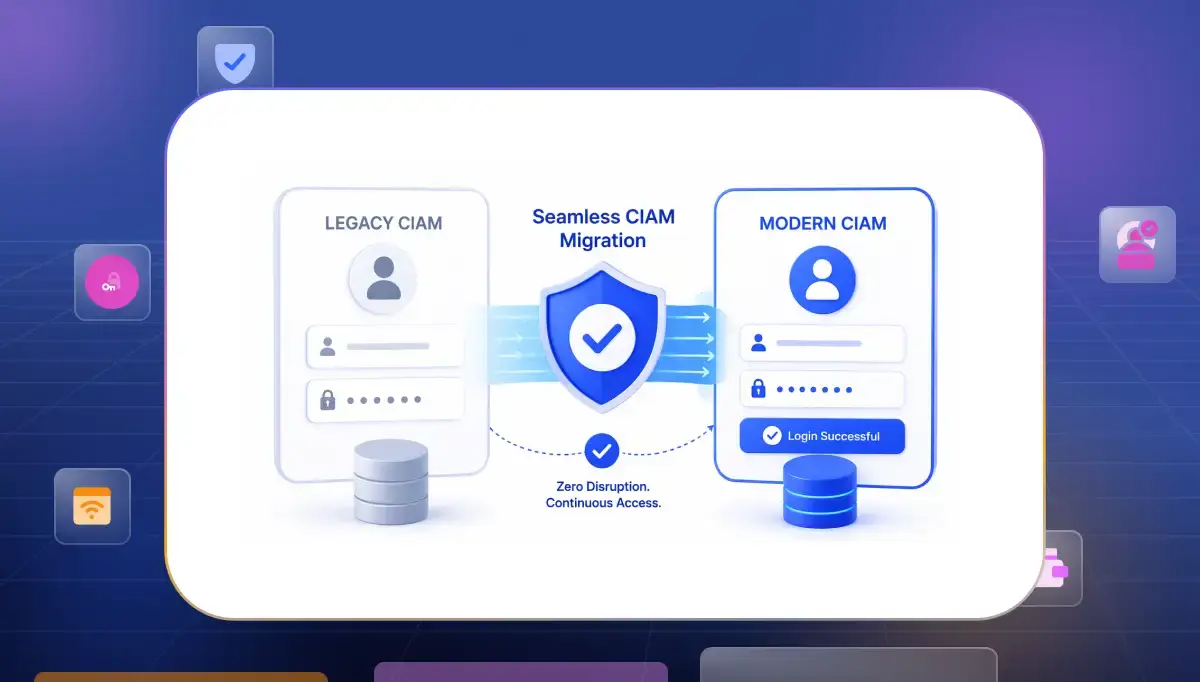

Most teams step into a customer identity and access management migration thinking they are upgrading a system. The assumption feels logical because the visible change is technical but the real impact appears only when users start interacting with the new environment.
Login is not just an entry point it is a moment where users expect continuity without thinking. Identity systems carry history inside them with years of integration patches and decisions that kept things working.
Migration brings all of that to the surface at once. The real goal is not just moving data or systems it is preserving trust while everything underneath is changing.
What Actually Goes Wrong in CIAM Migrations
When migrations struggle the root cause is rarely lack of planning. The issue usually comes from a gap between how identity systems are understood and how they actually behave in production.
Over time systems evolve in ways that are not fully documented. Small fixes are added to solve immediate problems. Integrations grow without a complete map.
During migration these hidden layers begin to surface under real usage where there is no room for trial and error. Another common mistake is underestimating how sensitive users are to login changes.
- Password mismatch. Password mismatch happens due to different hashing methods like bcrypt, PBKDF2 or SHA. These are not compatible. Instead of direct migration teams use just in time rehashing during login to maintain continuity.
- Data inconsistency. Data inconsistency happens when identity data lives across systems with small variations. Without a clear source of truth conflicts arise during authentication and authorization. Defining a primary identity store before migration is critical.
- Session instability. Session instability often happens due to differences in session handling like token formats, signing keys or session storage. Changes in JWT validation or cookie handling can invalidate active sessions even when user credentials are correct.
- Dependency gaps. Internal services and older integrations rely on identity flows that are not always documented. These dependencies only become visible when something stops working during migration. By that time the system is already under pressure and fixes become reactive instead of planned.
- Experience breakdown. Security correctness is often prioritized while user experience is treated as secondary. Users do not separate these two things. If login feels slow, confusing or inconsistent they assume the system is unreliable. That perception is difficult to recover once it sets in.
How to Sequence a CIAM Migration Without Customer Impact
A stable migration depends on sequence more than speed. Following CIAM best practices helps maintain a smooth experience while systems evolve underneath. Mature teams treat this as a controlled transition where each step reduces uncertainty.
They implement phased rollouts, canary releases and blue green environments to validate system behavior in real conditions before full exposure, ensuring issues are caught early and the login experience remains stable.
Consolidate Your Identity Data First
Before any system changes the data needs to be clearly understood. Identity data carries history and hidden inconsistencies that directly affect authentication. Without clarity at this level the rest of the migration becomes unpredictable.
Cleaning data is not just about organization. It is about ensuring that the system behaves reliably when users try to log in.
- Source mapping. Identity data often lives across multiple systems that are loosely connected. Without a clear map teams miss how authentication actually works in production. This creates confusion later when behavior does not match expectations.
- Duplicate resolution. The same user can exist in different forms across systems. These duplicates create conflicts when authentication logic tries to resolve identity. Resolving them early prevents failures that are difficult to trace later.
- Attribute alignment. Attribute alignment matters because fields like email and user identifiers must follow a consistent structure across systems. Relying on email alone can create conflicts so using a stable unique identifier like a system generated user ID helps maintain consistency and prevents authentication issues during migration.
- Password audit. Understanding how credentials are stored determines what migration approach is possible. If formats are incompatible teams need fallback strategies in advance. This avoids last minute disruptions.
- Edge case handling. Users in uncommon states such as inactive or partially registered accounts behave differently. These cases often get ignored until they cause issues. Defining clear handling early reduces unexpected failures.
Phase by Risk Level, Not by Team
Many organizations divide migration based on team ownership. This creates internal clarity but does not reflect actual risk. Some systems are low impact while others directly affect critical user journeys.
A risk based approach changes how decisions are made. The focus shifts from ownership to impact. The question becomes which move is safest for users at each stage.
- Low impact start. Beginning with less critical systems allows teams to observe real behavior without risking core user flows. This builds confidence and provides early insights that can be applied later.
- Gradual expansion. As systems prove stable migration moves toward higher traffic applications. Each step builds on validated learning which reduces the chance of large scale disruption.
- User segmentation. Not all users behave the same way. Separating active users from dormant ones allows controlled exposure. This helps manage how migration affects different groups.
- Controlled rollout. Using staged releases allows teams to limit how many users are affected at a time. If issues appear they can be contained quickly without spreading.
- Cross alignment. Security and product teams must stay aligned. A technically correct decision can still create friction if experience is ignored. Balance is necessary for smooth execution.
Keep Both Systems Running During the Move
Maintaining both systems during migration is a practical necessity because removing the old system too early removes the safety net that protects users from disruption. Running systems in parallel allows validation under real conditions and gives teams flexibility to respond.
This is often implemented using dual read and dual write patterns where both systems handle identity data at the same time until migration is complete.
- Parallel authentication. Keeping both systems active ensures users always have a working login path. If the new system fails the old system continues to support authentication. This prevents sudden lockouts.
- Data synchronization. Continuous syncing keeps identity data consistent across systems. Without this users may experience different states depending on which system handles their request.
- Real time monitoring. Observing login success and failure patterns helps detect issues early. Early detection allows controlled fixes before problems grow.
- Gradual traffic shift. Moving users step by step reduces risk. Instead of switching all users at once traffic is redirected gradually based on confidence.
- Fallback readiness. Having a clear fallback path ensures that issues can be reversed quickly. This reduces pressure during migration.
Use JIT Migration for Customer-Facing Apps
Just in time migration changes how users move between systems. Instead of migrating all users upfront the transition happens when users log in. This aligns migration with natural behavior.
This approach is widely used in customer identity migration because it protects the login experience. Users continue using their credentials without noticing the change happening in the background.
- Login based transition. Login based transition moves users during authentication without extra steps, which keeps the experience smooth. This approach requires the legacy system to stay accessible during login so it can validate credentials, since password hashes are not always transferable to the new system.
- Credential continuity. Existing passwords continue to work which avoids large scale resets.
- Reduced upfront load. There is no need to migrate the entire user base at once. This lowers operational complexity and risk.
- Progressive issue handling. Issues appear gradually instead of all at once.
- Hybrid compatibility. JIT works well with bulk migration for inactive users.
Test and Gate at Every Phase
Testing identity systems means understanding how they behave in real usage since controlled environments never show the full picture across devices and conditions.
Gating keeps progress disciplined by moving forward only when the system proves stable. Mature teams also simulate failure scenarios and run load testing so the system holds up under peak authentication traffic.
- Scenario coverage. Testing across different devices locations and usage patterns reveals issues that controlled environments often miss. Real behavior exposes hidden edge cases.
- Performance tracking. Monitoring latency and failure rates helps identify early signs of stress. Acting on these signals prevents larger failures later.
- Fallback validation. Ensuring alternative login paths work correctly protects user access. Users should never be locked out even if primary flows fail.
Why Teams Reach the Point of CIAM Migration
No organization plans a migration without pressure building over time. The decision usually starts with small issues that feel manageable in isolation. Over time those issues begin to connect and form a pattern that is difficult to ignore.
What begins as minor friction slowly turns into a structural limitation. Teams start noticing that changes take longer. Security updates feel harder to implement. User experience improvements get delayed because the system cannot support them easily.
This is the stage where conversations around CIAM modernization begin to take shape. Not as an upgrade for innovation but as a response to growing constraints that are affecting both security and growth.
- Scaling limits. As user volume increases systems that once performed well start showing delays and inconsistencies. Authentication flows become slower and harder to manage.
- Security gaps. Older identity systems struggle to support modern authentication and risk detection methods. As threats evolve the gap between existing capability and required protection becomes more visible.
- Experience rigidity. Legacy systems make it difficult to improve login flows or introduce new authentication methods. Product teams face limitations when trying to enhance user journeys.
- Operational overhead. Maintaining older systems requires constant effort. Teams spend time managing complexity instead of improving the system.
- Compliance pressure. Compliance pressure builds as regulations evolve and older systems struggle to adapt. Frameworks like GDPR, PCI DSS and region specific rules such as RBI guidelines in India require stronger identity controls and clear auditability, which legacy systems often fail to support.
What to Evaluate in a CIAM Platform Before You Start Migration
Choosing a platform is not about comparing feature lists or isolated CIAM capabilities. It is about understanding how the system will behave when real users interact with it under real conditions. Many platforms appear strong in isolation but reveal limitations during migration.
- A strong evaluation focuses on how the platform handles complexity. Not just steady state operations but transition phases where both systems need to coexist. The goal is to ensure that migration does not introduce instability.
- At this stage teams are not just selecting a tool. They are committing to a CIAM solution that will define how identity behaves across the entire system for years to come.
- Migration support. The platform should support different migration approaches including JIT and hybrid models. Flexibility is important because real environments rarely fit into one predefined strategy.
- Integration capability. The system must connect smoothly with existing services APIs and infrastructure. Weak integration creates friction during migration and increases implementation time.
- Protocol and authentication support. A strong CIAM platform should support core identity protocols like OAuth 2.0, OpenID Connect, and SAML so it works smoothly across systems. It should also enable modern authentication methods such as multi factor authentication, passwordless login with WebAuthn and adaptive authentication based on risk signals to keep access both secure and flexible.
- Authentication resilience. Authentication resilience means the platform should handle failures without locking users out and keep login stable even under load. This includes fallback mechanisms and proper handling of access tokens, refresh tokens and session continuity so authentication flows remain steady even during partial failures.
- Data consistency. Identity data should remain consistent across services even during transition. Poor data handling leads to long term issues that are difficult to fix later. Stability at the data layer is essential.
- Operational visibility. Teams need clear insight into authentication flows and system performance. Visibility allows early detection of issues and supports better decision making during migration.
Start Your CIAM Migration Before the Next Incident Forces You To
When issues build over time they create pressure and force teams to act quickly. In that state decisions are rushed and often lead to shortcuts that increase long term risk.
Starting early gives teams time to plan properly and move in clear phases instead of reacting under pressure. It turns migration into a controlled process where each step is validated, rather than a rushed response to problems that keeps creating new risks.
There is also a mindset shift that happens. When migration is proactive the focus stays on stability and user experience. When it is reactive the focus shifts to fixing immediate problems which increases the chance of disruption.
At this stage the difference is not just about timing. It is about whether your platform can support a controlled transition without breaking login behavior. This is where Infisign UniFed fits naturally into the process by supporting phased movement, steady authentication and consistent identity handling across systems.
The value comes from how the system behaves under real conditions. Instead of forcing a full switch Infisign allows teams to move gradually while maintaining continuity. That alignment between migration strategy and platform behavior is what keeps user trust intact during change.
- Stable authentication during change. The platform should support methods like SSO, passwordless login and adaptive authentication so users do not feel disruption when systems shift.
- Consistent identity handling. Identity data should stay aligned across systems through strong sync and centralized control so users do not end up in broken or conflicting states.
- Low friction integration. The system should connect smoothly with existing services so migration does not create unexpected gaps or delays.
- Clear visibility and control. Teams should be able to monitor login behavior and system performance in real time so issues are caught early and do not spread.
If you are planning to move without risking user trust then the approach matters as much as the platform.
Book a demo with Infisign and see how controlled CIAM migration works in real environments.
FAQs
What are the challenges in migrating from legacy to modern CIAM?
The main challenge lies in preserving behavior rather than just moving data. Legacy systems contain hidden logic that is not always documented clearly. Password compatibility is another major issue because not all formats can be migrated directly.
How long does a CIAM migration typically take for an enterprise?
The timeline depends on system complexity, data quality and migration strategy. Enterprises with multiple identity sources and integrations usually take several months to complete migration in phases. Teams that use hybrid approaches tend to move more smoothly because they reduce risk at each stage.
What is just-in-time (JIT) CIAM migration and when should you use it?
JIT migration allows users to be moved to the new system when they log in. Instead of migrating all accounts upfront the process happens gradually based on user activity. This approach works well when minimizing disruption is important or when password formats cannot be transferred easily.
What's the biggest risk in a CIAM migration that teams don't plan for?
The biggest risk is assuming that the system behaves exactly as expected. In reality there are always hidden dependencies and edge cases that only appear under real usage. Another major risk is underestimating user sensitivity to login friction.


