


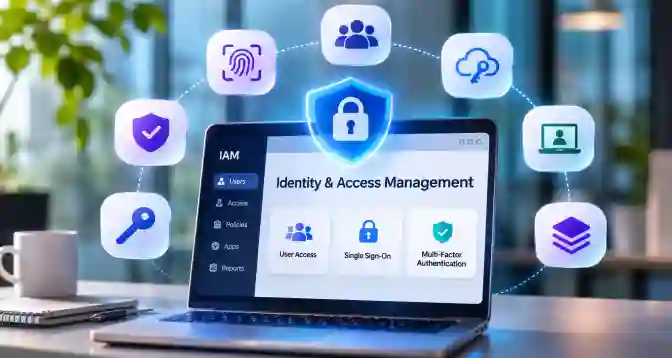

Your team uses email, cloud files, payroll, and other apps for work. Each one can hold data that should not fall into the wrong hands. A single stolen login can give an attacker a way in, while old accounts can leave doors open after someone leaves. The right identity and access management for small business helps us control who can sign in and what they can see. In this guide, we compare ten tools and explain what each does best.
Why Identity and Access Management for Small Business Matters
A stolen login gives an attacker something valuable: the ability to act as a trusted employee. They can read business emails, access files, or send requests without immediately looking like an outsider.
According to Verizon's 2026 Data Breach Investigations Report, credential abuse accounted for 13% of initial access in small and medium-sized business breaches. Exploitation of vulnerabilities accounted for 26%, making it the leading method attackers used to gain initial access.
When Familiar Activity Hides an Intruder
An attacker using a real employee account may go unnoticed because the login looks genuine. The problem is that the system recognises the account, not necessarily the person behind it.
- False Trust: MFA for small business adds another identity check before granting access. Passkeys and security keys offer stronger protection against fake login pages.
- Excessive Access: A stolen account can expose files its owner rarely uses. Limit permissions to the work each employee actually handles.
When Access Outlives Its Purpose
Employees change roles, contractors finish projects, and business needs shift. Yet their old permissions often remain active because nobody remembers to remove them.
- Scattered Logins: SSO for small business connects approved applications through one sign-in. It makes access easier to manage across different services.
- Forgotten Permissions: Administrators should regularly review employee accounts and remove access that is no longer needed. Otherwise, old accounts can become easy entry points for attackers.
What a Small Business Actually Needs From an IAM Tool
An IAM tool should do more than manage passwords. It should help a business decide who gets access, what they can do with it, and when that access should end. That's where identity management for small business becomes useful.
- Access With a Reason: An accountant needs financial records, not access to every employee's email. Choose a tool that assigns permissions based on actual job responsibilities.
- Automatic Access Changes: When someone changes roles or leaves, their permissions should change too. Look for automated user provisioning and deprovisioning so old accounts don't stay active.
- A Record of Every Change: Every time an employee signs in, an administrator changes permissions, or an account is updated, the system should keep a record. IAM audit logs help track authentication events and changes to user identities. Businesses should also enable audit logging in their file storage systems and business applications to track who accesses or changes sensitive files.
10 Best Identity and Access Management Tools for Small Business

The right IAM tool depends on how your business works, not how many security features a vendor puts on its website. Some tools focus on employee logins, others manage devices, automate employee access, or protect older business applications. Here are ten options worth considering.
JumpCloud
JumpCloud suits companies that want one place to manage employee identities, devices, and application access, especially when staff use a mix of operating systems across office and remote teams.
- Unified Directory: JumpCloud brings user identities, SSO, MFA, and device management into one platform. This is useful when employees use different laptops and applications but IT needs one place to manage access.
- User Lifecycle: Administrators can automate account creation, permission changes, and access removal. This reduces the chance of former employees retaining access to company resources.
Infisign
Infisign is worth examining when a business needs more than basic sign-in, including automated access changes, passwordless authentication, and connections across cloud and legacy applications without replacing existing systems immediately.
- Broad Application Support: Infisign advertises more than 6,000 pre-built integrations across cloud, on-premises, and legacy environments. This gives businesses more flexibility when their software stack includes applications that do not work together easily.
- Automated Employee Access: Its lifecycle management helps businesses manage employees when they join, change roles, or leave the company. Just-in-Time (JIT) provisioning creates application accounts when employees sign in for the first time, so businesses do not need to create every account in advance. However, giving employees higher-level permissions for a limited time requires separate JIT access controls.
- Passwordless Authentication: Infisign supports passwordless authentication using biometrics and zero-knowledge technology. Its adaptive MFA can also apply stronger checks when a login carries more risk.
- Small Business Pricing: Its B2B Starter plan is free for up to 20 users. The Scale plan costs $125 per month for each organization and supports up to 500 users in each organization (tenant). Before choosing a plan, check which features and products it includes, as Infisign offers different identity solutions.
Microsoft Entra ID
Microsoft Entra ID makes most sense for businesses already using Microsoft 365, because identity controls sit close to the email, files, devices, and admin tools employees use daily.
- Conditional Access: Administrators can set rules based on user identity, device, and sign-in conditions. This helps businesses apply stronger checks when someone accesses sensitive company resources.
- Microsoft Integration: SSO, MFA, and employee access management work alongside Microsoft services. The P1 plan is listed at ₹580 per user per month in India, billed annually, with GST extra.
Okta Workforce Identity
Okta is a strong standalone choice when a company uses many SaaS products and wants a dedicated identity layer rather than building access around one office suite or device platform.
- Application Access: Okta offers a central sign-in system and Universal Directory for managing employee identities. This works well for teams using applications from several vendors.
- Advanced Protection: Its higher plans add adaptive MFA, lifecycle management, privileged access, and access governance. These features become useful when basic SSO is no longer enough.
Zoho Directory
Zoho Directory is a practical starting point for smaller teams that want basic identity controls without committing to a large enterprise identity platform or complicated deployment from day one.
- Affordable Entry: Its free plan supports up to 10 users and three third-party SSO applications. Paid plans add unlimited users and application access.
- Everyday Access Control: It includes MFA, user provisioning, conditional access, and audit logs. Businesses already using Zoho products may find it easier to manage their employee accounts here.
Rippling
Rippling fits companies that treat employee changes as triggers for IT changes, linking HR records to app access, device setup, and offboarding across all departments with less manual work overall.
- HR-Based Provisioning: Employee information can trigger application access automatically when someone joins, changes roles, or leaves. This reduces the need for administrators to update every application manually.
- Identity and Devices: Rippling combines IAM with device management and endpoint controls. It makes sense for businesses that want to manage employee accounts and company laptops together.
miniOrange
miniOrange is useful when applications, directories, and older systems need to share one sign-in policy, particularly where teams need flexible protocols or deployment choices without replacing infrastructure right away.
- Flexible Authentication: It supports SAML, OAuth, OpenID Connect, and other authentication standards. This helps connect modern cloud applications with older business systems.
- User Lifecycle Controls: Its provisioning features handle account creation, role changes, and deprovisioning. Businesses can also combine SSO with MFA and role-based access policies.
Cisco Duo
Duo is best viewed as a security-first identity layer for teams that want to strengthen authentication and device checks without rebuilding their existing identity setup from scratch all at once.
- Phishing-Resistant MFA: Duo supports passwordless authentication that resists phishing attacks through FIDO2/WebAuthn passkeys and security keys. On supported devices, users can unlock their authentication credentials using biometrics, such as fingerprints or facial recognition. These methods help protect accounts from stolen login details and fake login pages.
- Device Trust: Administrators can apply access policies based on device health and user context. This is useful when employees work remotely or access company applications from personal devices.
OneLogin
OneLogin suits businesses that need workforce SSO, adaptive authentication, and automated user lifecycle controls across a mix of cloud and on-premises applications with existing directories rather than starting over completely.
- Adaptive Authentication: OneLogin can use contextual information to apply authentication controls during sign-in. This helps businesses respond to unusual login conditions.
- Employee Lifecycle: Its directory and lifecycle tools support onboarding, offboarding, and application access management. It is worth considering when a company needs more control over employee identities.
PingOne for Workforce
PingOne for Workforce is more suitable when access requirements are growing beyond a handful of apps, especially with hybrid systems, partners, and complex workflows that need careful orchestration and governance.
- Adaptive Access: PingOne connects employees to applications across different devices and locations. Its authentication policies help balance secure access with employee convenience.
- Workflow Automation: Its orchestration tools help manage identity processes across applications and directories. This is useful when access changes involve several teams or approval steps.
Which Tool Fits Your Team Size and Stack
The right IAM tool depends on your employee count and the software your team already uses. Spending more does not always mean getting better security.
- Under 20 Employees: Zoho Directory is a good starting point for basic access control. Its free plan supports up to 10 users and three third-party SSO applications.
- 20–100 Employees: Infisign and JumpCloud are worth comparing. Infisign offers a free B2B Starter plan for up to 20 users, while JumpCloud combines identity and device management.
- Microsoft-Based Teams: Microsoft Entra ID is a natural fit if your company already uses Microsoft 365. For teams working across many different cloud apps, Okta is another option.
Mistakes Small Teams Make When Rolling Out IAM
Buying an IAM tool is one decision. Setting it up properly is another. Small teams often focus on getting employees logged in but overlook what happens when access changes, authentication fails, or someone leaves.
- Giving Everyone the Same Access: It saves time to give employees similar permissions, but it also exposes files they may never need. Set access by job role, and keep administrator rights separate from daily accounts.
- Treating MFA as Complete Protection: MFA helps, but not every method can stop phishing. Choose passkeys or security keys where possible, and plan how employees will recover accounts if they lose their devices.
- Ignoring What Happens After Setup: An employee may leave today while their access stays active for weeks. Connect IAM with your hiring and exit process, then review accounts and permissions regularly.
- How We chose these mistakes: We focused on three points that can weaken an otherwise good IAM setup: excessive access, weak authentication, and poor account lifecycle management.
Start With the Accounts That Can Hurt You Most
Not every account puts your business at the same risk. A compromised customer login, administrator account, or vendor account can expose far more than an ordinary employee account. Start by protecting the identities that control important data and business operations.
For businesses managing customer identities, Infisign UniFed offers a separate approach to Customer Identity and Access Management (CIAM).
- Customer SSO: Let customers sign in using Google, Microsoft, and other social accounts. UniFed also supports SSO with MFA for added protection.
- Adaptive Authentication: Use passkeys, biometrics, email OTP, and risk-based access rules. This helps protect customer accounts without adding the same login friction to every user.
- Tenant Management: Manage different customer organizations with separate access rules. Attribute-Based Access Control (ABAC) helps assign permissions based on user attributes and business needs.
- Automated Access: Use SCIM provisioning, directory sync, and user lifecycle automation to manage customer accounts. Audit logs also help track access activity and review security events.
See where UniFed fits into your existing setup. Book a demo with Infisign's team to explore its capabilities, discuss your access challenges, and identify the right solution for your business.
FAQ
1. Does a small business need identity and access management?
Yes. Even a small team handles sensitive data across several apps. IAM helps control employee access, protect accounts, and remove permissions when people leave.
2. How much does IAM cost for a small business?
Basic plans can start free, while paid tools often charge per user monthly. Advanced features, integrations, and automation can increase the total cost.
3. What is the SSO tax?
The SSO tax is the extra cost vendors charge to unlock single sign-on on higher plans. Small businesses may pay more just to centralize employee logins.
4. Is MFA enough to protect a small business?
No. MFA blocks many stolen-password attacks, but it cannot fix excessive permissions, unsafe devices, or stolen sessions. We still need proper access controls.
5. What is adaptive MFA and do small teams need it?
Adaptive MFA changes login checks based on risk, such as device, location, or unusual activity. Small teams handling sensitive data can benefit from it.


