


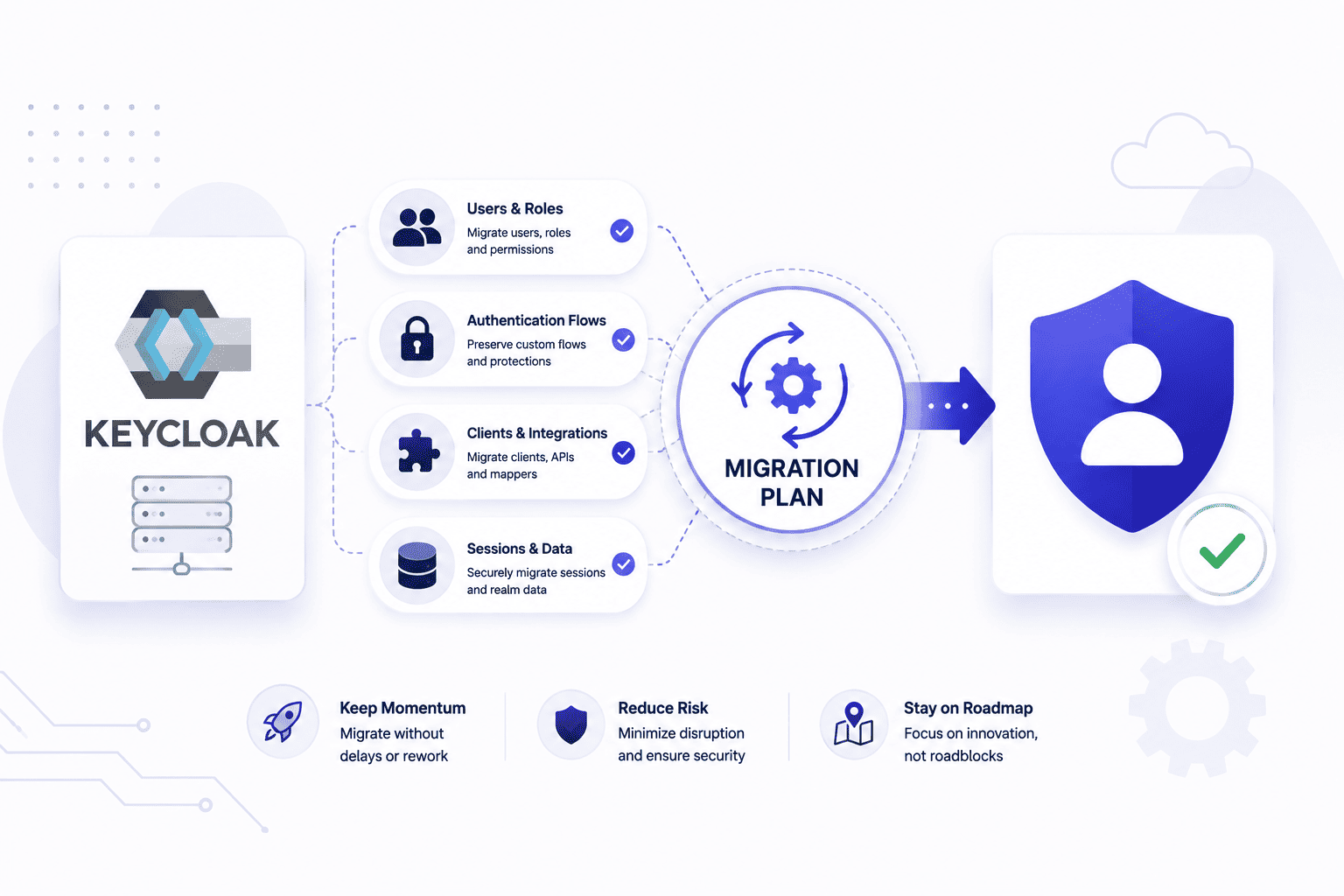

Handling your identity provider is one of those backend tasks that always turns into a massive headache when old versions hit their limits. Waiting until a forced update breaks your production setup leaves your engineering team scrambling to fix database errors under extreme pressure.
Taking charge of your infrastructure roadmap today lets you handle a Keycloak migration on your own terms instead of reacting to a sudden crisis. Planning ahead saves your team from endless configuration loops and keeps your login servers running without unexpected downtime.
Why a Keycloak Migration Is Never Just an Upgrade
Moving to a newer version of your login system is way bigger than just changing a number in your setup files. It is a massive technical jump that messes with your database and security layers. Treating this whole keycloak upgrade with care keeps your app safe and stops sudden crashes.
- Code and Architecture. Custom themes, SPIs, and extensions may require updates if they rely on deprecated APIs or behaviors introduced in newer Keycloak versions.
- Database Updates. Some Keycloak releases introduce database schema changes that require migration during upgrades, while user and session management remains consistent across supported versions. If a required database migration fails or an unsupported configuration is detected, the server may fail to start until the issue is resolved.
- Configuration Changes. Settings that worked for years suddenly get deleted or renamed in newer builds. One wrong line in your setup files breaks the whole login flow for everyone. Checking release notes carefully helps you spot keycloak breaking changes early.
- Cluster Caching. Clustered setups use internal caches to sync active user states across different server nodes. During upgrades, mixed-version clusters or unsupported rolling upgrade scenarios can introduce compatibility issues if they are not planned carefully.
- User Downtime. An identity tool holds active tokens and ongoing user sessions that you cannot afford to drop. Pulling off this transition means picking a slow hour so real people do not get kicked out of their accounts.
The Real Cost of Owning Every Keycloak Migration Yourself
Handling your own identity system updates takes way more time and energy than your team expects. Doing a proper keycloak migration guide review beforehand never covers every weird bug you hit once production goes live. Taking total control of the process means your engineers spend weeks fighting weird errors instead of building actual product features.
- Engineering Burnout. Your developers end up spending late nights debugging database errors instead of shipping new features. Dealing with endless configuration bugs drains team energy fast. Letting experts handle the heavy lifting keeps your engineers focused on building the actual app.
- Hidden Maintenance. Setting up the identity server is only the first step of the long journey. You have to constantly patch security holes and manage ongoing storage upgrades yourself. Keeping everything secure takes a massive chunk of your weekly sprint time.
- Security Risks. One tiny mistake in your token settings or password rules can leave user accounts wide open. Fixing security gaps after a bad rollout costs way more than getting it right the first time.
- Downtime Losses. When an update fails mid-day your users get locked out and your support team gets flooded with angry emails. Every minute your login system stays broken hurts your brand and your revenue. Planning your path to migrate off keycloak or stick with it requires massive safety nets.
- Opportunity Cost. Every hour your best developers spend fixing login servers is an hour not spent growing your business. Falling behind on your core product roadmap hurts you against competitors who outsource this work.
How to Run Your Next Keycloak Migration Safely
Switching your identity provider to a newer version needs a strict plan so things do not break in production by following proper IAM best practices. Rushing the update process without proper testing usually leads to broken logins and angry users. Taking a calm and steady approach ensures your team can handle the transition without any major panic.
- Staging Tests. Always run the exact update steps on a copy of your production environment first. Testing the new build helps you catch hidden database errors and bad configuration lines early.
- Database Backups. Take a complete snapshot of your user data and configuration tables right before you start. If the upgrade fails, a verified database backup allows you to restore the previous state, although recovery takes time and changes made after the backup may be lost.
- Release Notes. Read through the official changes and upgrade guides to spot deprecated features beforehand. Knowing what commands or settings were removed saves you from spending hours debugging random startup crashes.
- Traffic Control. Pick a quiet hour with the lowest number of active users to push your update live. Letting your community know about a brief maintenance window prevents confusion when logins temporarily pause.
- Monitoring Tools. Keep a close eye on your server logs and error rates right after the new version goes live. Catching a weird memory spike or a slow query early lets you fix it before it affects everyone.
When the Smarter Move Is Migrating Off Keycloak
Sometimes sticking with your current identity provider holds your whole engineering team back instead of helping you grow by making it hard to migrate data effectively to a new CIAM system. Trying to bend a complex tool to fit weird custom needs often creates more headaches than it solves. Realizing that it is time to leave helps your company find a setup that actually matches your daily workflow.
- Maintenance Drain. Keeping the self hosted server running smoothly takes up hours that your best engineers should spend elsewhere. Patching security holes and fixing database blocks eats into your weekly sprint time.
- Scaling Walls. Growing user bases and heavy login traffic can push your old cluster setup past its absolute limit. Fixing performance bottlenecks gets super expensive and frustrating as your app scales up globally.
- Customization Limits. Building specific login flows or unique user interfaces inside the tool feels like pulling teeth sometimes. Fighting against rigid default templates wastes tons of valuable development hours every single week.
- Cost Reality. Running heavy clusters and paying for specialized infrastructure adds up to a massive monthly bill. When you add up the hidden maintenance hours your company is spending way too much money.
- Feature Gaps. Many modern applications require features such as WebAuthn passkeys, phishing-resistant authentication, and device management capabilities. Evaluate whether your identity platform provides the features your security and user experience requirements demand.
What to Look For If You Migrate Off Keycloak
Leaving your old identity provider for a brand new auth system takes a lot of careful thought and planning. Picking the wrong alternative can land you right back in the same endless maintenance cycle you are trying to escape.
- Developer Experience. A good replacement should offer clean SDKs and straightforward documentation that your team can actually understand. Struggling with confusing setup steps wastes hours of valuable engineering time right from day one.
- Migration Tools. Your new provider should support user migration through import tools, federation, or compatible password migration strategies where possible to minimize disruption during the transition.
- Pricing Models. Some platforms charge crazy high fees once your monthly active users start growing rapidly. You want a pricing structure that scales naturally without giving you nasty surprises on your invoice.
- Customization Power. Building unique login pages and specific security rules should feel simple and natural. Fighting against rigid templates gets old fast when you need to match your brand style.
- Reliability Standards. Your login page is the front door of your app and it can never afford to go down. Look for strong uptime guarantees and rock solid infrastructure that handles heavy traffic spikes easily.
Make the Migration Decision Before the Next Upgrade Forces It
Deciding how to manage your identity provider is something your engineering team must face long before a forced version update catches you off guard. Waiting until you are running an unsupported or outdated Keycloak version can increase operational and security risks while making upgrades more difficult.
Taking charge of your auth roadmap today means you can choose a modern setup on your own terms instead of reacting to a sudden crisis. If you are looking for a reliable way to handle these growing pains, Infisign UniFed offers a unified identity layer that helps teams move away from messy maintenance cycles.
- Unified Federation. It brings your cloud and legacy setups under one roof so you do not have to juggle broken setups across different servers. Managing user access from a single control point cuts down daily admin stress.
- Passwordless Security. The platform supports passwordless authentication methods such as FIDO2/WebAuthn, enabling users to authenticate with compatible authenticators that can help reduce phishing risks.
- Quick Integrations. Pre-built connectors let your team link thousands of applications without spending weeks writing custom code. This smooth setup process saves your developers from endless configuration loops.
- Compliance Ready. Built-in audit logging and access controls can support compliance initiatives such as HIPAA and SOX, but organizations remain responsible for implementing the policies and processes required to meet regulatory obligations.
Stop struggling with messy identity upgrades today. Book a meeting on the Infisign demo page now to see how our platform makes your next transition completely painless.
FAQ
How do I migrate Keycloak to a new version safely?
Always test updates on a staging copy first, back up your database completely, read official release notes for breaking changes, and schedule the deployment during low-traffic windows.
What is the WildFly to Quarkus migration in Keycloak?
It refers to the migration from the legacy WildFly-based Keycloak distribution to the Quarkus-based distribution introduced in newer major releases, offering faster startup, simplified configuration, and improved container support for organizations upgrading from older versions.
How much does it really cost to run and maintain Keycloak?
While the software is open-source, the total cost includes heavy engineering hours spent fixing database blocks, managing cluster caching, patching security vulnerabilities, and handling tricky version upgrades manually.
Can I migrate users off Keycloak without downtime?
Yes, organizations can migrate users using approaches such as staged migration, user federation, or lazy migration where supported. Automatic password verification and rehashing depend on password hash compatibility and the capabilities of both the source and destination identity platforms.


