



Identity projects become difficult when systems do not connect well and security rules become hard to manage. Teams face problems with many SaaS apps, old systems and access control.
This evaluation looks at real challenges like integration effort, policy control, lifecycle automation, and daily operations.
The comparison is based on how each platform works in real environments, not just feature lists. By the end you will understand why the Okta vs Azure AD is not a simple checklist. The goal is to show which option reduces operational problems and fits better with business and security needs.

Azure AD vs Okta at a Glance
What is Okta?
Modern companies run hundreds of SaaS apps. Each app needs authentication. Each authentication creates risk. Okta acts as an identity layer that sits between the user and those services. It centralizes login. It standardizes policy. Below you will see how the mechanics translate into business impact.
Key Features of Okta
Teams usually buy Okta to reduce manual identity work. They want predictable authentication. They want repeatable integrations. They want automation instead of tickets.
- Single Sign On. Single Sign On is often the first big relief. A user signs in once. After that other applications rely on the verdict that has already been made. Tokens move between systems.
- Multi Factor Authentication. Multi Factor Authentication adds depth to a simple login. A password proves something you know. It does not prove you are really there. That is where Okta adaptive authentication plays a major role.
- Universal Directory. Identity data loves to scatter. HR keeps legal information. IT creates usernames. After some time nobody agrees on what is correct. Universal Directory pulls those fragments into a single profile.
- Lifecycle Management. Every organization feels the pain of manual access work. A manager sends an email. IT reads it later. Lifecycle Management replaces that chaos with flow. The moment a hiring event appears in the source system automation begins.
- Integration Network. Thousands of prebuilt connections support popular SaaS platforms. Configuration often replaces custom development.
Okta Pros and Limitations
When companies adopt Okta they expect smoother access and stronger protection. Some improvements show up in the first weeks. Other realities appear when scale and legacy systems enter the picture.
Pros
- Central control feels real. Central control changes the rhythm. Admins open a single console. They define how authentication should behave. They decide which factors are required. They determine which users or groups fall under stricter guidance.
- Adding new SaaS moves faster. Administrators first check the catalog of available integrations. In many situations the connector already exists. Templates define how sign in should work. They define how user data should flow.
- Users notice the difference. An employee signs in during the morning. That moment establishes trust. After that applications open without repeated challenges. Email loads. Documents appear.
- Onboarding and offboarding improve. When a new joiner is entered the identity platform reacts. Accounts are created. Groups are assigned. Applications become available. The employee signs in and starts working instead of waiting.
Limitations
- Cost discussions never disappear. As organizations mature they want deeper insight and tighter controls. Many of those capabilities live in advanced subscriptions.
- Legacy systems push back. Older applications may not support modern standards. Teams might need gateways or custom integrations.
- Deep customization takes effort. Default workflows cover common patterns. Unique approval chains or entitlement logic may sit outside those defaults. Engineers then build extensions or scripts.
What is Azure AD?
Many organizations already depend on Microsoft for productivity and infrastructure. Identity naturally becomes part of that foundation. The sections below break down the main capabilities.
Key Features of Azure AD
Azure Active Directory is more than a login page. It is a distributed identity fabric. It issues tokens. It evaluates telemetry. It integrates with infrastructure and SaaS.
- Single Sign On and token federation. Different protocols define how tokens are formatted and transported. SAML is common in enterprise SaaS integrations and it uses XML based assertions. OAuth focuses on delegated authorization and API access.
- Conditional Access engine. The Conditional Access engine is the decision layer of Azure AD. It determines whether a sign in should proceed or whether more proof is required.
- Directory and dynamic authorization. Directory and dynamic authorization mean Azure AD keeps identities in one central place and then uses rules to decide who gets access. Every user exists as an object. Every application identity exists as an object.
- Hybrid synchronization architecture. Enterprises often link on premises Active Directory using synchronization services. Hashes or pass through authentication maintain continuity.
- Azure AD passwordless authentication. The platform supports methods like FIDO2 keys, Windows Hello, and phone based approvals. The goal is simple. You should not have to remember secret strings.
Azure AD Pros and Limitations
After adopting Azure Active Directory most organizations begin to evaluate real outcomes. The breakdown below mirrors what practitioners frequently describe.
Pros
- Strong ecosystem integration. Strong ecosystem integration means Microsoft services already trust Azure AD. You do not need to build special connections. You do not need extra servers. The trust is built in from the start.
- Powerful policy framework. Conditional Access allows teams to define precise requirements for authentication. Risk signals and device state influence each request automatically.
- Rich auditing and telemetry. Rich auditing and telemetry mean Azure AD writes down what happens during every sign in. Nothing important is left to memory. The system keeps evidence. Later teams can read that evidence and understand the story.
- Support for modern authentication. Built in capabilities for passwordless and strong credential methods reduce dependence on memorized secrets. Users adopt biometrics or hardware backed proof.
Limitations
- Licensing complexity. Features are separated across different plans and add ons. Determining which tier satisfies security requirements can involve careful study.
- Heterogeneous environments require effort. Applications outside the Microsoft ecosystem may demand extra federation design. Teams might deploy additional connectors or identity brokers.
- Administrative learning curve. The console exposes deep functionality and many interdependencies. New operators require time to understand policy impact.
Okta vs Azure AD: Detailed Feature Comparison
Okta and Microsoft Entra ID sit at the center of modern access strategy. Both secure identities. Both reduce password dependency. Yet buying teams often struggle because marketing pages sound similar.
Single Sign-On (SSO) Capabilities
User signs in once and the identity system creates a secure token. Connected apps trust that token through SAML OIDC or OAuth. Access stays active while policies still apply. Users keep working without repeated logins and security remains controlled.
- Ecosystem Fit. If your environment contains Salesforce, Workday, Zoom, and dozens of independent SaaS products then Okta often feels natural. Connectors are ready. Documentation is mature.
- User Experience. Azure AD becomes almost invisible for Windows based fleets. Okta still delivers smooth access yet sometimes an extra prompt reminds people another platform is involved.
- Operational Impact. Password reset volume drops with either tool. However Microsoft centric organizations usually report faster stabilization with Azure AD because identity and device behavior already speak the same language.
Multi-Factor Authentication (MFA) and Passwordless Security
Multi factor authentication adds extra verification between attackers and data. The goal is strong protection without making login slow or painful. Both vendors improve this layer because modern identity security depends on secure checks that still keep the user experience smooth.
Okta
- Threat Intelligence. Okta evaluates context in every session. Okta reacts in real time when risk appears.
- Adoption and Future. Okta supports mixed devices. Okta keeps expanding passwordless methods.
Microsoft Entra ID
- Threat Intelligence. Microsoft leverages global threat intelligence and identity protection signals across its ecosystem.
- Adoption and Future. Microsoft Entra ID excels with managed devices. Microsoft invests deeply in Windows Hello and FIDO.
Identity Lifecycle Management (Provisioning & Deprovisioning)
Identity lifecycle management keeps access aligned with business reality. New employees get the right access from day one. Departing users lose access immediately. Automation connects HR systems directories and applications so provisioning stays fast, secure and consistent at enterprise scale
Okta
- Day One Readiness. Okta supports fast onboarding across large SaaS environments through prebuilt integrations and automated provisioning flows. New users receive correct access early and manual setup work stays low.
- Scale Confidence. Okta workflow engines process high volumes of role changes and lifecycle events with policy driven automation. Access updates stay consistent across many applications as organizations grow.
Microsoft Entra ID
- Day One Readiness. Microsoft Entra ID performs best where Active Directory traditions already exist.
- Risk Reduction. Automated deprovisioning helps close the door on forgotten accounts.
Access Governance and Compliance Controls
Access governance and compliance controls bring order to identity decisions. Leaders need clear evidence. Managers must confirm who has access. Governance tools create structured reviews so access stays controlled accountable and ready for audit.
Okta
- Audit Readiness. Okta supplies clear visibility across heterogeneous apps.
- Policy Precision. Okta remains powerful when signals from many vendors must blend.
Microsoft Entra ID
- Audit Readiness. Microsoft Entra ID becomes richer when paired with Microsoft security analytics.
- Management Comfort. Regular reviews prevent privilege creep and campaigns remain supported.
Integration Ecosystem & Deployment option
Integration ecosystem and deployment options show how identity connects to systems. Identity links cloud apps, old servers, developer tools, and partner platforms. Strong integrations make setup simple and help teams deploy fast while keeping access stable and secure.
Okta
- Vendor Diversity. Okta embraces neutrality and prebuilt connectors can save months.
- Modernization Speed. Okta connects legacy applications to modern federation using gateways and protocol translation. Teams keep existing apps and avoid heavy code changes.
Microsoft Entra ID
- Vendor Diversity. Microsoft environments often pull identity decisions toward Microsoft Entra ID.
- Strategic Alignment. Existing collaboration and security investments can compress integration effort dramatically.
Pricing Model
IAM pricing depends on license tiers, feature bundles and identity needs. List price gives a starting point but real cost changes based on contracts enabled features and how much security governance and automation the organization uses.
Budget Planning stays tricky because list price is only the door. Real spending grows later.
Okta
- Okta pricing. Okta can begin with nearly six dollars per user each month for core access.
- Okta pricing expansion. Lifecycle and advanced protection can push the price beyond fifteen dollars per user each month.
Microsoft Entra ID
- Azure AD pricing bundle. Microsoft Entra ID may already be included with Microsoft 365.
- Azure AD pricing tiers. P1 is close to six dollars per user each month while P2 often approaches nine dollars.
Okta vs Azure AD: Use Case Comparison
Okta and Microsoft Entra ID both authenticate users. Both issue tokens. Both drive SSO and MFA. On feature lists they overlap a lot. The separation usually appears from environment gravity between Azure AD and Okta.
What systems already dominate. How fast the business adopts new software. How independent leadership wants identity to remain.
When Okta is the Better Choice
Okta fits organizations where variety is normal. Many vendors. Many clouds. Constant additions. Identity must connect everything without asking the business to slow down or standardize first.
- SaaS Heavy Operating Model. A SaaS heavy operating model means teams buy many cloud apps. Each team wants the best tool for its job. Okta helps because it already knows thousands of SaaS products.
- Long Term Heterogeneity. Long term heterogeneity means the company will keep many technologies. One team might use tools in one cloud. Another team might depend on a specialized provider. A third team might stay on older systems.
- Integration Speed Requirement. Integration speed requirement means the business wants access now. Projects cannot run for months. Teams expect new applications to appear and become usable in days or weeks.
- Architectural Independence. Some organizations want identity separated from infrastructure ownership. This protects negotiation flexibility and avoids deep coupling.
When Azure AD is the Better Choice
Microsoft Entra ID becomes the practical answer when most identity dependent services already come from Microsoft. In that case the platform is not another integration project. It is an extension of the existing structure.
- Operational Familiarity. Administrators already manage user groups and licenses in Microsoft systems. Automation already targets Microsoft endpoints. Keeping identity there avoids retraining and avoids rebuilding processes.
- Native Authentication Flow. Windows sign in cloud access and collaboration workloads share the same authority. Token issuance feels automatic. Users experience fewer redirections.
- Direct Device Signal Consumption. Compliance encryption posture and risk information from managed devices are immediately available during access evaluation. There is no dependency on additional brokers.
- Integrated Investigation Model. Security analysts already operate within Microsoft monitoring and response environments. When identity is part of the same fabric correlation becomes simpler.
- Procurement Continuity. Expanding capability within an established vendor relationship can require less legal and commercial effort.
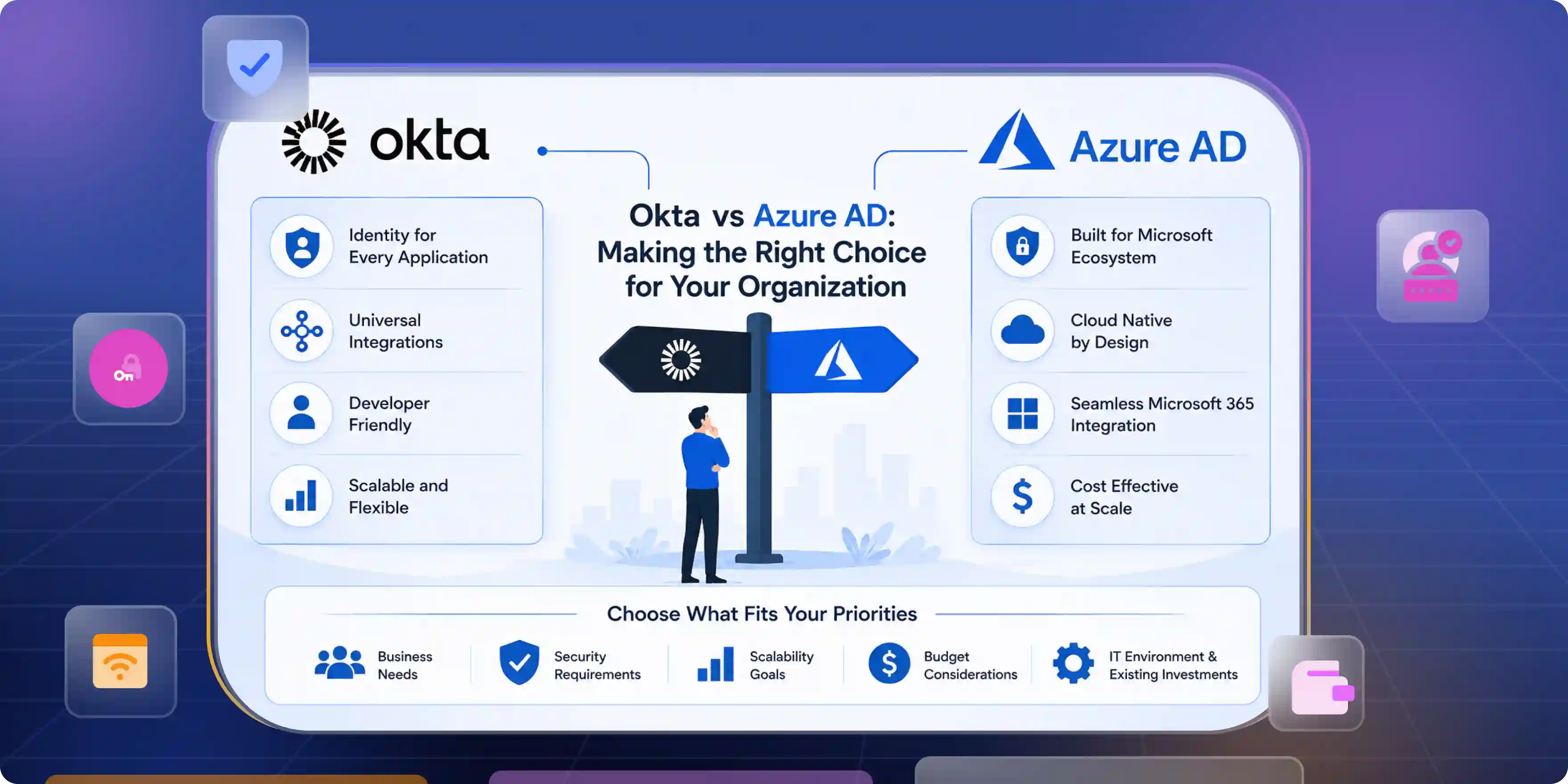
Making the Right Choice for Your Organization
If your stack is Microsoft first then Microsoft Entra ID (Azure AD) often feels like the least friction path. Microsoft delivers deep signals from devices and from collaboration services.
If your estate is SaaS diverse then Okta often reduces time to enable many different vendors. Okta provides a rich catalog. It offers proven templates for provisioning. Okta reduces scripting work for common SaaS. It improves time to enable.
Neither vendor is a universal winner. Both vendors require design trade offs. Both vendors have tiers of capability. Both vendors require pilots to reveal real costs.
Why Infisign can be the strategic identity choice for mixed and modern estates
Organizations often need one identity platform that supports both federation and workforce access without adding complexity. Infisign addresses this need by combining federated identity and workforce IAM in a single strategy.
UniFed supports customers while the IAM suite manages workforce identity governance and access control. Together these capabilities operate across cloud and legacy environments so enterprises can modernize identity while maintaining operational stability and long term flexibility.
- Unified platform for Federated Identity and Workforce IAM with universal SSO
- Adaptive MFA and Passwordless Authentication using FIDO2 and WebAuthn
- 6000 plus integrations with APIs and SDKs for custom use cases
- Conditional Access using user device and behavior signals
- Directory sync with automated Provisioning and Deprovisioning
- Privileged Access Management and secure Password Vault for legacy apps
- AI based Access Requests for faster approvals
- Identity Governance reviews with biometric authentication
- Non human identity protection with Zero Trust security across cloud and on premises systems
Your identity stack should accelerate growth not slow it. See how Infisign unifies access removes passwords and simplifies control. Book a demo today and experience frictionless security in action.
FAQs
What is the difference between Microsoft Active Directory and Okta?
Microsoft Active Directory began as on premises directory infrastructure. Okta was born in the cloud as a federation layer. AD manages domain resources while Okta focuses on SaaS access.
Which IAM solution is better for large enterprises?
Large enterprises succeed with platforms that balance governance integration depth and operational speed. Infisign delivers a unified workforce and customer identity. Okta supports broad SaaS diversity. Microsoft Entra ID excels in Microsoft centric estates.
How does Okta SSO compare to Azure AD SSO?
Okta SSO excels in heterogeneous SaaS environments and neutral integrations. Azure AD SSO feels seamless across Microsoft devices and services. The better fit depends on where most workloads live.


