




Access is rarely the problem. Persistent access is. Most environments are not breached because controls failed. They are breached because access remained available long after its purpose ended. That invisible exposure compounds over time and becomes difficult to track or reverse. Traditional approaches try to manage this after the fact. They rarely succeed.
A just in time access solution removes standing privileges . It gives access only when needed and only for a limited time or session. After the task ends the system removes access automatically.
Best JIT Access Management Solutions: Comparison
10+ Top Just-in-time (JIT) Access Management Solutions
1. CyberArk
CyberArk focuses on controlling privileged access to reduce exposure. It helps reduce or eliminate persistent admin rights through time bound access. Users get access only when needed and it is removed after the task. This keeps risk under control even in large changing environments.

Key features:
- Time bound access. CyberArk gives access only for a limited duration based on approval. You request access when needed and the system grants it for that task only. Once the work is done access is removed automatically.
- No standing privileges. It removes permanent admin rights from users completely. No one keeps high level access in the background without a reason. This helps you follow the principle of least privilege in a practical way.
- On demand elevation. Users can raise their access level only when required. The system checks policies before granting permissions. After the task ends it rolls back the access.
- Session monitoring. Every privileged session is tracked in real time. Security teams can see what actions are being performed. If something looks risky they can stop the session immediately.
- Audit visibility. CyberArk logs every action taken during privileged sessions. You can review who accessed what and why. This helps in audits and also in investigating incidents.
- Hybrid environment support. It works across clouds and on prem systems together. You can manage access from one place even if your setup is complex. This makes it the best JIT access solution hybrid environments where control is harder to maintain.
Pros
- Strong session based control reduces exposure across critical privileged environments
- Effectively removes standing access and enforces time bound privileged sessions
- Deep audit logs and monitoring improve compliance and incident investigation
Cons
- Complex deployment requires experienced teams and longer implementation timelines
- High cost makes it less suitable for smaller organizations or startups
- Steep learning curve for administrators managing advanced privileged access workflows
2. Delinea
Delinea combines privileged access and secrets management into one system. It helps reduce always on privileges through policy based privilege elevation. Access is given only when needed and removed after the task. This simplifies access control across systems.
Key features:
- Just in time privilege. Delinea grants access only when a user requests it for a task. The system approves it based on policies and removes it after the task ends.
- Secret Server vault. It stores credentials inside a secure vault so users never see passwords directly. The system can rotate secrets after use which keeps credentials fresh and harder to exploit.
- Privilege Manager control. It removes local admin rights and allows elevation only when required. Applications can run with higher permissions without giving full control to users.
- Session monitoring. All privileged sessions are tracked and recorded in real time. Security teams can review actions and stop sessions if something looks risky.
- Policy based automation. Access is controlled through predefined rules that apply across systems. You define who can access what and when. This reduces manual effort and keeps access consistent. It also supports temporary privileged access in a structured way.
- Cloud and hybrid support. Delinea works across clouds and on prem environments together. You can manage access from one place even in complex setups.
Pros
- Combines privileged access and secrets management in a unified platform
- Flexible privilege elevation supports application level and user level control
- Strong policy automation reduces manual access management effort across systems
Cons
- User interface can feel outdated compared to newer cloud native solutions
- Requires configuration tuning to fully enforce consistent just in time access
- Not ideal for teams needing fast deployment and minimal setup overhead
3. Infisign
Infisign solves a problem most teams ignore. Access is easy to give but hard to clean up. Over time permissions stack up and no one tracks what is still needed. That is where risk starts building quietly. Infisign changes how access is handled from the start. It makes every access temporarily controlled and visible so nothing stays longer than it should.
Key features:
- Just in time privileged access. A user gets access only when required. Access is granted for a limited duration based on policy. It is revoked automatically after use without relying on manual cleanup. This helps reduce privilege buildup over time.
- Policy based access control. Access is granted based on predefined policies instead of manual or ad hoc decisions. The system checks role context and conditions before allowing anything. This keeps access predictable across teams.
- Complete audit trail and logs. Every access request, approval and action is recorded. There is no gap in visibility. When something needs review the full trail is already there.
- Integration with enterprise applications. Connects with 6000+ applications and existing identity systems. Access is created within existing workflows which improves adoption.
- Adaptive MFA for privileged access. High risk access triggers stronger verification. The system checks signals such as user location, device type, IP address, login behavior, and risk level before allowing access. This adds an extra layer of protection.
- Least privilege access enforcement. Access is limited to what is needed for the task and nothing more. No extra permissions remain in the background. This keeps the environment controlled and reduces exposure.
Pros
- Designed to minimize standing access through identity driven and time bound access controls
- Simple deployment and clean workflows improve adoption across modern teams
- Strong visibility into access activity with complete audit logs and tracking
Cons
- Passwordless authentication requires the encrypted password vault to be enabled
4. BeyondTrust
BeyondTrust builds its platform around controlling privileged access without leaving gaps behind. It focuses on removing standing privileges from endpoints and servers and replacing them with controlled access flows. Its products like Privileged Remote Access and Endpoint Privilege Management work together to limit exposure.
Key features:
- Just in time access. BeyondTrust allows users to request access only when needed and grants it for a limited time. Access is tied to a session and removed automatically after the task.
- Endpoint least privilege. It removes local admin rights from endpoints and enforces controlled elevation. Users can run specific applications with higher rights without getting full admin access. This aligns directly with the principle of least privilege security and reduces attack surface.
- Privileged remote access. Vendors and third party users get secure remote access without VPNs. Sessions are controlled and limited to approved systems only.
- Session monitoring and control. Every session is recorded and monitored in real time. Security teams can view actions and terminate sessions if something looks risky.
- Credential and secret handling. Passwords are stored securely and injected during sessions instead of being shared. Users never see the actual credentials.
- Central policy enforcement. Access is governed through centralized policies that define who can access what and when. It also helps scale access control across hybrid environments.
Pros
- Strong endpoint privilege control removes local admin rights across devices
- Secure remote access for vendors without exposing internal network infrastructure
- Real time session monitoring helps detect and stop suspicious privileged activity
Cons
- Setup and configuration can be complex for teams without PAM experience
- Interface feels less modern compared to newer identity driven access platforms
- Requires effort to integrate smoothly across diverse hybrid environments
5. ConductorOne
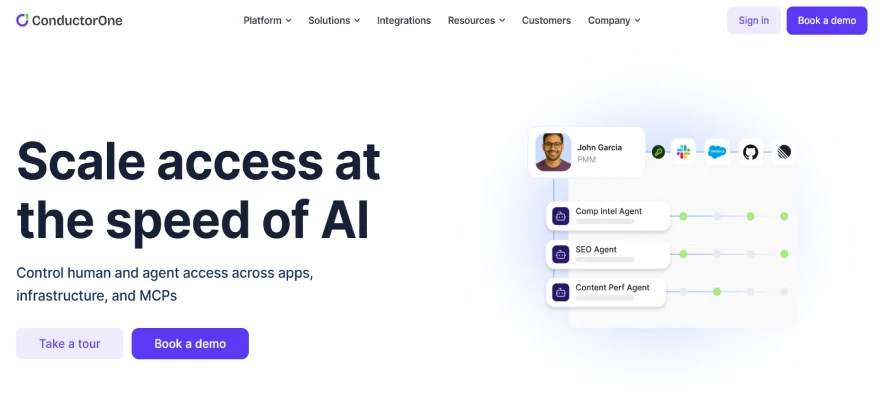
ConductorOne is designed for identity first access control where every access decision is tied to real usage and context. It connects all your apps and systems to give one clear view of who has access and why. Instead of manual approvals it uses automation and AI to manage access continuously.
Key features:
- Automated lifecycle management. ConductorOne handles joiner mover leaver flows automatically. When a user joins or changes role access updates instantly and when they leave access is removed.
- Just in time provisioning. It reduces standing access by granting permissions only when needed and removing them after use. This helps teams eliminate always on access and makes it one of the best tools for eliminating standing access with just-in-time policies in modern environments.
- AI driven access reviews. ConductorOne uses AI to suggest which access should be approved or revoked. Reviewers get context instead of long lists which improves decision quality.
- Centralized visibility. It connects cloud and on prem apps into one unified view. You can see all identities and permissions in one place. This helps you detect risky access faster and maintain control across systems.
- Non human identity control. It also manages service accounts API keys and tokens. These identities often create hidden risk so bringing them under governance improves overall security.
- Policy driven automation. Access decisions are enforced through policies instead of manual approvals. Low risk requests can be approved automatically while risky ones are flagged. This supports the principle of least privilege security and keeps access tightly controlled at scale.
Pros
- Strong identity governance with automated lifecycle and access review workflows
- AI driven recommendations improve accuracy of access decisions across systems
- Good visibility into user and non human identity access across applications
Cons
- Limited depth in traditional privileged access management and session control
- Relies heavily on integrations which may require additional configuration effort
- Not ideal for environments with heavy legacy infrastructure and systems
6. IBM Security Verify
IBM Security Verify is built for large enterprises that need control over privileged access across hybrid environments. It helps you discover, manage and monitor privileged accounts from one place. Instead of leaving admin access active it pushes toward controlled and time bound access.
Key features:
- Privileged account discovery. IBM helps you find all privileged accounts across systems including hidden ones. Many organizations do not even know how many admin accounts exist.
- Password vaulting. It stores credentials in a secure vault and rotates them automatically. Users do not see passwords directly which reduces leakage.
- Privilege elevation. IBM supports controlled elevation where access is granted only when required and then removed. This follows a JIT model where privileges are temporary and not always active.
- Session monitoring. All privileged sessions are tracked and recorded. Security teams can monitor activity and take action if something looks suspicious.
- Endpoint privilege control. It removes local admin rights and controls application level permissions. This reduces malware risk and enforces stricter access boundaries. It directly supports the principle of least privilege security in real environments.
- Policy and lifecycle control. Access is governed through centralized policies that define how privileges are granted and revoked. It also manages service accounts and identity lifecycle. This helps you move away from standing access and toward a structured JIT access solution.
Pros
- Enterprise grade platform with strong control over privileged access environments
- Effective discovery of hidden privileged accounts across complex infrastructure setups
- Centralized policy management improves consistency across large scale deployments
Cons
- Complex implementation requires significant time and skilled enterprise resources
- Interface and workflows may feel heavy for modern fast moving teams
- Higher cost structure compared to lightweight cloud native access solutions
7. Okta
Okta approaches privileged access from an identity first angle. It connects every access decision to a verified user identity and context. With Okta Privileged Access it brings PAM and identity governance into one system so you can control who gets access and when.

Key features:
- Just in time access. Okta allows users to request access only when needed and grants it for a short duration. Access is removed automatically after the task which reduces exposure and attack surface. This makes it one of the practical just-in-time access tools used in modern environments.
- Ephemeral credentials. Okta issues temporary credentials instead of using static passwords. These credentials expire after use which reduces the risk of theft or reuse.
- Access request workflows. Users must request privileged access through approval workflows. Access is granted only after validation and for a limited time. This supports controlled temporary privileged access instead of always on permissions.
- Session monitoring. Okta records and monitors privileged sessions for visibility. Security teams can track actions and review sessions later.
- Identity driven policies. Access decisions are based on identity, role and context. This ensures users only get access relevant to their task. It also reduces over permissioning across systems.
- Unified access control. Okta provides a single platform to manage privileged access across cloud and on prem systems. This improves visibility and simplifies governance in complex environments.
Pros
- Easy to deploy with strong identity and single sign on capabilities
- Large integration ecosystem supports wide range of enterprise applications
- Context aware policies improve access decisions based on identity signals
Cons
- Limited native privileged access management capabilities compared to PAM vendors
- Requires additional tools for deeper session monitoring and privilege control
- Not designed primarily for eliminating standing access in complex environments
8. Wallix
Wallix focuses on securing privileged access through a centralized platform called Bastion. It is designed to control, monitor and audit every privileged action across systems. Instead of giving open access it ensures users get access only when required and under strict control.

Key features:
- Controlled access sessions. Wallix allows only authenticated users to access approved systems and tracks everything they do. Sessions are recorded with full detail including actions and timelines.
- Password vault and rotation. Credentials are stored in a secure vault and rotated automatically. Users never see passwords directly which reduces leakage and credential theft.
- Just in time privilege. Wallix supports access that is granted only when needed and removed after the task. Users can elevate privileges for specific actions without keeping permanent access. This makes it one of the practical just-in-time access tools for reducing standing privileges.
- Privilege elevation control. It removes local admin rights and allows controlled elevation for specific applications or tasks. Users get only the level of access required for that moment. This directly supports the principle of least privilege security in real environments.
- Session monitoring and audit. Every privileged session is recorded and stored with logs and metadata. Security teams can review actions and detect suspicious behavior.
- Centralized access control. Wallix provides one platform to manage all privileged access across systems. It integrates with existing tools and supports hybrid environments.
Pros
- Strong session monitoring with full recording and detailed audit trails
- Centralized Bastion platform simplifies control across multiple privileged systems
- Supports just in time access to reduce long term privilege exposure
Cons
- Interface and experience may feel rigid compared to modern SaaS tools
- Requires structured setup which may slow down initial deployment phase
- Less flexible for dynamic cloud native and DevOps driven environments
9. Apono
Apono is built to solve one clear problem. It focuses on giving access only when needed and removing it right after. Instead of managing access manually it automates requests approvals and revocation in one flow. This helps you move toward clean and controlled temporary privileged access without breaking productivity.
Key features:
- On demand access. Apono lets users request access only when they need it. The system checks policies and grants access for a short time. After the task ends access is removed automatically.
- Approval workflows. Access requests go through approval flows based on rules. High risk access can need manager approval while low risk can be auto approved. This keeps control strong without adding delays.
- Audit ready logs. Every access request and action is logged with full detail. You can see who requested access and why and what they did.
- Cloud native integration. Apono integrates with AWS GCP Kubernetes and other cloud tools. It works directly with infrastructure teams use daily.
- Policy based control. Access is driven by policies that define who can access what and when. This keeps decisions consistent and reduces manual errors.
- Developer friendly flow. It is designed for engineers who need fast access without friction. Requests happen inside tools like Slack or CLI which keeps the process simple.
Pros
- Built for cloud native environments with fast and automated access workflows
- Strong integration with AWS GCP and Kubernetes for real use cases
- Developer friendly experience improves adoption across engineering and DevOps teams
Cons
- Limited support for traditional on prem and legacy infrastructure environments
- Lacks deep session monitoring compared to established PAM focused platforms
- Still growing platform with fewer enterprise level advanced security features
10. miniOrange
miniOrange builds its PAM platform around one simple idea. Give access only when needed and control everything around it. It helps you discover, manage and monitor all privileged accounts from one place. Instead of leaving admin access active it uses time bound access and strong policies.
Key features:
- Just in time access. miniOrange gives access only when a user requests it and for a fixed time. Once the task is done access is removed automatically.
- Password vault and rotation. It stores all privileged credentials in a secure vault with encryption. Passwords are rotated automatically so old credentials cannot be reused. Users do not see passwords which reduces leakage risk.
- Session monitoring. Every privileged session is tracked and recorded in real time. Security teams can watch activity and stop sessions if something looks wrong.
- Granular access control. Access is given based on roles and policies so users only get what they need. You can control who accesses what and for how long. This directly supports the principle of least privilege security in real environments.
- Privilege elevation control. Users can get higher access only for specific tasks without becoming full admins. The system limits what they can do and removes access after use.
- Agentless deployment. miniOrange does not require agents on every system which makes setup faster. You can deploy it across cloud and on prem environments without major changes.
Pros
- Easy deployment with agentless setup across cloud and on prem systems
- Strong access control with role based and time bound privilege management
- Good session monitoring and credential management for mid size environments
Cons
- Limited advanced features compared to top tier enterprise PAM solutions
- May require additional customization for complex large scale deployments
- Smaller ecosystem compared to more widely adopted identity platforms
11. ManageEngine
ManageEngine builds its PAM platform around controlling privileged access with clear visibility and strict policies. Its solution PAM360 combines credential management session control and privilege elevation in one place. Instead of giving permanent admin rights it focuses on granting access only when needed and removing it after use.
Key features:
- Just in time privilege. ManageEngine provides time bound access where users get elevated permissions only for a specific task and duration. Once the time expires access is revoked automatically. This reduces standing privileges and limits attack windows across systems.
- Credential vaulting. It stores all privileged credentials in a secure encrypted vault. Users do not directly access passwords which reduces leakage risk. The system also rotates credentials regularly to keep them secure.
- Request and approval workflow. Users must request access before getting credentials or privileges. Admins can approve or reject based on policies. This ensures controlled access instead of open permissions.
- Session monitoring. All privileged sessions are recorded and monitored in real time. Security teams can track user actions and terminate sessions if needed. This improves visibility and helps detect misuse quickly.
- Privilege elevation control. Users can temporarily elevate privileges for specific tasks instead of having full admin rights. After the task their access returns to normal.
- Audit and compliance. Every action is logged with detailed audit trails. This helps in compliance reporting and investigation. It also gives a clear record of who accessed what and when across systems.
Pros
- Comprehensive PAM features including vaulting session monitoring and access workflows
- Strong audit and compliance capabilities for regulated enterprise environments
- Supports just in time privilege elevation to reduce standing access risks
Cons
- Interface can feel heavy due to feature rich and complex design
- Requires careful setup and tuning for optimal performance and usability
- Not as agile as modern cloud native access management solutions
How to Choose the Right JIT Access Management Solution?
The real value comes from how effectively the tool controls access in day to day use. Many platforms claim JIT capabilities. Still not all of them truly eliminate standing access. The focus should remain on reducing exposure and maintaining control without adding operational friction.
- Check real JIT behavior. The solution should grant access only when required and remove it automatically after the task is complete. If access persists beyond its intended use then the risk remains. True JIT ensures no unnecessary privileges stay active.
- Look at the approval flow. Access requests should follow a structured process that balances speed and control. Delays can impact productivity. Weak approvals can introduce risk. The right system maintains both efficiency and oversight.
- Focus on visibility. Clear insight into who accessed what and why is essential. Strong logging and session tracking help maintain accountability. They also support audits and incident investigations.
- Evaluate integration fit. The solution should integrate smoothly with existing cloud platforms identity systems and internal tools. Poor integration often leads to low adoption and inconsistent usage.
- Consider user experience. Adoption depends on how easily teams can use the system. If access workflows are complicated users may bypass controls. A practical solution fits naturally into existing processes.
- Assess automation capabilities. As environments grow, manual access management becomes difficult to maintain. This is where ai-powered just-in-time access control vendors provide value. They streamline approvals and help identify risky access patterns.
- Measure actual risk reduction. The final evaluation should focus on outcomes. A strong solution reduces the attack surface by removing unused access completely. If unnecessary permissions continue to exist then the core issue remains unresolved.
Finding the Right Just-in-time Access Management Solution
Most teams treat this as a feature comparison but the real issue is access persistence. Permissions often stay active beyond their purpose and increase risk over time. A strong JIT solution makes access temporary by default. It grants access on request and revokes it automatically after use.
You should verify that standing access is minimized, not just reduced on paper. Workflows should feel natural or teams will bypass them. Visibility should show who accessed what and why. Integration should work smoothly across environments.
Why a modern identity first approach works better
An identity first approach controls access at creation instead of fixing permissions later. It minimizes standing access through time bound and context aware decisions. Each request is evaluated using identity, device, behavior, and risk signals.
Access is revoked automatically after use. This removes gaps left by fragmented tools and avoids delayed controls that allow risk to persist.
- Just in time access ensures privileges exist only during active tasks
- Policy driven control keeps access decisions consistent across all users
- Complete audit logs provide full visibility for tracking and investigations
- Adaptive MFA adds stronger verification during sensitive access requests
- Enterprise integrations support seamless connection with cloud and identity systems
- Least privilege enforcement ensures users only get required level of access
If your access still exists when it is not needed, your risk already exists. Book a demo to see how access can become temporary, controlled, and aligned with real work without adding friction.
FAQs
How long does it take to set up a JIT access management solution?
Setup usually takes from a few days to several weeks, depending on environment complexity, integrations, and policies. Cloud native tools deploy faster, while enterprise PAM solutions require more configuration and testing.
How much does a JIT access management solution typically cost?
Costs vary widely, from affordable SaaS pricing for small teams to high enterprise licensing fees. Pricing depends on users, integrations, features, and deployment model, often ranging from hundreds to thousands monthly.
What hidden costs should CISOs watch out for when buying a JIT tool?
Hidden costs include integration effort, training, ongoing maintenance, and customization needs. Additional expenses may come from scaling users, advanced features, or requiring dedicated security teams to manage and optimize the solution.


