


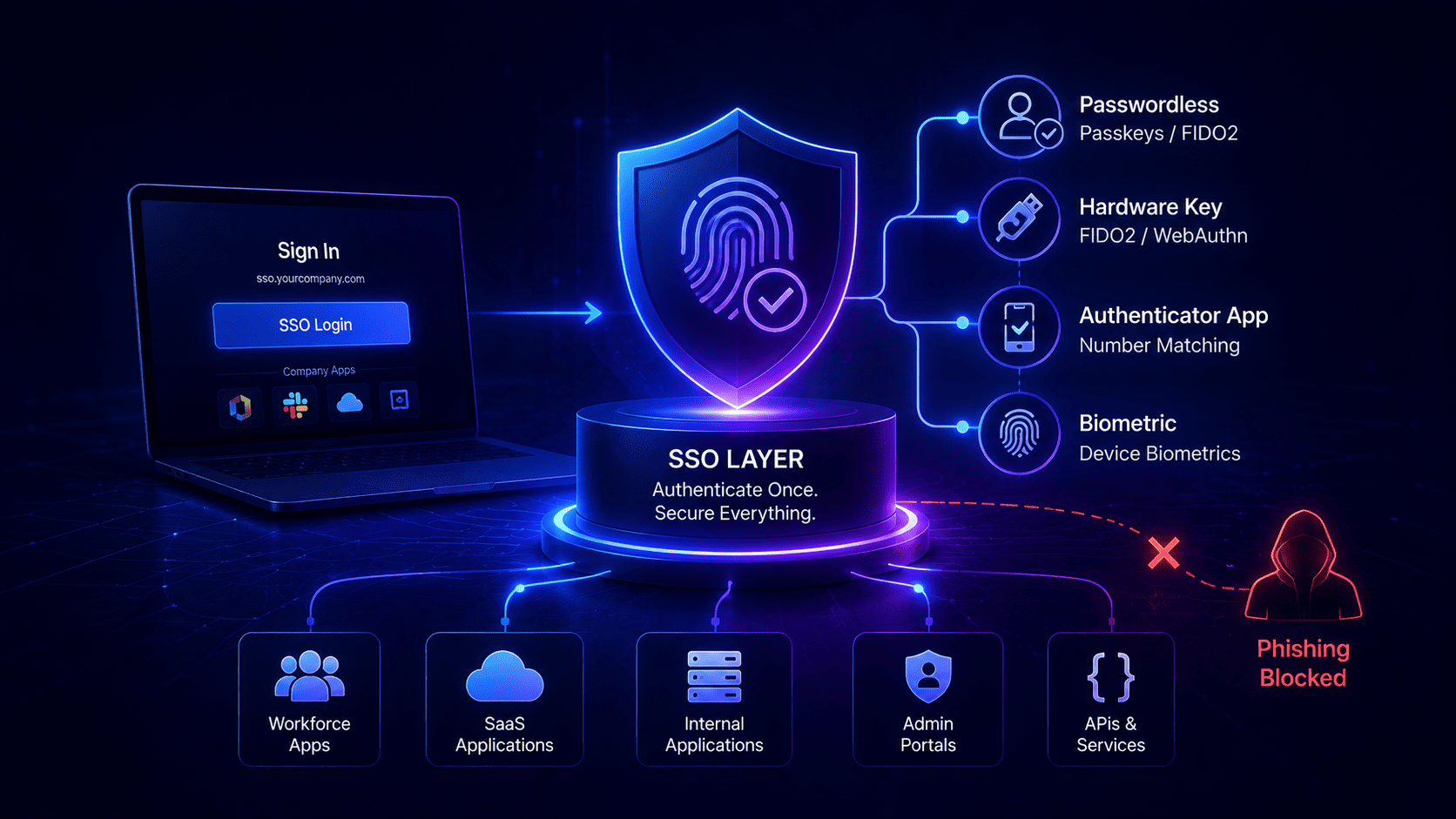

Protecting your company accounts means moving past old text codes that hackers easily bypass with fake websites.
Organizations can adopt supported phones and laptops with platform authenticators, letting a fingerprint or facial scan locally authorize a cryptographic credential for robust phishing-resistant authentication. Phased rollouts starting with high risk managers and remote teams help avoid total office gridlock and prevent help desks from drowning in reset calls.
For detailed strategies on securing enterprise tools, teams rely on official phishing resistant MFA single sign on implementation recommendations to bridge the gap between strict security rules and everyday software.
What CISA Actually Recommends and What It Leaves You to Solve
Government cyber agencies publish clear rules on how to protect accounts. Federal guides push for advanced security keys to stop hackers from stealing passwords. Basic text codes still provide multi-factor protection, but they lack phishing resistance since attackers can capture and relay the codes through fake websites. Official advice tells you where you need to go but leaves out the messy engineering manual for how to get there. Knowing CISA implementing phishing-resistant MFA makes planning easier.
Legacy App Hurdles
Real company networks contain old computers and custom internal tools that cannot handle modern security checks out of the box. Security teams face a huge gap between high level government rules and the messy reality of their daily software. Engineers must map out every app before turning on strict rules to make sure systems do not break. Teams often look at a CISA fact sheet implementing phishing-resistant MFA pdf for exact technical requirements.
- Old Software Limits. Older internal apps cannot process modern cryptographic checks and need careful handling so staff do not get locked out.
- Mapping Tech Boundaries. Building a clear map of every tool helps teams figure out how to bridge old systems with new security layers.
Managing Human Friction
Government guides rarely talk about the human headaches that happen when workers lose physical keys or struggle with setup. Planning teams must build smart emergency backup plans and help desk workflows that keep systems secure without causing total office gridlock. Figuring out how to implement SSO with MFA support solves most of these integration issues.
- Emergency Backup Plans. Creating strict verification workflows for lost keys stops bad actors while helping workers get back online fast.
- Support Team Training. Training support staff to handle hardware token issues smoothly stops major delays when new security rules go live. Following standard CISA implementing phishing-resistant MFA guidance keeps help desks ready for real world problems.
The Implementation Sequence That Actually Holds
Turning on new security checks across a whole company takes a clear step by step plan to keep normal work running smoothly. Trying to force strict rules on everyone at the exact same time usually causes total chaos and locks people out. Starting with the most important zones first helps teams catch unexpected problems early without shutting down the business. Reading a CISA implementing phishing-resistant MFA fact sheet helps outline this phased rollout model.
Securing Admin And Remote Staff
Begin by locking down manager accounts and high level tech bosses because hackers always go after those powerful keys first. Once those key roles are safe, move on to remote workers and outside contractors who log in from outside the office and face high scam risks.
- Privileged Access Control. Domain controllers and cloud managers hold the keys to the entire office setup. Securing these high value targets with hardware keys stops total system takeovers right away.
- Remote Worker Protection. Remote staff operate outside physical office walls and face constant phishing attacks. Enforcing strong verification on their sessions blocks external threats before they hit the main network.
Department Waves And Pilot Tests
Bring in regular office workers and other departments in slow gentle waves rather than all at once. Testing every single phase with a small test group first helps catch hidden software bugs and browser issues before the policy goes live.
- Departmental Cohort Rollouts. Bringing in regular office teams one department at a time keeps help desk support from drowning in reset calls.
- Rigorous Pilot Testing. Running small test groups before general enforcement exposes unexpected software quirks early. This careful approach keeps system availability high while security improves steadily over time.
What to Ask Your SSO Platform Before You Commit to the Rollout
Choosing the right single sign on the vendor decides whether your security project succeeds or falls apart under technical limits. Enterprise buyers need to look past basic marketing claims and ask hard technical questions about protocol support and policy controls. Testing these exact capabilities in a test lab before signing any contracts ensures the platform matches your needs and supports long term growth.
Protocol Support And Device Binding
Buyers must check if the platform handles modern security keys directly without needing clunky desktop apps or extra browser extensions. Admins also need to see how the system manages passkeys stored in hardware chips to stop workers from registering random personal gear for work tasks.
- Native FIDO2 Support. The platform must handle modern hardware keys directly without forcing you to install annoying extra software on every company computer.
- Hardware Token Control. Organizations may restrict authentication to approved or managed endpoints and authenticators when their security and device-management policies call for it.
- Passkey Management. Identity tools must support proper passkey types and lifecycle controls including device bound or syncable passkeys based on company security needs.
Auditing Recovery And System Uptime
Checking reporting tools is vital for proving compliance during strict security audits without getting stuck on missing log data. System engineers must also verify global uptime guarantees because any outage in the main sign in the gateway stops all business operations instantly.
- Audit Log Export. The login system must export detailed event records showing exact authentication markers so compliance teams can pass reviews easily.
- Disaster Recovery Paths. Platforms should offer secure admin recovery flows for lost hardware keys without dropping baseline security standards.
- Uptime And Redundancy. Vendors must guarantee high service availability with backup global servers to prevent company wide work stoppages during rare network failures.
What Changes If You Are Regulated or Federal Adjacent
Working in government contracting or strict finance and health sectors brings mandatory rules that change how you set up security checks. Some regulated environments and government programs might require or strongly encourage phishing-resistant authentication for sensitive systems, though specific requirements rely on applicable regulations, standards, contracts, and assurance levels. Auditors check your logs closely to make sure every single admin uses unhackable verification methods before they approve your compliance status.
Strict Audit And Emergency Rules
Assessors can check authentication and access logs to validate that privileged accounts conform to authentication and access control expectations applicable to the business. If an emergency admin needs to bypass normal safety walls during a major system crash the platform must demand approval from multiple security officers at once.
- Detailed Audit Logs. The system must record precise login methods over long periods to satisfy strict government rules during reviews.
- Multi Person Approvals. Emergency admin overrides require simultaneous sign off from multiple managers to keep powerful accounts safe from rogue use.
Data Residency And Compliance
Regulated groups face tough rules on where user data and private crypto keys can live to protect sensitive information. Failing a compliance check brings massive money fines and can strip away your eligibility to work on government projects entirely.
- Hardware Key Storage. Organizations must ensure cryptographic credentials and biometric data are handled according to the authenticator's security model and applicable security requirements, with biometric data typically staying local to the authenticator.
- Avoiding Severe Penalties. Matching your rollout plan directly with statutory laws keeps your business safe from heavy fines and lost contracts.
Start With Coverage, Not Hardware
Waiting to buy expensive physical keys for every single worker delays your entire security setup for months. Instead of delaying deployment until hardware security keys are universally issued, enterprises can employ compatible platform authenticators on supported phones and laptops whenever they satisfy internal security and device-management rules. This clever approach skips long shipping delays and secures your digital walls on day one.
- Using Built In Tech. Many modern smartphones and laptops support platform authenticators using local biometrics or a PIN to authorize cryptographic credentials, although capabilities vary by device and operating system.
- Smart Token Placement. Saving physical USB keys just for high risk admin accounts cuts down equipment costs and speeds up the whole project.
- Lowering User Friction. Letting staff use device biometrics they already know makes the transition smooth and stops people from fighting the new rules.
Infisign UniFed fits right into this rollout process by handling both modern cloud apps and older internal tools without hassle. It supports native hardware keys and built-in device chips so teams can skip expensive hardware purchases for regular staff. The platform also includes built-in recovery workflows and clear admin controls that keep help desks from getting overloaded during major security updates.
- Single sign-on tools that connect cloud apps and old office software together so staff use one simple login
- Passwordless logins using face scans, fingerprints, and device passkeys instead of easy-to-steal passwords
- Smart security rules that check user locations and device health to block risky login attempts automatically
- Built-in tools for older internal apps that normally cannot handle modern security checks out of the box
- Real-time audit logs and reporting features that help teams pass government compliance checks with ease
You want your staff to move past risky text codes and step into a safer daily routine without drowning in endless password reset calls. See how a smarter approach changes everything for your business. Take a moment to connect with our team on the Infisign demo page and book a quick meeting today.
FAQ
What is the main goal of upgrading to modern security keys?
Phishing-resistant FIDO and WebAuthn authenticators stop fraudulent websites from capturing reusable login secrets or valid authentication responses meant for the genuine service.
Why should companies start security updates with managers first?
Protecting administrative and privileged accounts early helps minimize the danger of critical account compromise throughout the rollout, as these accounts offer entry to core systems.
How do we handle old company apps that cannot use new security?
Teams must check every old tool before turning on strict rules. This careful mapping stops staff from getting locked out of important daily software.
What happens if a worker loses their physical security key?
Companies must build clear backup recovery plans and train support staff. This helps workers verify their identity and get back online fast without breaking safety rules.
Do we need to buy expensive new hardware for every employee?
No, organizations can start with compatible phones and laptops featuring platform authenticators, while adding hardware security keys where device support or security mandates apply.


