



Most companies do not start searching for authentication tools because they love security technology. The search usually begins after trust starts breaking during normal work.
That pressure is why businesses are moving toward modern security frameworks. Contextual authentication evaluates external signals like location and device health. These signals feed into risk-based authentication to calculate a real-time risk score before granting entry.
A normal employee logging in from a trusted device feels very different from a suspicious session appearing late at night from another country. Good authentication systems understand that difference before giving access.
In this blog, we will look at some of the best risk-based authentication solutions for 2026 and the real business problems they help solve.
We've Evaluated 7 Risk-Based Authentication Solutions for 2026
Employees are tired of constant MFA prompts. IT teams also struggle to manage access across too many cloud apps while password theft keeps growing.
That is why more businesses are moving toward modern risk based authentication solutions. These platforms study login context before giving access. Some work better for hybrid teams while others focus more on fraud prevention or simpler identity management for smaller businesses.
The global risk-based authentication market was valued at USD 6.02 billion in 2025 and is expected to reach USD 11.83 billion by 2034. This growth shows how businesses are investing more in adaptive authentication as identity attacks become harder to detect.
We reviewed these tools based on real business problems instead of feature lists alone.
1. Cisco Duo
Cisco Duo is widely used by companies that want stronger security without making authentication frustrating for employees. Many organizations choose the platform to improve identity protection. Enterprise teams deploy these risk based authentication solutions because Duo evaluates device trust and triggers selective adaptive MFA prompts based on contextual signals.
Key Features
- Adaptive Access. Duo checks device trust and login context before granting access. The platform can also detect anomalous or unfamiliar login locations during authentication attempts.
- Device Trust. The platform identifies unmanaged devices and outdated systems before users enter sensitive applications. This helps security teams reduce risks during remote work.
- Passwordless Login. Employees can sign in without depending completely on passwords. This helps reduce phishing risks and creates a smoother login experience, though the level of phishing resistance depends on the authentication method being used.
- Remote Security. Duo protects cloud apps and VPN environments from one dashboard. Hybrid teams can maintain secure access across different locations.
- Central Visibility. IT teams can monitor suspicious logins and authentication activity in one place. Smaller security teams benefit because visibility becomes easier to manage.
Pain Points Solved
- MFA Fatigue. Too many MFA prompts can frustrate employees during daily work. Duo reduces unnecessary prompts by recognizing trusted devices and normal login activity.
- Remote Access Risks. Employees often log in from homes and public networks. Duo checks login context before granting access.
- Unmanaged Devices. Personal and unmanaged devices can create security gaps. Duo checks device trust before allowing access to business apps.
- Credential Theft. Stolen passwords are still a common security problem. Duo adds extra verification layers to reduce unauthorized access.
Pros and Cons
Pros
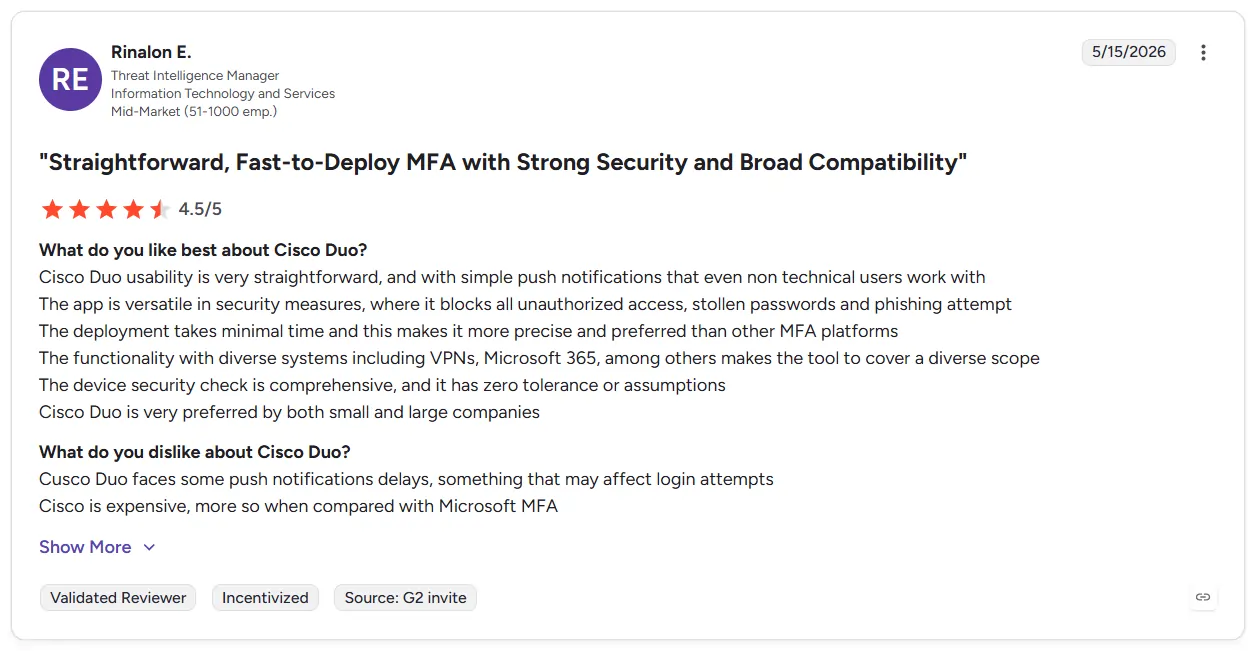
- Simple Deployment. Many companies report faster implementation compared to traditional IAM systems. Employees also adapt quickly because the login flow feels straightforward.
- Strong Integrations. Duo works smoothly with VPNs and cloud platforms. This helps organizations avoid fragmented authentication workflows.
- Better User Experience. The platform reduces unnecessary authentication friction during daily work. This helps companies improve security without exhausting employees.
Cons
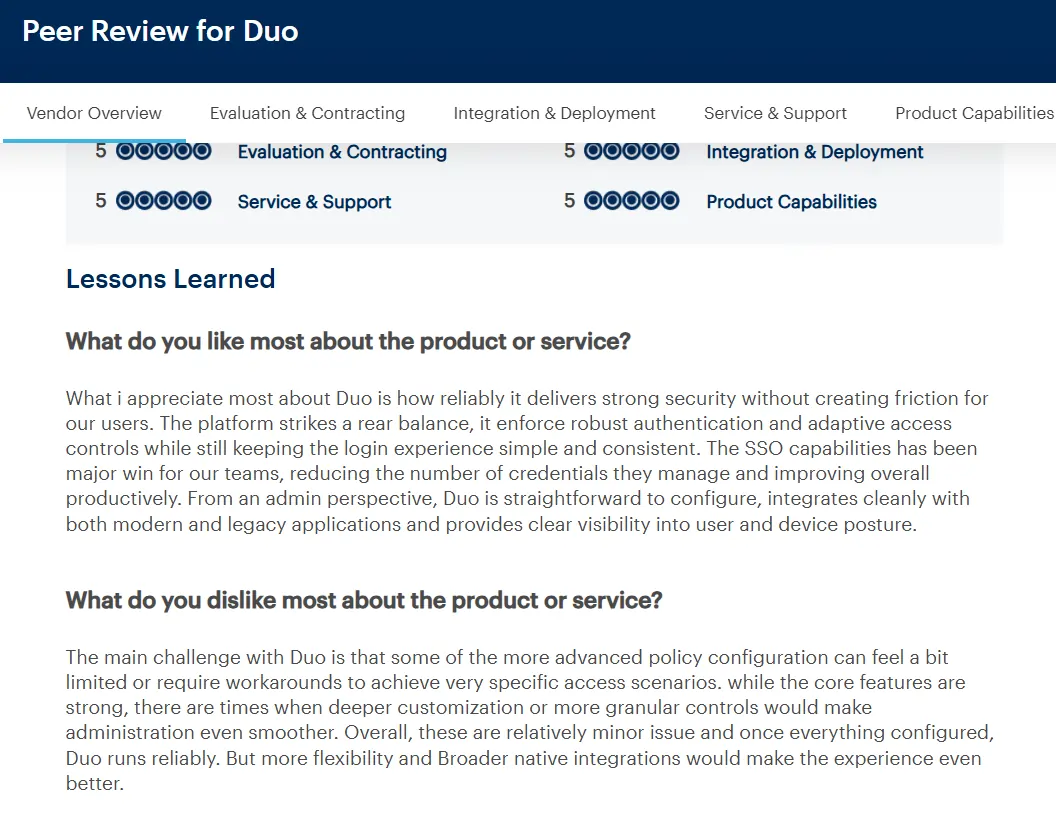
- Advanced Setup Needs. Large enterprise environments may require additional policy configuration. Smaller IT teams can initially find advanced setup difficult.
- Higher Enterprise Costs. Pricing increases as organizations add advanced controls and larger user volumes. Some SMBs may eventually outgrow lower pricing tiers.
- Legacy Integration Challenges. Older on-premise systems may require extra integration work. This can slow deployment inside traditional enterprise environments.
Pricing
- Duo Essentials. Starts at $3 per user/month. Includes phishing-resistant MFA, passwordless authentication, single sign-on, and trusted endpoints.
- Duo Advantage. Starts at $6 per user/month. Adds risk-based authentication, session theft protection, and stronger identity visibility features.
- Duo Premier. Starts at $9 per user/month. Includes advanced identity intelligence, complete device trust, and broader Zero Trust access controls.
2. OneLogin
OneLogin helps companies manage employee access in a simpler way. Many businesses start using too many cloud apps as they grow. Employees forget passwords while IT teams lose visibility into who can access important systems. Many organizations use OneLogin to support Zero Trust access strategies. The platform delivers risk based authentication solutions through contextual checks and flexible access controls.
Key Features
- Smart Policies. OneLogin evaluates contextual login signals such as device trust, location, and authentication risk before granting access.
- Single Sign-On. Employees can open many business apps through one login. This reduces password problems during daily work.
- User Provisioning. IT teams can create or remove employee accounts automatically. This saves time and reduces manual work during onboarding.
- Cloud Integrations. OneLogin connects with many SaaS platforms and cloud apps. Businesses can secure growing environments more easily.
- Access Controls. Security teams can create rules around location and network trust. This helps companies strengthen security without slowing employees down.
Pain Points Solved
- Too Many Passwords. OneLogin reduces password problems by bringing logins into one place.
- Poor Visibility. IT teams get better visibility into employee access and permissions.
- Slow Onboarding. Automated account setup helps employees start work faster.
- Security Gaps. OneLogin helps apply consistent security rules across apps.
Pros and Cons
Pros
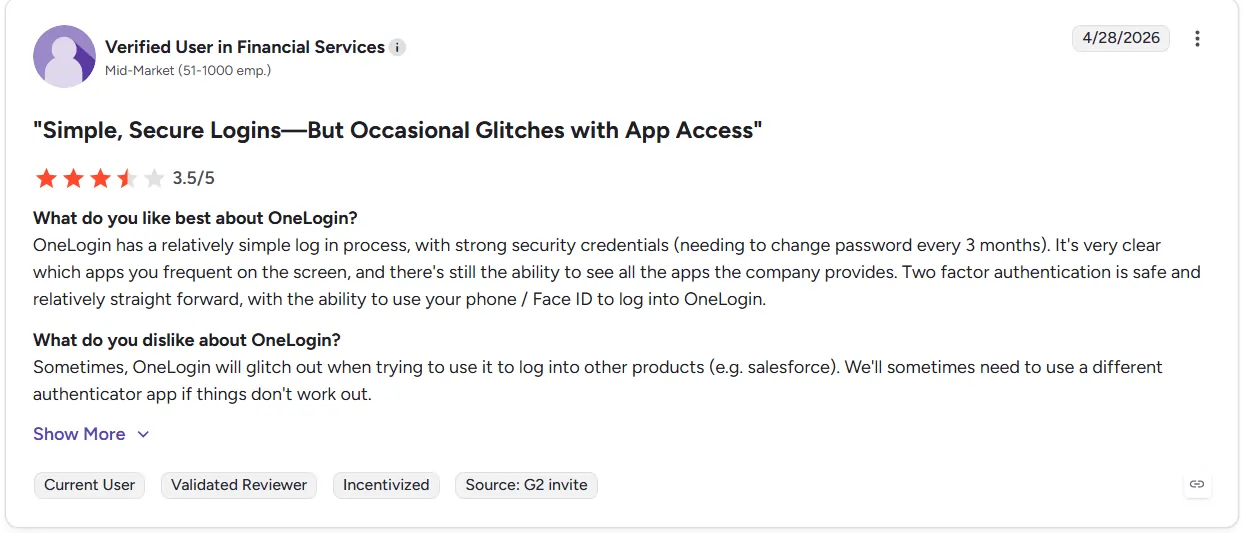
- Easy Dashboard. Many companies say the platform feels easier to manage than older IAM systems. Smaller IT teams especially benefit from the simpler interface.
- Good Cloud Support. OneLogin works with many cloud platforms and SaaS apps. This helps businesses avoid disconnected login systems.
- Faster Management. Automated provisioning reduces manual identity work for IT teams. Businesses also gain cleaner access visibility.
Cons
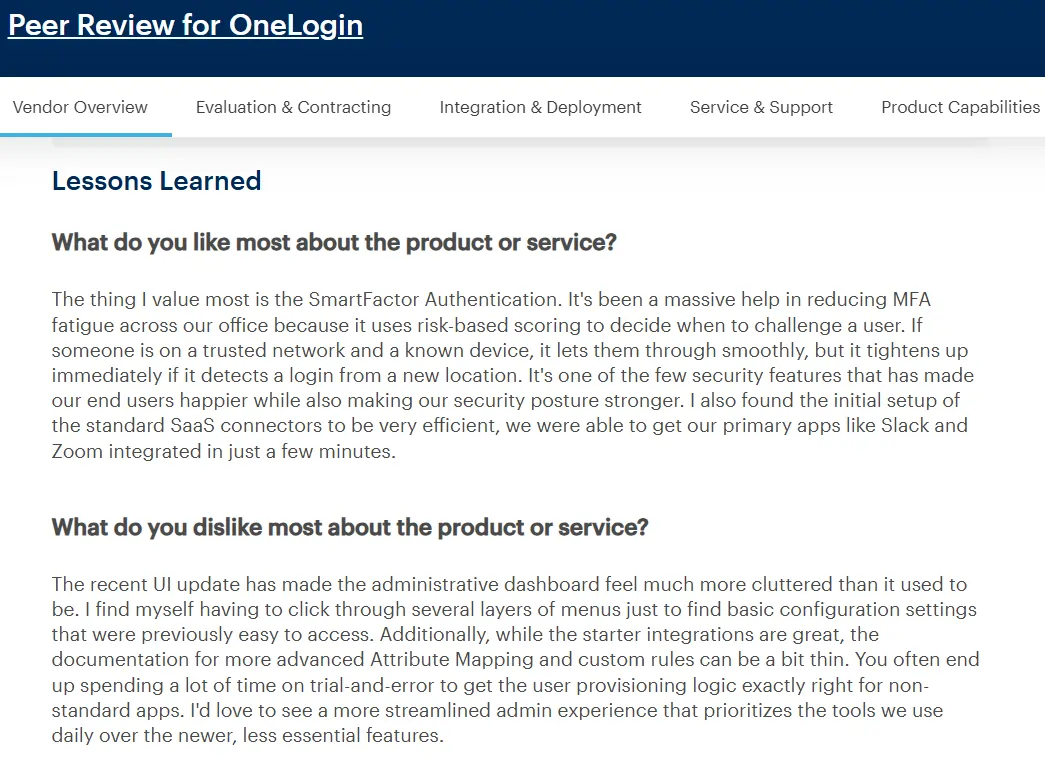
- Limited Flexibility. Some large enterprises may need more advanced customization controls. Complex deployments can require extra setup work.
- Legacy Challenges. Older systems may not integrate smoothly during deployment. Traditional environments can face slower implementation.
- Growing Costs. Pricing increases as businesses add advanced identity features. Some SMBs may find higher plans expensive over time.
Pricing
- Management Plan. Starts at $3 per user/month. Includes single sign-on (SSO), multi-factor authentication (MFA), and basic identity lifecycle management.
- User Management Automation Plan. Starts at $6 per user/month. Includes unlimited identity lifecycle management and advanced directory support.
- Advanced User Management Plan. Starts at $10 per user/month. Includes SmartFactor authentication, desktop MFA, HR directories, and Smart Hooks.
3. miniOrange
miniOrange is made for businesses that want better login security without building a complex identity system. Many small companies choose the platform because setup feels simpler and pricing feels easier to manage. Businesses also consider miniOrange while exploring IAM systems. The platform provides simple risk based authentication solutions for cloud apps and remote employees.
Key Features
- Adaptive Authentication. miniOrange evaluates contextual login signals such as device trust and authentication conditions during login before granting access.
- Single Sign-On. Employees can open multiple apps with one login. This reduces password problems during daily work.
- Multi-Factor Authentication. The platform supports OTPs and push notifications. Companies can improve security without making login difficult.
- Cloud Integrations. miniOrange works with SaaS apps and VPN platforms. Businesses can secure remote work environments more easily.
- Custom Policies. IT teams can create rules around location and device trust. This helps companies apply stronger checks during risky activity.
Pain Points Solved
- Password Problems. miniOrange reduces password dependence with stronger authentication.
- Small IT Teams. The platform keeps identity management simple and easier to manage.
- Remote Work Risks. miniOrange checks login context before granting access.
- Disconnected Security. The platform brings authentication into one place for better visibility.
Pros and Cons
Pros
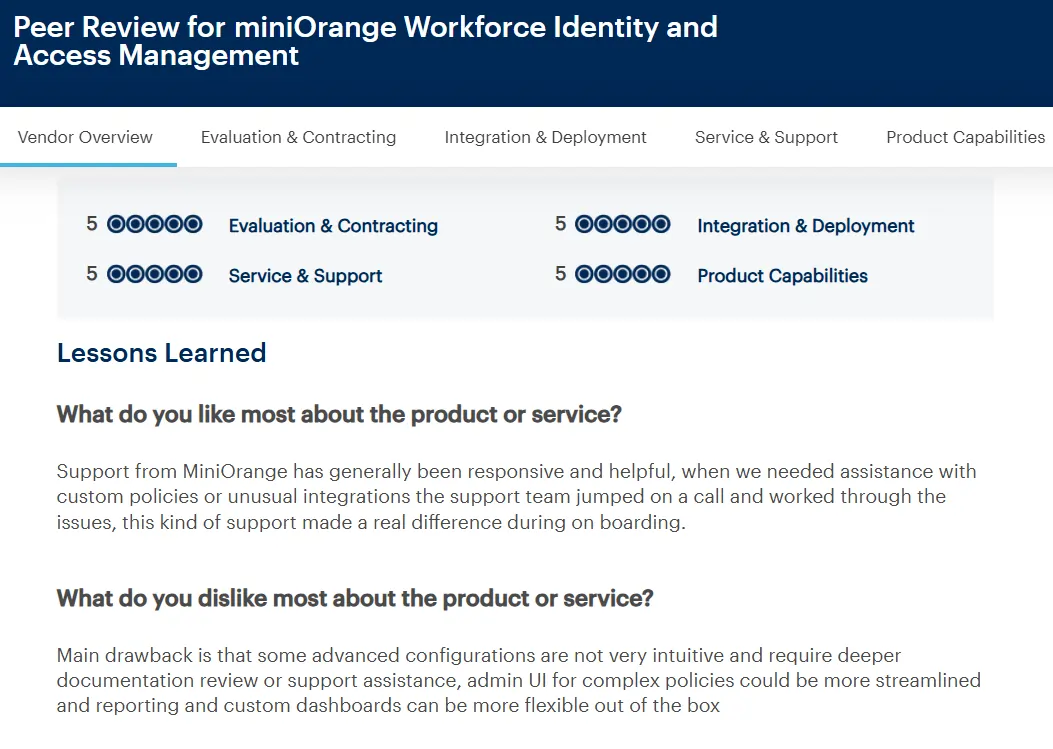
- Easy Setup. Many businesses say deployment feels faster than larger IAM systems. Smaller IT teams benefit because onboarding takes less time.
- Good Integrations. miniOrange connects with cloud apps and VPN systems. This helps businesses secure mixed environments more smoothly.
- Flexible Pricing. The platform offers plans for both SMBs and growing businesses. Companies can start smaller before moving into advanced features.
Cons
- Advanced Features. Some enterprise controls may require extra setup work. Larger organizations may eventually need deeper customization.
- Learning Curve. New users can initially feel confused by multiple authentication options. Smaller teams may need setup guidance during deployment.
- Enterprise Limits. Very large enterprises may prefer platforms with broader analytics. Some advanced reporting features can feel limited over time.
Pricing
- Essential Plan. Starts at ₹180 per user/month. Includes centralized SSO and MFA for SaaS apps, desktop MFA, and basic conditional access.
- Premium Plan. Starts at ₹270 per user/month. Includes passwordless MFA, advanced adaptive authentication, and SSO for in-house applications.
- Enterprise IAM Suite. Custom pricing for larger organizations. Includes user lifecycle management, workflow automation, and legacy app integrations.
4. Thales SafeNet Trusted Access
Thales SafeNet Trusted Access is used by companies that protect sensitive business data. Many banks, hospitals and large enterprises use the platform because login security matters more in high-risk environments. Businesses also choose Thales while exploring adaptive security tools. The platform offers enterprise-grade risk based authentication solutions because the system studies user activity before giving access.
Key Features
- Adaptive Authentication. Thales evaluates contextual authentication signals and device posture during login. The system instantly detects anomalous access patterns before granting system entry.
- Single Sign-On. Employees can open many business apps with one login. This makes daily access simpler and faster.
- Multi-Factor Authentication. The platform supports push notifications and hardware tokens. Companies can add stronger protection for sensitive systems.
- Cloud Security. Thales protects cloud apps and remote work access from one place. Security teams get better visibility into login activity.
- Policy Controls. IT teams can create rules around location and device trust. This helps companies apply extra security during risky activity.
Pain Points Solved
- Strict Compliance. Thales helps companies apply stronger authentication across systems.
- Remote Work Risks. The platform checks login context before allowing access.
- Password Theft. Thales reduces password dependence with stronger authentication methods.
- Poor Visibility. Security teams can monitor authentication activity from one place.
Pros and Cons
Pros
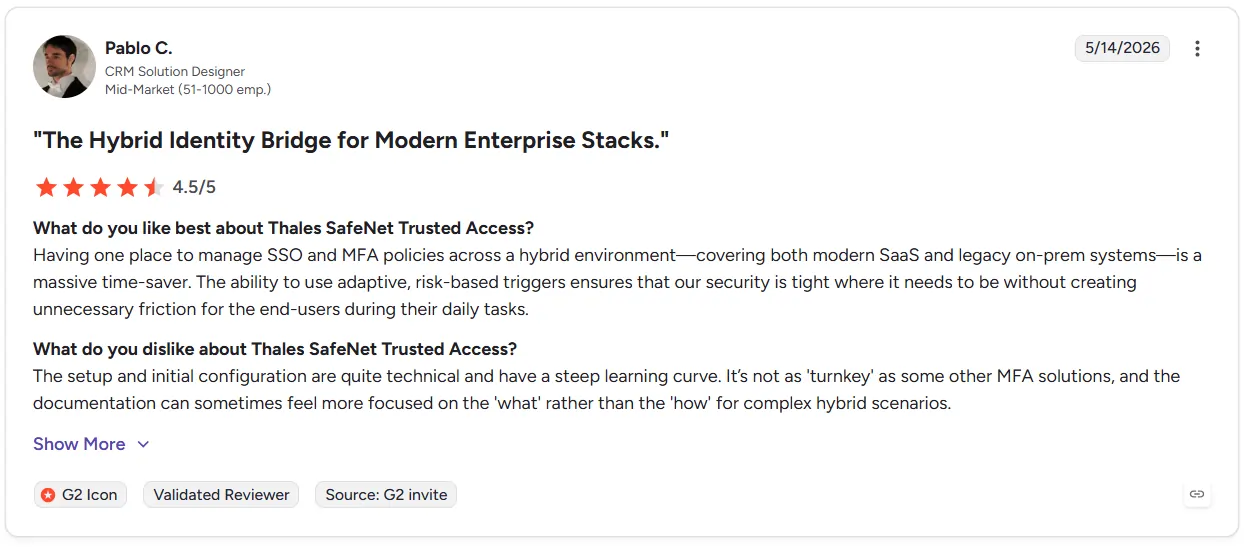
- Strong Protection. Many enterprises trust Thales for sensitive environments. The platform supports advanced security for critical systems.
- Flexible Login Methods. Thales supports hardware tokens and passwordless login options. Businesses can choose security methods based on their needs.
- Good Compliance Support. Large organizations benefit from strong policy controls. This makes the platform useful for regulated industries.
Cons
- Harder Setup. Initial deployment can feel difficult for smaller IT teams. Larger environments may need extra configuration work.
- Higher Costs. Enterprise security features can increase pricing over time. Smaller businesses may find the platform expensive.
- Learning Time. New administrators may need time to understand advanced settings. Complex environments can also require additional training.
Pricing
- User-Based Pricing. Pricing depends on deployment size, authentication methods, and security requirements.
- Enterprise Packages. Advanced policy controls and compliance features are usually available through custom enterprise plans.
- Custom Deployments. Organizations with legacy systems or hardware token requirements often receive tailored pricing.
5. SecureAuth Arculix
SecureAuth Arculix helps companies keep employee logins safe. Many businesses use the platform because passwords are easy to steal today. Companies also choose Arculix for account takeover prevention because the system checks user activity before giving access.
Key Features
- Passwordless Login. Employees can sign in without typing passwords again and again. This makes login easier and safer.
- Adaptive Authentication. Arculix dynamically changes access requirements based on real-time threats. The underlying risk-based authentication engine analyzes contextual signals to detect anomalous behavior before altering the login flow.
- Single Sign-On. Employees can open many apps with one login. This reduces password problems during work.
- Biometric Login. The platform supports fingerprint and facial authentication methods, helping improve usability while strengthening authentication when implemented securely.
- Central Dashboard. IT teams can watch login activity from one place. This makes unusual behavior easier to find.
Pain Points Solved
- Stolen Passwords. Arculix adds extra verification before granting access.
- Too Many Passwords. Passwordless login reduces password dependence for employees.
- Remote Work Risks. Arculix checks login context before allowing access.
- Messy Login Systems. The platform brings authentication and access controls into one place.
Pros and Cons
Pros
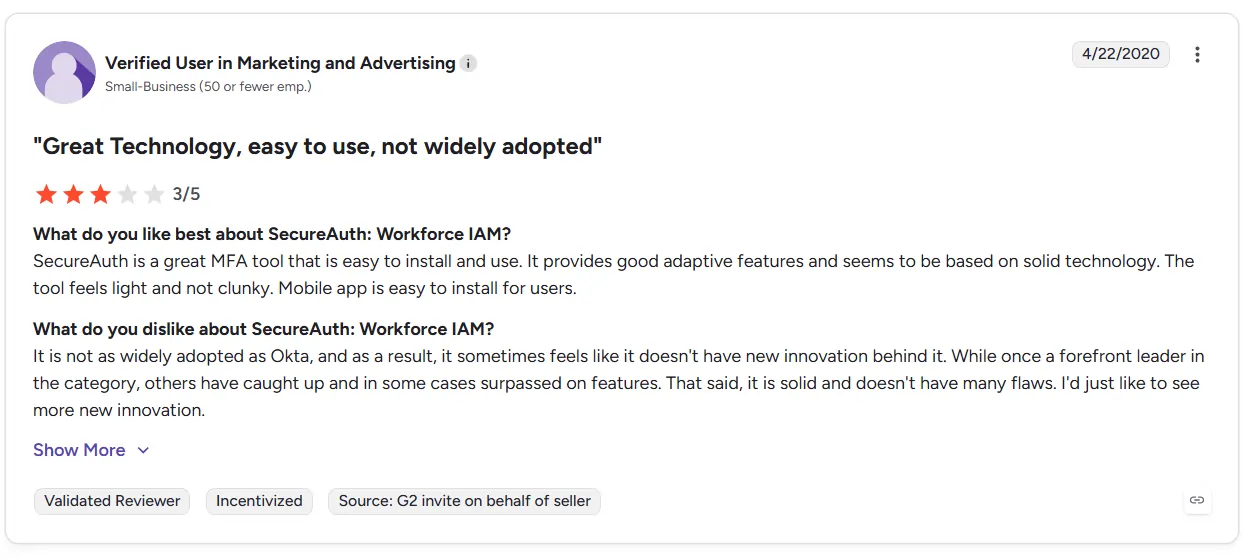
- Easy Login. Employees can access systems faster with passwordless authentication. This reduces daily login frustration.
- Strong Protection. The platform studies user behavior during authentication. Companies gain stronger protection against identity attacks.
- Modern Security. Arculix supports biometric login and adaptive authentication. Businesses can move away from old password systems.
Cons
- Setup Work. Large environments may need extra configuration during deployment. Smaller IT teams may need setup help.
- Higher Pricing. Advanced authentication features can increase costs over time. Some SMBs may prefer lower-cost platforms.
- Learning Time. New administrators may need time to understand policy settings. Complex deployments can also require training.
Pricing
- Custom Pricing. SecureAuth Arculix uses custom pricing based on deployment type, user volume, and authentication requirements.
- Volume-Based Pricing. Pricing can vary based on Monthly Active Users (MAU) and deployment scale.
- Enterprise Support. Larger deployments may include annual commitments, scalability options, and additional identity management features.
6. Sift
Sift helps companies stop fraud during login and account activity. Many online businesses use the platform because attackers now use bots and stolen accounts every day. Companies also choose Sift while improving risk-based authentication software because the system studies user behavior before trusting activity.
Key Features
- Behavior Analysis. Sift analyzes behavioral and interaction patterns during authentication and account activity to detect suspicious behavior.
- Fraud Detection. The platform helps detect bots and suspicious account activity. This helps businesses stop attacks before damage happens.
- Real-Time Decisions. Sift checks activity during live sessions instead of only during login. Companies can react faster when something unusual happens.
- Machine Learning. The platform uses behavioral analysis models to help identify suspicious activity over time.
- Flexible Integrations. Sift works with ecommerce apps and online platforms. Businesses can add fraud protection without rebuilding systems.
Pain Points Solved
- Account Takeovers. Sift helps detect suspicious account activity before access is trusted.
- Fake Users. The platform helps identify bots and fake signups during account creation.
- Payment Fraud. Sift helps businesses reduce risky transactions and fraud activity.
- Poor Visibility. Teams get better visibility into suspicious behavior across platforms.
Pros and Cons
Pros
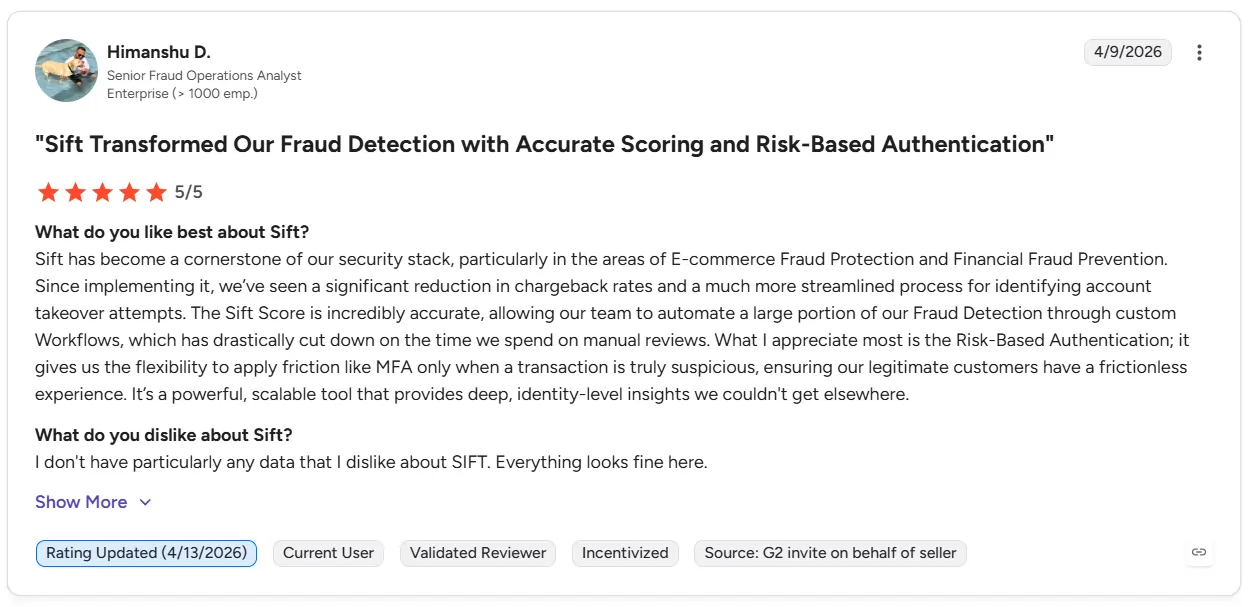
- Strong Fraud Detection. Many businesses trust Sift for detecting suspicious activity. The platform works well for ecommerce and online services.
- Real-Time Protection. Sift studies activity during live sessions instead of only during login. This helps companies react faster to threats.
- Machine Learning Support. The system improves fraud detection over time. Businesses gain smarter protection as more activity gets analyzed.
Cons
- Higher Pricing. Advanced fraud detection features can become expensive for growing businesses. Smaller companies may prefer lighter tools.
- Complex Setup. Some integrations may require extra technical work during deployment. Businesses may need developer support initially.
- Focused Use Case. Sift mainly focuses on fraud prevention and customer risk. Some companies may still need separate IAM platforms.
Pricing
- Custom Pricing. Sift does not publicly show fixed pricing plans. Businesses usually request quotes based on usage and transaction volume.
- Usage-Based Costs. Pricing often changes based on fraud detection activity and platform scale. Larger businesses usually pay higher costs.
- Enterprise Packages. Advanced fraud controls and analytics are included in custom enterprise plans. Pricing also changes based on integrations.
7. Auth0
Auth0 helps companies keep logins simple. Many apps use the platform because users do not like long login steps or password problems. Businesses also use Auth0 because the system helps protect customer accounts without making access feel difficult.
Key Features
- Adaptive Login. Auth0 evaluates contextual login risk signals such as IP reputation, device context, and suspicious login activity before granting access.
- Single Sign-On. Users can open many apps with one login. This saves time during daily use.
- Passwordless Login. Users can sign in with email links or biometrics. This reduces password stress for customers.
- Developer Tools. Auth0 gives developers simple tools for login systems. Companies can build custom authentication more easily.
- Security Rules. IT teams can create rules for risky login activity. This helps companies block unusual access attempts.
Pain Points Solved
- Forgotten Passwords. Auth0 reduces password problems with passwordless login options.
- Slow Login Systems. The platform helps create faster and smoother sign-in experiences.
- Stolen Accounts. Auth0 checks login context before granting access.
- Too Many Apps. The platform brings authentication into one place across apps.
Pros and Cons
Pros
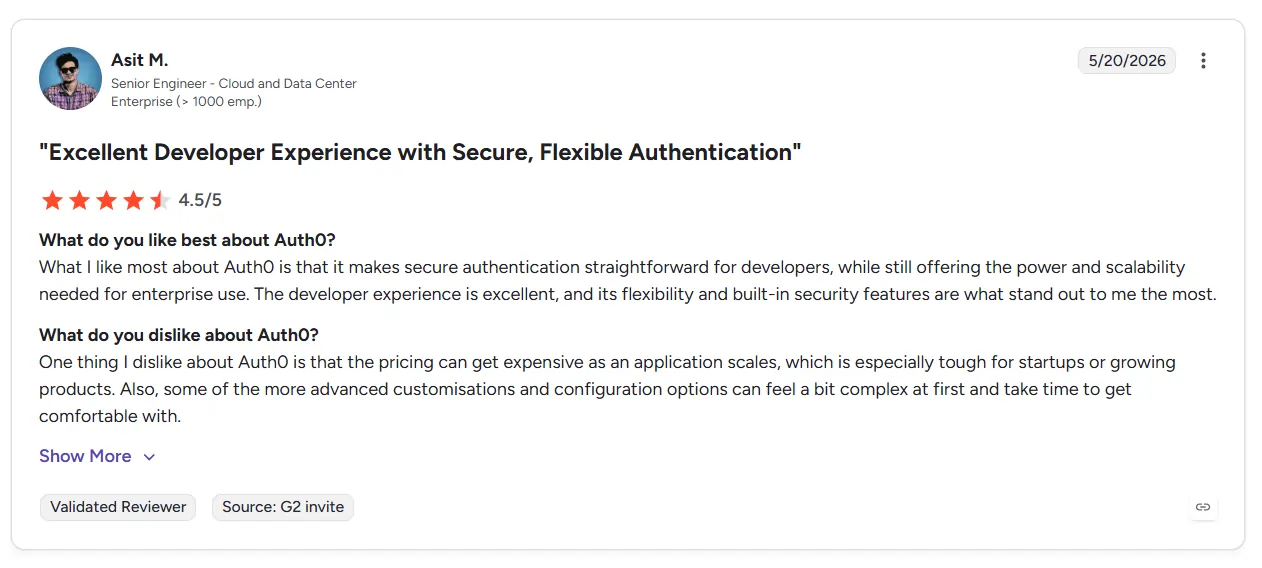
- Easy For Developers. Many developers say Auth0 feels flexible during setup. The platform also supports many business apps.
- Simple Login Experience. Auth0 helps companies create smooth sign-in flows. Users spend less time dealing with passwords.
- Good Integrations. The platform connects with cloud apps and business systems. This makes authentication easier to manage.
Cons
- Higher Costs. Pricing can increase as user numbers grow. Smaller businesses may find advanced plans expensive later.
- Technical Setup. Some advanced features need developer support. Non-technical teams may initially feel confused.
- Extra Configuration. Complex environments can require additional setup work. Large deployments may also take longer to manage.
Pricing
- Free Plan. Includes basic authentication features for small projects and testing.
- Essentials Plan. Starts at $35/month. Includes stronger authentication, higher API limits, and role-based access controls.
- Professional Plan. Starts at $240/month. Includes enterprise MFA, attack protection, and advanced security features.
- Enterprise Plan. Custom pricing for larger organizations. Includes enterprise support, custom SSO tiers, and advanced administration controls.
How We Evaluated These risk-based authentication software
Most companies do not change authentication systems because they enjoy buying security tools. They change after problems start growing. Employees get frustrated with constant login prompts. IT teams struggle to manage access across too many apps. Password theft also keeps getting worse.
According to Microsoft, adaptive authentication helps reduce account compromise risks significantly. The system uses risk-based authentication to evaluate threats and triggers adaptive MFA only when login activity appears unusual.
That is why these platforms were not reviewed only through feature pages. Public feedback from Gartner, G2 and Capterra was also studied to understand what companies actually experienced after deployment. Some tools looked strong on paper but created setup problems later. Others helped reduce daily login stress for employees.
- Easy Logins. Platforms were checked to see whether employees could log in without constant interruptions. Systems that reduced MFA fatigue scored better.
- Risk Detection. Platforms were reviewed based on how they react to unusual login behavior. Tools that only depend on passwords scored lower.
- Remote Work Security. Remote employees now work from homes and public networks often. Platforms that check device trust and login context received stronger ratings.
- Simple Setup. Some IAM systems become difficult for small IT teams to manage. Platforms with easier deployment and cleaner dashboards performed better.
- Cloud Support. Businesses now use many SaaS apps during daily work. Platforms that connected smoothly across cloud systems received better feedback.
- Real User Feedback. Reviews from Gartner G2 and Capterra were studied carefully. This helped identify real problems companies faced after deployment.
Risk-Based Authentication Solution Fits Your Problem
Every business faces different security problems. Deploying the right risk based authentication solutions prevents teams from getting tired of constant MFA prompts. Online businesses also deal with fake logins and stolen accounts almost every day.
- Remote Work Problems. Employees now work from homes and public networks regularly. Businesses in this situation usually need better device checks and stronger login visibility.
- Small IT Teams. Many SMBs do not have large security teams. Easy setup and simple management become more important here.
- Strict Security Rules. Banks, healthcare companies, and large enterprises often need stronger access controls and better visibility during audits.
- Customer Login Problems. Users leave quickly when login systems feel slow or confusing. Businesses usually need smoother sign-in experiences.
- Fraud Activity. Ecommerce platforms often deal with fake accounts and suspicious payments. Stronger risk detection helps reduce these problems.
- Password Problems. Employees often forget passwords or reuse them across apps. Many businesses now want passwordless login to reduce daily friction and phishing risks.
Most companies today are trying to find a balance between stronger security and easier access. That is where platforms like Infisign become useful. It helps businesses manage login security and access controls from one place while keeping authentication simple for employees and remote teams.
Book your demo and see how Infisign helps businesses manage employee access, reduce password problems, and improve login security across growing teams and cloud applications.
FAQs
What risk signals should an RBA solution analyze?
An RBA solution should study user behavior and device trust during login. The system should also check login location, IP reputation, and unusual access activity before giving access.
How long does it take to deploy a risk-based authentication solution?
Deployment time depends on company size and existing systems. Smaller businesses may finish setup within days while larger enterprises can take several weeks because integrations and policy configuration need more planning.
How is risk-based authentication different from adaptive MFA?
Risk-based authentication evaluates contextual risk signals during login attempts, while adaptive MFA adjusts authentication requirements based on calculated risk levels.
What is the difference between Contextual, Risk-Based, Adaptive Authentication, and Adaptive MFA?
Contextual authentication refers broadly to checking real-time environmental signals during a login attempt. Risk-based authentication (RBA) takes those contextual signals to calculate a precise risk score.
Adaptive authentication uses that risk score to dynamically change access requirements on the fly. Finally, adaptive MFA is the specific action that applies multi-factor prompts selectively based on that calculated risk level.


