


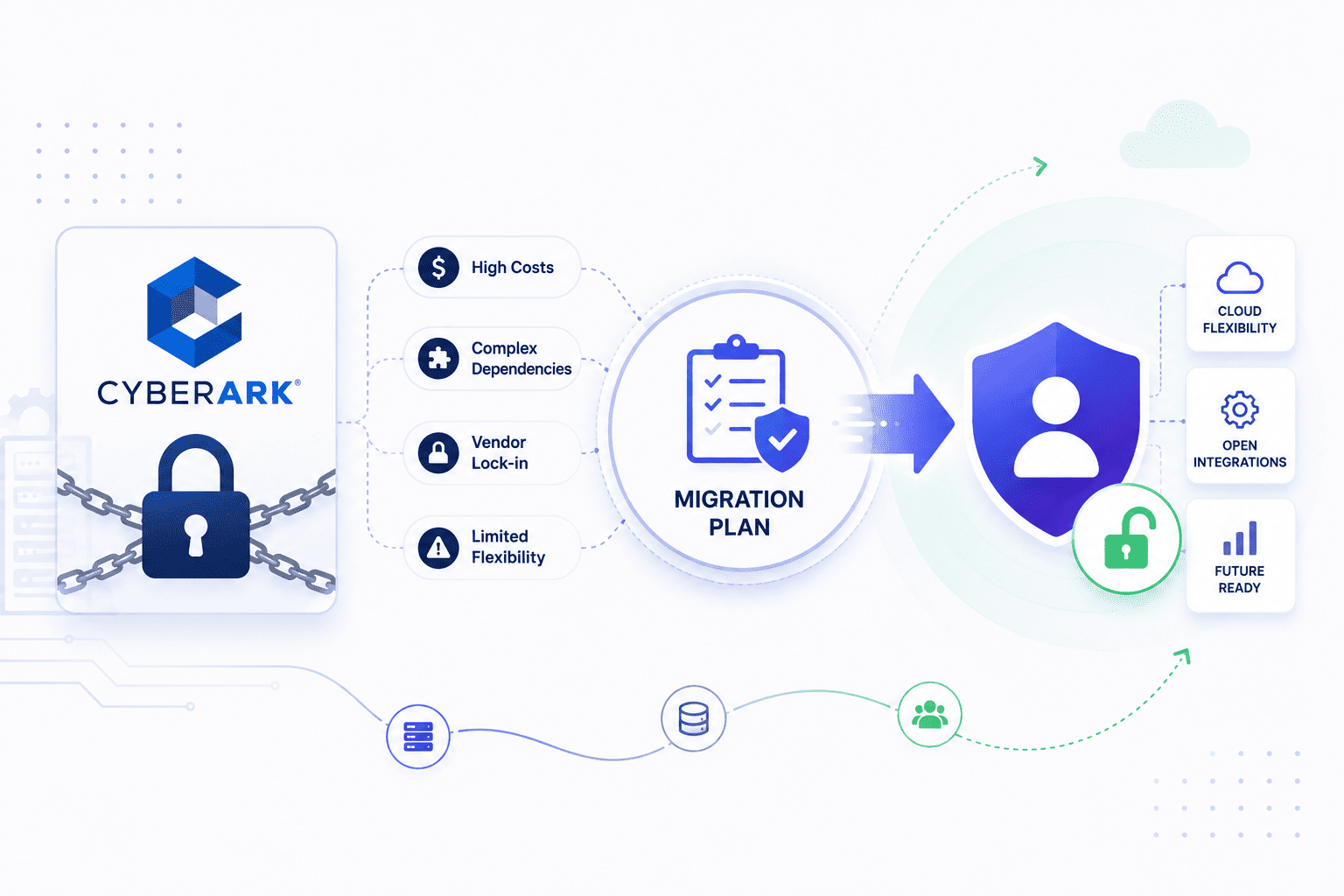

Switching platforms feels like tearing up the floorboards while the house is still standing. Some organizations focus heavily on technical execution during a CyberArk migration while underestimating governance, ownership, and operational processes which can increase migration risks.
Overlooking governance and operational planning can also increase the risk of deployment issues and unexpected downtime and post-migration configuration problems.
Treating this move as a smart business choice instead of a forced chore keeps your security goals aligned with company growth. Taking charge of the roadmap lets you pick an architecture that fuels future expansion rather than just throwing band aids at quick fixes.
Why a CyberArk Migration Is Suddenly on Your Roadmap
Many security teams are rethinking their setups because old software cannot keep up with fast business growth and bills keep rising. Companies usually outgrow these tools when high renewal fees stop making sense.
Planning a migration to CyberArk Privilege Cloud may help organizations modernize privileged access management when maintaining self-hosted infrastructure becomes operationally demanding. This approach makes sense because older setups can slow down daily work instead of protecting your systems.
- Rising License Costs. Companies pay huge renewal fees for extra features they barely use while daily tasks stay hard to finish. This money pressure makes leaders look for better software options.
- Cloud Shift Pressure. Older setups struggle to protect new cloud environments properly which pushes engineers to look for web based tools instead. Traditional systems lack the speed needed for fast product updates.
- Operational Fatigue. Routine maintenance eats up most of the day leaving no time for real security work. Admins spend hours fixing local servers instead of stopping actual threats.
- System Limits. Outdated technology makes daily operations drag instead of helping the team move fast. Modern business needs demand fresh platforms that can match quick changes easily.
- Resource Allocation. Some organizations evaluate alternative PAM platforms based on operational requirements or licensing models or deployment preferences or integration needs.
What a CyberArk Migration Really Decides
Planning a privileged access management migration provides an opportunity to modernize architecture and improve operational processes. This process also helps organizations evaluate long term infrastructure and licensing costs.
- Control Versus Speed. Running local servers gives you custom options while cloud choices offer fast setup and automatic updates. Companies must decide if hardware authority beats easy cloud scaling.
- Resource Allocation. Teams need to check if managing local servers beats letting a vendor handle routine patches. Shifting these chores lets pros focus on finding real threats.
- Risk Appetite. Leaders look at whether keeping data locally matters more than cloud convenience. Strict rules sometimes force companies to keep physical control over their credential vaults.
- Compliance Demands. Heavy industry rules often make cloud adoption tricky. Teams must balance these rules with modern speed to stop roadblocks during a PAM migration.
- Long Term Strategy. Future architecture shapes how security grows over the years. Leadership must weigh local hardware costs against modern cloud benefits.
The Migration Questions Most Teams Skip
Teams often focus only on the tech stuff and completely forget about who actually owns the passwords and rules until things break. Skipping these basic checks leads to surprise downtime and a messy new system.
- Account Hygiene. Proper provisioning and deprovisioning processes help reduce the likelihood of orphaned credentials being migrated into the new environment. Cleaning out dead accounts stops blind spots and makes the whole move much cleaner especially when handling non-human identity assets across the board.
- Policy Ownership. Not giving people clear charge over security rules leads to total confusion and stuck approvals during launch. Setting up proper roles keeps the project moving without constant arguments.
- Dependency Mapping. Forgetting to check which apps rely on which passwords can break important business tools out of nowhere. Writing down all these connections stops sudden outages when you finally make the switch.
- Access Auditing. Checking current permissions makes sure only active logins move over to the fresh platform. This quick check keeps old security risks from sneaking into your new home.
- Data Cleanup. Sorting through old vault rules before you move stops messy files from slowing you down. Taking care of this mess early guarantees a much smoother ride for the whole crew.
Migrate Within CyberArk or Move Off It
Deciding whether to stick with the same software family or jump ship to a totally different vendor is tough when your current setup starts hurting. Moving to a cloud version keeps your team existing skills sharp while getting rid of heavy server upkeep. On the flip side, leaving entirely is a smart play if your bills are too high or you just want a better user experience.
- Internal Cloud Move. Migrating to CyberArk Privilege Cloud can reduce the operational overhead of managing on-premises infrastructure. Policies integrations and configurations should be reviewed and validated during migration. Because the platform shares many core concepts with self-hosted deployments existing administrators may experience a shorter learning curve although training is still recommended.
- Complete Vendor Switch. Moving to a totally different brand offers a clean slate if your current licensing terms feel way too restrictive. Companies usually pick this route when they want a simpler layout or better tools for developers or when handling non-human identity security needs requires a more modern architecture.
- Team Skill Retention. Retaining existing CyberArk expertise can help reduce operational disruption and support a smoother migration process. Preserving that deep knowledge keeps high security standards locked in during the transition so projects stay right on schedule.
- Cost And Value Check. Weighing the true price of staying put versus buying something fresh helps leadership stop wasting money on unused features. Doing this math early makes sure your budget actually matches what your business needs.
- Long Term Goals. Figuring out your future direction ensures your next setup can actually handle fast growth without slowing down daily work. Making the right call now prevents another massive headache a few years down the road.
What to Look For in Your Next Privileged Access Platform
Choosing a new privileged access platform should focus on automation, integration capabilities, developer workflows where applicable, and support for enterprise security requirements.
- API First Design. Modern tools must offer strong automation so developers can fetch secrets without manual ticket requests. Smooth integration with tech pipelines speeds up software delivery while keeping access secure.
- Simple User Interface. Clean admin panels cut down human error and make daily access reviews much faster for security staff. Simple navigation ensures operators can handle routine tasks without getting lost in heavy menus.
- Native Cloud Support. The platform needs ready made connectors for major cloud providers and container systems. Managing cloud identities requires tools that understand dynamic setups instead of old static IP addresses.
- Automated Security. Built in rotation features stop stale credentials from hanging around and causing major breach risks. Letting the system handle routine updates saves your team countless hours of manual labor.
- Scalable Architecture. Your next system must grow easily alongside your business without slowing down daily operations. Flexible scaling prevents performance drops when your user base and cloud footprints expand rapidly.
How to Run the Migration Without Downtime
Running both environments in parallel during a phased migration can reduce operational risk and provide additional validation before full cutover. Shifting low risk users first lets you spot trouble early before touching core company systems.
- Phased Rollout. Moving non critical teams first helps squash configuration bugs before you touch heavy production tools. Taking it slow keeps the damage super small if any weird tech issues pop up. Bringing people on board step by step also builds total trust across the company.
- Parallel Running. Keeping both environments available during migration supports rollback planning provided rollback procedures have been documented and tested. A well tested fallback plan can reduce business disruption if unexpected issues occur during cutover.
- Continuous Testing. Continuous testing including credential validation and application connectivity checks helps identify authentication or authorization issues before production cutover. Comprehensive testing helps reduce the likelihood of downtime and improves confidence before production migration.
Make Your CyberArk Migration a Decision, Not a Default
Treating this project as a smart business choice instead of a forced chore helps align security goals with company needs while supporting broader CIAM initiatives. Taking charge of the roadmap lets you pick an architecture that supports future growth rather than patching quick fixes.
- Strategic Alignment. Matching project goals with business growth plans ensures long term value from your security budget.
- Proactive Planning. Setting clear milestones stops rushed decisions and keeps the implementation team focused on quality results.
- Value Measurement. Tracking numbers after the move proves that the new setup actually reduces risk and saves time.
Infisign provides identity and access management capabilities alongside features for managing machine identities and secrets depending on the deployed product modules. This approach may simplify operational workflows by consolidating identity related functions into a single platform where appropriate.
- Unified Identity Experience. Infisign provides a centralized interface for managing user identities and machine credentials depending on deployment and configuration. This setup stops the usual scramble of hunting across scattered server vaults.
- Frictionless Access Control. The platform supports automated access management and can be configured to align with Zero Trust security principles while streamlining permission management. This approach lets teams handle everyday permissions without slowing down developer workflows.
- Legacy App Protection. Depending on the deployment architecture and integration requirements the platform can help extend modern access controls to existing infrastructure while minimizing application changes.
Drop the endless server headaches and see how easy the switch can be. Grab a spot on the Infisign demo page and let us map out your next move together.
FAQ
Is CyberArk becoming Idira?
CyberArk remains an independent security provider and has not rebranded as Idira. The company continues to operate under its original name while expanding its cloud identity security offerings.
How do I migrate from CyberArk Self-Hosted to Privilege Cloud?
Migrating from self-hosted CyberArk deployments to CyberArk Privilege Cloud typically involves assessment, configuration planning, account migration, policy validation, connector configuration, and extensive testing. Working with CyberArk or certified implementation partners can help reduce migration risk and improve the accuracy of configuration and account migration.
What are the best CyberArk alternatives?
Organizations often look at platforms like BeyondTrust, Delinea, HashiCorp Vault, Keeper Security, and Infisign depending on their specific automation and budgeting requirements. Each option offers different strengths in areas like developer workflows or cloud native secret management. Comparing these alternatives helps match the right tool to unique organizational needs.
How long does a CyberArk migration take?
Migration timelines vary significantly depending on the size of the environment, the number of privileged accounts, integration complexity, testing requirements, and organizational change management. Proper scoping during the initial planning phase helps set realistic timelines for testing and rollout.


