

Most companies do not start looking at IAM platforms because identity management suddenly becomes exciting. The search usually starts later. Password resets keep increasing. Employees keep getting stuck between apps. Access slowly becomes harder to manage than expected.
In this AuthX review, we looked at the platform from the same angle most businesses eventually care about. Not just features. The bigger question is whether the platform actually makes login security easier once more apps, users, and access rules start growing across the company.
What is AuthX?
AuthX is an identity and access management platform that helps companies manage login security across employees, apps, and devices. Most businesses do not start searching for tools like this because IAM sounds exciting.
They start looking after login problems, password resets and access confusion begin slowing everyday work down.
- Simple Access Experience: AuthX is built to make login and access feel easier for users across different business apps. That matters because employees usually stop caring about security rules once login becomes frustrating every day.
- Security Without Extra Friction: The platform focuses on stronger authentication without making people go through complicated steps again and again. Companies care about this balance because security tools only work properly when employees actually use them.
- Works Across Modern Business Apps: AuthX supports federated authentication standards for integrating with business applications. It specifically uses SAML and OpenID Connect. This helps businesses manage access more smoothly. It works well when teams start working across many cloud apps. It also helps manage access across different systems.
Key AuthX features for Security
Most companies start caring about IAM solutions after password login problems and access issues start wasting too much time. AuthX workforce IAM is built to make login safer while keeping access simple for employees.
- Passwordless Authentication: AuthX supports passwordless authentication methods such as device biometrics and mobile approvals. It also uses security keys through standards-based authentication workflows. This platform helps companies lower password theft and phishing problems.
- Adaptive MFA Protection: The platform checks device security and login activity before giving access. This risk-based setup blocks threats instantly. AuthX passwordless MFA helps add more security. It protects data without making login feel annoying every time.
- Single Sign-On Support: Users can open different business apps with one secure login. This unified access makes everyday work faster. It cuts friction and reduces repeated sign-ins during the day.
- Endpoint Access Security: AuthX also helps protect laptops and shared devices. It secures remote systems too. This feature becomes useful for companies with remote teams and hybrid teams.
What are AuthX Limitations at Scale
AuthX can feel easier when a company has fewer users and apps. Problems usually start later when more employees, devices, and access rules all need to work together every day.
- Setup Can Feel Slow: Passwordless login still needs app setup, testing, and access configuration. Companies using many systems together may need more time during deployment.
- New Admins May Need Time: Some settings and access rules can feel confusing in the beginning. The platform becomes harder once more apps and users are added together.
- Complex Setups May Need Support: Businesses with custom access rules or many connected apps may still need technical help during setup. IAM systems usually become harder as access grows across teams and devices.
AuthX Pricing — What You Actually Pay
Most companies look at pricing after they understand the security features. The harder part usually comes later because IAM pricing can change based on users, apps, and setup needs.
AuthX pricing may vary depending on user count and deployment requirements. It also changes based on the selected security features. Businesses should verify current pricing directly with the vendor.
Smaller companies may find the lower plans enough in the beginning. Larger businesses usually need custom pricing once more employees, apps, and security rules are added.
Companies should also check setup support and deployment costs before making a final decision because IAM pricing can grow later with more users and integrations.
Who Should Seriously Consider AuthX
Most companies do not start searching for IAM tools because they suddenly love security software. The search usually starts after login problems, password resets and app access confusion begin slowing people down. Authx login fits better for businesses that want safer access without making daily work feel harder.
- Growing Teams: Companies with more employees and more business apps may find AuthX useful because login management can become messy very fast once everything grows together.
- Remote Work Environments: Businesses with remote and hybrid teams may also benefit because users often move across many apps and work locations during the day.
- Companies Facing Password Problems: Teams dealing with repeated password resets and phishing risks may prefer passwordless login because employees spend less time struggling with passwords.
- Businesses Wanting Better Access Control: Some companies mainly want one place to manage access and login activity instead of tracking everything manually across different systems.
When AuthX Isn't the Right Call
Not every company needs a full IAM platform. Some businesses only want simple login security while others may find the setup harder than expected. AuthX admin learning curve can also feel confusing in the beginning for teams new to identity management tools.
- Small Businesses: Very small businesses may feel the platform is too much for their daily needs. Simple login tools may feel easier when there are only a few users and apps.
- Quick Deployment: Companies wanting everything to work very fast may need more time for setup, app connections, and access rules. IAM platforms usually take planning before things run smoothly.
- Legacy Systems: Businesses using old software and many different apps may face more setup work during deployment.
- Admin Training: Some admins may need time to understand access settings, authentication rules, and security policies in the beginning.
AuthX User Reviews: What Independent Platforms Say
Most companies check public reviews before choosing an IAM platform because daily login experience matters more than marketing promises. Public feedback for AuthX is still limited in some places but a few common points appear across review platforms.
G2 rating summary
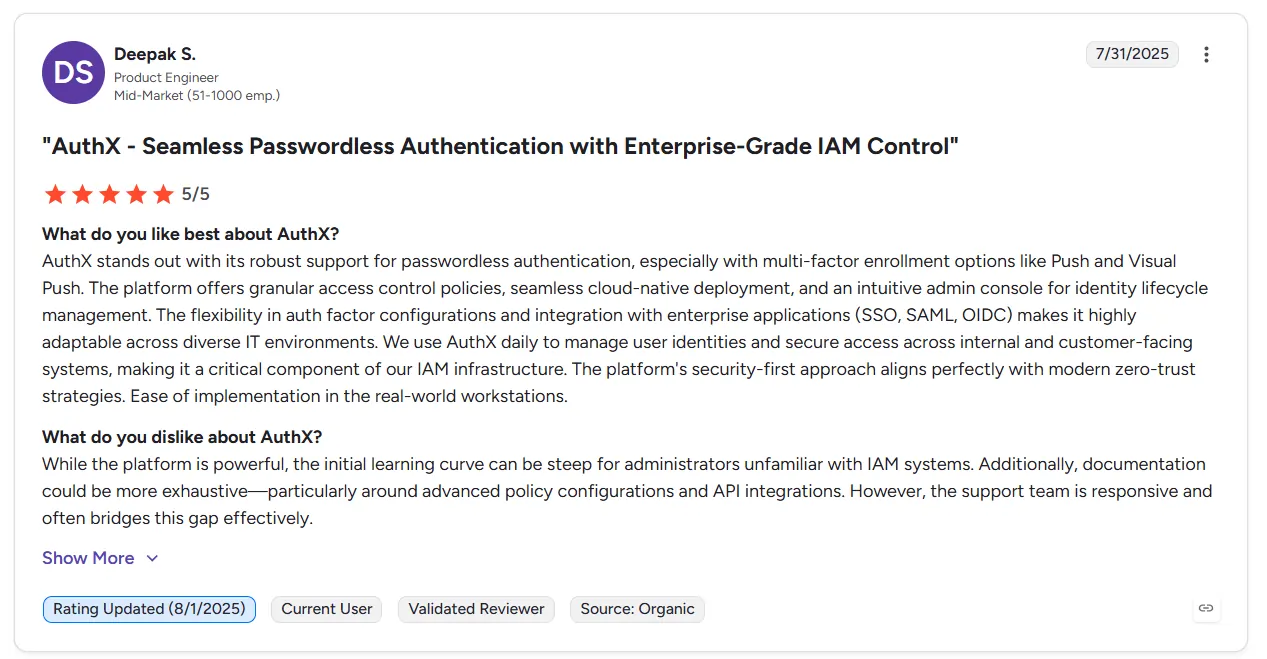
sers share detailed insights about their day-to-day deployment experiences on the official G2 portal. AuthX reviews on G2 highlight four specific areas:
- Instant Passkey Logins. Users praise the passwordless workflow because it eliminates typing complex credentials. They feel it makes starting work much faster.
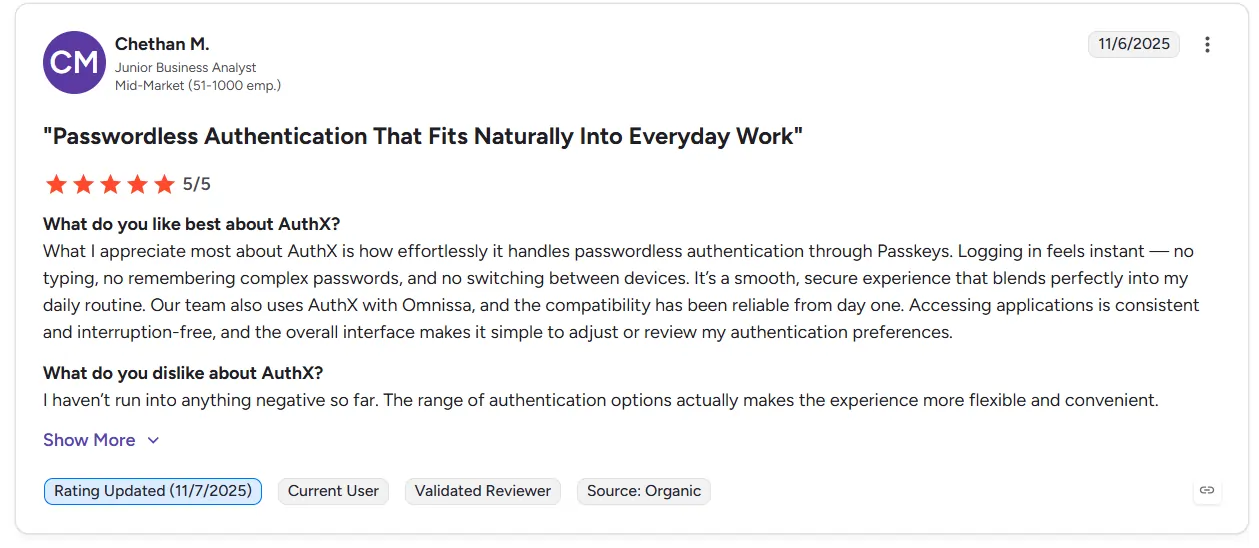
- Reliable App Integration. The platform connects smoothly with modern enterprise infrastructure like Citrix and Omnissa. Developers report zero application interruption during active sessions.
- Flexible MFA Choices. Teams like choosing between mobile push notifications and biometrics depending on their immediate workflow scenario. It also works well with cloud-based systems like ChromeOS.
- Steep Learning Curve. Some reviews mention an initial struggle during setup if the team lacks previous IAM experience. The interface requires some training before administrators feel fully comfortable.
Gartner Peer Insights rating summary
A detailed public review section for AuthX was not available during our research. Gartner currently focuses more on the larger user authentication market. They do not have a dedicated rating page for this specific product right now.
Capterra rating summary
Verified business buyers have shared their technical experience in Capterra reviews of AuthX. Their feedback mainly focuses on these four key points:
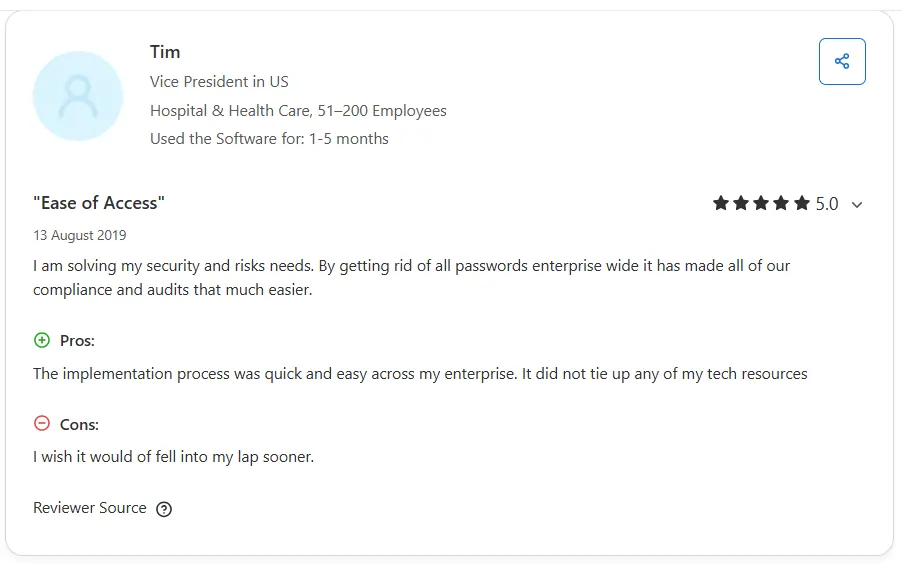
- Quick Enterprise Implementation. IT leaders state that deployment across their network was fast. The initial setup did not tie up heavy engineering resources.
- Multiple Biometric Factors. Users appreciate logging into active systems using facial recognition or palm scans. They also rely on phone push alerts.
- No Password Management. Teams like working without traditional password resets. It has cut down friction and removed the need to memorize rotating strings.
- Rapid Integration Updates. The software vendor connects with over a hundred business applications. They continue to add new integrations every week.
Trustpilot summary
A public review presence for AuthX was not found on Trustpilot during research. Public customer feedback still appears limited on this platform. We could not verify any independent user data there.
Modern AuthX Alternatives for Identity Security
Most companies start comparing IAM tools after login problems start growing across teams and apps. Employees forget passwords. Too many apps need access. Managing everything also becomes harder as the company grows.
- Cisco Duo. Cisco Duo is commonly used for MFA and secure workforce authentication. Many businesses like it because setup feels easier and daily login feels simple for users. Some companies also feel it has fewer advanced IAM features for bigger environments.
- Microsoft Entra ID. Microsoft Entra ID is commonly used by businesses already using Microsoft apps and systems. Many companies choose it because Microsoft tools work more smoothly together inside the same environment. Some teams also feel the platform takes time to understand in the beginning.
- Okta Workforce Identity. Okta Workforce Identity is commonly used by mid-size and enterprise businesses managing many apps and users. Many choose it for SSO and passwordless authentication. They also pick it because it provides broad app integration support. However, some smaller teams feel setup and pricing become harder over time.
AuthX vs. Infisign: Feature and Value Breakdown
Most companies do not compare IAM platforms only on features. The bigger question is usually simpler. Which platform will make login security easier without creating more problems later as users and access rules keep growing.
Understanding the Value Difference
AuthX focuses heavily on making the employee login experience frictionless. It works best when your main goals are dropping passwords and deploying fast. The system keeps workflows straightforward for internal teams.
Infisign infrastructure handles broader enterprise demands. It secures standard employee identities and external customer portals while managing privileged admin accounts. The platform gives IT departments much tighter control over high-risk network layers.
Is AuthX Still Worth Considering in 2026?
A lot of companies are still dealing with the same login problems in 2026. Too many passwords. Too many apps. Too many access issues. That is why platforms like AuthX still matter for businesses trying to make login security easier to manage.
- Passwordless Login: AuthX still works well for companies wanting fewer password problems and safer employee login.
- Daily Access Management: Businesses using many apps may find it easier to manage login and user access from one place.
- Larger Setup Needs: Companies with many old systems and complex access rules may still need more setup time and support.
- Limited Public Reviews: Public feedback on Gartner, G2, and Capterra is still smaller compared to some older IAM platforms. Some businesses may want more large-scale user reviews before making a decision.
Recent data from SentinelOne highlights that credential theft dominates enterprise attacks. In fact roughly 78% of financial sector cyber incidents involve hackers stealing customer and employee login details. This shows that relying on basic passwords is no longer a viable option for growing teams.
If your helpdesk is constantly flooded with password reset tickets then ignoring identity security is costing you active operational hours. Basic platforms can handle simple employee logins. However true security scaling requires deeper infrastructure protection across workforce accounts and customer portals.
If you want to eliminate password chaos while protecting privileged admin access and customer touchpoints then your team needs an architecture built for enterprise growth.
You can explore the Infisign platform today to see how modern Zero Trust workflows secure your entire business network. Book an interactive Infisign Demo to see this advanced access control in action.
FAQs
What are the biggest complaints about AuthX?
Most complaints usually start after the setup phase. Some companies feel access rules and policy management take time to fully understand especially once more apps and users get added together.
Is AuthX suitable for large enterprises?
Yes for many large businesses especially companies mainly focused on passwordless login and workforce IAM. But larger environments with old systems and complex access needs may still need extra setup planning.
How long does AuthX take to deploy?
Smaller companies may finish setup quite quickly. Larger businesses usually take longer because app connections, access rules, and authentication policies all need testing before everything works properly together.