

Customer login systems shape both security and user experience today. Businesses want faster onboarding while users expect simple login flows without password frustration. Many people stop using an app or website if the sign-up process is too hard or confusing. This MojoAuth review looks at how this platform functions and highlights the common scaling issues businesses face when using it.
The article also compares MojoAuth with other SMB-focused authentication platforms to help teams understand where the platform works well and where scaling challenges may appear over time.
What is MojoAuth?
MojoAuth is a CIAM platform that helps businesses build a passwordless login solution for their customer apps. It replaces traditional passwords with modern methods to improve the user experience and speed up development.
- Simplified User Onboarding. Users can sign up and log in without needing to remember complex passwords. It uses simple options like social login to make the process quick and easy.
- Faster Development Cycles. Teams use ready-made tools to add login features to their apps right away. This lets developers save time and focus on building other important parts of their product.
- Flexible Access Management. It gives you tools to manage your users and verify who they are. These features keep your login process simple while giving you control over your app.
Key Features of MojoAuth make Worth Considering
Keeping your login process safe and easy matters for your business. Using these MojoAuth passwordless tools helps you build a system that gets rid of old-fashioned passwords.
- Secure Access Options. You can let users sign in with Passkeys or Magic Links instead of passwords. It also supports Email OTP and Phone OTP so users can pick what is easiest for them.
- Modern Login Methods. The platform includes One Tap Login and Mobile Silent Auth for a fast experience. You can even use WhatsApp OTP or Social Login to make signing in feel familiar for your users.
- Advanced Protection. You get Multi-Factor Authentication and WebAuthn to keep accounts safe. Risk-Based Access Control and Identity Verification help stop hackers from getting into your system.
- Developer Friendly Tools. Developers get simple code to add these features to their apps fast. You also get User Management tools to keep track of your customers in one place.
- Enterprise Capabilities. The platform handles big needs like Enterprise SSO and SAML SSO. It also supports specialized features like M2M Authentication and Privileged Access Management for complex business requirements.
MojoAuth Pricing Breakdown and Where It Gets Expensive
MojoAuth uses a flat-rate Monthly Active User (MAU) model. This means you pay based on the number of unique users who log in during a month. The platform is designed to be predictable because your bill does not jump up based on how many SMS messages you send or how many authentication requests you make.
Important points to understand about costs:
- Transparent Scaling. You pay based on the MAU tier you choose. If your usage goes above your current tier you will pay an additional fee for the extra active users.
- Predictable SMS Costs. Unlike many other platforms that charge per SMS or OTP request, MojoAuth includes these in their flat pricing. This keeps your bill stable even if your app uses many phone-based logins.
- Hidden Costs. While the base price is clear, remember that scaling to an enterprise level often brings extra costs for things like dedicated private cloud hosting or 24/7 on-call support.
- Startup Discounts. If you are an early-stage startup you might qualify for a 50% discount on the Business Pro plan if you choose annual billing.
MojoAuth Pros: Which problems it solve
MojoAuth replaces risky passwords with modern, secure technology like FIDO2/WebAuthn. It stops hackers from stealing account info while making the login process much faster for your users.
- Simple User Login: Users log in with OTPs or magic links instead of passwords, making it stress-free.
- Faster Signups: One-tap and social login help new users join your app instantly.
- Better Security: Tools like passkeys and FIDO2/WebAuthn protect your users from phishing and account theft.
- Less Spam: Built-in verification tools keep fake accounts and bots away.
- Fast Setup: Ready-to-use tools help your team get secure login running in days, not months.
MojoAuth Cons: Where It Creates Problems as You Scale
MojoAuth works well for many small and growing apps. Bigger businesses may face extra challenges when authentication systems become more complex.
- Limited Enterprise Depth. Large companies often require strong identity controls and advanced governance systems. Organizations with complex workforce identity management or access orchestration needs should evaluate other platforms because MojoAuth limitations become visible at enterprise scale.
- Higher OTP Costs. SMS and OTP verification costs can grow when apps handle large login traffic every month.
- Advanced Features Cost More. Private cloud and enterprise deployment options may increase costs for growing businesses.
- Compliance Needs More Work. Organizations in regulated industries like healthcare or finance must verify that security controls and compliance certifications meet their requirements because MojoAuth limitations may require extra planning.
- Scaling Can Become Complex. Bigger platforms sometimes need more flexible authentication workflows and deeper identity management controls.
What Real Users Are Saying (MojoAuth Consumer Reviews)
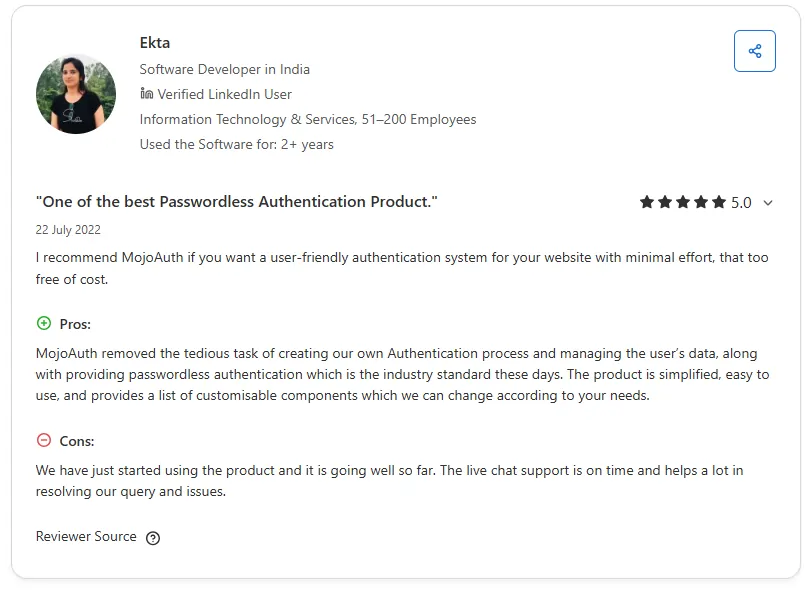
Product pages explain what a platform promises. User reviews usually show how the platform feels after real implementation work starts. Most MojoAuth reviews focus on login simplicity and developer experience. Some reviews also discuss scalability and advanced customization needs as businesses grow.
G2
G2 reviews around MojoAuth mostly talk about passwordless login simplicity and helpful developer support. Many users mention that the platform feels easy to implement for smaller apps and growing SaaS products. Some reviewers also highlight reduced password management work after moving to passwordless authentication.
- Easy setup for OTP and magic link authentication
- Good support experience during implementation
- Faster customer onboarding without passwords
- Reduced password reset and maintenance work
- Some users want stronger documentation for advanced use cases
Capterra
MojoAuth Capterra reviews frequently highlight the platform's ease of implementation, straightforward integration process, and user-friendly management experience. Most reviewers talk about simple passwordless authentication setup and fast integration for websites and apps. Smaller engineering teams also mention that MojoAuth reduces the work of handling passwords and user login systems internally.
- Easy OTP and magic link integration
- Fast passwordless setup for websites and apps
- Helpful support and responsive team
- Good experience for startups and SMB teams
- Some users want more detailed documentation for advanced use cases
Gartner
A dedicated Gartner review page for MojoAuth is not publicly available at the moment. Most public user feedback around the platform currently appears on review sites like G2 and Capterra instead of Gartner Peer Insights.
What Type of Team Should Use MojoAuth?
MojoAuth works best for businesses that want fast customer identity systems without building complex authentication infrastructure internally. The platform mainly focuses on passwordless onboarding and simple customer authentication experiences for modern apps.
Good Fit
- Startups building customer-facing apps
- SaaS products wanting faster signup flows
- SMB teams replacing password-based login
- Mobile apps using OTP authentication
- Teams wanting simple passwordless authentication
Poor Fit
- Enterprises needing advanced identity governance
- Businesses managing complex access permissions
- Companies needing deep authentication customization
- Organizations running large IAM environments
MojoAuth Alternatives Worth Considering in 2026
Many businesses compare authentication platforms based on setup speed and long-term flexibility. Some teams want simple passwordless login systems while others need stronger customization and security controls as their apps grow.
These alternatives are commonly compared with MojoAuth by startups and SMB teams building customer-facing applications.
- Clerk. Clerk is commonly used by startups and SaaS apps that want fast authentication setup for modern web products. Many teams choose the platform because prebuilt UI components and developer tools make implementation easier for smaller engineering teams. Some businesses also feel advanced enterprise customization can become limited as applications grow larger.
- Stytch. Stytch is commonly used by developer-focused businesses building flexible authentication systems for customer apps. Many teams choose the platform because it offers strong API support and modern passwordless authentication workflows. Some smaller teams also feel the platform becomes more technical during setup compared to simpler authentication tools.
- Descope. Descope is commonly used by SMBs and growing SaaS products looking for passwordless authentication with flexible workflows. Many businesses choose the platform because authentication journeys can be managed with visual no-code and low-code tools. Some teams also feel enterprise-level customization may still require additional technical planning.
Is MojoAuth the Right Call for Your Team?
MojoAuth works well for businesses that want fast customer authentication without building everything internally. The platform focuses strongly on passwordless login and simple onboarding experiences for customer-facing apps.
Many startups and SMB teams may find the setup easier compared to larger enterprise IAM systems. Public reviews on G2 and Capterra also show positive feedback around implementation simplicity and developer experience.
Teams looking mainly for OTP login and passkey authentication may find MojoAuth useful for day-to-day customer authentication needs. Larger enterprises with deep governance and complex identity workflows may eventually need broader enterprise-grade identity management capabilities as infrastructure grows.
Businesses handling high-scale compliance and advanced access orchestration should compare long-term flexibility before making a final decision.
If your team is comparing CIAM platforms for scalability and stronger enterprise identity controls you can also explore Infisign UniFed for passwordless authentication and customer identity management built for growing business environments.
You can also book a free Infisign demo to compare onboarding flows and enterprise IAM capabilities before making a final decision.
FAQs
Does MojoAuth work for enterprise teams?
MojoAuth can work for enterprise teams needing passwordless authentication and customer login systems. Larger organizations with advanced governance and complex workforce identity workflows may still require broader enterprise identity management capabilities.
Can MojoAuth handle SCIM provisioning?
MojoAuth mainly focuses on customer authentication and passwordless login workflows. Public product pages do not strongly position SCIM provisioning as a core enterprise feature compared to larger enterprise identity platforms.
What are the best alternatives to MojoAuth for SMBs?
Clerk, Stytch and Descope are strong alternatives for SMB teams needing passwordless authentication and modern customer login systems. These platforms are commonly chosen for simpler onboarding and developer-friendly implementation experiences.