


What makes businesses look beyond Okta as their identity needs grow?
Rising costs, complex setups, legacy system gaps, and the need for stronger security can push teams to explore other options.
In this guide, we compare the top Okta alternatives and competitors, their key features, strengths, limitations, and use cases to help you find the right identity platform for your business.
Best Okta Alternatives and Competitors: A Side-by-Side Comparison
Many organizations start evaluating alternatives to Okta when identity management becomes harder to manage at scale. As systems and users increase the differences between platforms become more visible.
What Is Okta?
Okta is an identity and access management platform that controls how users sign in to applications and systems. It helps manage login security and access from one central place.
Okta is mainly used for cloud applications and supports both employees and customers. Many large organizations use Okta to simplify logins and manage access as they grow.
- Primary Purpose. Okta provides single sign-on, multi factor authentication and user lifecycle management to control access across applications.
- Technology Support. It works with common identity standards and offers integrations and APIs to connect SaaS tools and custom applications.
- Enterprise Adoption. Okta is widely used by large organizations but complexity and cost often lead teams to evaluate an Okta replacement as needs evolve.
Pros and Cons of Okta
Okta is a popular identity platform with clear strengths and limitations. Understanding the pros and cons of Okta helps teams decide whether it meets their needs or if Okta alternatives make more sense as environments grow.
Pros of Okta
Okta helps teams bring structure to how access is managed. It reduces everyday login issues and keeps access consistent across applications.
- Single Sign On. People log in once and move between applications without juggling passwords.
- Adaptive MFA. Login checks adjust based on how someone signs in which helps balance security and ease of use.
- Lifecycle Management. Access updates automatically when roles change which reduces manual follow ups.
- Workflow Automation. Routine access tasks can run automatically which saves time for IT teams.
- Governance Support. Clear access rules make reviews and audits easier to handle.
Cons of Okta
As environments grow some limitations become more noticeable. These are common reasons teams review Okta alternatives.
- High Cost at Scale. Costs increase as usage and features expand which can feel difficult to manage.
- Complex Setup. Advanced setups often take time and require skilled administrators.
- Pricing Complexity. Understanding feature based pricing can be challenging during planning.
- Legacy Support Gaps. Older systems may need extra tools or custom integration.
10+ Top Okta Competitors & Alternatives for Modern Identity & Access Management
As security and access needs grow many teams start looking for an Okta alternative. Modern environments include cloud apps, internal systems and automated workloads which need flexible identity controls. The goal is to find a platform that can scale without adding extra operational work.
1. Infisign
As organizations grow access becomes harder to manage across users applications and systems. Security budgets face more scrutiny and teams are expected to show value faster.
At this stage many organizations start evaluating Okta competitors that can simplify access without adding more operational effort. Infisign is often considered in this context.
Infisign brings workforce and customer access together under one identity layer while fitting into existing cloud and internal environments. Instead of replacing what already works it connects systems and identities in a more structured and manageable way.
Key Features
- Single Sign-On Across Cloud and Legacy Applications. When access is spread across cloud tools and legacy systems productivity drops and focus breaks. Infisign brings these environments together under one login so access feels consistent across daily work. Legacy applications remain unchanged while users move between systems without repeated sign-ins.
- Adaptive Multi-Factor Authentication. Some logins are normal and safe. People sign in from the same device at the same time every day. Adding extra steps here only slows work. Infisign MFA keeps access simple in these moments. When a login looks different like a new device or a new place the system asks for more proof. Security steps in only when it is actually needed.
- Automated User Provisioning and Deprovisioning. Access issues usually appear when people join, change roles, or leave. Infisign keeps access updated during these moments so the right permissions are in place and outdated access is removed without manual follow ups.
- Network Access Gateway. Many internal applications were never built to be exposed safely. Infisign lets people access these systems securely without putting them on the internet and without forcing complex VPN steps. Users reach only what they are allowed to use and access stays clear and controlled.
- Automatic Role-Based Access Assignment. Waiting for access slows work and creates friction. Infisign links access to roles so people get what they need when they start a task. As responsibilities change access adjusts on its own instead of being fixed manually.
- Access Reviews and Compliance Audits. Knowing who has access should not require a special project. Infisign keeps access visibility available at all times so reviews feel like a routine check rather than a last minute scramble.
- 6000+ API and SDK Integrations. Systems change over time and identity needs to keep up. Infisign connects with existing services and custom applications without heavy rework. As new tools are added access control extends naturally instead of starting over each time.
- AI Assisted Access Management.Infisign uses AI inside Slack and Teams so people can ask for access in a simple way. Most requests go through without noise. When someone asks for high risk permissions it feels off and gets checked early before issues start.
- Non-Human Identity Management. Access risk is not limited to people alone. Systems also talk to systems all the time. Infisign brings service accounts APIs and machine identities into clear view so they are managed, tracked and not forgotten in the background.
- Passwordless Authentication Options. Passwords slow people down and create risk at the same time. Infisign supports passwordless sign in so access feels easier for users while reducing exposure to credential based attacks.
Pros
- Lower User Friction. Passwordless access improves user experience and reduces login issues.
- Stronger Visibility. Clear insight into who has access across systems and identities.
- Operational Efficiency. Automation reduces repetitive identity and access management tasks.
Cons
- Passwordless authentication requires the encrypted password vault to be enabled.
2. Ping Identity
Ping Identity is built mainly for large organizations with complex identity needs. It is often used in environments where cloud systems still need to work closely with on-prem infrastructure.
The platform focuses heavily on standards based authentication and secure access across many applications. Because of this it is commonly evaluated as an Okta competitor by enterprises with hybrid setups.
Key Features
- Federation and Single Sign On. Supports SAML, OAuth, and OpenID Connect to connect many apps and partner systems.
- Adaptive Authentication. Adjusts login checks based on device location and behavior to reduce risk without disrupting users.
- Hybrid Environment Support. Works well with internal directories and legacy systems alongside modern cloud applications.
- Developer Flexibility. APIs and SDKs allow custom identity flows for applications with specific integration needs.
- Enterprise Scale Reliability. Designed to handle large user volumes and high availability requirements.
Pros
- Strong Federation. Reliable support for complex authentication and federation requirements.
- Hybrid Ready. Works well in environments mixing cloud and internal systems.
- Enterprise Proven. Used by large organizations with strict security and scale needs.
Cons
- Complex Administration. Setup and maintenance often require skilled identity specialists.
- Higher Cost. Pricing and licensing can be challenging for smaller teams.
3. JumpCloud
JumpCloud is an identity platform that helps teams manage user access and devices from one place. It is often evaluated among Okta alternatives by teams that want a simpler way to handle employee logins, laptops, and cloud applications in cloud focused environments.
Key Features
- Cloud Directory and SSO. Provides a central directory where users sign in once and access cloud apps without complex setup.
- Device and User Management. Allows IT teams to manage user access and laptops together keeping daily operations simple and controlled.
- Simple Authentication Controls. Offers basic MFA and password rules that are easy to enable and use every day.
- Limited Governance Depth. Works well for small teams but lacks depth for advanced access reviews audits and compliance.
- Automated Provisioning. Automatically handles user access across connected apps which reduces manual work during onboarding role changes and exits.
Pros
- Simple Setup. Faster deployment compared to complex enterprise IAM platforms.
- Unified IT Control. Combines identity and device management in one platform.
- Budget Friendly. Better fit for small and mid size organizations.
Cons
- Limited Governance. Fewer advanced access reviews and compliance capabilities.
- Not Legacy Focused. Limited support for complex on prem and legacy systems.
4. SailPoint
SailPoint is mainly focused on identity governance rather than daily login management. Teams use it as IGA software when they want better control over who should have access and whether that access still makes sense.
It is often used in large organizations with strong compliance needs. Many enterprises review SailPoint while exploring Okta competitors for governance focused use cases.
Key Features
- Policy Based Access. Access decisions follow defined business and security rules helping teams keep permissions aligned with real job needs.
- Identity Governance Focus. Helps teams understand who has access today and whether that access still makes sense.
- Access Reviews and Certifications. Supports regular access reviews and certifications making audits smoother and compliance easier to manage.
- Lifecycle Management. Updates user access automatically as roles responsibilities or employment status change over time.
- Not Login Focused. Works alongside SSO tools but does not handle authentication or daily login flows by itself.
Pros
- Strong Compliance Support. Works well for audits and regulatory requirements.
- Clear Visibility. Shows who has access and why across systems.
- Enterprise Focused. Built for large complex organizations.
Cons
- Not Login Focused. Does not replace SSO and authentication tools alone.
- Longer Setup. Implementation often takes time and planning.
- Higher Cost. Better suited for large enterprise budgets.
5. AuthX
Traditional IAM solutions often focus only on application access, leaving gaps at the endpoint level and increasing user friction.
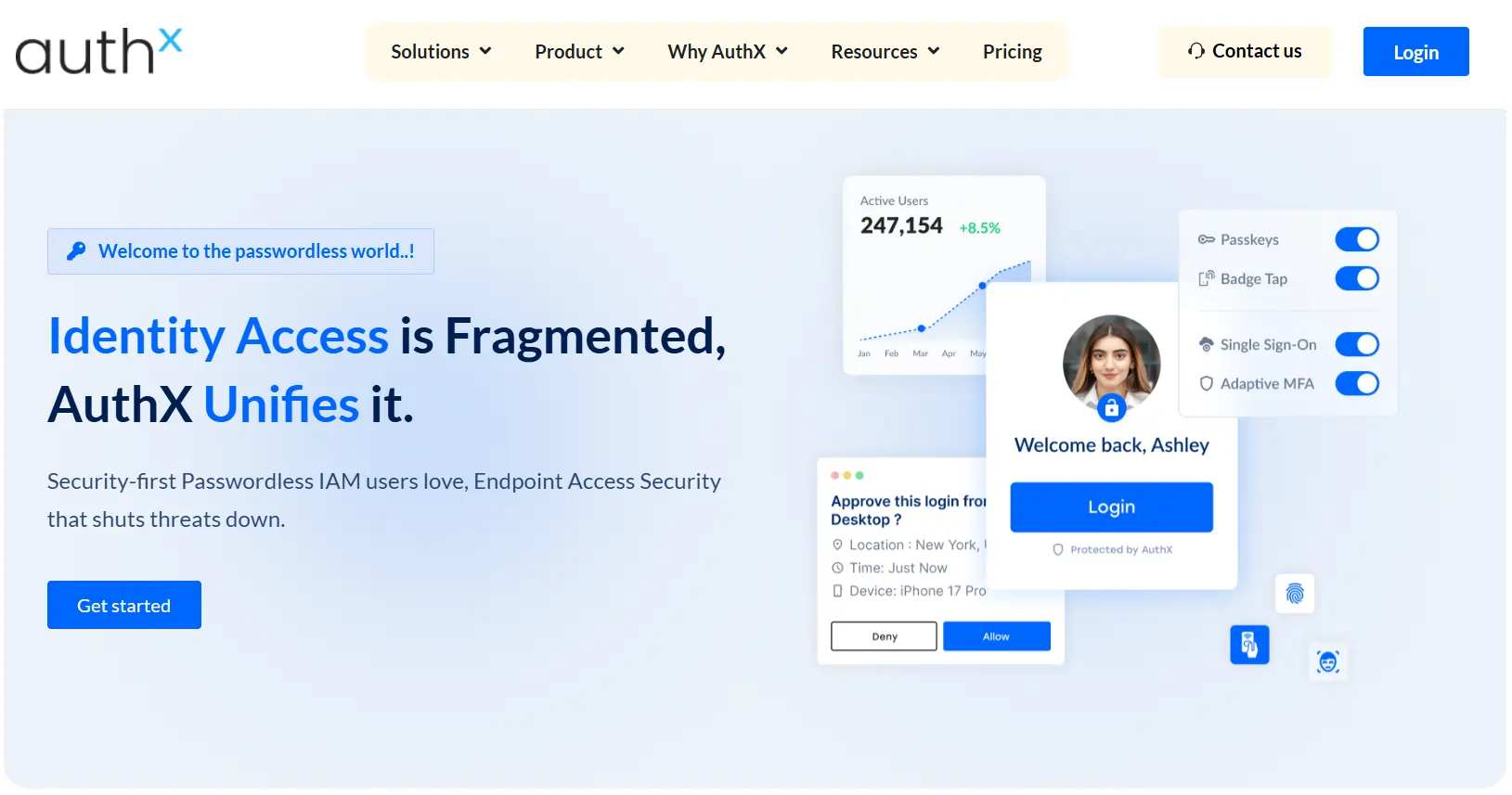
AuthX addresses this by extending identity driven access control across endpoints, applications, and virtual environments. It delivers a unified authentication platform that combines passwordless access, Single Sign On (SSO), and adaptive security, eliminating the need for multiple tools while improving both security and user experience.
Key Features
- Passwordless Authentication. Enables secure login using passkeys, biometrics, badge tap, and mobile authentication, eliminating reliance on passwords.
- Single Sign-On Across Applications. Provides seamless SSO across cloud, on-prem, and legacy systems for uninterrupted access.
- Adaptive and Contextual MFA. Applies risk-based authentication using context like device, location, and user behavior.
- Support for Non-Federated Applications. Enables secure access to legacy, non-SSO apps through credential injection using AuthX Bridge.
- Multi-Directory and Hybrid Support. Works across multiple identity providers and directories without complex configurations.
- Compliance and Audit Readiness. Offers centralized visibility and detailed audit trails to support compliance.
Pros
- True Endpoint-to-Application Security. Covers both device access and application access, reducing gaps in identity security.
- Frictionless User Experience. Passwordless and fast authentication workflows improve productivity, especially in shared environments.
- Reduced Vendor Sprawl. Combines SSO, MFA, Passwordless, and Endpoint Access Security into a single platform.
Cons
- Advanced Capabilities May Require Setup Effort. Full value is realized when integrating across endpoints, applications, and workflows.
6. CyberArk
CyberArk is built to secure high risk and privileged accounts. It focuses on protecting admin access service accounts and sensitive credentials. Organizations often review CyberArk among Okta alternatives when privileged access becomes a key concern.
Key Features
- Privileged Access Management. Secures admin and sensitive accounts to reduce misuse risk and protect systems from credential based attacks.
- Credential Vaulting. Stores high value credentials safely and rotates them often so long lived passwords are avoided.
- Session Monitoring. Records privileged sessions so security teams can see what happened and investigate issues later.
- Just In Time Access. Gives elevated access only when required and removes it automatically after the task ends.
- Not Full IAM. Focuses on privileged access and does not handle general user identity or SSO needs.
Pros
- Strong Security Control. Reduces risk around powerful accounts.
- Detailed Auditing. Helps teams investigate and review access activity.
- Enterprise Trusted. Widely used in security focused environments.
Cons
- Limited IAM Scope. Does not cover full workforce identity needs.
- Operational Effort. Privileged workflows can slow daily operations.
- Costly for Small Teams. Best suited for security critical use cases.
7. OneLogin
OneLogin is a cloud based identity platform focused on simplicity. It helps teams manage login access and authentication without heavy setup. Many mid size companies choose it for faster rollout and easier administration. It is often compared with Okta when teams want a simpler Okta competitors option.
Key Features
- Single Sign On. Gives users one simple login to access many cloud apps without remembering multiple passwords daily.
- Multi Factor Authentication. Adds an extra security step during sign in to reduce risk from stolen passwords.
- User Provisioning. Automates basic user account creation and removal across apps during onboarding and offboarding.
- Easy Administration. Offers a clean interface that is easy to manage even for small IT teams.
- Limited Enterprise Depth. Works well for mid size teams but lacks deep governance and large scale enterprise controls.
Pros
- Quick Deployment. Faster to set up than many enterprise tools.
- Easy to Use. Simple interface for IT and security teams.
- Balanced Security. Good protection without complex configuration.
Cons
- Limited Advanced Features. Fewer governance and automation options.
- Scaling Limits. May not fit very large enterprises.
- Feature Gaps. Some capabilities depend on pricing tiers.
8. Microsoft Entra ID
Microsoft Entra ID is commonly used by organizations that already rely on Microsoft tools. It works closely with Microsoft 365 and Azure so access management feels familiar for many teams. For companies deeply invested in Microsoft it often becomes the default choice. Others compare it with Okta alternatives when they need flexibility beyond the Microsoft ecosystem.
Key Features
- Microsoft Native Integration. Works tightly with Microsoft 365 Azure and related services which reduces setup effort for Microsoft focused teams.
- Conditional Access Policies. Controls access using signals like user location device health and risk level in real time.
- Central Directory Services. Manages users groups and application access from a single directory used across Microsoft services.
- Enterprise Scale Support. Supports very large user bases reliably in organizations built mainly on Microsoft platforms.
- Ecosystem Dependency. Feels limiting for teams that use many non Microsoft tools and need broader integration flexibility.
Pros
- Native Microsoft Fit. Strong choice for Microsoft focused environments.
- Built In Security. Good baseline protection with conditional access policies.
- Scalable Platform. Handles large user bases without major issues.
Cons
- Ecosystem Lock In. Works best inside Microsoft environments.
- Complex Licensing. Features vary across plans and can be confusing.
- Limited Legacy Reach. Older systems may need extra configuration.
9. IBM Security Verify
IBM Security Verify is designed for organizations with complex security and compliance needs. It is often used in regulated industries where identity controls must be strict and auditable. Enterprises compare it with Okta competitors when they want a structured policy driven approach to authentication and risk based access.
Key Features
- Risk Based Authentication. Adjusts login security using user behavior context and risk signals for safer access decisions daily environments.
- Identity Governance Support. Supports access reviews policies and compliance reporting to help teams meet audit expectations across regulated environments.
- Enterprise Integrations. Connects with large enterprise systems directories and legacy platforms used in complex organizations worldwide.
- Policy Driven Controls. Uses defined rules to enforce consistent access decisions across users apps and environments securely at scale.
- Complex Setup. Setup and administration can feel heavy for smaller teams without dedicated identity expertise or resources available.
Pros
- Compliance Ready. Well suited for regulated and audit heavy industries.
- Enterprise Grade. Built to handle complex organizational structures.
- Strong Risk Controls. Focus on identity risk and policy enforcement.
Cons
- Heavy Setup. Implementation can take time and planning.
- Less Intuitive UI. Interfaces may feel complex for new users.
- Higher Cost. Better aligned with large enterprise budgets.
10. Duo Security
Duo Security focuses on multi factor authentication and device trust. Teams often compare it with Okta competitors when they want to add a quick security layer to existing systems. It is easy to deploy simple for users and usually paired with other identity tools rather than used alone.
Key Features
- Strong Multi Factor Authentication. Adds a reliable second step during login to reduce account compromise risk significantly.
- Device Trust Checks. Checks device health before allowing access helping block risky or unmanaged devices.
- Easy Deployment. Rolls out quickly with minimal setup which suits teams that want fast security improvements.
- User Friendly Experience. Uses simple prompts that make authentication clear and easy for everyday users.
- Limited IAM Scope. Works best with other identity tools and does not replace full IAM platforms.
Pros
- User Friendly. Clear and simple login experience for users.
- Fast Setup. Minimal effort required to start protecting access.
- Strong MFA. Reliable protection against account compromise.
Cons
- Limited IAM Scope. Does not replace full identity platforms.
- Depends on Other Tools. Often needs to be combined with SSO solutions.
- Basic Governance. Lacks advanced access management features.
11. miniOrange
miniOrange is an identity platform that focuses on flexibility and customization. It is often chosen by teams that want more control over how identity works across applications.
The platform supports many deployment styles and works well for organizations with specific integration needs. It is commonly reviewed when teams look for Okta alternatives that can adapt to different use cases.
Key Features
- Flexible Single Sign On. Supports SSO for cloud and internal apps with configurable login flows to match different requirements.
- Multi Factor Authentication. Offers multiple authentication methods to strengthen login security.
- Custom Integration Support. Works well with custom applications directories and third party tools used by growing teams.
- Deployment Flexibility. Available in cloud on prem and hybrid setups which suits organizations with mixed infrastructure.
- Admin Complexity. Deep customization adds power but can increase setup time and ongoing management effort.
Pros
- Highly Customizable. Works well for unique identity and access requirements.
- Wide Integration Support. Connects easily with many applications and systems.
- Cost Effective Options. Suitable for teams with tighter budgets.
Cons
- Interface Complexity. Admin experience can feel less polished.
- Learning Effort. Custom setups may require extra configuration time.
- Enterprise Scaling Limits. Very large environments may need careful planning.
12. BeyondTrust
BeyondTrust focuses on securing privileged access rather than general user identity. It is a privileged access solution used to control and monitor access to critical systems and sensitive accounts.
Organizations adopt it to reduce risk from powerful credentials and insider threats. It is often evaluated alongside Okta competitors when privileged access becomes a concern.
Key Features
- Privileged Access Management. Secures high risk privileged accounts and limits misuse of powerful credentials across critical systems.
- Session Monitoring. Records privileged sessions so security teams can review actions and investigate incidents later.
- Credential Vaulting. Stores and rotates sensitive passwords automatically reducing exposure from shared or static credentials.
- Strong Compliance Support. Helps organizations meet audit and regulatory needs with clear visibility and access controls.
- Not Full IAM. Does not cover workforce identity management or single sign on for general users.
Pros
- Strong Privileged Security. Reduces risk around admin and system access.
- Detailed Audit Trails. Helps meet security and compliance requirements.
- Trusted by Enterprises. Used in security focused environments.
Cons
- Not Full IAM. Does not replace SSO or user identity platforms.
- Operational Overhead. Privileged workflows may slow daily tasks.
- Enterprise Pricing. Best suited for organizations with higher security budgets.
13. OLOID
OLOID is built for the part of the workforce most identity platforms overlook: frontline and deskless workers who share devices and rarely sit at a desk. It focuses on passwordless and biometric access across both physical and digital systems rather than traditional desk-based logins.
The platform connects facial recognition, badges, QR codes and mobile credentials to a single worker identity that works on shared terminals and the factory floor. It is often reviewed among Okta alternatives by teams in manufacturing, healthcare, logistics and retail where standard SSO and password flows create friction for shift-based staff.
Key Features
- Passwordless Frontline Authentication. Workers sign in with face, RFID badge, NFC, QR code or PIN instead of passwords, which suits shared devices and environments where typing credentials is slow or impractical.
- Facial Biometrics With Liveness Detection. Contactless face authentication runs on standard webcams and tablets so teams can secure shared terminals without specialized hardware.
- Shared Device and Shift Support. Point-in-time and continuous authentication keep access tied to the right worker as people rotate across shared workstations during a shift.
- No-Code Identity Automation. Pre-built connectors and templates handle onboarding, account changes and provisioning from existing HR, IT and SSO systems with minimal setup effort.
- Narrow Workforce Focus. Built mainly for frontline and physical access use cases, so it is usually paired with a broader IAM platform rather than replacing full workforce identity on its own.
Pros
- Frontline Ready. Purpose-built for deskless, shared-device and shift-based environments.
- Truly Passwordless. Strong biometric and badge options reduce credential theft and reset costs.
- Easy Integration. Connects with existing HR, IT and access control systems without major rework.
Cons
- Limited IAM Scope. Does not replace full workforce SSO and governance on its own.
- Hardware Dependent. Some access methods rely on cameras, badge readers or tablets.
- Niche Fit. Best suited to frontline-heavy industries rather than general office use.
What Are the Key Features to Look for in an Okta Alternative?
When teams look beyond Okta they usually want fewer tools and less noise. They want access to work smoothly across apps, systems and machines while risk stays under control. For teams evaluating Okta competitors the focus shifts to features that reduce manual effort and catch problems early.
- Single Sign On. When evaluating alternatives, check if SSO works everywhere without friction. Infisign gives one clean login across cloud internal and partner apps without heavy setup or rigid policies slowing teams.
- Adaptive Multi Factor Authentication. A strong alternative should not challenge users every time. Infisign adjusts MFA based on risk behavior and context keeping normal access smooth while stopping unusual login attempts early.
- Automated Provisioning and Deprovisioning. Manual access updates create risk. Infisign automatically adds, removes and adjusts access as people join, change roles or leave so permissions always stay current.
- Legacy Application Integration. Many platforms ignore older systems. Infisign connects legacy internal apps easily allowing teams to modernize access without rewriting software or disrupting daily workflows.
- Privileged Access Management. High risk permissions need special attention. Infisign uses Just in Time access to grant permissions only when needed, applies tighter controls and reduces damage from misuse before issues grow.
- Passwordless Authentication Options. Teams should evaluate how well passwords are reduced. Infisign supports modern passwordless login methods that improve user experience and lower the risk of credential theft.
- Non Human Identity Management. Service accounts APIs and bots often go unmanaged. Infisign gives visibility rotation and lifecycle control so machine identities do not become hidden security gaps.
- Integration Ecosystem. A good alternative should fit fast. Infisign offers ready integrations APIs and connectors so teams deploy quickly without spending months on custom development work.
- Access Governance and Compliance. Governance should be ongoing, not reactive. Infisign keeps access reviews certifications and audit readiness continuous so compliance never becomes a last minute scramble.
- AI Assisted Workflows. Evaluation should include intelligence not rules alone. Infisign uses AI to automate routine approvals, surface risky access and highlight unusual patterns before real threats grow.
Strengthen Your Security with the Right Okta Alternative
Choosing the right identity platform is about more than replacing features. It is about simplifying access while strengthening security across every system. Infisign brings this together through its UniFed architecture and complete IAM suite.
- Unified Single Sign On Across All Apps. One login works for cloud internal and legacy systems and reduces password issues while improving user experience.
- Adaptive Multi Factor and Zero Trust Authentication. Login strength adjusts based on behavior risk and context so security stays tight without constant prompts.
- Automated Identity Lifecycle Management. Access permissions are created, updated or removed as roles change which cuts manual work and prevents stale accounts.
- Network and Privileged Access Control. Teams get clear visibility into high risk accounts and secure internal systems without exposing them.
- AI Powered Access and Broad Integrations. AI highlights risk and automates routine decisions while 6000+ plus integrations help connect existing systems fast.
- Identity Governance and Reporting. Built in governance tools help teams run access reviews and create audit ready reports with less last minute work.
- Workforce and Customer Identity Support. The platform manages both employee access and customer identity needs with secure login and self service flows.
- Least Privilege and Compliance Focus. Controls that enforce least privilege help reduce attack surface and support compliance requirements as systems scale.
Looking for a clearer way to manage access at scale? See how Infisign simplifies identity security across systems and users. Book the demo to understand how it fits your environment.
FAQs
Which Okta alternative is best for enterprise security teams?
Infisign stands out for enterprise security teams due to hybrid support access visibility and governance. Ping Identity and IBM Security Verify are also used in large environments with complex compliance requirements.
Which Okta competitor offers the best MFA and Zero Trust support?
Infisign, Ping Identity, and Microsoft Entra ID offer strong Zero Trust with adaptive MFA, passwordless login, and context based policies so access decisions adjust continuously based on user behavior, device, and risk.
What are the common challenges when replacing Okta?
Common challenges include migrating users without downtime integrating legacy applications, retraining teams and re-creating access policies. Planning integrations and identity flows early helps avoid delays and security gaps.
How long does it take to migrate from Okta to another IAM solution?
Migration timelines vary by environment size and complexity. Small setups may take weeks while large enterprises with legacy systems integrations and compliance needs often require several months for a smooth transition.


